If your WiFi slows down when someone starts streaming Netflix, joins a Zoom meeting, or downloads a large file, your router, not your internet plan or Internet, may be the problem.
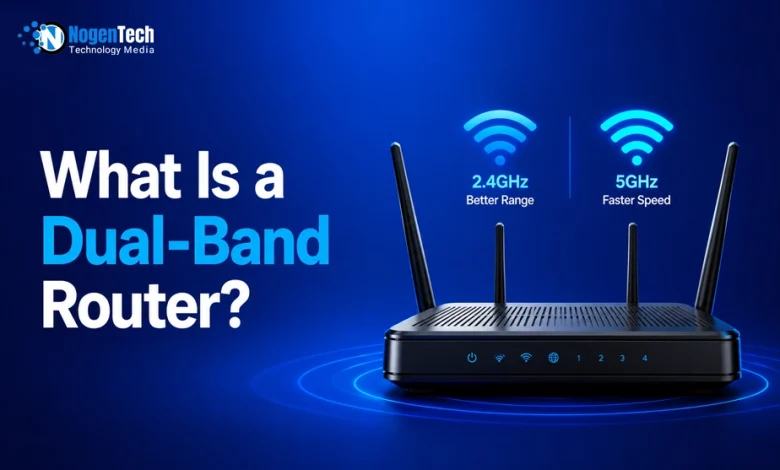
A dual-band router is designed to reduce wireless congestion by giving your devices two WiFi bands to choose from: 2.4 GHz for better range and 5 GHz for faster speeds.
For most U.S. households with multiple smartphones, laptops, smart TVs, gaming consoles, and smart home devices, a dual-band router offers a noticeable improvement in speed, reliability, and overall network performance.
In this guide, I will explain what a dual-band router is, how it works, whether you need one, and how it can solve common Wi-Fi problems.
What Is a Dual-Band Router?
A dual-band router is a wireless router that broadcasts WiFi signals on two different frequency bands: 2.4 GHz and 5 GHz.
Instead of forcing every device to share a single wireless channel, a dual-band router allows compatible devices to connect to the band that best suits their needs.
- The 2.4 GHz band provides longer range and better wall penetration.
- The 5 GHz band offers faster speeds and experiences less interference from nearby devices.
A dual-band router uses both 2.4 GHz and 5 GHz Wi-Fi bands to improve speed, reduce interference, and support multiple connected devices more efficiently.
Many people mistakenly believe this means they receive two internet connections. That’s not true.
You still have one internet connection from your Internet Service Provider (ISP). The router simply gives your devices two different wireless paths to access that connection.
For example:
- Smart speakers and security cameras can stay connected on the 2.4 GHz band.
- Laptops, gaming consoles, and smart TVs can use the 5 GHz band for higher speeds.
By spreading devices across two bands, the router prevents one crowded network from slowing down every connected device.
What Is a Dual-Band Wi-Fi Router?
A dual-band Wi-Fi router is simply another name for a dual-band wireless router. The terms are often used interchangeably.
Whether a product is labeled:
- Dual-band router
- Dual-band Wi-Fi router
- Wireless dual-band router
They generally describe the same type of networking device that broadcasts both 2.4 GHz and 5 GHz Wi-Fi signals.
Some newer models also include WiFi 6 or WiFi 7 technology, which improves efficiency and supports more connected devices. However, the core idea remains the same: two frequency bands working together to provide faster and more reliable wireless networking.
How Does a Dual-Band Router Work?
A dual-band router contains two wireless radios that broadcast on different frequencies at the same time. When a device requests a Wi-Fi connection, the router either lets you choose a band manually or automatically assigns the most suitable band.
This separation reduces wireless traffic and improves overall performance.
2.4 GHz vs 5 GHz: What's the Difference?
Choosing the right Wi-Fi band depends on your device and where you’re using it.
| Feature | 2.4 GHz | 5 GHz |
| Maximum Speed | Lower | Higher |
| Coverage | Longer | Shorter |
| Wall Penetration | Better | Weaker |
| Interference | Higher | Lower |
| Best for Streaming | Good | Excellent |
| Best for Gaming | Fair | Excellent |
| Smart Home Devices | Excellent | Good |
| Apartment Buildings | Often crowded | Usually cleaner |
If you want a detailed 2.4 GHz vs 5 GHz comparison, I have already created one for you in a specified guide.
Can Both Bands Work at the Same Time?
Yes. Both bands can work at the same time, and this is one of the biggest advantages of a dual-band router.
For example:
- Dad is attending a Zoom meeting on 5 GHz.
- Kids are watching YouTube on tablets connected to 5 GHz.
- Smart lights stay connected on 2.4 GHz.
- A Ring doorbell records video over 2.4 GHz.
- A smart thermostat communicates through 2.4 GHz.
Since devices are distributed across two bands, the network handles more traffic without becoming overloaded.
Why Does a Dual-Band Router Fix Slow Wi-Fi?
Many people assume slow Wi-Fi means they need a faster internet plan. In reality, the issue is often wireless congestion inside the home.
A typical household contains:
- Smartphones
- WFH or gaming laptops
- Smart TVs
- Gaming consoles
- Smart speakers
- Security cameras
- Smart doorbells
- Tablets
- Smart appliances
That’s often 15 to 30 connected devices sharing one wireless network.
A single-band router forces every device onto the same frequency, creating traffic jams. On the other hand, a dual-band router reduces that congestion by splitting devices across two bands.
As a result, you may notice:
- Faster streaming
- Smoother video calls
- Lower gaming latency
- Quicker downloads
- More stable Wi-Fi
- Fewer buffering interruptions
What Is the Purpose of a Dual-Band Router?
The primary purpose of a dual-band router is to create a faster, more reliable, and less congested home Wi-Fi network.
Hence, you can enjoy every Internet activity seamlessly, which includes:
- Streaming Netflix, Hulu, Disney+, or YouTube in HD and 4K.
- Online gaming with lower latency and Internet jitter.
- Working from home using Zoom, Microsoft Teams, or Google Meet.
- Virtual learning and online classes.
- Connecting smart home devices such as thermostats, cameras, plugs, and lights.
- Uploading large files to cloud storage.
- Video calling with friends and family.
- Browsing the web on multiple devices simultaneously.
What Is a Dual-Band Router Used For?
A dual band router is used to:
- Reduce Wi-Fi congestion.
- Improve streaming quality.
- Support multiple users at the same time.
- Deliver faster wireless speeds.
- Reduce interference from neighboring networks.
- Improve gaming and video call performance.
- Keep smart home devices connected more reliably.
Do I Need a Dual-Band Router?
For most households in the United States, the answer is yes. A dual-band router is worth considering if you:
- Have more than five connected devices.
- Stream movies or TV shows regularly.
- Play online games.
- Work remotely.
- Attend video meetings.
- Use smart home devices.
- Have internet speeds of 100 Mbps or higher, like 300 Mbps, 500 Mbps, and Gigabit Internet.
- Live in an apartment or neighborhood with many nearby Wi-Fi networks.
Is My Router Dual Band?
If you’re not sure whether your current router supports dual-band Wi-Fi, there are several easy ways to find out. Most routers sold in the U.S. over the last several years support both 2.4 GHz and 5 GHz, but older models may only offer a single 2.4 GHz network.
- Check the Wi-Fi Network Names: Open the Wi-Fi settings on your phone or laptop. If you see two network names such as HomeWiFi and HomeWiFi-5G, your router is almost certainly dual-band. Some routers may label them as HomeWiFi-2.4 and HomeWiFi-5GHz.
- Look at the Router Label: Manufacturers usually print supported wireless standards on the router or its packaging. You should look for terms like Dual Band, AC1200, AC1900, AX1800, Wi-Fi 5, Wi-Fi 6, Wi-Fi 6E, and Wi-Fi 7. These models support at least two Wi-Fi bands.
- Log Into Your Router: Open your router’s admin page (usually by typing 192.168.1.1 or 192.168.0.1 into your browser) and then navigate to Wireless Settings. If you see separate settings for 2.4 GHz and 5 GHz, your router is dual band.
- Check the Manufacturer’s Website: Search your router’s model number online. The specifications page will clearly state whether it supports dual-band Wi-Fi.
How Do I Know If I Have a Dual-Band Router?
You can confirm in just a few minutes using this checklist.
- Two Wi-Fi network names appear.
- Your router settings show both 2.4 GHz and 5 GHz.
- The router box says “Dual Band.”
- Your ISP’s app lets you manage both Wi-Fi bands.
- The router supports Wi-Fi 5 (802.11ac), Wi-Fi 6 (802.11ax), Wi-Fi 6E, or Wi-Fi 7.
If none of these apply, your router may be a single-band model that only broadcasts on 2.4 GHz.
Does a Dual-Band Router Switch Automatically?
Yes. Many modern dual-band routers automatically move compatible devices between the 2.4 GHz and 5 GHz bands using a feature commonly called Smart Connect or Band Steering.
Instead of creating two separate Wi-Fi networks, the router uses a single network name (SSID). Behind the scenes, it decides which band offers the best connection for each device.
For example:
- A laptop in the same room may connect to 5 GHz for higher speeds.
- A smart thermostat farther away may stay on 2.4 GHz for better range.
Advantages of Automatic Switching
- No manual network selection.
- Better overall network performance.
- Reduced congestion.
- Easier setup for non-technical users.
When Should You Disable Smart Connect?
Some users prefer separate Wi-Fi bands if they:
- Play competitive online games.
- Want smart home devices to remain on 2.4 GHz.
- Need consistent control over which devices use each band.
- Troubleshoot connectivity problems.
For most households, leaving Smart Connect enabled is the easiest and most effective option.
How to Use a Dual-Band Router?
Setting up and using a dual-band router doesn’t require advanced networking knowledge. However, you need to follow these best practices.
Step 1: Place the Router Correctly
Position your router:
- Near the center of your home.
- On a shelf or table.
- Away from thick concrete walls.
- Away from microwaves and cordless phones.
- Off the floor.
Good placement alone can significantly improve Wi-Fi coverage.
Step 2: Update the Firmware
Router manufacturers regularly release firmware updates that improve:
- Security
- Stability
- Performance
- Compatibility
Install updates before connecting all your devices.
Step 3: Connect Devices to the Right Band
Use 5 GHz for:
- Gaming PCs
- Smart TVs
- Streaming devices
- Laptops
- Tablets
Use 2.4 GHz for:
- Smart plugs
- Cameras
- Doorbells
- Printers
- Smart speakers
- Devices located farther away
Step 4: Secure Your Network
Always enable:
- WPA3 (preferred)
- WPA2 if WPA3 isn’t available
Avoid outdated security protocols like WEP. While both protocols secure your Wi-Fi network, WPA3 offers stronger protection than WPA2 on supported devices.
Step 5: Restart Occasionally
Restarting your router every few weeks can clear temporary glitches and improve stability.
How to Set Up a Dual-Band Wi-Fi Router?
Whether you’re replacing an old router or installing a new one, setup is straightforward.
1. Connect the Hardware
- Connect the modem to the router using an Ethernet cable.
- Turn on both devices.
- Wait until the internet light becomes stable.
2. Access the Setup Page
Use the router app or web interface to:
- Create a Wi-Fi name (SSID).
- Set a strong password.
- Enable automatic firmware updates.
- Choose WPA3 security.
3. Configure the Wi-Fi Bands
You can either:
- Keep separate 2.4 GHz and 5 GHz networks, or
- Enable Smart Connect to let the router manage both automatically.
4. Connect Your Devices
Reconnect:
- Phones
- Tablets
- Smart TVs
- Gaming consoles
- Smart home devices
- Printers
If a device only supports 2.4 GHz, connect it to that network.
5. Test Your Speeds
Walk around your home and test Wi-Fi performance in different rooms. If certain areas have weak coverage, consider repositioning the router or adding a mesh Wi-Fi system.
Single-Band vs Dual-Band vs Tri-Band Routers
Choosing the right router depends on the size of your home, the number of connected devices, and your internet usage.
| Feature | Single-Band | Dual-Band | Tri-Band |
| Wi-Fi Bands | 2.4 GHz | 2.4 + 5 GHz | 2.4 + Two 5 GHz or 2.4 + 5 + 6 GHz |
| Speed | Basic | Fast | Fastest |
| Interference | High | Lower | Lowest |
| Multiple Devices | Limited | Excellent | Best |
| Gaming | Basic | Great | Excellent |
| Large Homes | Poor | Good | Excellent |
| Price | Lowest | Moderate | Highest |
Final Thoughts
A dual-band router is one of the most effective upgrades you can make if your home Wi-Fi feels slow or unreliable.
Through broadcasting both 2.4 GHz and 5 GHz frequencies, it reduces wireless congestion, improves speed, and keeps multiple devices connected without overwhelming a single network.
For most U.S. households, a dual-band router strikes the ideal balance between performance, coverage, and affordability.
- Use the 2.4 GHz band for long-range connections and smart home devices
- Switch to 5 GHz for streaming, gaming, video calls, and other bandwidth-intensive tasks.
People Also Ask
What is a dual-band router?
A dual-band router broadcasts Wi-Fi on both the 2.4 GHz and 5 GHz frequency bands, allowing devices to connect to the band that offers the best balance of speed and coverage.
What is a dual-band Wi-Fi router?
A dual-band Wi-Fi router is another name for a wireless router that supports both 2.4 GHz and 5 GHz Wi-Fi frequencies.
What does dual band mean on a router?
It means the router can broadcast two separate wireless frequency bands simultaneously. This reduces congestion and improves network performance.
What is the purpose of a dual-band router?
Its main purpose is to improve Wi-Fi speed, reduce interference, support multiple connected devices, and deliver a more reliable wireless connection.
What is a dual-band router used for?
It’s commonly used for streaming, gaming, video calls, remote work, online learning, and connecting smart home devices.
How does a dual-band router work?
It uses two wireless radios to broadcast separate 2.4 GHz and 5 GHz Wi-Fi signals. Devices connect to the most suitable band based on distance, compatibility, or Smart Connect settings.
Do I need a dual-band router?
If your home has multiple connected devices, frequent streaming, gaming, or remote work, a dual-band router is highly recommended.
How do I know if my router is dual band?
Check for two Wi-Fi bands (2.4 GHz and 5 GHz), review your router’s specifications, or log into its settings to see if both frequencies are available.
Does a dual-band router switch automatically?
Yes. Many modern routers use Smart Connect or Band Steering to automatically place devices on the most appropriate Wi-Fi band.
Can I use both Wi-Fi bands at the same time?
Yes. Dual-band routers broadcast both frequencies simultaneously, allowing different devices to use each band at the same time.
Should I connect to 2.4 GHz or 5 GHz?
Use 2.4 GHz for longer range and smart home devices. Choose 5 GHz for gaming, streaming, video calls, and faster downloads when you’re closer to the router.
Is Wi-Fi 6 always dual band?
Most Wi-Fi 6 routers support both 2.4 GHz and 5 GHz. Some Wi-Fi 6E and Wi-Fi 7 routers also add a 6 GHz band for even greater capacity.
Can older devices connect to a dual-band router?
Yes. Devices that only support 2.4 GHz can still connect to a dual-band router, while newer devices can take advantage of the faster 5 GHz band.