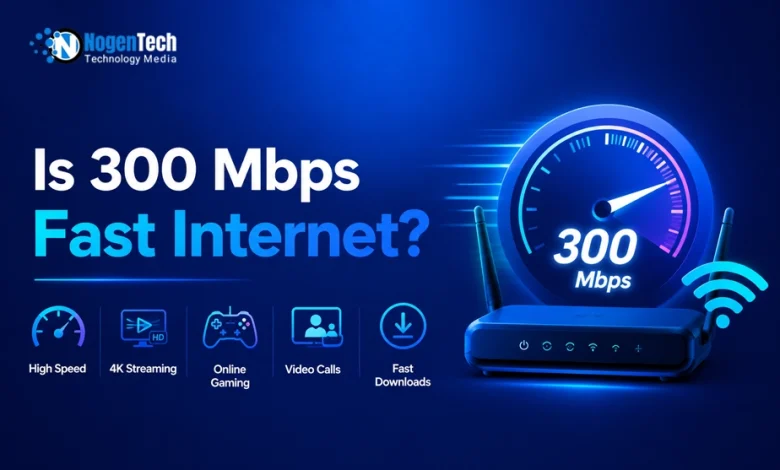
Yes, 300 Mbps is fast internet for most U.S. homes. It is enough for online gaming, several 4K streams, video calls, remote work, smart devices, and everyday browsing at the same time. For a household with two to five active users, it usually provides a practical balance between speed and monthly cost.
It can support several 4K streams, online gaming, video calls, browsing, and smart-home devices at the same time. However, gaming quality depends more on ping, latency, Internet jitter, WiFi strength, and upload speed than on download speed alone.
A 300 Mbps plan is generally a strong fit for 2 to 5 people, especially when multiple people stream Netflix, YouTube TV, Hulu, Disney+, or live sports while someone games online.
Netflix recommends at least 15 Mbps for one 4K stream, so a stable 300 Mbps connection has enough download capacity for multiple 4K streams at once.
Now, as you will read next, I will walk you through a detailed discussion covering whether 300 Mbps is fast enough for Gaming, streaming, and other activities, how many devices it can handle, and more.
Is 300 Mbps Fast Enough for Gaming?
Yes, 300 Mbps is more than enough for online gaming. Most online games use far less than 300 Mbps, but a stable connection with low ping and low Internet jitter matters more than having a very high download speed.
Is 300 Mbps Fast Enough for Gaming on PS5, Xbox, and PC?
Yes, 300 Mbps is enough for PS5, Xbox Series X, Nintendo Switch, and gaming PCs.
It can support online multiplayer gaming, game downloads, voice chat, streaming gameplay, and other household internet use at the same time.
How Much Internet Speed Does Online Gaming Actually Need?
Most online games do not need 300 Mbps of Internet speed to run smoothly. Many games can work well with 25 Mbps or less.
However, a faster plan helps with game downloads, patches, updates, and multiple people using the internet at the same time.
| Gaming Factor | Good Target | Why It Matters |
| Download speed | 25 Mbps or more | Supports game updates and online play |
| Upload speed | 3 to 10 Mbps or more | Helps voice chat, multiplayer data, and streaming |
| Ping | Under 50 ms | Reduces delay in competitive games |
| Jitter | Under 30 ms | Helps prevent lag spikes |
| Packet loss | 0% | Prevents rubber-banding and disconnects |
If you want complete details of the best Internet speed for gaming, check my dedicated article.
Is 300 Mbps Good for Competitive Gaming?
Yes, but speed alone does not guarantee competitive online gaming performance.
A 100 Mbps fiber connection with low latency can feel better than a 300 Mbps cable plan with high ping, jitter, or packet loss.
Why Does My Game Lag Even Though I Have 300 Mbps?
Your game can lag even with a fast internet plan because gaming problems are not always caused by download speed.
Common causes include:
- High ping to the game server
- WiFi interference from walls, floors, or nearby networks
- Packet loss
- High jitter
- Large downloads running in the background
- Cloud backups syncing during gameplay
- An outdated router
- ISP congestion during evening hours
- A game server problem
- Using a VPN with a distant server
If your game lags, test your connection while gaming and look at ping, jitter, and packet loss instead of only checking download speed.
Is 300 Mbps Good for Streaming?
Yes, 300 Mbps is more than enough for most streaming needs. It can support multiple HD and 4K streams at the same time across services such as Netflix, YouTube TV, Hulu, Disney+, Max, and Prime Video.
For most households, streaming quality depends more on WiFi coverage and device performance than the internet plan itself.
What Can 300 Mbps Internet Handle?
| Activity | Is 300 Mbps Enough? | What Users Can Expect |
| Online gaming | Yes | Smooth gameplay if ping and WiFi are stable |
| Netflix in 4K | Yes | Multiple 4K streams at once |
| YouTube TV | Yes | Smooth live TV streaming for several devices |
| Working from home | Yes | Video calls, cloud apps, uploads, and VPN use |
| One person | More than enough | Suitable for nearly every daily activity |
| Family of 4 | Usually enough | Good for gaming, streaming, school, and smart devices |
| Large household | Sometimes | May need 500 Mbps or faster during heavy simultaneous use |
| WiFi gaming | Yes, with a good router | Ethernet is still more reliable |
If you have a fast 300 Mbps connection that you rarely use to its full capacity, some users look into bandwidth-sharing apps to make money selling unused internet data for passive income.
However, keep in mind that selling internet bandwidth can consume upload capacity, trigger ISP data caps, and carry privacy risks, so it isn’t recommended for heavy gaming or remote work setups.
How Many Devices Can 300 Mbps Support?
A 300 Mbps connection can comfortably support dozens of connected devices in a typical household. The exact number depends on what those devices are doing.
A home with multiple smartphones, laptops, smart TVs, gaming consoles, security cameras, and smart-home devices can usually operate without issues on a stable 300 Mbps connection.
Most homes will run out of WiFi coverage or router capacity before they run out of bandwidth on a 300 Mbps plan.
How Fast Is 300 Mbps Internet?
In everyday use, 300 Mbps is a fast home internet speed. It can handle multiple high-bandwidth activities together, but real performance still depends on WiFi coverage, router quality, connected devices, and the type of connection available in your area.
300 Mbps means your connection can download up to 300 megabits of data per second.
That is fast enough for modern home internet use, including 4K streaming, multiplayer gaming, video conferencing, cloud backups, and downloading large files.
Is 300 Mbps Fast Internet?
Yes, 300 Mbps is considered fast internet for most U.S. households. It is well above the speed needed for basic browsing, HD streaming, online classes, and video calls.
How Fast Is 300 Mbps in Real Life?
Your actual speed may be lower than 300 Mbps because of WiFi distance, router quality, device limitations, network congestion, walls, interference, and the type of internet service you have.
For example, a 300 Mbps fiber plan may feel faster and more stable than a 300 Mbps cable plan because fiber often provides lower latency and faster upload speeds.
| Download | Approximate Time at 300 Mbps |
| 1 GB game update | About 30 seconds |
| 10 GB game download | About 4 to 5 minutes |
| 50 GB console game | About 22 to 25 minutes |
| 100 GB game download | About 45 to 50 minutes |
| 4K movie download | Usually under 10 minutes, depending on file size |
Note: Actual speeds are often lower than the advertised plan speed because of WiFi, device limits, and network conditions.
Is 300 Mbps Fast Enough for Streaming TV and Netflix?
Yes, 300 Mbps is enough for Netflix in HD and 4K on multiple TVs.
A single 4K Netflix stream typically needs around 15 Mbps, leaving plenty of capacity for other devices. So, it can support multiple HD and 4K streams at the same time when the home WiFi network is working properly.
Is 300 Mbps Fast Enough for YouTube TV?
Yes, 300 Mbps is fast enough for YouTube TV, including live TV streaming on multiple devices.
If YouTube TV buffers, the problem is more likely WiFi coverage, device performance, or network congestion than the 300 Mbps plan itself.
Is 300 Mbps Fast Enough for Streaming TV?
Yes, 300 Mbps can support several smart TVs streaming at once. It is suitable for households that watch live sports, 4K movies, YouTube videos, and streaming services while other people browse or game.
If you’re setting up live TV services over your home internet, understanding the underlying IPTV network infrastructure can help you ensure smooth playback without buffering.
How Many 4K Streams Can 300 Mbps Support?
A 300 Mbps connection can theoretically support around 20 simultaneous 4K Netflix streams. In real homes, plan for fewer because WiFi quality, other devices, and ISP performance reduce usable bandwidth.
Is 300 Mbps Fast Enough for Working From Home?
Yes, 300 Mbps is fast enough for working from home, including Zoom meetings, Microsoft Teams calls, cloud apps, VPN access, large file downloads, and online collaboration.
Is 300 Mbps Fast Enough for Zoom and Microsoft Teams?
Yes, 300 Mbps is more than enough for Zoom and Microsoft Teams. Video-call quality depends more on upload speed, WiFi stability, and network congestion than on download speed.
Is 300 Mbps Enough for Remote Workers Who Upload Files?
Usually, yes, but upload speed matters. A 300 Mbps cable plan may have much slower upload speeds than a 300 Mbps fiber plan, which can affect cloud backups, sending large files, and livestreaming.
| Connection Type | Typical Download | Typical Upload | Better For |
| Cable internet | 300 Mbps | Often lower upload speed | Streaming, browsing, casual gaming |
| Fiber internet | 300 Mbps | Often equal to or close to the download speed | Remote work, uploads, cloud backups, livestreaming |
| Fixed wireless | Varies | Varies | Areas without cable or fiber |
| Satellite | Varies | Often higher latency | Rural locations with limited alternatives |
Is 300 Mbps Fast Enough for One Person?
Yes, 300 Mbps is more than enough for one person. A single user can game, stream in 4K, work remotely, browse, video call, and download large files without needing a faster plan in most cases.
When Would One Person Need More Than 300 Mbps?
One person may benefit from faster internet if they regularly:
- Download 100 GB or larger games
- Upload large video files
- Livestream in 4K
- Run frequent cloud backups
- Operate a home server
- Use multiple high-bandwidth devices at once
- Need faster upload speeds for work or content creation
For most single users, 300 Mbps is already more than enough.
Is 300 Mbps Enough for a Family?
Yes, 300 Mbps is excellent for a family, especially a family of 2 people. It can comfortably handle streaming, gaming, video calls, browsing, smart devices, and remote work at the same time.
Is 300 Mbps Enough for a Family of 4?
Yes, 300 Mbps is usually enough for a family of four. It works well for multiple streams, schoolwork, gaming, video calls, and smart home devices, provided the router can handle the household’s coverage needs.
Is 300 Mbps Enough for a Large Household?
It depends on simultaneous use. A household with six or more active users, several 4K TVs, gamers, remote workers, and smart devices may benefit from 500 Mbps or 1 Gig internet.
| Household Situation | Is 300 Mbps Enough? | Better Option if Not |
| One person | Yes, more than enough | 100 to 300 Mbps |
| Couple | Yes | 300 Mbps |
| Family of 4 | Usually yes | 300 to 500 Mbps |
| Family of 5 to 6 | Depends on usage | 500 Mbps |
| Heavy gamers and streamers | Usually yes, if WiFi is strong | 500 Mbps or fiber |
| Large smart home | Depends on device activity | 500 Mbps or 1 Gig |
| Content creator or livestreamer | Download is enough; upload may not be | Fiber with higher upload speed |
Is 300 Mbps Fiber Optic Fast?
Yes, 300 Mbps fiber internet is very fast because it often provides lower latency and much faster upload speeds than cable internet.
For gaming, working from home, cloud storage, and video calls, 300 Mbps fiber can feel better than a faster cable plan. I have reviewed the best Fiber Internet providers in the USA, from which you can pick one.
300 Mbps Fiber vs 300 Mbps Cable Internet
| Feature | 300 Mbps Fiber | 300 Mbps Cable |
| Download speed | Fast | Fast |
| Upload speed | Often much faster | Often slower |
| Ping and latency | Usually lower | Can vary more |
| Peak-hour slowdown | Usually less noticeable | Can be more common |
| Gaming | Excellent | Good to excellent |
| Remote work | Excellent | Good |
| Large uploads | Excellent | May feel slower |
300 Mbps vs 500 Mbps: Is It Worth Upgrading?
| Internet Plan | 300 Mbps | 500 Mbps |
|---|---|---|
| Best For | Most homes | Larger or busier homes |
| Ideal Household | 2 to 5 users | 5+ heavy users |
| Gaming | Excellent | Better for multiple gamers |
| Streaming | Multiple 4K streams | Many simultaneous 4K streams |
| Remote Work | Great for most homes | Better for multiple remote workers |
| Upgrade? | Best value for most users | Choose if 300 Mbps feels crowded |
Is 300 Mbps Better Than 1 Gig for Gaming?
For online gameplay, 300 Mbps can feel just as good as 1 Gig if both connections have similar ping, jitter, and packet loss. A 1 Gig plan mainly improves large game downloads and supports more simultaneous household activity.
Who Should Choose a 300 Mbps Internet Plan?
A 300 Mbps internet plan is a good choice for households with 2 to 5 people who regularly:
- Stream in 4K
- Play online games
- Work from home
- Join video calls
- Use multiple smart devices
It offers enough speed for most U.S. homes without paying extra for a faster plan they may not need.
Why Does 300 Mbps Feel Slow Even When Your Plan Is Fast?
- Your Router May Be the Problem: An old router may not support modern WiFi speeds or may struggle when many devices connect at once.
- Your Device May Not Receive 300 Mbps: Gaming laptops, smartphones, smart TVs, and consoles may have slower WiFi hardware.
- WiFi Signal Strength Matters More Than Your Plan Speed: Walls, floors, furniture, distance, nearby WiFi networks, Bluetooth devices, and microwaves can reduce WiFi performance.
- Your ISP May Deliver Different Speeds at Different Times: Cable internet users may notice slower speeds during busy evening hours when many nearby households are online.
- You May Have a Fast Download Speed but Poor Upload Speed: Upload speed matters for Zoom calls, cloud backups, sending files, gaming voice chat, livestreaming, and security cameras.
How to Get the Best Performance From a 300 Mbps Internet Plan?
No matter if you are enjoying 300 Mbps from Xfinity Internet Plans or Spectrum Internet Plans, if you are not getting the 300 Mbps speed, nothing can work better for you.
To get the best performance, you should:
- Use Ethernet for gaming PCs and consoles
- Place your router in a central, open location
- Use 5 GHz or 6 GHz WiFi for nearby devices
- Upgrade to a WiFi 6 or WiFi 7 router if needed
- Restart the modem and router occasionally
- Check for ISP outages and also configure your router with WPA2 or WPA3 for better Wi-Fi security.
- Pause large downloads during gaming
- Run a speed test near the router and in problem rooms
- Use mesh WiFi for large homes
- Check your upload speed, ping, jitter, and packet loss
The FCC notes that household speed needs depend on how many devices and activities are running at the same time, not just the advertised plan speed.
What Results Should You Look For?
| Metric | Good Result for 300 Mbps Plan |
| Download speed | 250 Mbps or higher on Ethernet |
| Upload speed | Depends on plan type |
| Ping | Under 50 ms for gaming |
| Jitter | Under 30 ms |
| Packet loss | 0% |
| WiFi speed near router | Close to plan speed |
| WiFi speed in far room | Enough for the activity being used |
What People Also Ask About 300 Mbps Internet
Is 300 Mbps Good Internet?
Yes, 300 Mbps is good internet for most homes. It supports multiple users who stream, game, work remotely, join video calls, and use smart devices at the same time.
Is 300 Mbps fast enough for gaming?
Yes, 300 Mbps is more than enough for gaming, but low ping, low jitter, and a stable Ethernet or WiFi connection matter more than download speed.
Is 300 Mbps fast enough for Netflix?
Yes, 300 Mbps can support multiple Netflix streams, including 4K streaming, which Netflix recommends at 15 Mbps per stream.
Is 300 Mbps enough for YouTube TV?
Yes, 300 Mbps is enough for YouTube TV and other live TV streaming services on multiple devices.
Is 300 Mbps fast enough for working from home?
Yes, 300 Mbps is enough for Zoom, Teams, VPNs, cloud apps, and remote work, although upload speed matters for large file transfers.
Is 300 Mbps fast for WiFi?
Yes, 300 Mbps WiFi is fast if your router, device, and signal strength can support it. Weak WiFi can make a fast plan feel slow.
Is 300 Mbps enough for one person?
Yes, 300 Mbps is more than enough for one person who streams, games, works remotely, and uses multiple devices.
Can 300 Mbps handle multiple users?
Yes, 300 Mbps can comfortably handle multiple users streaming, gaming, working from home, and using smart devices at the same time.
Is 300 Mbps good for PS5 and Xbox gaming?
Yes, 300 Mbps is more than enough for PS5 and Xbox gaming, provided your connection has low ping, low jitter, and stable WiFi or Ethernet.
Is 300 Mbps enough for a family of four?
Yes, 300 Mbps is usually enough for a family of four using streaming, gaming, online school, video calls, and smart-home devices.
Is 300 Mbps fiber optic fast?
Yes, 300 Mbps fiber is very fast and may perform better than 300 Mbps cable because it often has lower latency and faster upload speeds.
How fast is 300 Mbps internet speed?
300 Mbps can download roughly 37.5 megabytes per second under ideal conditions, allowing a 10 GB file to download in around 4 to 5 minutes.
Is 90 to 300 Mbps good internet?
Yes, 90 to 300 Mbps is good internet for most homes. Around 90 Mbps works for lighter use, while 300 Mbps is better for multiple users, gaming, and 4K streaming.
Is 300 Mbps a good internet speed?
Yes, 300 Mbps is a great internet speed for most homes. It comfortably supports 2 to 5 active users streaming in 4K, playing online games, joining Zoom video calls, working from home, and running smart devices at the same time without lag or buffering.
Is 300 Mbps Fast Internet? Final Verdict
Yes, 300 Mbps is good internet for most U.S. households. It is fast enough for gaming, Netflix and YouTube TV streaming, video calls, working from home, and multiple connected devices.
You may only need 500 Mbps or 1 Gig if several people regularly download large files, stream in 4K, upload content, or use the connection heavily at the same time.
Choose 300 Mbps if you want a balanced plan for a household with regular streaming, gaming, and remote work. Upgrade to 500 Mbps or 1 Gig only if many people use the internet heavily at the same time, you download huge files often, or your household needs faster upload speeds.