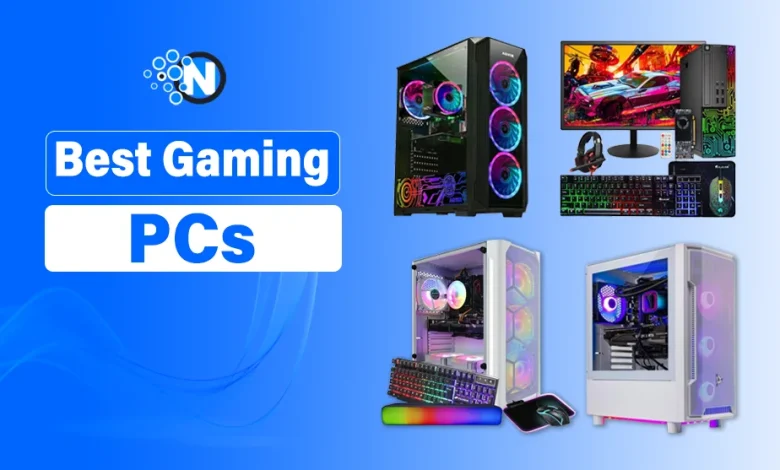
Don’t let flashy marketing convince you to buy a gaming PC that isn’t built for the games you play.
Finding the best gaming PC is easier when you know what matters to you. A quality prebuilt gaming PC should combine a powerful CPU, dedicated GPU, ample RAM, fast NVMe SSD storage, reliable cooling, and upgrade potential for smooth gaming performance.
To help you choose, I’ve compared the best gaming desktops of 2026 based on:
- Gaming performance in AAA games at 1080p, 1440p, and 4K
- Hardware specifications and build quality
- Upgradeability and long-term value
- Overall value for money
Whether you’re buying your first gaming computer or upgrading an older system, I will explain the top prebuilt gaming desktops for every budget and gaming style.
8 Best Prebuilt Gaming PCs for Every Budget in Canada
Choosing the right gaming PC depends on your budget, performance expectations, and preferred games. Below are the top prebuilt gaming desktops I’ve selected based on gaming performance, hardware, build quality, upgradeability, and overall value for money.
- Skytech Archangel Gaming PC
- STGAubron Desktop Computer
- Dell OptiPlex 7080 SFF
- Skytech Chronos Gaming PC
- HP Desktop Computer
- HAJAAN Breeze Gaming Computer
- AQVIN AQ50 Tower Gaming Computer
- Skytech Nebula Gaming PC
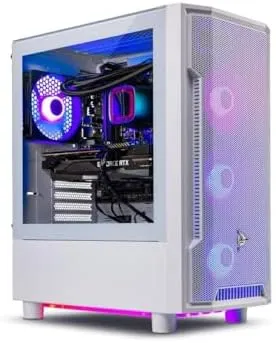
1 – Skytech Archangel Gaming PC – Immersive Gaming Universe
The Skytech Archangel Gaming PC is a reliable prebuilt gaming desktop that balances performance, upgradeability, and value. It’s ideal for gamers who want smooth gameplay in modern titles without building a PC from scratch.
Specifications
- Processor: Intel Core i5-14400F (Up to 4.7GHz Turbo)
- Graphics Card: NVIDIA GeForce RTX 5060 8GB GDDR7
- Memory: 16GB DDR5 RAM (6000MHz)
- Storage: 1TB NVMe M.2 SSD
- Operating System: Windows 11 Home (64-bit)
- Power Supply: 750W 80+ Gold PSU
- Cooling: High-Performance Air Cooler with ARGB Fans
- Connectivity: Wi-Fi, HDMI, DisplayPort, USB 2.0, USB 3.0 & USB 3.2 Gen 1
Key Features
- Runs modern AAA and competitive games at 1080p Ultra settings with smooth frame rates.
- Combines a 14th Gen Intel Core i5 processor and RTX 5060 GPU for responsive gaming and multitasking.
- Features DDR5 RAM and a 1TB NVMe SSD for faster boot times and reduced game loading times.
- Includes efficient cooling, a 750W Gold PSU, and an upgrade-friendly design for long-term use.
| Pros | Cons |
|---|---|
| Excellent 1080p gaming performance | Premium price tag |
| Fast RAM and NVMe SSD | 16GB RAM may need an upgrade for heavy multitasking |
| Upgrade-friendly PSU | Brand of the RTX 5060 may vary |
| Efficient cooling | Wi-Fi 6 support isn’t specified |
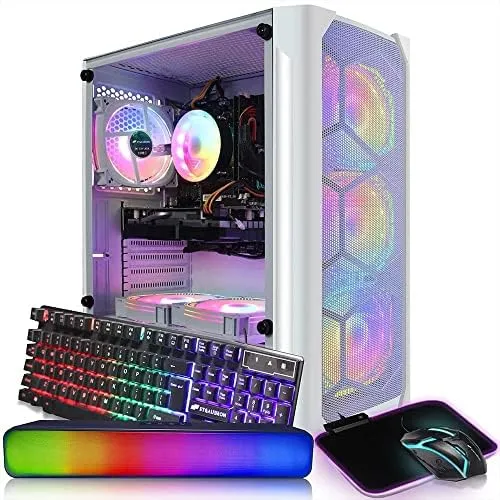
2 – STGAubron Desktop Computer – Budget-Friendly Gaming Performance
The STGAubron Desktop Computer is a value-packed prebuilt gaming PC built for gamers, content creators, and everyday users.
With a capable AMD Ryzen processor, dedicated NVIDIA graphics, and modern connectivity, it delivers reliable performance for 1080p gaming, streaming, and multitasking without stretching your budget.
Specifications
- Processor: AMD Ryzen 5 5500 (Up to 4.2GHz)
- Graphics Card: NVIDIA GeForce RTX 2060 Super 8GB GDDR6
- Memory: 16GB DDR4 RAM
- Storage: 1TB SSD
- Operating System: Windows 11 Home (64-bit)
- Cooling: RGB Fans ×4
- Connectivity: Wi-Fi 6, Bluetooth 5.2, HDMI, DisplayPort, DVI, RJ-45
- Extras: RGB Gaming Keyboard & Mouse
Key Features
- Delivers smooth 1080p gaming with 60+ FPS in popular AAA and competitive titles.
- Powered by the AMD Ryzen 5 5500 and RTX 2060 Super for gaming, streaming, and content creation.
- Includes a 1TB SSD for fast boot times, quick game loading, and responsive multitasking.
- Features Wi-Fi 6, Bluetooth 5.2, RGB cooling fans, and lifetime technical support for added convenience.
(Tip: To round out your out-of-the-box setup, pair it with some of the best gaming earbuds for immersive audio, or pick up a reliable wireless controller for PC gaming if you prefer playing from the couch).
| Pros | Cons |
|---|---|
| Excellent value for money | Uses DDR4 instead of newer DDR5 memory |
| Solid 1080p gaming performance | RTX 2060 Super is an older-generation GPU |
| Fast SSD with Wi-Fi support | Limited upgrade potential compared to newer platforms |
| Suitable for gaming, streaming, and productivity | Not ideal for demanding 1440p or 4K gaming |
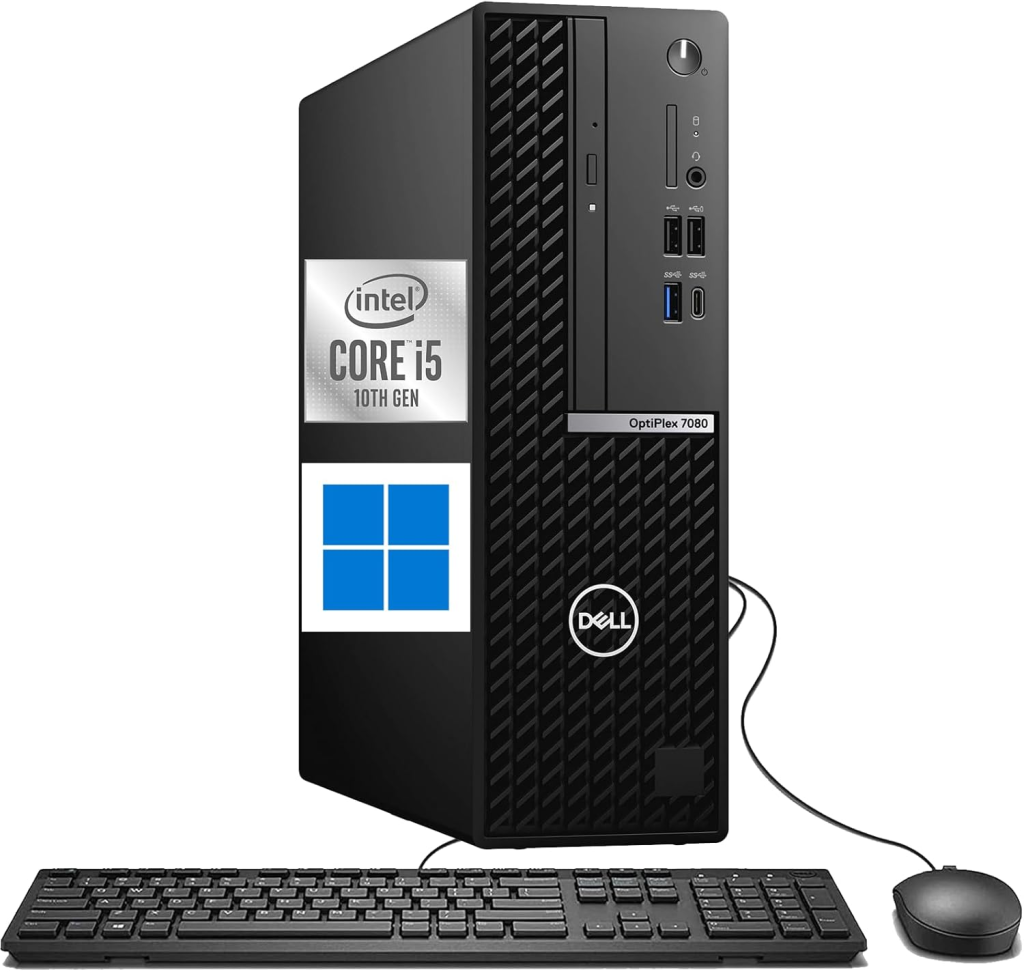
3 – Dell OptiPlex 7080 SFF – Affordable Everyday Computing
The Dell OptiPlex 7080 SFF is a compact, renewed desktop designed for everyday computing, office work, and multimedia tasks. While it isn’t built for high-end gaming, its reliable performance, fast SSD, and affordable price make it a practical choice for students, professionals, and casual users.
Specifications
- Processor: Intel Core i5-10500 (10th Gen, Up to 4.5GHz Turbo)
- Graphics Card: Intel HD Graphics 630 (Integrated)
- Memory: 16GB DDR4 RAM
- Storage: 1TB SSD
- Operating System: Windows 11 Pro
- Form Factor: Small Form Factor (SFF)
- Connectivity: USB 3.0, USB 2.0, USB Type-C, DisplayPort, RJ-45 Ethernet
- Expansion: Internal SATA Slots for Additional Storage
Key Features
- Handles office work, web browsing, multimedia streaming, and multitasking with ease.
- Powered by a 10th Gen Intel Core i5 processor for responsive everyday performance.
- Includes a 1TB SSD to deliver faster boot times and quicker application loading.
- Compact Small Form Factor (SFF) design saves gaming desk space while offering room for storage expansion.
| Pros | Cons |
|---|---|
| Budget-friendly renewed desktop | Integrated graphics aren’t suitable for modern AAA gaming |
| Fast SSD and RAM | Limited gaming performance without a dedicated GPU |
| Compact and space-saving design | Small form factor restricts major hardware upgrades |
| Windows 11 Pro pre-installed | Better suited for productivity than gaming |
( Tip: If you have a tight budget but strictly want to play high-end modern games, weighing a budget gaming PC or gaming console might help you find the better value).
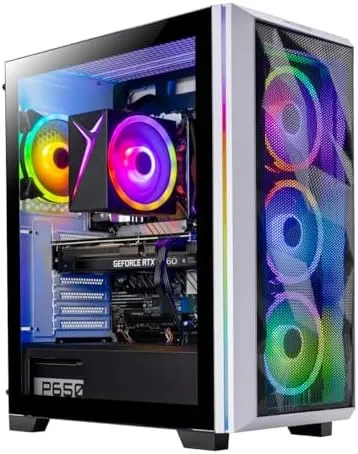
4 – Skytech Chronos Gaming PC – High-Performance Gaming Desktop
The Skytech Chronos Gaming PC is a powerful prebuilt desktop built for gamers who want fast, reliable performance in modern titles.
Featuring an AMD Ryzen 7 processor and NVIDIA RTX graphics, it delivers smooth gameplay, responsive multitasking, and excellent value for both gaming and everyday use.
Specifications
- Processor: AMD Ryzen 7 5700 (Up to 4.6GHz Turbo)
- Graphics Card: NVIDIA GeForce RTX 5060 8GB GDDR7
- Memory: 16GB DDR4 RAM (3200MHz)
- Storage: 1TB NVMe M.2 SSD
- Operating System: Windows 11 Home (64-bit)
- Power Supply: 650W 80+ Gold PSU
- Cooling: High-Performance Air Cooler with ARGB Fans
- Connectivity: Wi-Fi, HDMI, DisplayPort, USB 2.0, USB 3.0 & USB 3.2 Gen 1
Key Features
- Delivers smooth 1080p Ultra gaming with 60+ FPS in popular AAA and competitive titles.
- Combines the AMD Ryzen 7 5700 processor and RTX 5060 GPU for responsive gaming, streaming, and multitasking.
- Equipped with a 1TB NVMe SSD for faster boot times and reduced game loading screens.
- Features a front-mesh case, efficient cooling, and a 650W Gold PSU for stable performance and future upgrades.
| Pros | Cons |
|---|---|
| Powerful processor for multitasking | 16GB RAM may need upgrading for heavy workloads |
| Fast NVMe SSD | Graphics card brand may vary |
| Efficient cooling with upgrade-friendly design | Uses DDR4 instead of DDR5 memory |
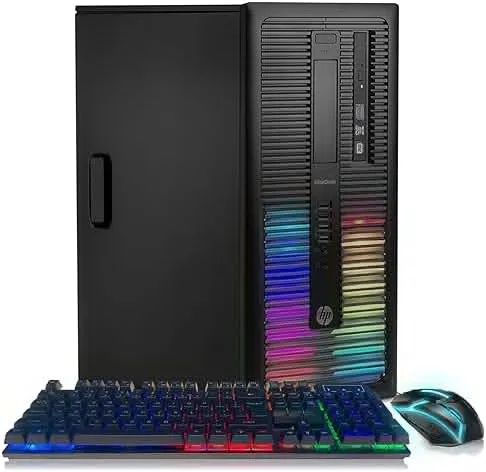
5 – HP Desktop Computer – Budget-Friendly Casual Gaming
The HP Desktop Computer is an affordable gaming desktop designed for casual gamers, students, and everyday users.
With a dedicated AMD Radeon graphics card, ample memory, and SSD storage, it delivers dependable performance for light gaming, productivity, and multimedia tasks.
Specifications
- Processor: Intel Quad-Core Core i5 (Up to 3.6GHz)
- Graphics Card: AMD Radeon RX 550 4GB
- Memory: 16GB RAM
- Storage: 1TB SSD
- Operating System: Windows 10 Pro (64-bit)
- Connectivity: 600M Wi-Fi, Bluetooth 5.0
- Accessories: RGB Keyboard & Mouse
Key Features
- Handles casual gaming, web browsing, and everyday productivity with smooth performance.
- Equipped with a dedicated AMD Radeon RX 550 graphics card for light gaming and multimedia workloads.
- Includes 16GB RAM and a 1TB SSD for faster boot times, responsive multitasking, and ample storage.
- Comes with built-in Wi-Fi, Bluetooth 5.0, and RGB peripherals for a complete out-of-the-box setup.
| Pros | Cons |
|---|---|
| Affordable price for budget-conscious buyers | Radeon RX 550 isn’t suitable for demanding AAA games |
| Fast SSD and RAM | Ships with Windows 10 Pro instead of Windows 11 |
| Built-in Wi-Fi and Bluetooth connectivity | Older processor compared to newer gaming desktops |
| Includes RGB keyboard and mouse | Best suited for casual rather than high-end gaming |
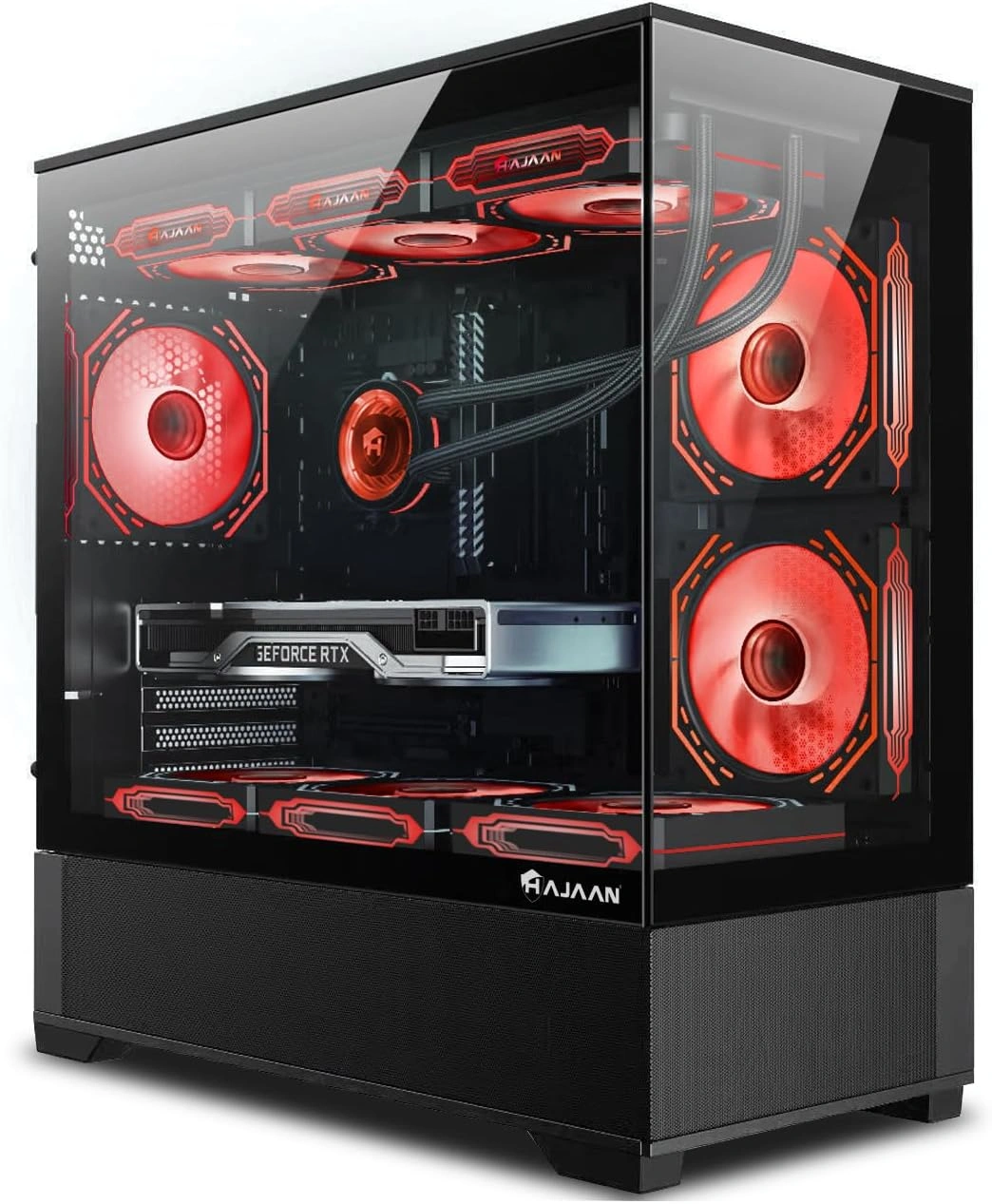
6 – HAJAAN Breeze Gaming Computer – Powerful Gaming & Multitasking
The HAJAAN Breeze Gaming Computer is a high-performance prebuilt desktop designed for gamers and content creators who need smooth gameplay and efficient multitasking.
Its dedicated RTX graphics, liquid cooling, and generous memory make it a reliable choice for modern gaming and creative workloads.
Specifications
- Processor: AMD Ryzen 5 5600G
- Graphics Card: NVIDIA GeForce RTX 4060 8GB GDDR6
- Memory: 32GB DDR4 RAM
- Storage: 1TB SSD
- Operating System: Windows 11 Pro
- Cooling: Liquid Cooling System
- Connectivity: PCIe Wi-Fi, Bluetooth
- Accessories: RGB Mechanical Gaming Keyboard & Mouse
Key Features
- Delivers smooth performance in modern AAA games, esports titles, and VR-ready experiences.
- Combines the AMD Ryzen 5 5600G processor with the RTX 4060 GPU for gaming, streaming, and content creation.
- Features 32GB DDR4 RAM and a 1TB SSD for seamless multitasking, fast boot times, and ample storage.
- Equipped with liquid cooling, RGB lighting, and tempered glass panels for efficient cooling and an attractive gaming setup.
| Pros | Cons |
|---|---|
| Powerful graphics for modern gaming | Higher price than similarly configured systems |
| RAM is ideal for multitasking | Uses DDR4 instead of newer DDR5 memory |
| Liquid cooling improves thermal performance | Ryzen 5 processor may limit CPU-intensive workloads |
| Windows 11 Pro with Wi-Fi and Bluetooth | Limited customer reviews compared to established brands |
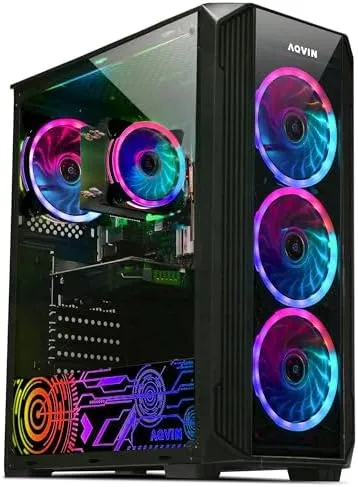
7 – AQVIN AQ50 Tower Gaming Computer – High Memory for Multitasking
The AQVIN AQ50 Tower Gaming Computer is a capable prebuilt gaming desktop designed for gamers and multitaskers who need plenty of memory and storage.
With a dedicated NVIDIA graphics card, a 6-core Intel Core i7 processor, and 32GB RAM, it offers reliable performance for gaming, content creation, and everyday computing.
Specifications
- Processor: Intel Core i7 6-Core (Up to 4.6GHz)
- Graphics Card: NVIDIA GeForce GTX 1660 Super 6GB GDDR6
- Memory: 32GB DDR4 RAM
- Storage: 1TB SSD
- Operating System: Windows 11 Pro
- Connectivity: HDMI, Wi-Fi Ready
- Lighting: RGB Case Lighting with Tempered Glass Panel
Key Features
- Powered by a 6-core Intel Core i7 processor for smooth gaming and efficient multitasking.
- Equipped with a GeForce GTX 1660 Super graphics card for reliable 1080p gaming and immersive visuals.
- Includes 32GB DDR4 RAM and a 1TB SSD for faster system responsiveness, quick boot times, and ample storage.
- Features customizable RGB lighting, a tempered glass side panel, and Windows 11 Pro for a modern gaming experience.
| Pros | Cons |
|---|---|
| RAM is ideal for multitasking | GTX 1660 Super is an older-generation GPU |
| Fast 1TB SSD for quick loading times | Not suitable for demanding 4K gaming |
| Powerful processor | Wi-Fi requires external support/setup (“Wi-Fi Ready”) |
| Stylish RGB case with tempered glass | Price is high compared to newer RTX-based alternatives |
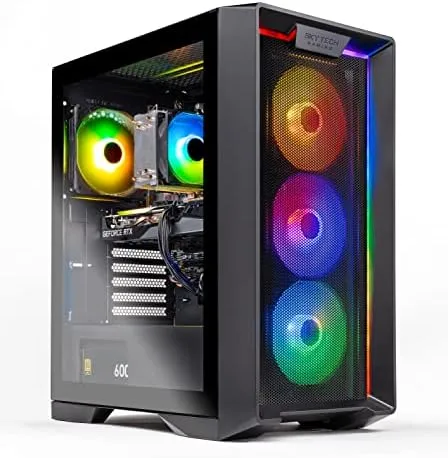
8 – Skytech Nebula Gaming PC – Premium 1080p Gaming Performance
The Skytech Nebula Gaming PC is a premium prebuilt desktop built for gamers seeking smooth performance in modern AAA and competitive titles.
Powered by Intel’s latest Core i5 processor and NVIDIA RTX graphics, it offers fast performance, efficient cooling, and reliable hardware for an immersive gaming experience.
Specifications
- Processor: Intel Core i5-14400F (Up to 4.7GHz Turbo)
- Graphics Card: NVIDIA GeForce RTX 5060 8GB GDDR7
- Memory: 16GB DDR5 RAM (6000MHz)
- Storage: 1TB NVMe M.2 SSD
- Operating System: Windows 11 Home (64-bit)
- Power Supply: 650W 80+ Gold PSU
- Cooling: High-Performance Air Cooler with ARGB Fans
- Connectivity: Wi-Fi, HDMI, DisplayPort, USB 2.0, USB 3.0 & USB 3.2 Gen 1
Key Features
- Delivers smooth 1080p Ultra gaming with 60+ FPS in modern AAA and competitive games.
- Combines the Intel Core i5-14400F processor and NVIDIA GeForce RTX 5060 for responsive gaming and everyday multitasking.
- Features 16GB DDR5 RAM and a 1TB NVMe SSD for faster boot times, quick game loading, and seamless performance.
- Equipped with efficient cooling, a 650W Gold PSU, and a front-mesh case for improved airflow and long-term reliability.
Pros & Cons
| Pros | Cons |
|---|---|
| Latest memory and fast NVMe SSD | 16GB RAM may need upgrading for demanding workloads |
| Efficient cooling | Graphics card brand may vary |
| Clean, upgrade-friendly design with Windows 11 Home | Best suited for 1080p rather than native 4K gaming |
How to Choose the Best Gaming PC?
Choosing the best gaming PC depends on your gaming needs, performance expectations, and budget. Consider these factors before making a purchase.
- Processor (CPU): Choose an Intel Core i5/i7 or AMD Ryzen 5/7 processor for smooth gaming, multitasking, and overall performance.
- Graphics Card (GPU): The GPU is the most important component for gaming. An NVIDIA GeForce RTX 4060/5060 or equivalent is ideal for 1080p and 1440p gaming.
- Memory (RAM): 16GB RAM is recommended for modern games, while 32GB RAM is better for streaming, content creation, and heavy multitasking.
- Storage: A 1TB NVMe SSD offers faster boot times, quicker game loading, and ample storage for games and applications.
- Cooling, Power Supply, & Connectivity: A reliable cooling system and an 80+ Gold PSU ensure stable performance. Additionally, make sure your home network is up to par by checking the best internet speed for gaming so you don’t experience lag during intense multiplayer matches.
- Budget: Compare hardware specifications and value for money while planning for a gaming PC build that fits your budget and long-term needs.
Read more: In case you are interested in something more mobile, you must check out NogenTech’s list of the best handheld gaming PCs available in the market.
Still Have Questions? Everything Else You Need to Know
1. Are prebuilt gaming PCs worth buying in 2026?
Yes, prebuilt gaming PCs are worth buying if you want a ready-to-use system with a warranty, tested compatibility, and professional assembly.
Modern prebuilt desktops from brands like Skytech Gaming, STGAubron, and HAJAAN also offer upgrade options, making them suitable for long-term use.
2. How much RAM do you need for a gaming PC?
For most modern games, 16GB RAM provides smooth gaming and multitasking. If you stream, edit videos, or play memory-intensive games, 32GB RAM offers better long-term performance and future-proofing.
3. Is an SSD better than an HDD for gaming?
Yes. An NVMe SSD significantly reduces boot times, game loading screens, and application launch times compared to a traditional HDD. A 1TB SSD is the recommended starting point for most gamers.
4. Can a prebuilt gaming PC be upgraded later?
Most gaming desktops allow upgrades such as additional RAM, larger SSD storage, or a newer graphics card (GPU). Before upgrading, check your system’s motherboard, power supply (PSU), and available expansion slots for compatibility.
5. Should I choose Intel or AMD for a gaming PC?
Both Intel Core and AMD Ryzen processors deliver excellent gaming performance. Intel Core i5/i7 CPUs often excel in gaming workloads, while AMD Ryzen 5/7 processors are known for strong multitasking and productivity performance. The better choice depends on your budget and intended use rather than the brand alone.
6. What is the ideal graphics card for 1080p gaming?
For smooth 1080p gaming, graphics cards like the NVIDIA GeForce RTX 4060, RTX 5060, and RTX 3050 provide excellent performance in modern games.
Entry-level GPUs such as the GTX 1660 Super or Radeon RX 550 are better suited for esports titles and less demanding games.
7. How long does a gaming PC typically last?
A well-built gaming PC can remain reliable for 5–7 years with regular maintenance. Upgrading components such as the GPU, RAM, or SSD over time can extend its lifespan and maintain strong gaming performance.
Final Thoughts: Which Gaming PC Should You Choose?
The best gaming PC is the one that matches your gaming needs, performance expectations, and budget.
Whether you prefer the latest Intel Core or AMD Ryzen processor, an NVIDIA GeForce RTX graphics card, DDR5/DDR4 RAM, or a fast NVMe SSD, prioritizing balanced hardware will deliver the best long-term value.
In my opinion, investing in a prebuilt gaming PC with modern components and upgrade potential is a smarter choice than simply buying the cheapest option.
Compare the systems in this guide carefully and choose the gaming desktop that offers the right combination of performance, reliability, and value for your setup.