One frustrating night of buffering pushed me to finally cover Ethernet in the same depth I’ve covered WiFi and home internet.
I was on a call that kept dropping mid-sentence, got annoyed enough, and plugged in an Ethernet cable I’d had sitting in a drawer for no real reason.
The difference was immediate: my call got smoother, and so did the other tasks in which I was involved.
Honestly, that was when it clicked that there was nothing dramatic. I just had to plug in my Ethernet cable, and that’s it.
That made me curious about the wired connection behind that difference. So, what is Ethernet exactly, and how does it work? Here’s everything you need to know, starting with the fundamentals.
What Is Ethernet? Starting With the Basics
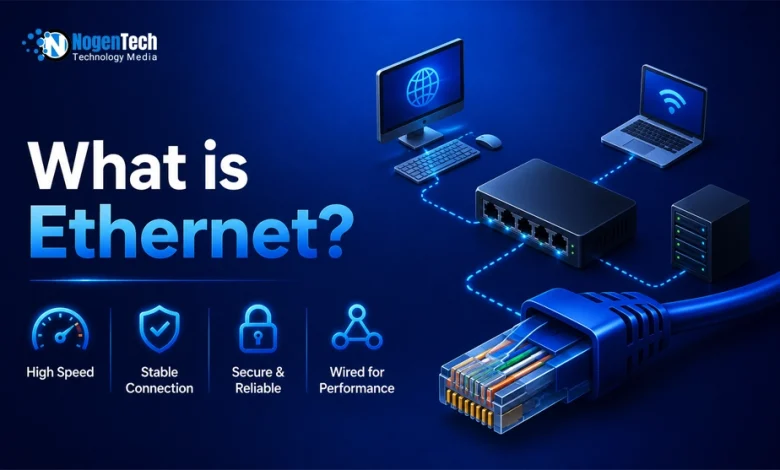
Ethernet is a wired local area networking technology that allows devices to communicate with each other and access the internet through physical cables.
In a typical U.S. home, Ethernet connects a router to devices such as:
- Gaming PCs
- Gaming consoles
- Smart TVs
- Gaming Laptops
- WiFi mesh systems
- Ethernet switches
- Printers
- Security cameras
- Network-attached storage devices
- Work laptops with Ethernet adapters
Instead of sending data through wireless signals like WiFi, Ethernet sends data through a cable.
This physical connection can reduce interference from walls, nearby networks, Bluetooth devices, microwaves, and other wireless signals.
What Is an Ethernet Cable, and What Does It Do?
An Ethernet cable is basically a network cable that is used to connect devices such as routers, modems, switches, PCs, and gaming consoles to a wired network.
Most home Ethernet cables have an RJ45 connector at each end, which is a rectangular plastic connector that plugs into an Ethernet port.
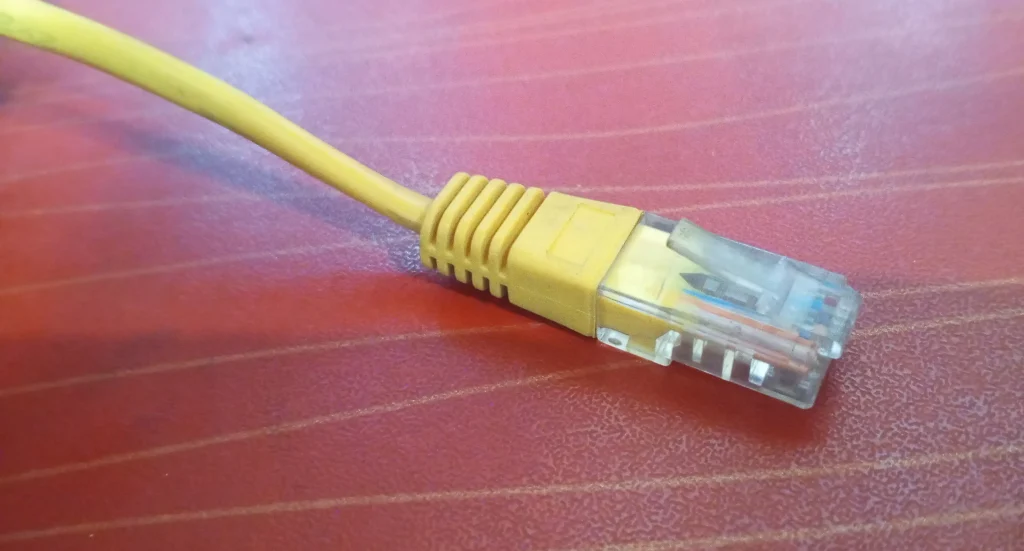
From the outside, most cables usually look like a thicker telephone cable, with a rectangular connector at each end.
Inside the cable are twisted pairs of copper wires that carry network data between connected devices.
Ethernet cables come in different colors, but the color does not determine how fast the cable can carry data. The cable category is what actually determines its capabilities.
Understanding How Ethernet Works
This is the basic idea behind Ethernet: instead of sending data wirelessly between your device and the network, it uses a physical connection to carry that data.
For example, when I connect my PC to the router with an Ethernet cable, the cable creates a physical path for data to travel between the two devices.
In a typical home network, the connection works like this:
- Your internet provider delivers internet service to your modem or gateway.
- Your router creates the local network and manages the connection between devices.
- An Ethernet cable connects the router to your PC or another wired device.
- The connected device communicates with the router through that physical connection.
- Data travels between the device, router, and the internet through the network.
Different Types of Ethernet Cables You Should Know
Ethernet cable categories differ in speed and how they handle interference. So it’s more practical to understand what each one offers before comparing them side by side.
Cat5 Ethernet Cable
This refers to an older Ethernet cable category designed for earlier network speeds.
While some existing Cat5 cables may support gigabit speeds over shorter runs, it’s not a preferred option for new installations.
Cat5e Ethernet Cable
Cat5e stands for Category 5 Enhanced and supports Gigabit Ethernet speeds up to 1 Gbps.
It is still common in older homes and apartments and can handle standard internet plans, gaming consoles, and streaming devices.
However, it offers less room for future upgrades than newer categories.
Cat6 Ethernet Cable
Cat6 is generally a more practical Ethernet cable choice for many home networks.
It easily supports Gigabit Ethernet and can support 10 Gbps speeds over shorter cable runs. It is suitable for gaming PCs, PS5, Xbox, smart TVs, routers, and home office setups.
Cat6a Ethernet Cable
This stands for Category 6 Augmented, a newer variant of Cat6. It supports 10 Gbps Ethernet over longer distances and provides better protection against interference.
Cat6a is a good choice for new home wiring, multi-gig internet plans, 2.5GbE and 10GbE networking, longer cable runs, and home server setups.
Cat8 Ethernet Cable
Cat8 is a high-speed Ethernet cable designed mainly for data centers required by artificial intelligence and other specialized networking environments.
It supports very high speeds over short distances, but most home users do not need Cat8. Here’s how all these categories compare at a glance:
| Ethernet Cable Type | Typical Maximum Speed | Best For | Should You Use It in 2026? |
| Cat5 | Up to 100 Mbps or 1 Gbps in limited setups | Very old networks | No |
| Cat5e | Up to 1 Gbps | Basic internet plans and existing wiring | Only if you already have it |
| Cat6 | Up to 10 Gbps over shorter distances | Gaming, streaming, home offices | Yes |
| Cat6a | Up to 10 Gbps over longer distances | Multi-gig internet and future-proof wiring | Best overall choice |
| Cat8 | Up to 25 Gbps or 40 Gbps over short distances | Data centers and specialized equipment | Usually unnecessary for homes |
For most home networks, Cat6 is enough for everyday wired connections.
If you are installing new in-wall wiring, using multi-gigabit equipment, or planning for higher network speeds, Cat6a gives you more room for future upgrades.
Which Ethernet Cable Is Best for Gaming? What I Think
For most gaming setups, I think Cat6 can be a good choice, as it supports Gigabit Ethernet and can handle 10 Gbps over shorter cable runs.
However, Cat6a makes more sense for multi-gigabit equipment or longer runs.
I use Ethernet for my gaming setup because the main advantage I notice is not a higher internet plan speed, but a more consistent connection.
But one thing I’d like to add is that your actual network hardware, internet speed, and cable length matter more than choosing the highest category number.
Here’s how you can make a quick selection:
| Gaming setup | Practical cable choice |
| PS5 or Xbox | Cat6 |
| Gaming PC with Gigabit Ethernet | Cat6 |
| Multi-gigabit gaming PC | Cat6a |
| Long cable run | Cat6a |
Ethernet vs WiFi: Which Is Better?
Ethernet and WiFi offer two different ways to connect devices to a network, with each having its own advantages depending on how the connection is used.
| Feature | Ethernet | WiFi |
| Connection Type | Wired | Wireless |
| Latency | Lower and more consistent | Can fluctuate |
| Interference | Very low | Can be affected by walls and nearby networks |
| Mobility | Limited by cable length | High |
The answer to “Is Ethernet Faster Than WiFi?” is mostly yes. The reason behind Ethernet’s consistent performance is that it avoids wireless interference that the latter has to face.
If your plan provides 500 Mbps, for example, connecting through Ethernet will not turn it into a 1 Gbps connection. It can, however, help your device get closer to the speed your plan provides when WiFi conditions are limiting performance.
Why Is Your Ethernet Slower Than WiFi?
If your Ethernet connection is slower than WiFi, the issue may be with the cable, network hardware, or adapter rather than Ethernet itself.
Common causes include:
- An old Cat5 cable
- A router port limited to 100 Mbps, despite having a higher actual plan speed
- A PC Ethernet port limited to Fast Ethernet
- A damaged cable
- An outdated Ethernet driver
- A faulty router port
- An incorrectly configured network adapter
- A low-quality USB to Ethernet adapter
If your Ethernet speed stays around 90 to 95 Mbps, check whether your router or PC Ethernet port is limited to 100 Mbps before thinking the cable or connection is faulty.
What Is an Ethernet Port? Understanding the Connection Point
An Ethernet port is the rectangular socket where an Ethernet cable plugs in and connects your device to a wired network. Below is an image of the back of my PC with an Ethernet Port highlighted:
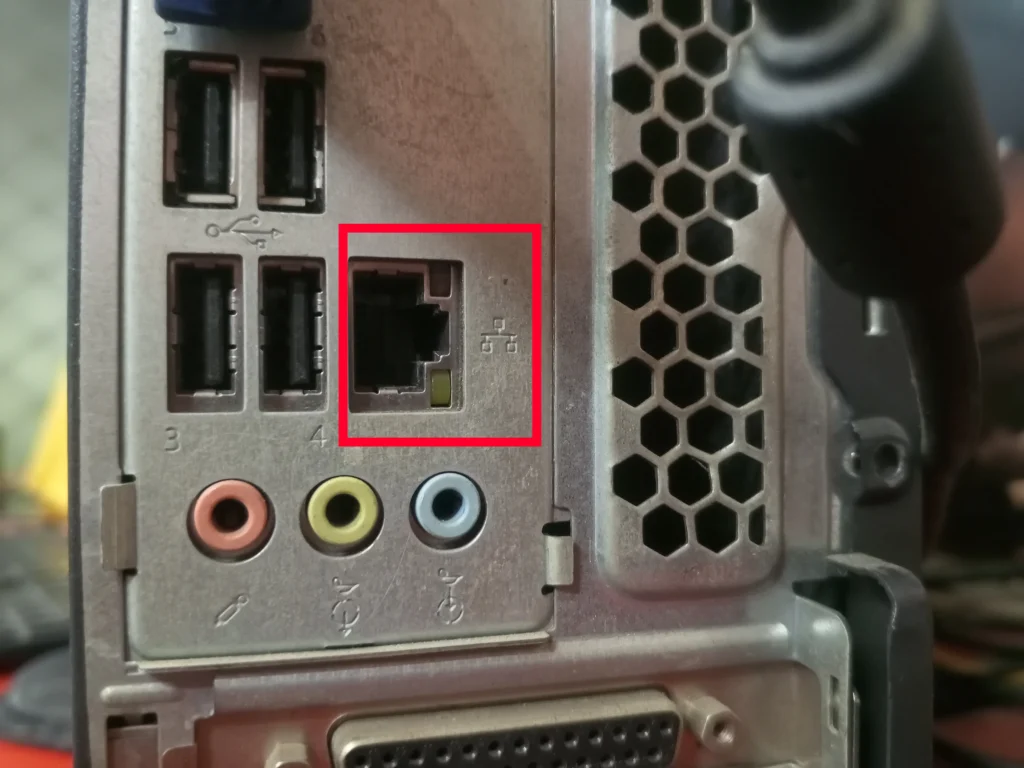
You can find Ethernet ports on devices such as PCs, gaming consoles, smart TVs, Ethernet switches, and WiFi access points. They may be labeled:
- LAN
- Ethernet
- Gigabit Ethernet
- 2.5G
- 10G
What Do WAN and LAN Ports Mean?
Routers have Ethernet ports too, but you may notice that one of them is labeled WAN while the others are usually labeled LAN.
The WAN port brings the internet connection into the router, while LAN ports distribute that connection to devices on your local network.
| Port Type | What It Does |
| WAN Port | Connects your router to a modem or internet gateway |
| LAN Port | Connects your router to PCs, consoles, TVs, switches, and other devices |
Expanding Your Wired Network
Once you start connecting more devices with Ethernet, you may run into practical questions about available ports and how to extend your wired network.
What is an Ethernet Switch and When Do You Need It?
An Ethernet switch adds more wired Ethernet ports to your home or office network.
You connect the switch to your router with one Ethernet cable, then use its extra ports to connect more devices.
For example, if your router does not have enough LAN ports for your different wired devices, a switch gives you more.
| Situation | Do You Need a Switch? |
| One PC and one gaming console | Usually no |
| Several wired devices | Yes |
| Home office with multiple wired devices | Yes |
| Security cameras or WiFi access points | Yes |
| Several wired rooms | Yes |
For most homes, an unmanaged Gigabit Ethernet switch is enough. If your network supports multi-gigabit speeds, a 2.5GbE switch may be a better fit.
Comparing Ethernet Switch and Ethernet Splitter
If you need to connect more wired devices, you may come across Ethernet splitters. They are not the same as Ethernet switches, though.
An Ethernet splitter divides a cable connection, but a basic passive splitter does not give you two independent Gigabit Ethernet connections from one router port.
For most home networks, an Ethernet switch is the better option when you need to connect multiple devices.
What Is Ethernet Backhaul?
Ethernet backhaul simply means connecting nodes in a mesh WiFi system with Ethernet cables rather than relying on wireless communication.
If you’re new to mesh WiFi, nodes are the extra WiFi devices you place around your home to extend coverage.
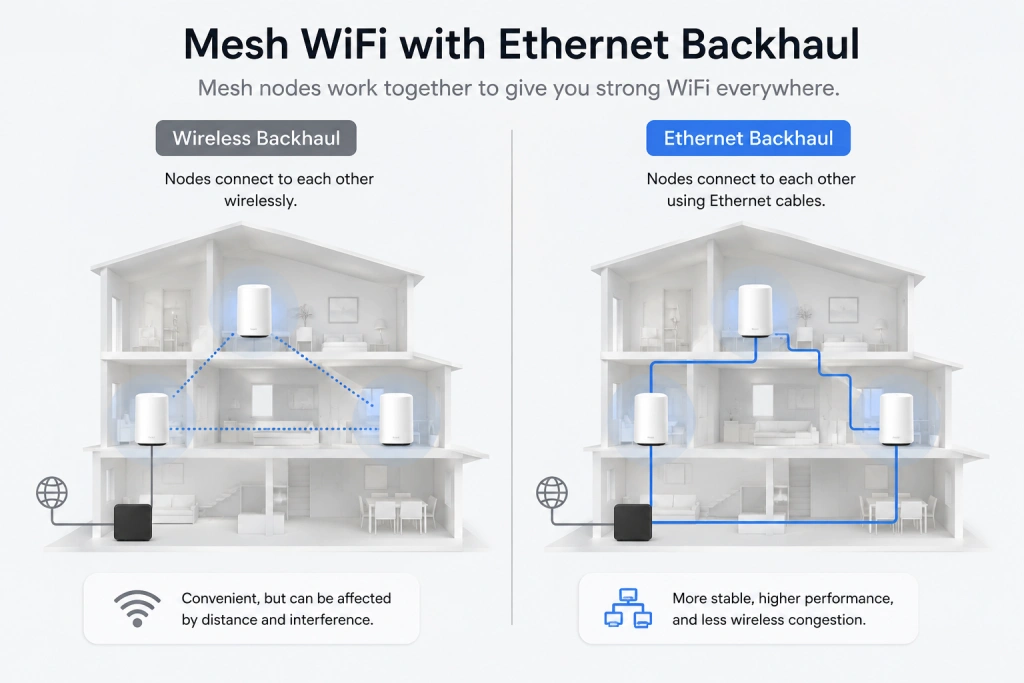
With Ethernet backhaul, those nodes use a wired connection to communicate, which can make the network more stable and reduce wireless traffic.
Before we go further, let’s answer a common question: Do you need an Ethernet backhaul? Ethernet backhaul can only be useful if your home has:
- Multiple floors
- Thick walls
- A basement or garage
- A detached office
- Weak connections between mesh nodes
- Many connected devices
It is most useful when mesh nodes are far apart, and their wireless connection is limiting network performance.
How Can Ethernet Be Used to Power and Connect Devices?
Ethernet can do more than connect devices to a network. With the right hardware, the same cable can also provide power.
Power over Ethernet (PoE): What Is It?
With Power over Ethernet, one Ethernet cable can handle two jobs at once: carrying network data and supplying electrical power.
This means compatible devices can receive power and a network connection through one cable, reducing the need for separate power adapters.
PoE is commonly used for:
- Security cameras
- WiFi access points
- VoIP phones
- Smart doorbells
- Access control systems
- Business networking equipment
Common PoE standards include IEEE 802.3af, IEEE 802.3at, and IEEE 802.3bt.
Understanding Ethernet Speeds and Adapters
Once you start looking at Ethernet speeds, terms like Gigabit Ethernet and 2.5GbE can get confusing.
It helps to understand what they mean before checking what your own connection supports.
What Is Gigabit Ethernet?
Gigabit Ethernet basically refers to an Ethernet connection that can support speeds of up to 1 Gbps, or 1,000 Mbps.
Whether you actually reach that speed depends on your internet plan, router, Ethernet port, cable, and connected device.
How Do You Check Your Ethernet Speed?
The easiest way to check is to look at the Ethernet link speed reported by your device. On Windows, open Settings > Network & Internet > Ethernet and check the link speed.
Here’s what it looks like on a Windows PC:
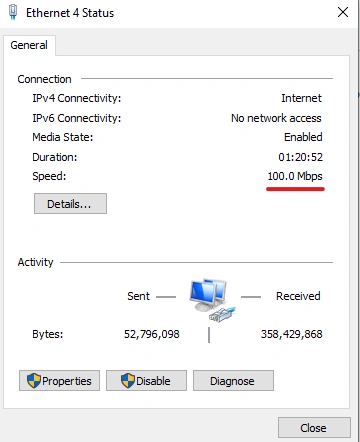
On Mac devices, open System Settings > Network > Ethernet and check the connection details.
Keep in mind that the link speed is not necessarily the same as your actual internet speed. Your internet plan and network conditions can still limit the speed you get.
How Ethernet Adapters Come in Handy
An Ethernet adapter is what lets a device connect to a wired network when it does not have a built-in Ethernet port.
Instead of adding a port internally, the adapter uses another available connection on the device.
Common options include:
- USB to Ethernet
- USB-C to Ethernet
- Thunderbolt to Ethernet
- Docking stations with Ethernet
If you want to use a Gigabit or faster connection, make sure the adapter supports the network speed you need.
Setting Up Ethernet at Home
Once you have the right cable and hardware, connecting your devices is fairly straightforward. The exact steps depend on what you are connecting.
How to Connect Ethernet to a PC
Connecting a PC is usually as simple as running the cable from your router or Ethernet switch to the computer.
- Plug one end of the Ethernet cable into an available LAN port on your router or switch.
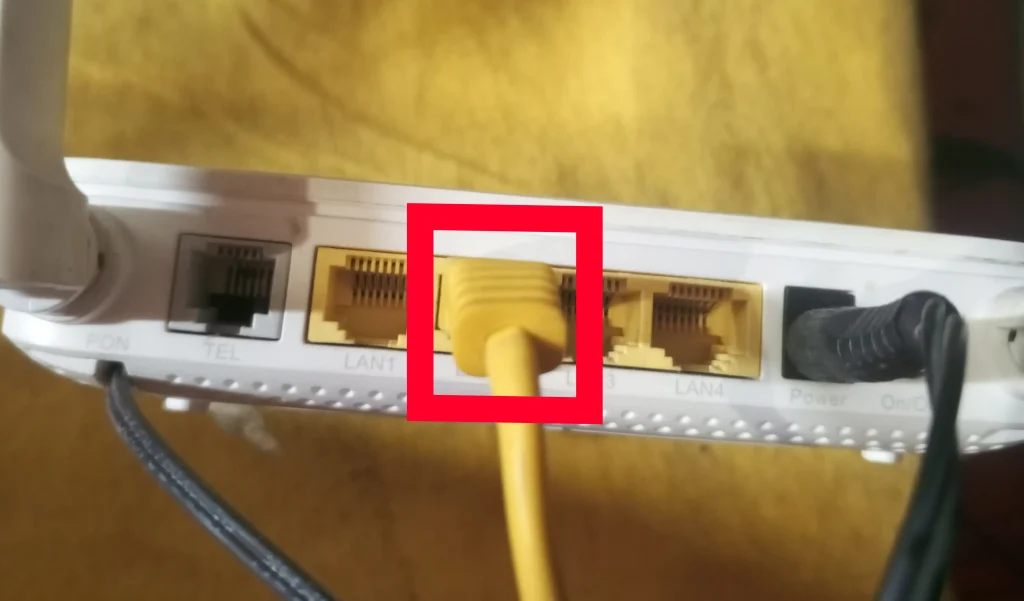
- Plug the other end into the Ethernet port on your PC.
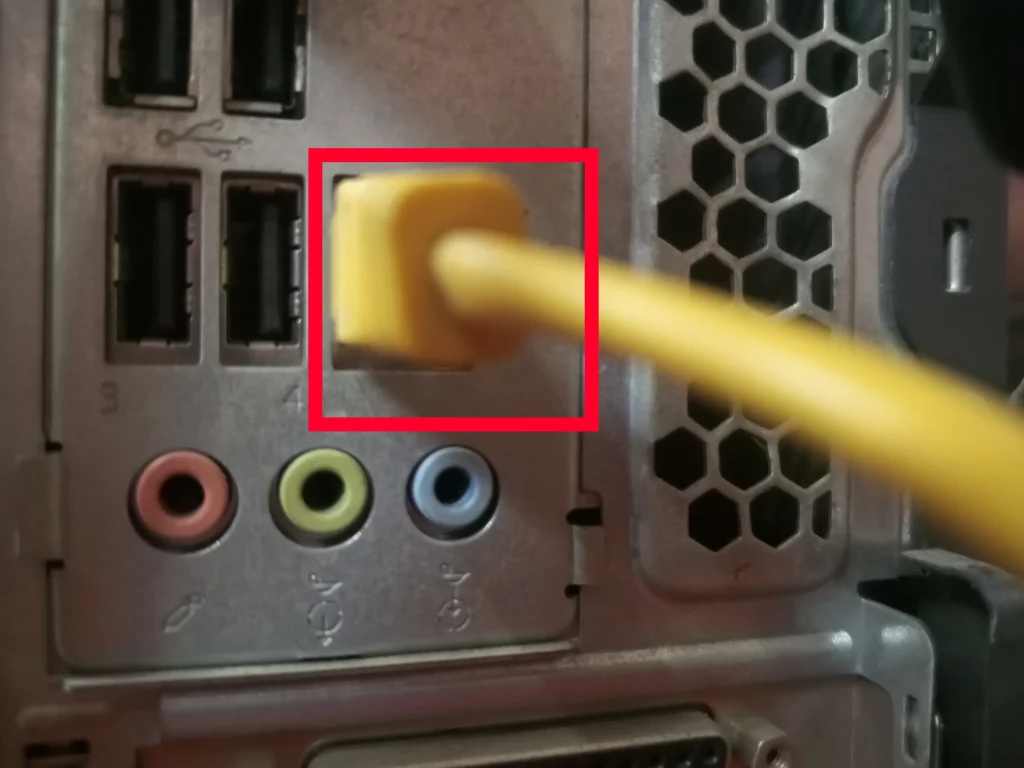
- Wait a few seconds for the connection to activate, then check your device’s network settings to confirm the Ethernet connection is active.
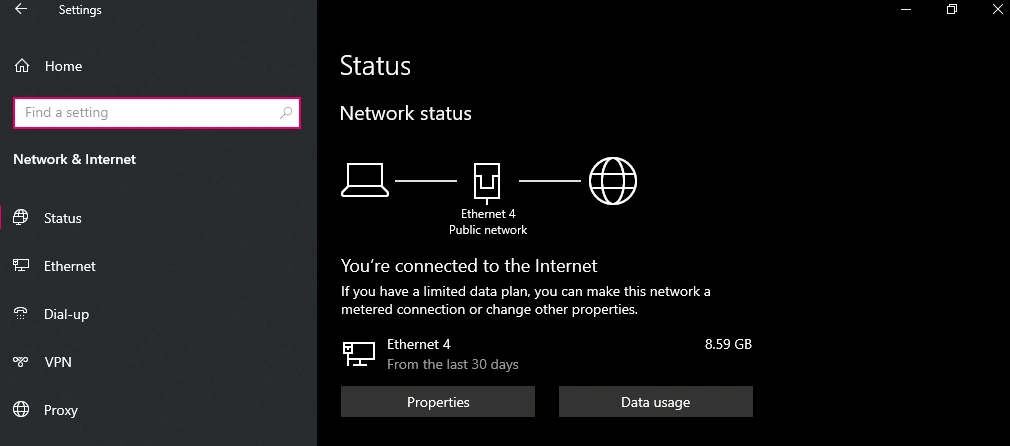
Under normal conditions, Windows automatically detects the Ethernet connection, and no advanced configuration is needed.
The same process applies to Windows laptops with an Ethernet port.
How to Connect Ethernet to a Laptop Without an Ethernet Port
If your laptop does not have a built-in Ethernet port, you can connect it through a compatible Ethernet adapter or docking station.
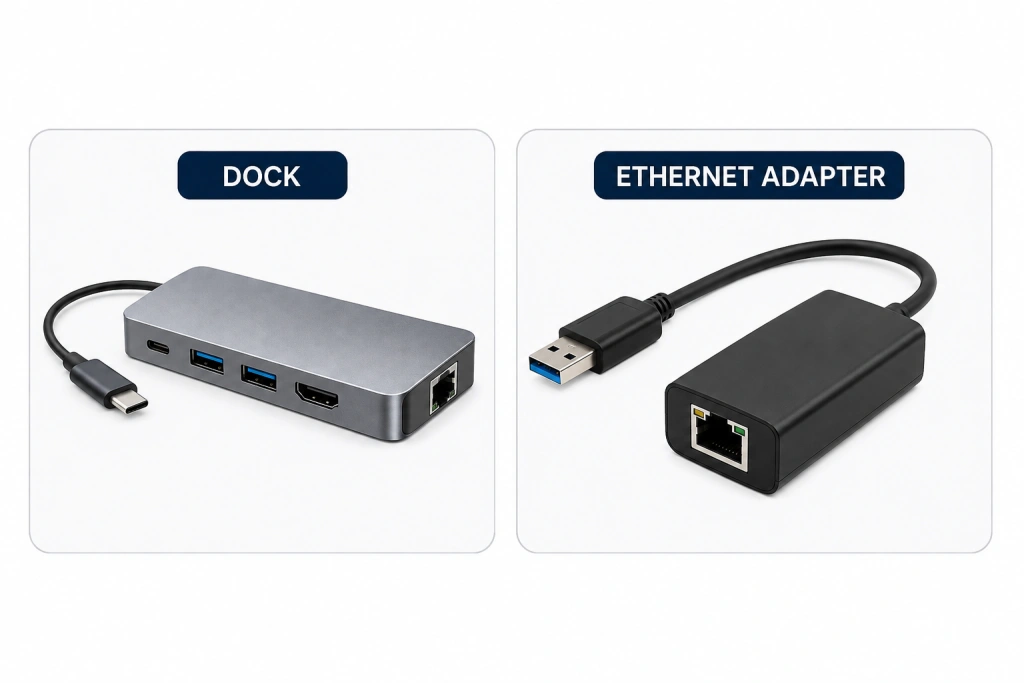
Plug the adapter into the laptop, then connect the Ethernet cable to the adapter.
For Gigabit Ethernet, make sure the adapter supports at least 1 Gbps.
How to Connect an Ethernet Cable to a Router
Once you know which device you want to connect, the router is the next point to check.
Simply connect the Ethernet cable to an available LAN port on the router. you can connect the Ethernet cable to any of the LAN ports available on the router.
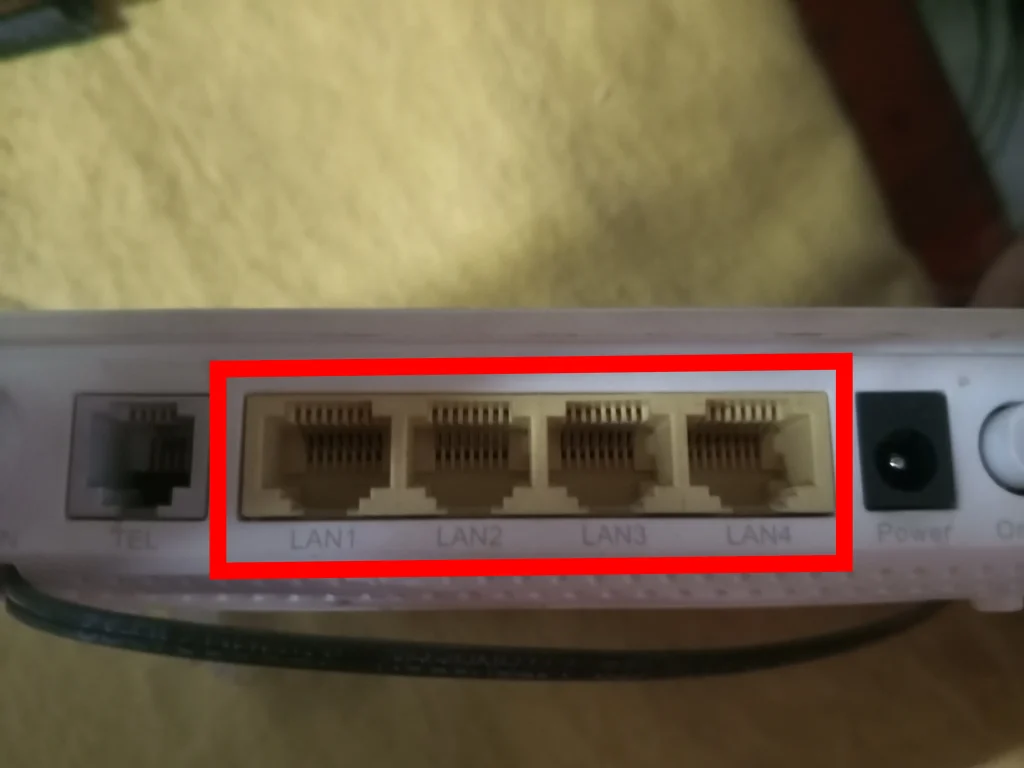
Then connect the other end to the device.
How Can You Get Wired Internet in Every Room?
If you want your wired internet connection in multiple rooms, you can run the Ethernet cable from your router to wherever you need it.
For permanent installations, I prefer that you:
- Use Cat6 or Cat6a cable.
- Choose in-wall-rated cable where required.
- Use wall plates and keystone jacks for a cleaner installation.
- Avoid running Ethernet alongside electrical wiring for long distances.
- Label both ends of each cable.
- Test each connection before closing walls.
For attics, basements, or other difficult routes, a professional installer is generally a safer option.
Ethernet Connection Not Working? Here’s What I Try
When my Ethernet connection suddenly stops working, I usually start with a few simple checks before assuming the hardware is the problem.
- Make sure the Ethernet cable is firmly connected.
- Check for activity lights near the Ethernet port.
- Restart your router and connected device.
- Try another Ethernet cable or LAN port.
- Test the connection with another device.
- Make sure the Ethernet adapter is enabled.
- Update the network adapter driver if needed.
- Check whether the connection is limited to 100 Mbps.
- If you recently installed your own Ethernet wiring, use a cable tester to check for wiring or connector problems.
- If both Ethernet and WiFi are not working across your devices, contact your internet provider.
My Experience Using Ethernet for Gaming and Remote Work
After covering Ethernet vs WiFi, cable categories, and the setup process, my biggest takeaway is consistency.
I use Ethernet for my gaming and work devices because it keeps the connection steadier when the WiFi network is busy. It does not make my internet plan faster, but it can reduce the fluctuations and lag I notice on WiFi.
For most setups, I would stick with Cat6. I would choose Cat6a mainly for permanent wiring or multi-gigabit networking.
For me, Ethernet is not about replacing WiFi. It is simply the better choice when I want a stable connection.
A Few Questions You May Have About Ethernet
Does Ethernet work without WiFi?
Yes. Ethernet provides a wired network connection, so a device can access the network and internet through an Ethernet cable without using WiFi.
Can I use Ethernet and WiFi at the same time?
Yes. Many devices can remain connected to both, although the device will typically prefer the wired Ethernet connection when it is available.
Does Ethernet cable length affect performance?
Yes, cable length can matter, particularly with longer runs. Standard copper Ethernet cabling is generally designed for channel lengths of up to 100 meters, after which signal quality and performance can become concerns.
Can I use an old Ethernet cable with a new router?
Usually, yes. The connection will work as long as the cable and network ports support the speed you need. Older cable categories can become a limitation when you’re trying to use faster connections.