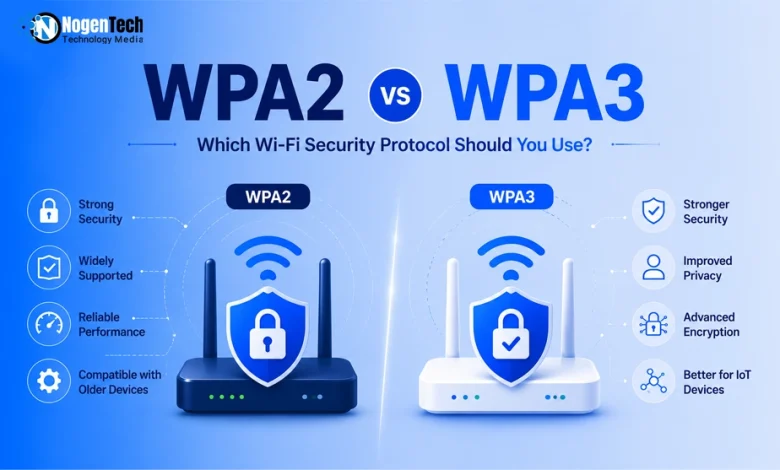
Your Wi-Fi password might be strong. Your protocol isn’t.
There’s a good chance your Wi-Fi is still running on a protocol with a known, well-documented weakness, and you’d never know it just by looking at your network name. That’s the gap between WPA2 and WPA3 in a nutshell.
I’ve spent enough time testing router configurations to know most people never touch this setting once it’s out of the box.
The short answer on whether it matters: yes, more than most people assume. The longer answer depends on your devices, your router, and what you’re actually trying to protect while browsing the internet.
Moving next, I’ll explain what you need to know about WPA2 and WPA3, the core technical differences and the important use cases so that you can make the right call for your home network in 2026.
What Is WPA2 and How Does It Work?
WPA2 is a Wi-Fi security protocol that protects wireless networks using AES encryption and a four-way handshake for authentication.
For nearly two decades, WPA2 has been the standard security protocol for home and business Wi-Fi networks.
It replaced the weaker WPA by introducing AES (Advanced Encryption Standard) encryption and CCMP (Counter Mode with Cipher Block Chaining Message Authentication Code Protocol), providing much stronger protection for wireless communications.
When a device joins a WPA2 network, the router and device exchange encrypted messages to verify they both know the Wi-Fi password without transmitting it over the air.
Once authentication is complete, all data is encrypted using AES-CCMP. Although this process was considered highly secure for years, later research uncovered weaknesses that led to attacks such as KRACK and offline dictionary attacks.
What Are the Two WPA2 Modes?
WPA2 is available in two security modes:
- WPA2-Personal (WPA2-PSK): Uses a shared Wi-Fi password (Pre-Shared Key) and is designed for home and small office networks.
- WPA2-Enterprise: Uses 802.1X authentication with a RADIUS server, providing each user with unique login credentials for stronger security in business environments.
What Is WPA3 and Why Was It Created?
WPA3 is the latest Wi-Fi security standard, replacing WPA2 with stronger authentication, better encryption, and improved protection against modern attacks.
In 2017, security researcher Mathy Vanhoef discovered the KRACK (Key Reinstallation Attack) vulnerability, which exploited a flaw in WPA2’s four-way handshake.
WPA3, introduced in 2018, brings SAE (Simultaneous Authentication of Equals) for stronger authentication, forward secrecy to protect encrypted sessions, and Enhanced Open to secure public Wi-Fi networks.
Since 2020, WPA3 support has been mandatory for all Wi-Fi CERTIFIED devices, so most modern smartphones, laptops, and routers already support it.
With WPA2, an attacker can capture the handshake and attempt to crack your password offline without interacting with your router.
With WPA3 and SAE, every password guess requires a live connection to the router, which can limit repeated failed attempts. This prevents the offline password attacks that made WPA2 vulnerable.
What Are the Different WPA3 Modes?
WPA3 includes four security modes for different environments:
- WPA3-Personal: The recommended choice for home networks. Uses SAE for stronger authentication.
- WPA3-Enterprise: Designed for organizations, with an optional 192-bit security mode for high-security environments.
- WPA3-Enhanced Open: Uses OWE (Opportunistic Wireless Encryption) to encrypt traffic on password-free public Wi-Fi networks.
- WPA2/WPA3 Transition Mode: Allows WPA2 and WPA3 devices to connect to the same network, making it the best starting point for most households upgrading from WPA2.
What Is WPA2 vs WPA3?
WPA2 and WPA3 are Wi-Fi security protocols that encrypt wireless networks. WPA2 became the standard in 2004, while WPA3 replaced it in 2018 with stronger security.
These security protocols are like locks on your front door. WPA2 is a solid deadbolt that has protected millions of homes for decades.
WPA3 is a smart lock with advanced anti-pick technology, better tamper resistance, and features that the old deadbolt simply cannot match.
With WPA2, an attacker can:
- Capture your Wi-Fi handshake in seconds using tools like Aircrack-ng or Hashcat.
- Test billions of password combinations offline using a GPU.
- Eventually, crack weak passwords without interacting with your router.
With WPA3, every password guess must:
- Be made directly against your router.
- Pass router rate limits on failed attempts.
- Face protections that make large-scale brute-force attacks practically impossible.
WPA2 vs WPA3: How Do They Compare Side by Side?
WPA3 offers stronger authentication, encryption, and protection against modern attacks, while WPA2 remains compatible with older devices.
| Feature | WPA2 | WPA3 |
| Released | 2004 | 2018 |
| Authentication | PSK | SAE |
| Encryption | AES-CCMP | AES-CCMP / AES-GCMP |
| Offline Password Attacks | Vulnerable | Protected |
| Open Wi-Fi Security | None | OWE encryption |
| Device Compatibility | Older & modern devices | Modern devices (Transition Mode available) |
| Enterprise Security | 128-bit | 128-bit / 192-bit mode |
Why Is WPA3 More Secure Than WPA2?
WPA3 is more secure than WPA2 because it prevents offline password attacks, adds forward secrecy, encrypts open Wi-Fi networks, and protects against KRACK attacks.
These four improvements are the biggest reasons WPA3 is now the recommended Wi-Fi security standard.
How Does WPA3 Protect Previously Encrypted Data?
WPA3 uses forward secrecy to keep your past Wi-Fi sessions protected, even if someone later discovers your password.
With WPA2:
- A recorded Wi-Fi session may be decrypted later if your password is compromised.
With WPA3:
- Every connection gets a unique session key.
- Compromising one session doesn’t expose previous or future sessions.
Think of it as giving every conversation its own lock and key, then throwing the key away when the conversation ends.
How Does WPA3 Protect Open Wi-Fi Networks?
WPA3 protects open Wi-Fi networks with Enhanced Open (OWE), encrypting your data even when no password is required.
With WPA2:
- Open networks don’t encrypt your traffic.
- Other users may intercept unencrypted data with packet-sniffing tools.
With WPA3:
- Enhanced Open (OWE) automatically encrypts each user’s connection.
- You still connect without a password, but your traffic remains protected.
WPA2 vs WPA3 Speed: Which Is Faster?
Neither. WPA2 and WPA3 deliver virtually the same Wi-Fi speed because the security protocol adds almost no performance overhead.
On modern routers and devices, both protocols handle encryption and decryption in hardware, adding less than 1% overhead in real-world use.
Whether you’re streaming 4K videos, gaming online, video calling, or downloading large files, you’ll see virtually identical speeds with both protocols.
Why Can WPA3 Feel Slightly Slower When Connecting?
WPA3’s initial connection can take slightly longer because its SAE handshake is more secure than WPA2’s four-way handshake.
The difference only happens when you first join a Wi-Fi network, and even then it’s usually just a fraction of a second on older or low-powered devices.
Why Do New WPA3 Routers Often Feel Faster?
New WPA3 routers are usually faster because they use newer Wi-Fi standards, not because of WPA3 itself.
Many Wi-Fi 6 (802.11ax), Wi-Fi 6E, and Wi-Fi 7 routers support WPA3 and improve performance with technologies such as:
- OFDMA for more efficient bandwidth sharing.
- MU-MIMO for handling multiple devices simultaneously.
- BSS Coloring for reducing interference in crowded networks.
These speed improvements come from the Wi-Fi standard, while WPA3’s role is to provide stronger security.
How to Change From WPA2 to WPA3 on Your Router?
You can switch from WPA2 to WPA3 in your router’s security settings. If you have older devices, start with WPA2/WPA3 Transition Mode.
Most routers follow a similar setup process, although menu names may vary by manufacturer.
Step 1: Log in to Your Router
Open a web browser, enter your router’s IP address (commonly 192.168.1.1 or 192.168.0.1), and sign in with your administrator credentials.
Step 2: Open Wireless Security Settings
Go to Wireless, Wi-Fi, or Security Settings, then locate the Security Mode option.
Step 3: Choose a Security Mode
Select the option that matches your devices:
- WPA3-Personal: Best if all your devices support WPA3.
- WPA2/WPA3 Transition Mode: Recommended for most households with a mix of older and newer devices.
- WPA3-Enterprise: For business networks using a RADIUS server.
Step 4: Update Your Wi-Fi Password (Optional)
If you’re changing your security settings, it’s a good time to create a strong password using at least 16 characters with a mix of letters, numbers, and symbols.
Step 5: Save and Reconnect
Save the changes and allow your router to restart. Most devices will reconnect automatically, while others may ask you to enter the Wi-Fi password again.
Tip: Start with WPA2/WPA3 Transition Mode before switching to WPA3 only. It lets newer devices use WPA3 while keeping older devices connected.
WPA2 vs WPA3: Which Should You Choose in 2026?
For most people, WPA3 is the best choice in 2026, while WPA2 remains a practical option for older routers and devices.
Choose the option that matches your setup:
If your router was released after 2020
- Enable WPA3-Personal or WPA2/WPA3 Transition Mode.
- Switch to WPA3 only once all your devices support it.
If your router was released before 2019
- Check for a firmware update that adds WPA3 support.
- If WPA3 isn’t available, keep using WPA2 with a strong password and regular firmware updates.
- Consider upgrading to a WPA3-capable router when replacing your hardware.
If you have older and newer devices
- Use WPA2/WPA3 Transition Mode so newer devices use WPA3 while older ones continue using WPA2.
If you use smart home or IoT devices
- Keep older IoT devices on a separate WPA2 network if they don’t support WPA3.
- Use WPA3 for your primary Wi-Fi network whenever possible.
Related Questions About WPA2 and WPA3
Is WPA2 Still Safe to Use in 2026?
Yes. WPA2 is still safe for most users when paired with a strong password and updated router firmware, but WPA3 offers better protection against modern attacks.
Can WPA2 and WPA3 Work Together?
Yes. WPA2/WPA3 Transition Mode lets newer devices use WPA3 while older devices continue connecting with WPA2 on the same network.
Do All Devices Support WPA3?
No. WPA3 is supported by most devices released after 2019, while many older phones, laptops, smart TVs, and IoT devices only support WPA2.
Can You Upgrade WPA2 to WPA3 Without Buying a New Router?
Sometimes. Some routers gained WPA3 support through firmware updates, but older hardware often requires a new WPA3-compatible router.
Should You Disable WPA2 Completely?
No. Disable WPA2 only after confirming that every device on your network supports WPA3. Otherwise, use WPA2/WPA3 Transition Mode.
What’s the Difference Between WPA2 and WPA3 Personal?
WPA2-Personal and WPA3-Personal both secure home Wi-Fi networks, but WPA3-Personal replaces PSK with SAE for stronger authentication and better protection against password attacks.
What Is a WPA2 or WPA3 Password?
A WPA2 or WPA3 password is your Wi-Fi password. The difference is that WPA3 protects and authenticates the same password more securely than WPA2.