Ever lost a match because your game froze for a second?
Don’t worry, you’re not alone here. I still remember losing my clutch battle in PUBG: Battlegrounds because my screen froze for a second just enough to get eliminated.
Even with a good gaming graphics card, one lag spike can ruin the game. If you’ve faced this in Grand Theft Auto V or Fortnite, you know what I am talking about.
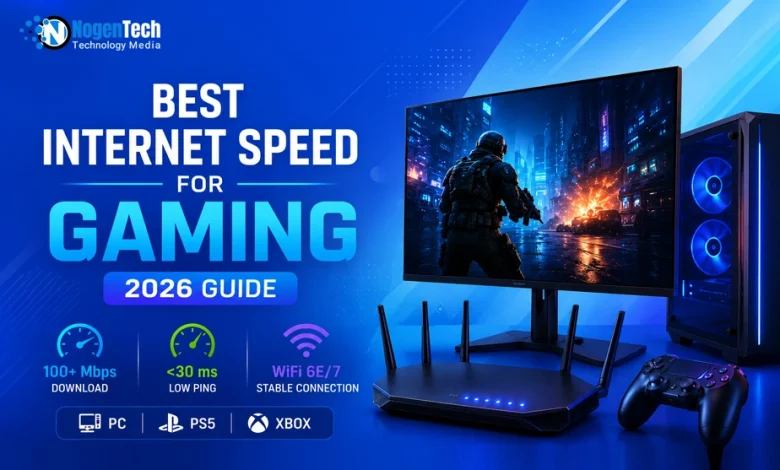
This makes gamers look for the best internet speed for gaming at home. But it’s not only about high Mbps, as low ping, stable connections, and simultaneous gaming and streaming all matter too.
Now, moving next, you will explore a complete breakdown of optimal speeds for home internet, latency impact, and how to get the best gaming experience without lag.
What is the Best Internet Speed for Gaming?
For most households, 100 Mbps download and 10–20 Mbps upload provide an excellent gaming experience, though many online games can run smoothly on much lower speeds.
You should also focus on low latency (under 30ms) and consider the best Fiber Internet providers in the USA.
Both the download and upload speed matter when it comes to online gaming, especially competitive sports like PUBG, GTA 6, Forza Horizon Series, and others.
What is the Best Download Speed for Gaming?
- Simple Browser Gaming: 5 to 10 Mbps is sufficient for smooth loading and gameplay.
- Simple Online Gaming: 25 Mbps ensures a stable connection for casual multiplayer titles.
- Competitive Online Gaming: 100 Mbps or higher provides the necessary headroom to prevent lag during intense matches.
For most modern titles, a download speed of 25 Mbps is generally considered the baseline for a smooth experience. However, if you like streaming and watching Netflix in 4K or scrolling through TikTok while you are trying to rank up, you are going to want something closer to 100 Mbps or higher.
What is the Best Upload Speed for Gaming?
- Simple Browser Gaming: 1 Mbps is plenty for basic interactions and data sync.
- Simple Online Gaming: 3 Mbps handles standard player-to-server data transmission reliably.
- Competitive Online Gaming: 10 to 25 Mbps is ideal for low-latency inputs and simultaneous streaming.
Upload speed is the unsung hero of the gaming world because it is what sends your inputs to the game server. If your upload speed is too low, your actions will feel delayed even if your download speed is blazing fast.
On the other hand, high upload speeds ensure that your clicks and keystrokes reach the server instantly, which is the difference between landing a headshot and missing completely.
How Many Mbps Do I Need for Gaming?
For most gamers, 25 to 50 Mbps is enough for smooth online gaming on different types of internet, while 100 Mbps or more provides extra room for downloads, streaming, and multiple devices.
More important than speed alone are
- Low ping
- A stable connection
- Minimal network congestion
Is 10 Mbps Good for Gaming?
Yes, 10 Mbps can be enough for online gaming if you are the only user on the network and are not streaming or downloading large files at the same time.
However, it may struggle in households with multiple connected devices.
Is 20 Mbps Good for Gaming?
Yes, 20 Mbps is good for gaming for most casual and competitive online games. It provides enough bandwidth for gameplay, voice chat, and occasional background internet use.
Is 25 Mbps Good for Gaming?
Yes, 25 Mbps is considered the minimum recommended speed for smooth online gaming. It can comfortably handle most multiplayer games on a single device.
Is 50 Mbps Good for Gaming?
Yes, 50 Mbps is an excellent speed for gaming. It supports online gaming, game downloads, voice chat, and streaming on other devices without major issues.
Is 100 Mbps Good for Gaming?
Yes, 100 Mbps is one of the best internet speeds for gaming. It offers plenty of bandwidth for competitive gaming, large game updates, streaming, and multiple connected devices.
Is 300 Mbps Good for Gaming?
Yes, 300 Mbps is more than enough for gaming. While it will not lower your ping compared to 100 Mbps, it provides faster downloads and better performance for busy households.
Want to know if 300 Mbps is fast enough for streaming and gaming both? Then check my guide.
Is 500 Mbps Good for Gaming?
Yes, 500 Mbps is excellent for gaming and streaming simultaneously. It is ideal for homes with multiple gamers, 4K streaming, and frequent large game downloads.
Is 1000 Mbps Good for Gaming?
Yes, 1000 Mbps (1 Gig Internet) is outstanding for gaming, especially for large households. It will not automatically improve in-game performance compared to 100 Mbps, but it significantly reduces download times and supports many connected devices at once.
Which WiFi is Best for Gaming?
For gaming over Wi‑Fi, WiFi 6 (802.11ax) or WiFi 6E is currently the best practical choice for most people, offering low latency, high speeds, and good stability.
If your devices and budget support it, WiFi 7 (802.11be) is even better and more future‑proof. However, if I talk about the connections, while a wired connection is always the best choice, running cables through your house is not always possible for everyone.
If you have to rely on wireless WiFi, the speed and technology of your router become the most critical factors in your setup.
I have looked at the various standards available today and identified the most reliable options for keeping your ping low while you play.
- WiFi 7 (802.11be): This technology is featured in the latest Google Fiber multi-gig routers and the XB10 Gateway included with Xfinity xFi Complete for whole-home WiFi coverage, offering ultra-low latency for elite players.
- WiFi 6E (802.11ax): You can find this in the GFiber Wi-Fi 6E Router and the Verizon Fios CR1000A Gateway, providing a dedicated 6 GHz lane to avoid crowded signals.
- WiFi 6 (802.11ax): This comes standard with the Starlink and AT&T BGW320, delivering much better efficiency for multiple devices than older models.
- Dual-Band 5 GHz: Most standard ISP equipment, like the Xfinity XB7, supports this reliable frequency to offer faster speeds than the crowded 2.4 GHz band.
- Mesh WiFi Systems: Google Nest WiFi Pro or eero systems can be integrated into your network to ensure you have a strong signal in every corner of a large home.
Is Ethernet Better Than WiFi for Gaming?
Yes, Ethernet is generally the better choice for gaming.
A wired connection provides more consistent performance because it avoids the signal interference, congestion, and fluctuations that can affect wireless networks.
While modern technologies like WiFi 6E and WiFi 7 have significantly improved wireless gaming, Ethernet still delivers the most stable latency and the lowest chance of packet loss.
For casual gaming, a strong WiFi connection is usually sufficient. However, players who participate in competitive matches, ranked gameplay, or online tournaments will often benefit from connecting their gaming PC or console directly to the router using an Ethernet cable.
How to Get the Best Internet Speed for Gaming?
Here is a clear step-by-step process that you must follow to get the best internet for gaming at home:
- Use an Ethernet Cable: This is the single most effective way to stabilize your connection by bypassing the interference inherent in wireless signals.
- Update Your Hardware: Ensure your router supports at least the WiFi 6 or WiFi 6E standards to handle modern high-speed data throughput.
- Optimize Router Placement: Keep your router in a central, elevated location away from thick walls or large metal objects.
- Enable QoS Settings: Use Quality of Service settings in your router dashboard to prioritize gaming traffic over other household devices.
- Close Background Apps: Ensure that other devices or smartphones are not running heavy updates or 4K streams while you are playing competitively.
In my guide on improving the home WiFi speed, I have given general tips. But when it comes to getting the best internet speed for gaming, things get very specific.
What is Ping and its role for Gaming?
Ping is the time it takes for data to travel from your device to the game server and back, measured in milliseconds (ms). Think of it as reaction time between you and the server:
- Simple Browser Gaming: 50ms to 100ms is usually acceptable since gameplay is not highly competitive or time-sensitive.
- Simple Online Gaming: 20ms to 50ms ensures smooth responsiveness in casual multiplayer matches with minimal delay.
- Competitive Online Gaming: Under 20ms is ideal for fast reaction times, where every millisecond matters in clutch situations.
For most modern online games, a ping under 50ms is considered playable and stable. However, if you are playing competitive matches in games like PUBG: Battlegrounds, you should aim for the lowest possible latency to avoid delay between your input and in-game response.
Does Faster Internet Reduce Ping?
Not necessarily.
Many gamers assume that upgrading from 100 Mbps to 1000 Mbps will automatically lower their ping, but that is rarely how online gaming works.
Ping is influenced more by your distance from the game server, network congestion, routing quality, and connection stability than by raw internet speed. A player with a stable 100 Mbps fiber connection can often achieve lower latency than someone using a congested 1 Gig connection.
Higher speeds mainly help with faster downloads, updates, and supporting multiple devices. If your goal is lower ping, focus on server selection, connection stability, router quality, and using Ethernet whenever possible.
Is Fiber Internet Better for Gaming?
In most cases, yes.
Fiber internet is widely considered the best option for gaming because it delivers lower latency, faster upload speeds, and greater connection consistency than most cable or wireless alternatives.
Unlike traditional cable networks that may slow down during peak hours, fiber connections are less affected by neighborhood congestion. This helps maintain stable performance during competitive matches where split-second reactions matter.
For gamers who regularly play online, stream content, or download large game files, fiber provides one of the most reliable experiences available today.
Fiber vs Cable vs 5G Internet for Gaming
Not all internet technologies deliver the same gaming experience.
Fiber remains the strongest choice because it offers the lowest latency, symmetrical upload speeds, and highly consistent performance.
Cable internet is still a solid option for most households and can handle online gaming comfortably. However, performance may fluctuate during busy hours when multiple users share network resources.
5G home internet has improved significantly in recent years and can work well for casual gaming. However, latency and stability may vary depending on signal strength, weather conditions, and network congestion.
For competitive gaming, fiber remains the preferred option. For everyday multiplayer gaming, both cable and high-quality 5G connections can perform well when properly optimized.
Adjustments to Reduce Lag and Improve Ping?
Most ping and lag issues can be improved with these few simple adjustments:
- Use a closer game server: Always connect to the nearest available server in games like PUBG: Battlegrounds to reduce travel distance for your data, which directly improves response time.
- Reduce network congestion: Disconnect unused devices from your WiFi, especially those running downloads or streaming in the background.
- Restart your router regularly: This helps refresh your connection and can reduce temporary routing delays.
- Enable gaming mode or QoS: Many modern routers allow you to prioritize gaming traffic so your device gets first access to bandwidth.
- Avoid peak-hour strain: Internet performance can drop when too many users are online at the same time, especially on shared networks like cable connections.
- Keep your setup optimized: Whether you’re exploring open worlds in Grand Theft Auto V or racing in the Forza Horizon series, a stable connection matters more than just raw speed.
What is the Best Internet Speed for PS5, Xbox, and PC Gaming?
| Gaming Setup | Recommended Speed |
|---|---|
| Single Gamer | 25–50 Mbps |
| Competitive Gaming | 100 Mbps+ |
| Gaming + Streaming | 300–500 Mbps |
| Multiple Gamers | 500 Mbps+ |
| Large Smart Home + Gaming | 1 Gig |
Not every gaming device needs the same internet setup. While most modern consoles and PCs can run online games smoothly, the experience depends on how stable and fast your connection is.
- PS5 & Xbox: 50–100 Mbps is enough for stable online gaming
- PC Gaming: 50–100 Mbps works for casual play, but 100 Mbps+ is better for competitive gaming or streaming, especially on performance-focused systems like the Clevo NH70 gaming laptop.
Across all platforms, the real difference comes from ping and stability rather than just download speed.
What’s My Take?
The best internet speed for gaming is the one that lets you play without ever thinking about your connection.
A 100 Mbps download and 20 Mbps upload speed is a strong sweet spot for most players, especially when paired with modern setups like WiFi 7. It gives you enough headroom for smooth gameplay, fast matchmaking, and stable performance even in demanding online sessions.
But as you’ve seen throughout this guide, it’s not just about speed. Low ping, stable connections, and the right setup matter just as much whether you’re dropping into PUBG: Battlegrounds or racing in the Forza Horizon series.
In the end, prioritize stability over everything. Use an Ethernet cable when possible, optimize your router, and build a setup that keeps up with your competitive mindset.
People Also Ask
What is the best wifi speed for gaming?
A speed of at least 100 Mbps on a 5 GHz or 6 GHz band is ideal for wireless gaming.
What is the best internet speed for gaming and streaming?
You should aim for at least 500 Mbps download and 50 Mbps upload to handle both simultaneously.
What speed of broadband is best for gaming?
Fiber optic broadband with at least 100 Mbps provides the lowest latency and most reliable gaming performance.
What internet speed is best for gaming?
A consistent download speed of 25 to 50 Mbps is sufficient for most individual gaming needs.
What is the best upload and download speed for gaming?
The gold standard is a symmetrical fiber connection offering 300 Mbps for both uploading and downloading data.