Choosing a graphics card can be confusing when you’re upgrading your PC or building one from scratch. With NVIDIA, AMD, and Intel offering GPUs at different price points, it’s easy to overspend on features you don’t need or choose a card that struggles with your favorite games.
The best graphics card for gaming depends on your budget, the games you play, and whether you’re targeting 1080p, 1440p, or 4K. If you’re short on time, here’s a quick comparison of the best graphics cards for gaming. Compare their VRAM and target gaming resolution before exploring the detailed reviews below.
| Graphics Card | VRAM | Gaming Resolution |
|---|---|---|
| ASUS ProArt NVIDIA GeForce RTX 5090 OC Edition | 32GB GDDR7 | 4K / 8K |
| ASUS ROG Astral NVIDIA GeForce RTX 5080 OC Edition | 16GB GDDR7 | 4K |
| GIGABYTE Radeon RX 9070 XT Gaming OC | 16GB GDDR6 | 1440p / 4K |
| GIGABYTE GeForce RTX 5070 Ti WINDFORCE OC | 16GB GDDR7 | 1440p / 4K |
| ASRock Radeon RX 7900 XTX Phantom Gaming OC | 24GB GDDR6 | 4K |
| ASUS ROG Strix GeForce RTX 4070 OC Edition | 12GB GDDR6X | 1440p |
| MSI GeForce RTX 3060 Ventus 2X 12G OC | 12GB GDDR6 | 1080p / 1440p |
| ASRock Intel Arc B580 Challenger OC | 12GB GDDR6 | 1080p / 1440p |
| XFX Speedster SWFT210 Radeon RX 7600 | 8GB GDDR6 | 1080p |
| NVIDIA GeForce GTX 970 (Legacy Pick for those on a budget) | 4GB GDDR5 | 1080p (Older Games) |
How NogenTech Editorial Selected These Graphics Cards as Best for Gaming
Choosing the best graphics card goes beyond specifications. We evaluated each GPU based on the factors that have the biggest impact on gaming performance and long-term value.
Our selection criteria include:
- Gaming Performance: Frame rates across modern AAA and esports games at 1080p, 1440p, and 4K.
- Price-to-Performance: Overall value for the performance offered.
- VRAM: Memory capacity for modern games and future demands.
- Ray Tracing & Upscaling: Support for NVIDIA DLSS, AMD FSR, and Intel XeSS.
- Power Efficiency: Performance relative to power consumption.
- Cooling: Thermal performance and noise levels under load.
- Future-Proofing: Driver support, modern features, and long-term usability.
The graphics cards below represent the best options across different budgets and gaming resolutions, making it easier to find the right GPU for your needs.
Top Picks for the Best Graphics Cards for Gaming
The graphics cards below offer the best mix of performance, features, and value across different budgets and gaming resolutions. Now, as you will read next, you will explore:
1. ASUS ProArt NVIDIA GeForce RTX 5090 OC Edition
The ASUS ProArt NVIDIA GeForce RTX 5090 OC Edition is a flagship graphics card built for gamers and creators who demand exceptional performance.
Powered by NVIDIA’s latest architecture, it combines massive memory, efficient cooling, and compact design to handle demanding games and creative workloads with ease.
Best For: 4K and 8K gaming, AI-powered workloads, and professional content creation.
Key Features
- 32GB GDDR7 VRAM for high-resolution gaming and AI applications.
- NVIDIA Blackwell architecture with DLSS 4.5 support.
- 2512 MHz OC Boost Clock for enhanced gaming performance.
- PCIe 5.0 interface for maximum bandwidth.
- Dual Axial-tech fans, vapor chamber, and liquid metal thermal compound for efficient cooling.
- 2.5-slot SFF-ready design for compact PC builds.
- HDMI 2.1b, DisplayPort 2.1b, and USB Type-C connectivity.
| Pros | Cons |
|---|---|
| Outstanding 4K and 8K gaming performance | Premium price tag |
| Advanced cooling keeps temperatures under control | Requires a high-wattage power supply |
| Large 32GB GDDR7 memory for future-proofing | |
| Compact SFF-ready design despite flagship hardware |
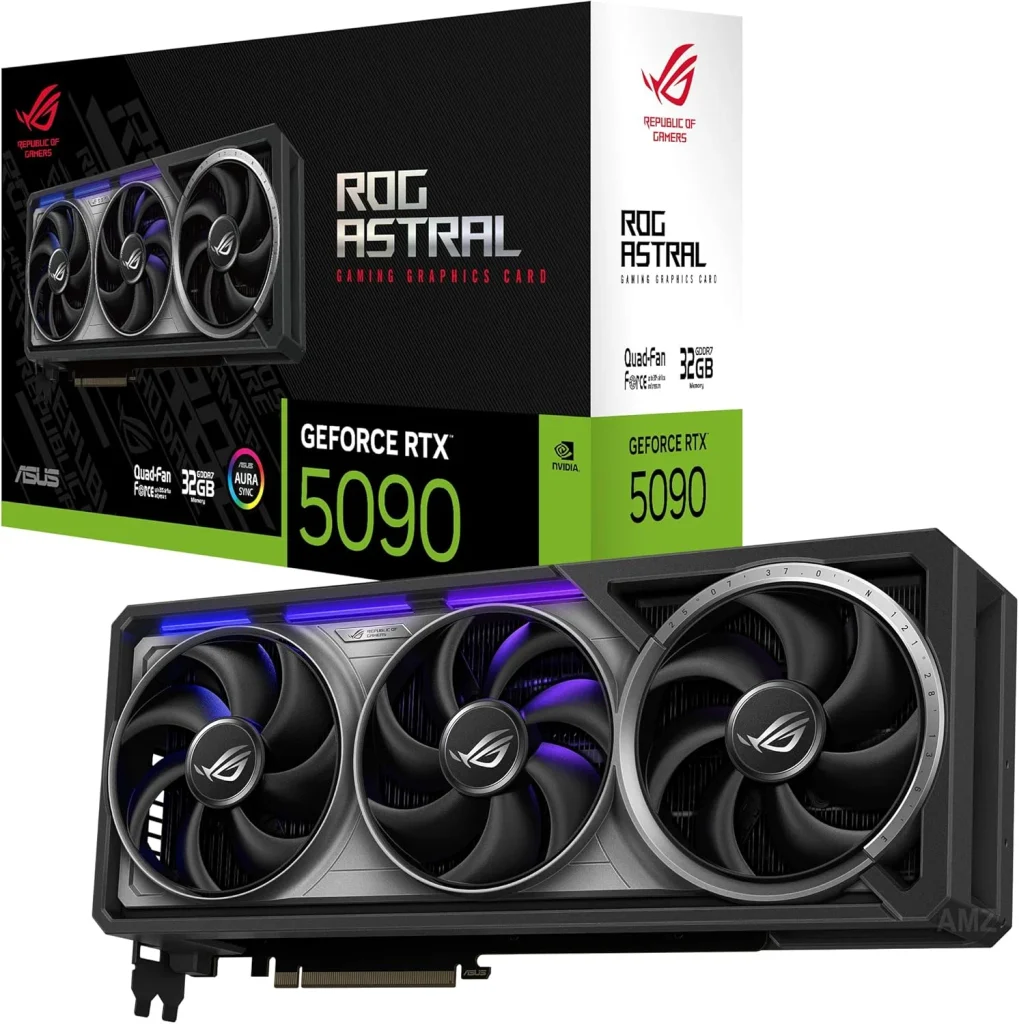
2. ASUS ROG Astral NVIDIA GeForce RTX 5080 OC Edition
The ASUS ROG Astral NVIDIA GeForce RTX 5080 OC Edition combines flagship-level gaming performance with an advanced thermal design for demanding gamers.
Featuring a factory overclock and next-generation graphics technologies, it delivers smooth gameplay while maintaining reliable temperatures during long gaming sessions.
Best For: High-end 4K gaming, ray tracing, and competitive gamers seeking premium performance.
Key Features
- 16GB GDDR7 memory for high-resolution gaming.
- Powered by NVIDIA Blackwell architecture with DLSS 4.
- 2790 MHz OC Boost Clock for enhanced gaming performance.
- Quad-fan cooling design increases airflow by up to 20%.
- Patented vapor chamber with a milled heat spreader for efficient cooling.
- Phase-change GPU thermal pad improves heat transfer and reliability.
- 3.8-slot heatsink optimized for maximum airflow.
- PCIe 5.0, 3× DisplayPort 2.1a, and 2× HDMI 2.1b connectivity.
| Pros | Cons |
|---|---|
| Excellent 4K gaming and ray tracing performance | Premium price compared to mainstream GPUs |
| Advanced quad-fan cooling keeps temperatures low | Large 3.8-slot design requires a spacious PC case |
| Factory overclock for higher out-of-the-box performance | |
| Supports the latest DLSS 4 and PCIe 5.0 technologies |
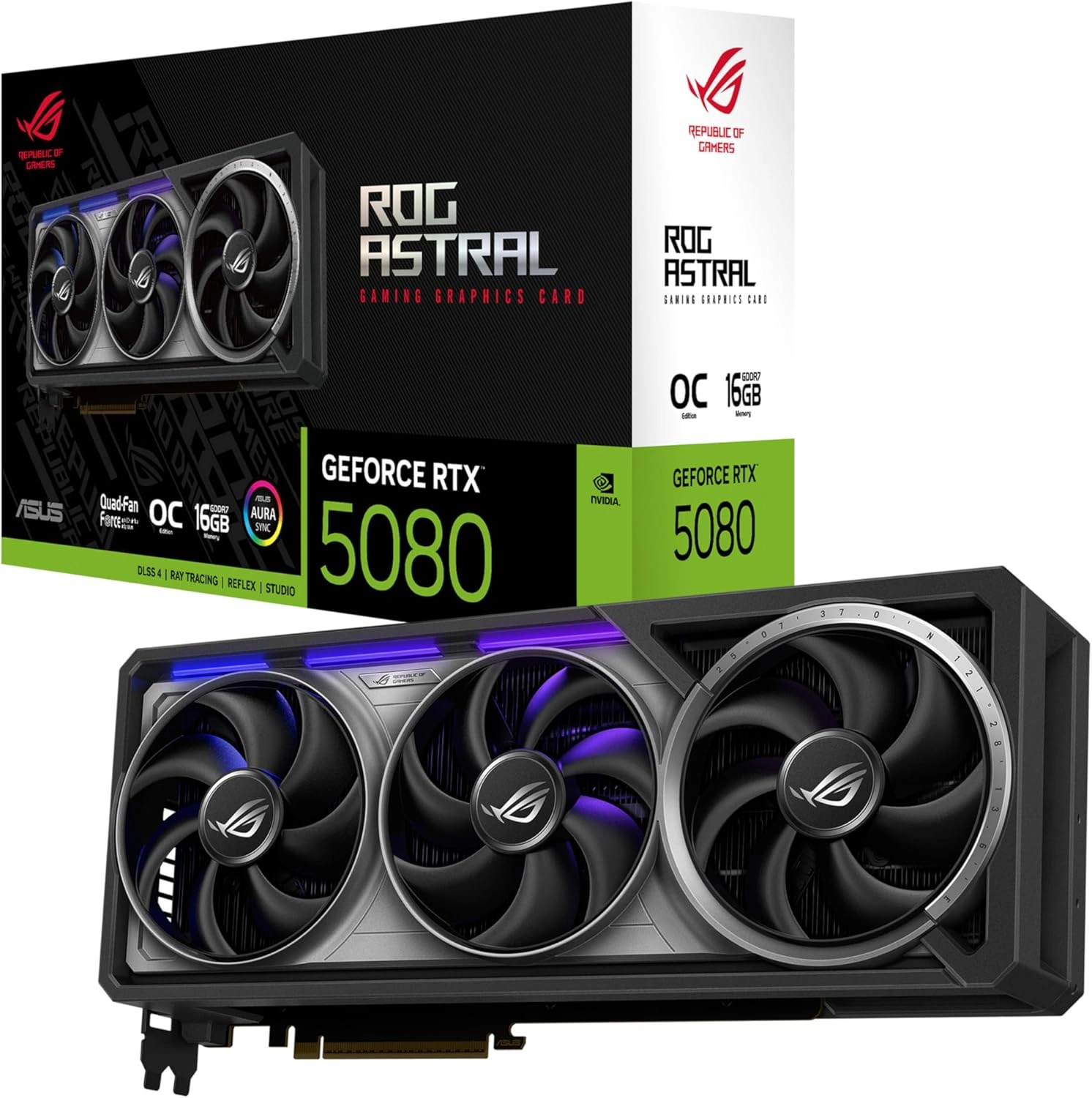
3. GIGABYTE Radeon RX 9070 XT Gaming OC 16G
The GIGABYTE Radeon RX 9070 XT Gaming OC 16G delivers outstanding gaming performance with a factory overclock and an advanced cooling solution.
Designed for modern AAA titles, it offers smooth gameplay, efficient thermals, and reliable performance, making it a strong choice for gamers seeking premium value.
Best For: 1440p and 4K gaming with excellent price-to-performance.
Key Features
- 16GB GDDR6 memory for high-resolution gaming.
- Powered by the AMD Radeon RX 9070 XT GPU.
- 3060 MHz boost clock for enhanced gaming performance.
- WINDFORCE Cooling System for improved thermal efficiency.
- Hawk Fan design delivers higher airflow with reduced noise.
- Server-grade thermal conductive gel enhances heat dissipation.
- RGB Lighting for customizable aesthetics.
- PCIe 5.0 interface for next-generation compatibility.
| Pros | Cons |
|---|---|
| Excellent 1440p and 4K gaming performance | Ray tracing performance trails comparable NVIDIA GPUs |
| Factory-overclocked for improved out-of-the-box speed | |
| Efficient WINDFORCE cooling with quiet operation | |
| Strong value for its performance and features |
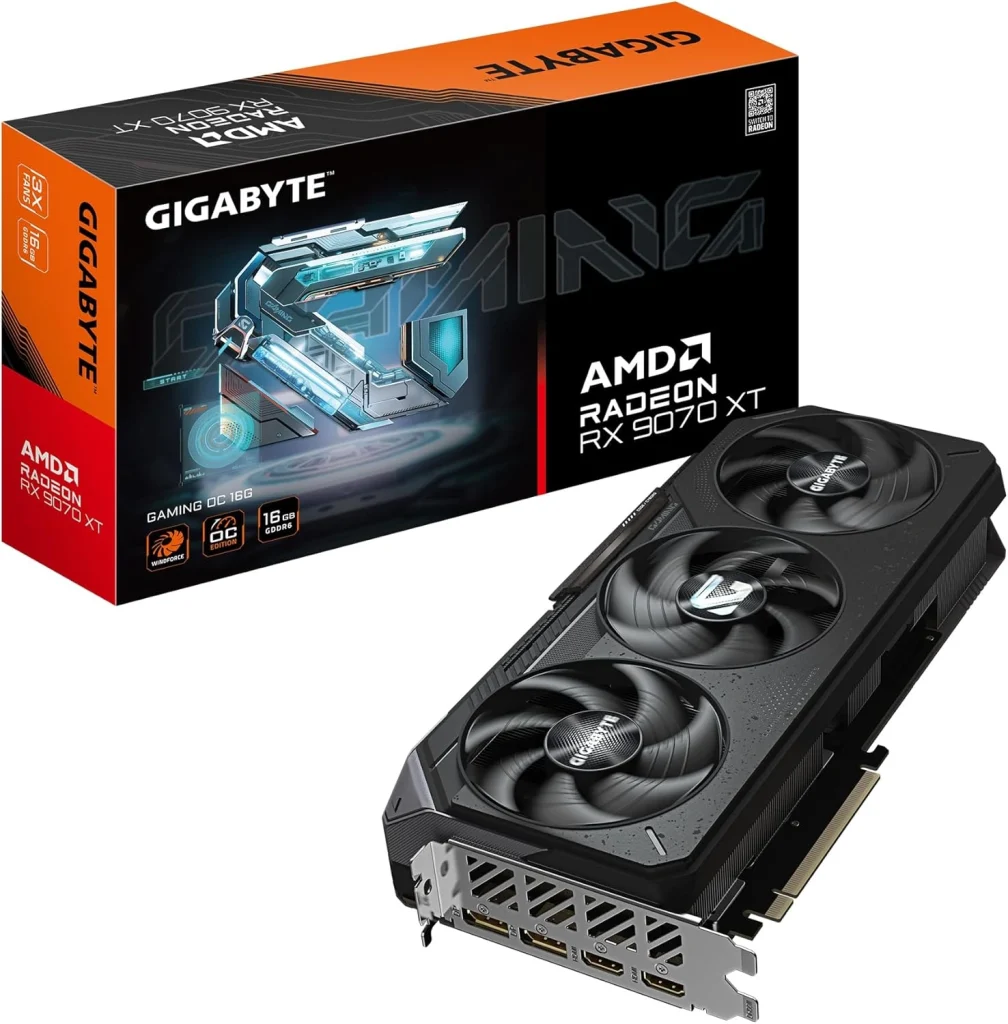
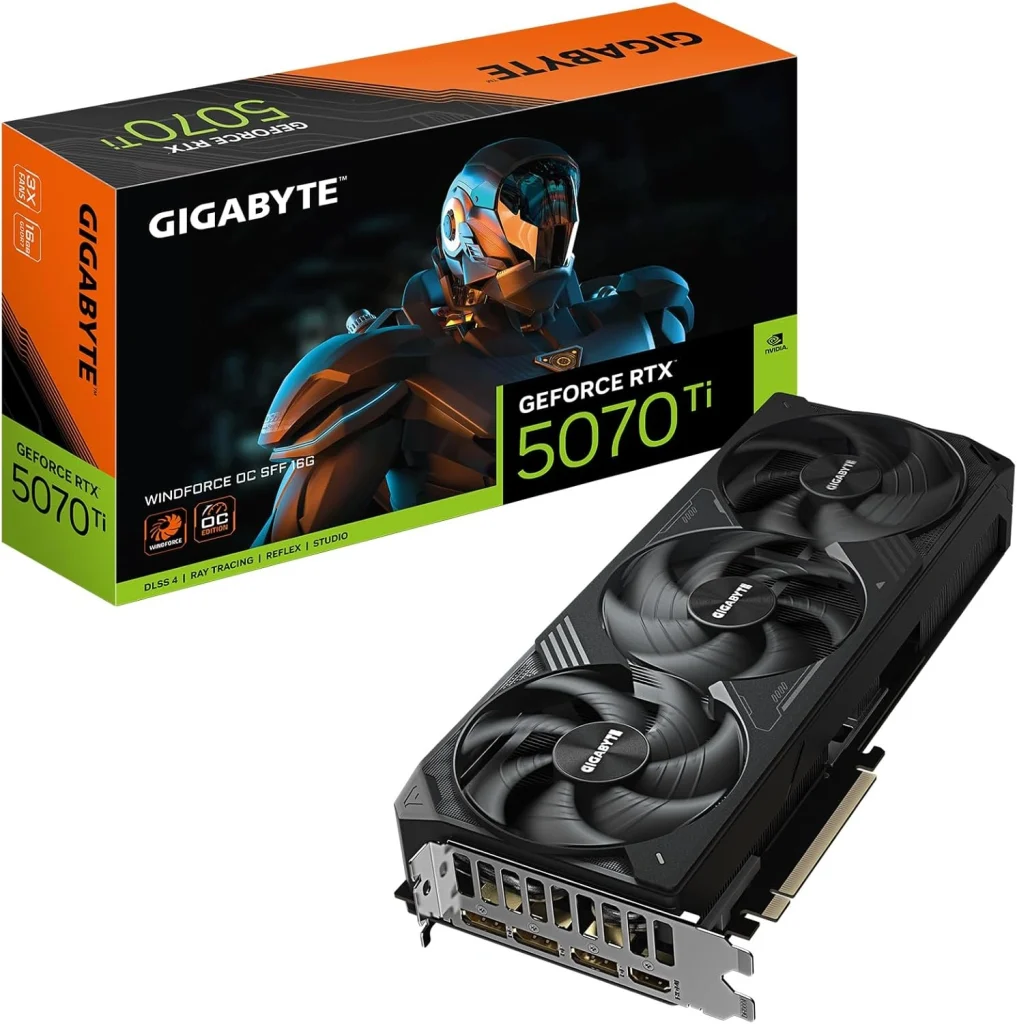
4. GIGABYTE GeForce RTX 5070 Ti WINDFORCE OC SFF 16G
The GIGABYTE GeForce RTX 5070 Ti WINDFORCE OC SFF 16G offers an excellent balance of performance, efficiency, and compact design.
Built for modern gaming PCs, it delivers smooth gameplay at high resolutions while taking full advantage of the GeForce RTX 5070 Ti architecture for improved visuals and AI-enhanced performance.
Best For: 1440p ultra settings, entry-level 4K gaming, and compact SFF gaming PCs.
Key Features
- 16GB GDDR7 memory with a 256-bit memory interface.
- Powered by NVIDIA Blackwell architecture with DLSS 4.
- 2600 MHz boost clock for enhanced gaming performance.
- WINDFORCE Cooling System for efficient thermal management.
- PCIe 5.0 interface for next-generation connectivity.
- NVIDIA SFF Ready design for small form factor PC builds.
- HDMI and DisplayPort outputs for multi-display support.
| Pros | Cons |
|---|---|
| Excellent performance for 1440p and capable 4K gaming | Not ideal for demanding native 4K gaming at maximum settings |
| Fast 16GB GDDR7 memory with PCIe 5.0 support | |
| Compact SFF-ready design fits smaller PC cases | |
| DLSS 4 support enhances performance in supported games |
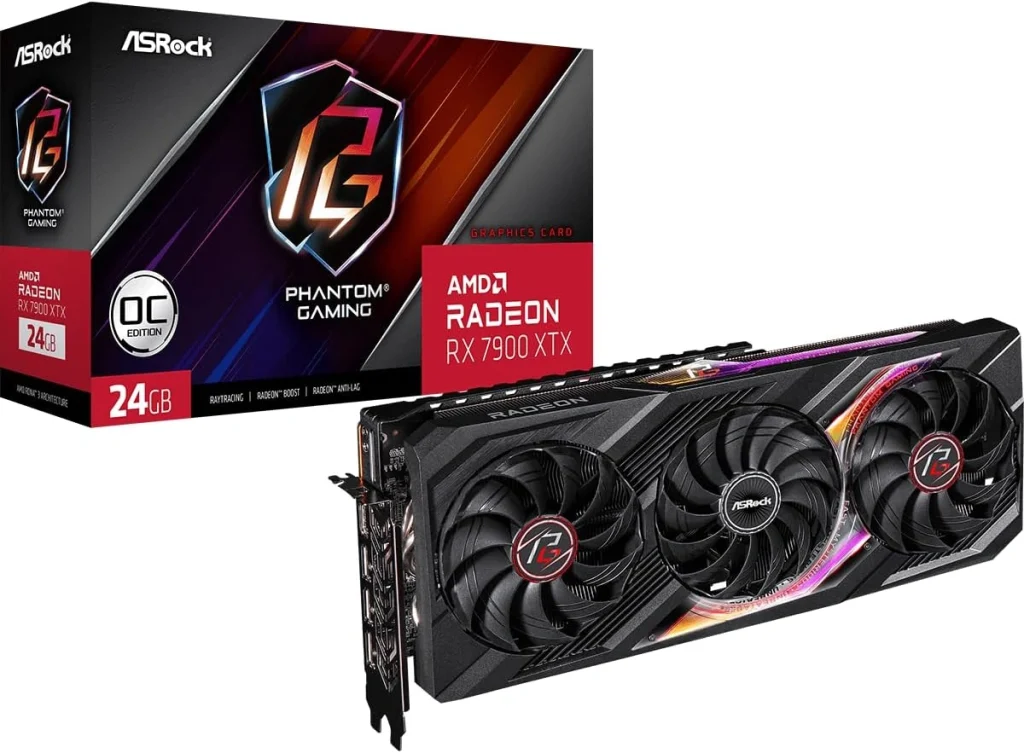
5. ASRock AMD Radeon RX 7900 XTX Phantom Gaming 24GB OC
The ASRock Radeon RX 7900 XTX Phantom Gaming 24GB OC is a powerful graphics card built for enthusiasts who want exceptional gaming performance and high VRAM capacity. Its strong cooling system and durable construction make it well-suited for demanding AAA games and long gaming sessions.
Best For: 4K gaming, high-resolution textures, and gamers who need large VRAM capacity.
Key Features
- 24GB GDDR6 memory with a 384-bit memory interface.
- Powered by the AMD Radeon RX 7900 XTX GPU.
- Phantom Gaming 3X Cooling System for efficient heat dissipation.
- Striped Ring Fan design improves airflow while reducing noise.
- Polychrome SYNC RGB lighting for customizable aesthetics.
- Reinforced Metal Frame enhances durability and prevents GPU sag.
- Stylish Metal Backplate for added protection and cooling support.
- DisplayPort and HDMI outputs for multi-monitor setups.
| Pros | Cons |
|---|---|
| Excellent performance for 4K gaming | Higher power consumption than many competing GPUs |
| Massive 24GB VRAM is ideal for future games and creative workloads | |
| Effective triple-fan cooling maintains stable temperatures | |
| Durable metal frame and backplate improve build quality |
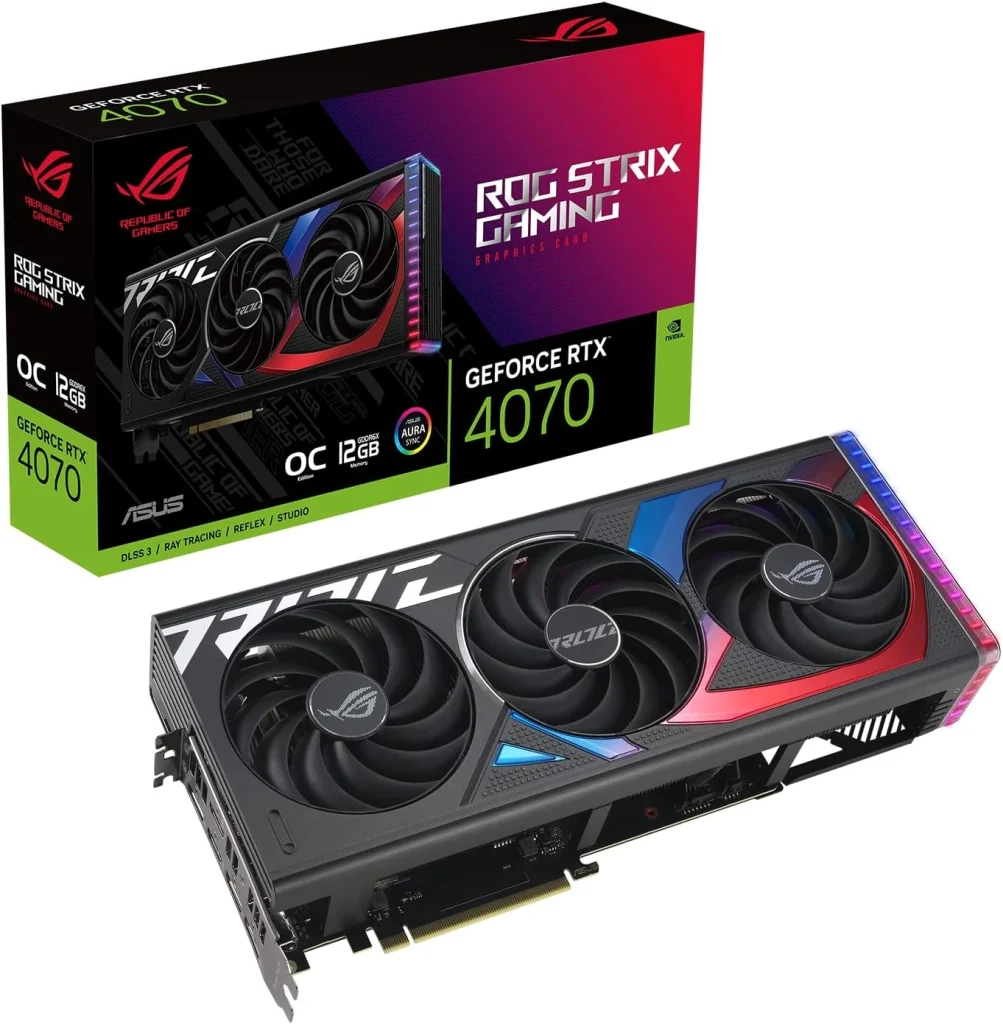
6. ASUS ROG Strix GeForce RTX 4070 OC Edition
The ASUS ROG Strix GeForce RTX 4070 OC Edition delivers reliable gaming performance with advanced AI-enhanced graphics and efficient power consumption.
Designed for modern gaming PCs, it offers smooth gameplay at high settings while maintaining low temperatures through ASUS’s premium cooling solution.
Best For: 1440p gaming, ray tracing, and gamers seeking high performance with excellent efficiency.
Key Features
- 12GB GDDR6X memory for modern gaming workloads.
- Powered by the NVIDIA Ada Lovelace architecture.
- DLSS 3 support with 4th Generation Tensor Cores.
- 3rd Generation RT Cores for enhanced ray tracing performance.
- Factory overclocked up to 2640 MHz in OC Mode.
- Axial-tech fans deliver up to 31% more airflow for improved cooling.
- PCIe 4.0 interface with HDMI 2.1 and DisplayPort 1.4a connectivity.
| Pros | Cons |
|---|---|
| Excellent performance for high-refresh-rate 1440p gaming | 12GB VRAM may be limiting for some future 4K titles |
| DLSS 3 significantly improves frame rates in supported games | |
| Efficient cooling with upgraded Axial-tech fans | |
| Factory overclock provides strong out-of-the-box performance |
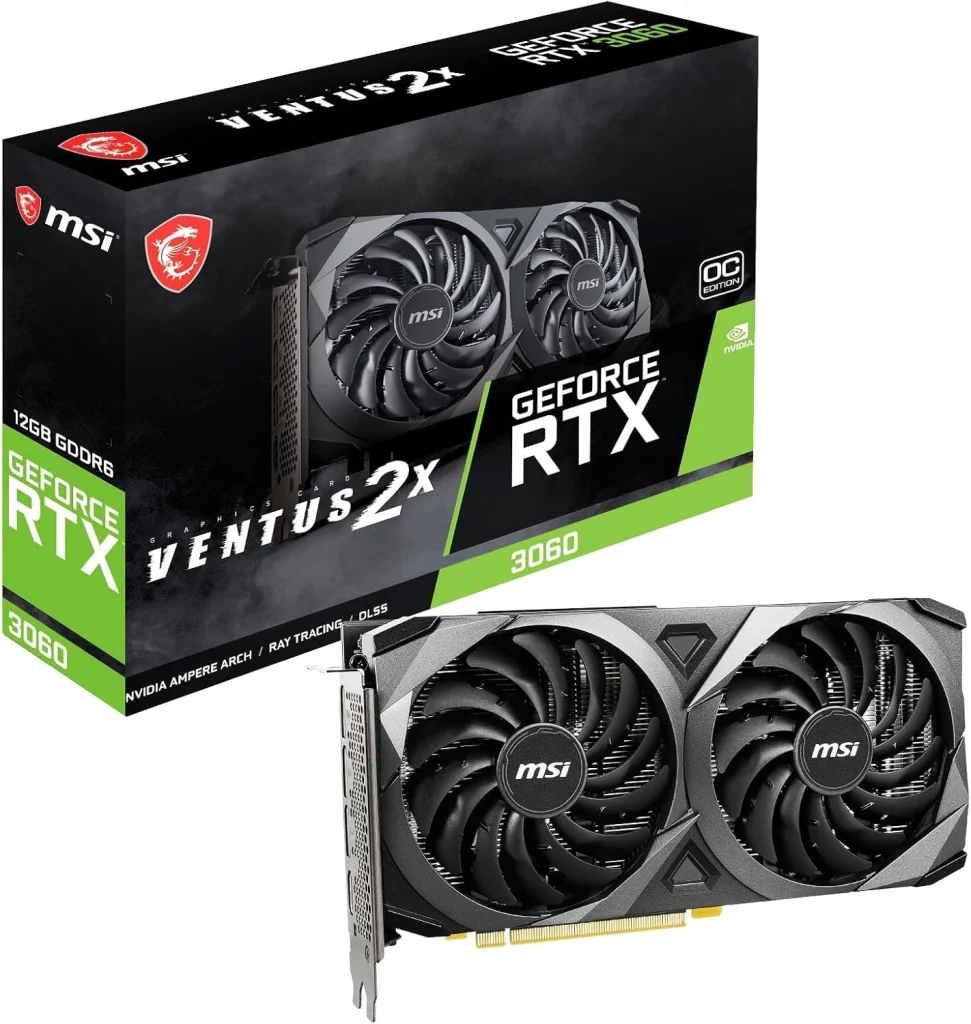
7. MSI Gaming GeForce RTX 3060 Ventus 2X 12G OC
The MSI Gaming GeForce RTX 3060 Ventus 2X 12G OC remains a dependable choice for budget-conscious gamers, offering solid performance in today’s popular titles.
With ample VRAM and efficient cooling, it provides a balanced gaming experience for mainstream PC builds without stretching your budget.
Best For: Budget 1080p gaming and entry-level 1440p gaming.
Key Features
- 12GB GDDR6 memory with a 192-bit memory interface.
- Powered by the NVIDIA GeForce RTX 3060 GPU.
- Factory overclocked with a 1807 MHz boost clock.
- TORX Twin Fan cooling system for improved airflow.
- PCIe 4.0 interface for modern system compatibility.
- 3× DisplayPort 1.4a and 1× HDMI 2.1 outputs.
- Supports up to 7680 × 4320 maximum digital resolution.
| Pros | Cons |
|---|---|
| Excellent value for budget and mid-range gaming PCs | Struggles with demanding 4K gaming |
| 12GB VRAM handles modern games better than many entry-level GPUs | |
| Efficient dual-fan cooling with quiet operation | |
| Ideal for 1080p gaming with support for entry-level 1440p |
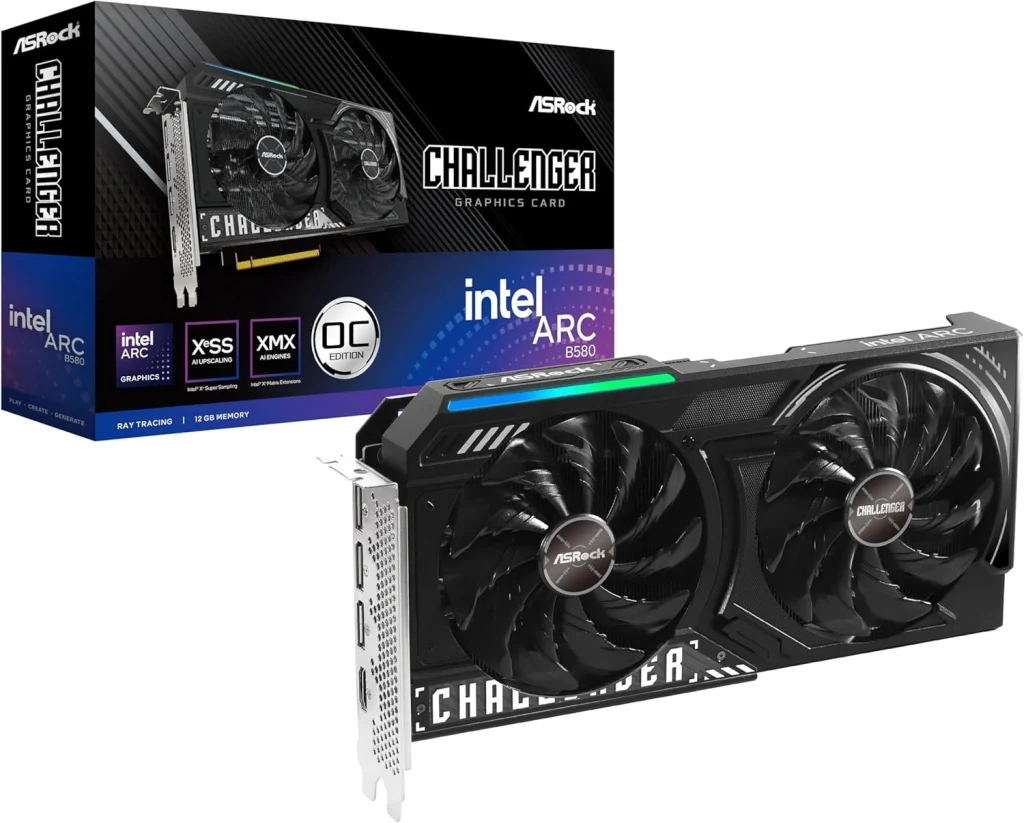
8. ASRock Intel Arc B580 Challenger 12GB OC
The ASRock Intel Arc B580 Challenger 12GB OC is a value-focused graphics card that delivers strong gaming performance with modern AI-enhanced features.
Built on Intel’s latest architecture, it offers a compelling option for gamers seeking smooth 1440p gameplay without paying premium GPU prices.
Best For: Budget 1440p gaming, AI-enhanced graphics, and value-focused PC builds.
Key Features
- Intel Xe2-HPG architecture with 20 Xe Cores and 160 XMX AI engines.
- 12GB GDDR6 memory on a 192-bit memory interface.
- 2740 MHz GPU clock with 19 Gbps memory speed.
- Intel XeSS 2 support for AI-powered upscaling.
- DirectX 12 Ultimate compatibility for modern gaming features.
- Dual-fan cooling with 0dB Silent Technology for quieter operation.
- PCIe 4.0 x8 interface with 3× DisplayPort 2.1 and 1× HDMI 2.1a.
- Metal backplate and Super Alloy components for added durability.
| Pros | Cons |
|---|---|
| Excellent value for 1440p gaming | Game optimization is still not as consistent as NVIDIA or AMD in some titles |
| XeSS 2 improves performance in supported games | |
| Quiet dual-fan cooling with 0dB silent mode | |
| Modern display connectivity with DisplayPort 2.1 and HDMI 2.1a |
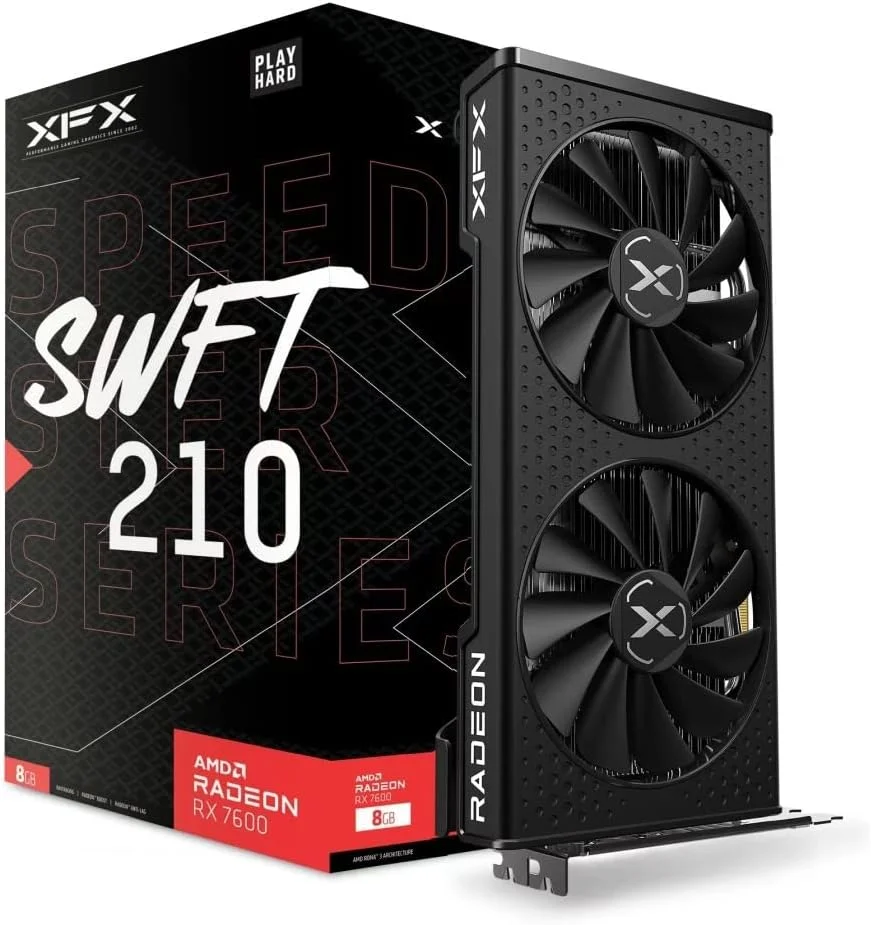
9. XFX Speedster SWFT210 Radeon RX 7600 8GB
The XFX Speedster SWFT210 Radeon RX 7600 is designed for gamers building or upgrading a PC for 1080p gaming. Powered by AMD’s RDNA 3 architecture, it features 8GB of GDDR6 memory and XFX’s dual-fan cooling system.
With a boost clock of up to 2655 MHz, it is suited to mainstream gaming, although its 8GB VRAM may limit performance in demanding games at higher resolutions.
Best For: 1080p gaming and mainstream gaming PC builds.
Key Features
- AMD Radeon RX 7600 GPU based on RDNA 3 architecture.
- 8GB GDDR6 VRAM for gaming.
- Boost clock up to 2655 MHz.
- XFX SWFT Dual Fan Cooling Solution for heat dissipation.
- 1× HDMI and 3× DisplayPort outputs for display connectivity.
| Pros | Cons |
|---|---|
| Suitable for 1080p gaming | 8GB VRAM may limit demanding games at higher resolutions |
| Dual-fan cooling design | Less suitable for demanding 4K gaming |
| Multiple display outputs | Not an upgrade to the RX 7600 XT 16GB |
| RDNA 3 architecture | Value depends on its current selling price |
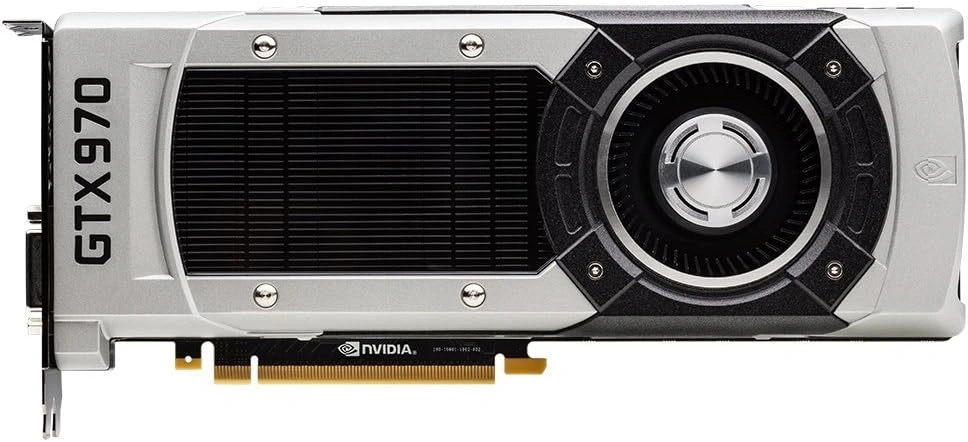
10. NVIDIA GeForce GTX 970
The NVIDIA GeForce GTX 970 is a legacy graphics card that still offers respectable performance for older and less demanding games.
While it no longer competes with modern GPUs, it remains a practical option for gamers building an inexpensive PC or upgrading older systems.
Best For: Budget 1080p gaming, older AAA titles, and used PC builds.
Key Features
- Powered by the NVIDIA Maxwell architecture.
- 4GB GDDR5 memory for classic and esports titles.
- NVIDIA GPU Boost 2.0 for dynamic clock adjustments.
- NVIDIA G-SYNC support for smoother gameplay on compatible monitors.
- NVIDIA SLI Technology for multi-GPU compatibility.
- PCI Express 3.0 interface.
- HDMI connectivity for modern displays.
| Pros | Cons |
|---|---|
| Affordable option on the used market | 4GB VRAM is insufficient for many modern AAA games |
| Handles older games and esports titles well at 1080p | Lacks support for modern features like ray tracing and DLSS |
| Proven reliability with mature driver support | |
| Good upgrade for aging desktop PCs |
While the GTX 970 caters to vintage desktop builds, budget gamers looking at mid-range laptop alternatives from the same era might consider machines like the Asus ROG FX503 with GTX 1060, which offers comparable 1080p performance for casual esports titles.
Which Graphics Card Should You Choose for Your Gaming Needs?
The right graphics card depends on your gaming resolution, budget, and the games you play. Here’s how the GPUs covered in this guide fit different gaming needs.
| Gaming need | Graphics cards to consider | What to know |
|---|---|---|
| 4K gaming | RTX 5090, RTX 5080, RX 9070 XT, RX 7900 XTX | Compare native 4K performance, ray tracing, and upscaling support. |
| 1440p gaming | RTX 5070 Ti, RTX 4070, RX 9070 XT, Intel Arc B580 | Check frame rates at your preferred graphics settings. |
| 1080p gaming | RX 7600, RTX 3060, Intel Arc B580 | Consider your monitor’s refresh rate and the games you play. |
| Budget gaming | Intel Arc B580, RTX 3060, RX 7600 | Compare current prices and performance before buying. |
| Ray tracing | RTX 5090, RTX 5080, RTX 5070 Ti, RTX 4070 | Check ray-traced performance and DLSS support in your favorite games. |
If you’re upgrading an existing PC, check your power supply, available power connectors, and case clearance. You can also consult NVIDIA’s official graphics card comparison page to check GeForce GPU specifications before buying.