Being a tech geek, I am used to spending almost 14 hours online, managing tasks, and handling things. And I really know how frustrated you can be when you receive a “Connection Unstable” message during a live meeting with a client.
While I have already discussed Internet Speed in detail in my guide, I have found that users are actively searching for the Internet or WiFi upload vs download speed difference. Both these elements are important, but they serve entirely different purposes.
In this guide, I am going to compare upload speed vs download speed, along with suggesting which type of Internet will be suitable for you.
What is Upload vs Download Speed?
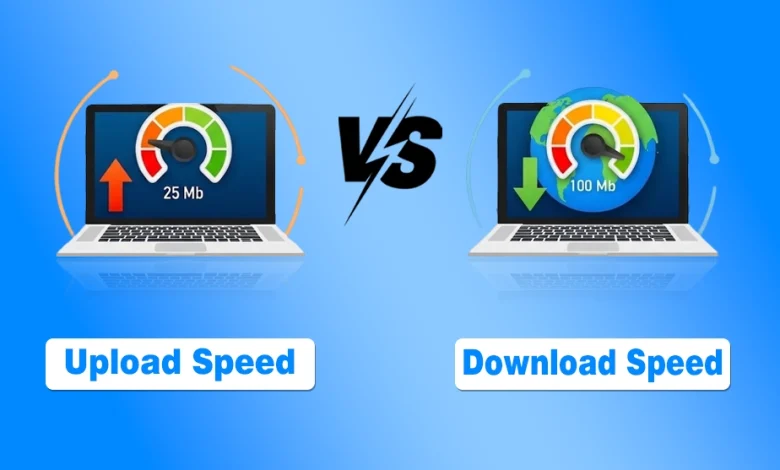
Upload speed represents how fast you can send data from your device out to the internet. And the download speed is the rate at which data travels from the internet to your local device.
- The download speed is more important for most users, as we use the Internet primarily for streaming, competitive online gaming, and working.
- However, upload speed has become increasingly important with the rise of remote work, video conferencing, cloud storage, smart home devices, and content creation.
When an ISP promises you 200 Mbps, they are usually talking about download speed, while the upload speed may be significantly lower unless you have a fiber internet connection with symmetrical speeds.
Upload vs Download Speed: Complete Comparison
While ISPs usually shout about the download speed for your Home Internet, the hidden upload speed is often what determines whether your video calls freeze or your backups take hours.
To help you distinguish between these two data paths, I have broken down the core differences across five critical factors.
| Factor | Download Speed | Upload Speed |
| Primary Function | Pulling data from the web to your device. | Pushing data from your device to the web. |
| Common Activities | Streaming Netflix, browsing web pages, downloading games. | Zoom calls, posting to Instagram, cloud backups. |
| Typical ISP Allocation | Usually much higher (80% to 90% of total bandwidth). | Usually much lower (10% to 20% of total bandwidth). |
| User Impact | Determines how fast content starts and its quality. | Determines how others see/hear you in real time. |
| Hardware Demand | Relies on high-speed modems and Ethernet ports. | Relies on device processing power and signal strength. |
Now, I am going to explain the differences between the upload and download Internet speeds.
1. Data Directionality
The most fundamental difference is the direction the data travels. Download speed is the “inbound” lane. Imagine you are at a grocery store; downloading is the act of taking items off the shelf and putting them in your cart.
Uploading is the “outbound” lane, similar to you bringing your own items to the return desk. Most household internet traffic is inbound, which is why your “pipe” for downloading is typically much wider.
2. Everyday Use Cases
You feel the impact of download speed every time you wait for a YouTube video to buffer or a webpage to load. It is the metric of consumption.
Upload speed, however, is the metric of participation. If you are a creator who uploads 4K videos to YouTube, or a professional who spends five hours a day on Microsoft Teams, the upload speed is actually more important to your daily productivity than the download speed.
3. Bandwidth Allocation (Asymmetry)
In most traditional cable and DSL connections, the speeds are “asymmetric.” ISPs assume the average user consumes more than they create, so they might give you 300 Mbps for downloads but only 20 Mbps for uploads.
Fiber internet providers in the USA often offer symmetrical speeds, meaning your upload and download speeds are the same. A Gigabit Internet plan on Fiber, for example, can provide 1 Gbps download and 1 Gbps upload.
While games themselves do not require extremely high bandwidth, fiber delivers a smoother experience because it typically offers lower latency, lower jitter, and much higher upload capacity than cable or DSL connections.
This makes it an excellent choice for online gaming, video conferencing, cloud backups, and households with multiple connected users.
4. Latency and Real-Time Interaction
Many people confuse upload speed with latency, but they are not the same thing. Latency (ping) measures how quickly data travels between your device and a server, while upload speed measures how much data your connection can send every second.
However, the two can be connected. If your upload bandwidth becomes fully occupied, such as during cloud backups or large file uploads, your connection can experience higher latency and packet delays. This may cause lag in online games, frozen video calls, or delayed voice chat, even when your download speed remains high.
For smooth gaming and video conferencing, low latency, minimal Internet jitter, and a stable upload connection are often more important than having extremely high download speeds.
5. Content Quality and Compression
Download speed dictates the maximum resolution of the media you consume. If you have 25 Mbps, you can stream 4K. Upload speed, conversely, dictates the resolution of the media you produce.
If your upload speed is low, your computer will automatically compress your outgoing video during a call to save bandwidth, making you look blurry to your colleagues, even if you look crystal clear to yourself.
Upload vs Download Speed For Different Connection Types
No matter if your Home WiFi is a Google Fiber network or 5G Cellular, upload and download speeds matter for all. Below, I have provided a comparison of upload and download speeds for them.
| Technology | Average Download Speed | Average Upload Speed | Ratio (DL:UL) |
|---|---|---|---|
| Fiber Optic | 100 to 5000 Mbps | 100 to 5000 Mbps | 1:1 (Symmetric) |
| Cable (Broadband) | 100 to 1200 Mbps | 10 to 50 Mbps | 10:1 to 20:1 |
| ADSL / DSL | 5 to 100 Mbps | 1 to 20 Mbps | 5:1 to 10:1 |
| Satellite | 25 to 150 Mbps | 3 to 10 Mbps | 8:1 to 15:1 |
1. Fiber Upload vs Download speed
Fiber optic technology is the gold standard of modern connectivity. If you subscribe to a 1000 Mbps fiber plan, you typically get 1000 Mbps for both downloading and uploading.
This makes fiber the ultimate choice for creators, gamers, and households with multiple people working from home simultaneously. It eliminates the bottleneck that usually happens when someone tries to upload a video while someone else is trying to watch a movie.
2. ADSL and DSL Upload vs Download Speed
Digital Subscriber Line (DSL) and its faster cousin, ADSL, represent older technology that runs over traditional copper telephone lines. These connections are almost always highly asymmetric.
You might have a decent 50 Mbps download speed, but find yourself struggling with a measly 5 Mbps upload speed. This technology is becoming less common as modern demands for video conferencing outpace what copper wires can handle.
3. Cable Broadband Upload vs Download Speed
Cable broadband usually refers to cable internet provided by a TV company. This uses coaxial cables to deliver high-speed data. Cable is excellent at providing very fast download speeds, often reaching 1 Gigabit per second.
You will get a plan with 500 Mbps download speed paired with only 20 or 30 Mbps upload speed. While this is plenty for most households, it can start to feel restrictive if you have multiple people trying to maintain high-definition video calls at the same time.
How Much Upload Speed Do I Need?
| Activity | Upload Speed Needed |
|---|---|
| 1 Mbps | |
| Zoom HD | 3–5 Mbps |
| Teams HD | 5 Mbps |
| Twitch Streaming | 10–20 Mbps |
| YouTube 4K Upload | 35+ Mbps |
| Cloud Backup | 50+ Mbps |
Why Is My Upload Speed Faster Than My Download Speed?
Your upload speed can become faster than your download speed if:
- You are connected to a congested download server
- Your ISP is experiencing temporary network issues
- Your download traffic is being limited by WiFi interference
- The speed test server automatically selects a different route for uploads
Although download speeds are usually faster than upload speeds, the above-mentioned situations are the ones where your upload speed may appear higher during a speed test.
If you consistently notice faster upload speeds than download speeds, restart your modem and router, test using a wired Ethernet connection, and run multiple speed tests on different servers before contacting your internet provider.
Does Upload Speed Matter More Than Download Speed?
Neither upload speed nor download speed is universally more important because each serves a different purpose.
- If you mainly watch Netflix, browse the web, and download games, prioritize higher download speeds.
- However, if you work remotely, attend frequent video meetings, upload large files, livestream, or use cloud storage every day, a faster upload speed can significantly improve your online experience.
For many modern households, the best internet connection is one that offers a balanced combination of both.
My Recommendation: Which One Should You Prioritize?
The speed you should prioritize depends on how you use the internet. Download speed matters most when receiving data, while upload speed matters when sending it. Here’s what to prioritize for common activities:
- Gaming: Prioritize low latency and stable upload and download speeds. Fiber, especially Google Fiber, is ideal because it provides symmetrical speeds with minimal Internet jitter.
- Work From Home: Focus on upload speed for video calls, cloud backups, and large file transfers. Higher upload bandwidth keeps these tasks stable and responsive.
- Streaming: Go for download speed. Higher download bandwidth supports smooth HD and 4K streaming, particularly on multiple devices.
- Light Browsing: Prioritize download speed. Web browsing, email, and social media use little upload bandwidth and work well on moderate download speeds.
- Smart Homes: Prioritize upload speed when using cloud-connected security cameras, as they continuously send video to the cloud. Fiber is well suited for homes with multiple cameras because of its high upload capacity.
For most households, download speed is the priority. Upload speed becomes equally important for remote work, cloud backups, content uploads, and security cameras. If your usage depends heavily on both, symmetrical fiber offers the best balance.
Related Queries About Upload vs Download Speed
Is upload speed important for gaming?
Yes. While online games use relatively little bandwidth, upload speed helps send your actions to the game server. A stable upload connection combined with low latency and low jitter provides the best gaming experience.
Why is my download speed much faster than my upload speed?
Most cable and DSL internet plans are designed with asymmetric speeds because the average user downloads far more data than they upload. Fiber internet plans often provide symmetrical upload and download speeds.
Is 10 Mbps upload speed enough?
For most households, 10 Mbps upload speed is enough for HD video calls, online gaming, and uploading small files. However, households with multiple remote workers, content creators, or cloud backups may benefit from higher upload speeds.
What is a good upload speed for working from home?
For smooth video meetings, cloud collaboration, and file sharing, at least 10 Mbps upload speed is recommended. If multiple people work from home simultaneously, consider plans offering 20 Mbps or higher.
Can upload speed affect video quality?
Yes. A slow upload speed can reduce the quality of your outgoing video during Zoom, Microsoft Teams, or Google Meet calls, causing blurry video or freezing even if your download speed is fast.