Best Wi-Fi Routers for High-Speed Internet: Cable, Fiber, and Home Internet

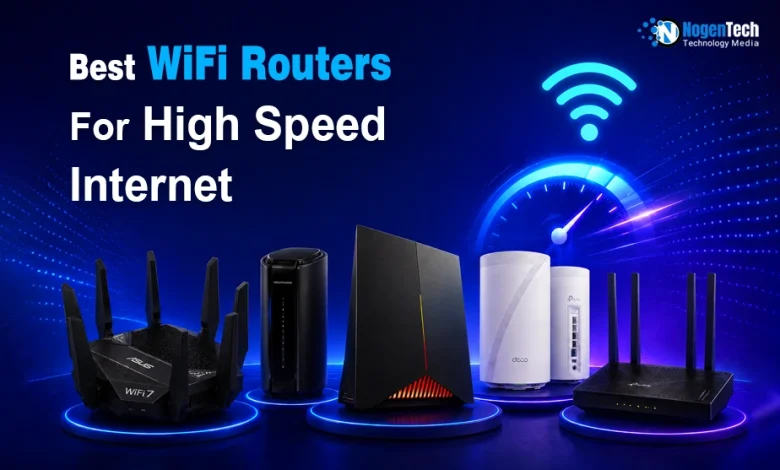
When looking for a high-speed WiFi router, the choice depends heavily on how the internet gets into your house, like Cable, Fiber, or Cellular, and the maximum speeds your ISP provides.
I have been an Internet user since 2008, and in my 18-year journey, I have seen the evolution from 2G cellular to 5G, and from traditional cable networks to high-speed Fiber and satellite Internet, like Starlink.
And the same goes for the equipment and devices. In 2026, many top-notch routers are available in the market. And we are going to explore them.
In this guide, I have explained the best routers for high-speed WiFi for different ISPs, like Xfinity Home Internet, Spectrum Home Internet, Cox Home Internet, Verizon Home Internet, AT&T Fiber Home Internet, or any other.
Also, I have mentioned my specific recommendation that can help you narrow down the available options.
Do You Need a New Router for High-Speed Internet?
If you’re paying for a 500 Mbps, 1 Gig, or even faster internet plan but still dealing with buffering, slow downloads, video call interruptions, or weak Wi-Fi in certain rooms, your router may be limiting your connection.
Internet providers regularly increase network speeds, but many households continue using routers that were designed for older broadband plans and fewer connected devices.
Upgrading to a modern Wi-Fi 6 or Wi-Fi 7 router can improve coverage, reduce latency, and handle multiple devices more efficiently.
This becomes even more important in homes with smart TVs, gaming consoles, security cameras, gaming laptops, smartphones, and smart home devices competing for bandwidth at the same time.
Whether you’re using Xfinity, Spectrum, AT&T Fiber, Google Fiber, Verizon Fios, or T-Mobile Home Internet, a newer router can help you get closer to the speeds and performance you’re already paying for.
Best Wi-Fi Routers for High-Speed Internet (Provider-Specific Picks)
Not everyone has subscribed to the same Internet Service Provider. Maybe you have purchased one from Xfinity Internet plans, Spectrum Internet plans, AT&T Fiber Internet plans, Verizon Internet Plans, Cox Internet plans, or any other.
So to help you find the best one according to your ISP, I have mentioned and explained the provider-specific picks in the under section.
1. ASUS RT-BE96U (Wi-Fi 7): Best Router for Xfinity (Cable / Fiber)
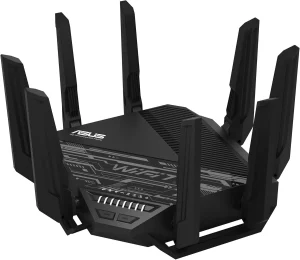
- Why it’s best: Xfinity offers plans up to 2 Gbps. The RT-BE96U features dual 10 Gbps ports, which ensures that your third party router isn’t the bottleneck. It handles dense data streaming flawlessly and requires no subscription for its advanced security features.

Note: If you are on an Xfinity Cable plan, you will still need a compatible standalone modem (like the Netgear Nighthawk CM3000) to bridge into this router.
2. Netgear Nighthawk RS700S (Wi-Fi 7): Best Router for Spectrum (Cable)
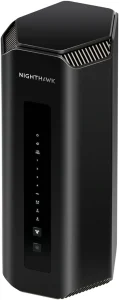
- Why it’s best: Spectrum has heavily upgraded its high-speed infrastructure, which results in unlocking much faster upload speeds alongside gigabit downloads. The RS700S handles up to 19 Gbps of total throughput, which ensures you max out your Spectrum plan even with dozens of active smart home devices.
I have also created the Xfinity vs Spectrum guide so you can decide which Home Internet will be the best for you in 2026.
3. TP-Link Archer BE9700 (Wi-Fi 7): Best Router for Cox (Cable)
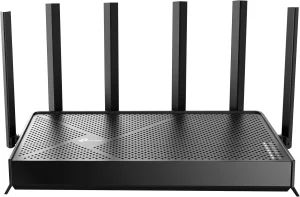
- Why it’s best: Cox’s “Go Beyond Fast” plans need serious hardware. The TP-Link Archer BE9700 offers a massively powerful 10 Gbps WAN/LAN combo at a more competitive price point than its rivals. It keeps ping exceptionally low, which is crucial if you game or video conference on Cox’s cable network.
4. TP-Link Deco BE95 (Whole Home Mesh): Best Router for AT&T (Fiber)
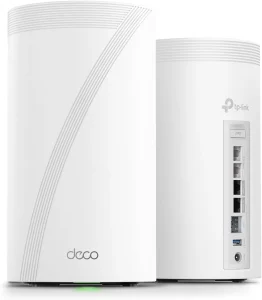
- Why it’s best: AT&T Fiber offers symmetrical multi-gig speeds (up to 5 Gbps). Because you cannot fully remove the AT&T gateway, you must put it in “IP Passthrough” mode and link it to a powerhouse mesh system. The Deco BE95 handles multi-gig backhauls over its dedicated 6 GHz band. As a result, it ensures fiber-optic speeds reach every corner of your house wirelessly.
If you are interested in a classic cable vs fiber comparison, you should definitely go through my Xfinity vs AT&T Fiber article.
5. EERO Pro 7 (Wi-Fi 7 Mesh): Best Router for Google Fiber (Fiber)
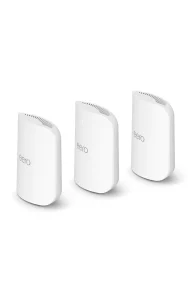
- Why it’s best: Google Fiber is built on seamless, pure speed (offering up to 5 Gbps and 8 Gbps tiers). The EERO Pro 7 is famously stable, optimized for pure fiber setups, and manages massive multi-gig routing without breaking a sweat or dropping connections.
6. ASUS RT-AX5400 (Wi-Fi 6): Best Router for T-Mobile (5G Home Internet)
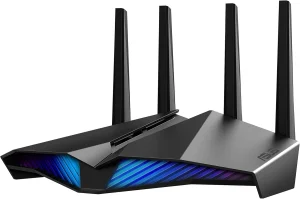
- Why it’s best: Because T-Mobile Home Internet relies on cellular towers, your speeds will fluctuate based on network load. You don’t need an expensive WiFi 7 router here. The RT-AX5400 is an affordable beast that offers excellent traffic prioritization (QoS) to maximize and stabilize whatever bandwidth your 5G gateway pulls in.
7. TP-Link Archer GE800 (Wi-Fi 7): Best Router for Verizon (Fios Fiber / 5G Ultra Wideband)
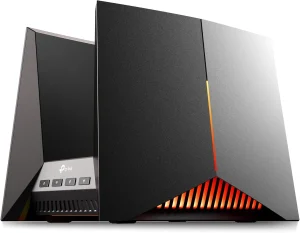
- Why it’s best: Verizon Fios offers ultra-low latency and fast Internet speed. If you use Verizon for high-speed gaming or work, the GE800 features dedicated gaming ports, a killer sleek design, and automated traffic management to preserve Verizon’s signature low ping.
Best Wi-Fi Router for High-Speed Cable Internet
The Netgear Nighthawk CAX80 is the best option for cable Internet WiFi. It is actually one of the best modem-router combos.
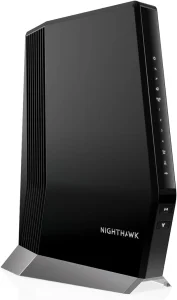
With this product, you don’t need two separate boxes cluttering your desk for cable internet. It merges a blazing fast DOCSIS 3.1 cable modem with an AX6000 Wi-Fi 6 router. It handles internet plans up to 2 Gbps easily.
Best Wi-Fi Router for High-Speed Fiber Internet
In my opinion, the ASUS ZenWiFi BQ16 Pro (Wi-Fi 7 Mesh) is the top pick when it comes to choosing the best router for high-speed Fiber Internet.
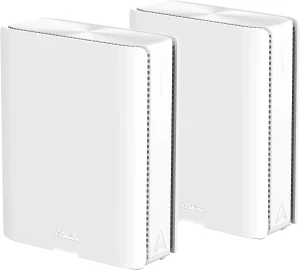
No matter which one you have among the best Fiber internet providers in the USA, the BQ16 Pro distributes the massive bidirectional bandwidth without data loss. It features unmatched wireless backhaul speeds and ensures you get true fiber performance even when far from the main node.
What Should You Look for in a High-Speed Wi-Fi Router?
The best router isn’t always the most expensive one. The right choice depends on your internet provider, home size, connected devices, and the speeds you’re paying for.
When comparing routers, focus on:
- Wi-Fi 6 or Wi-Fi 7 support for better speed and efficiency
- Multi-Gig Ethernet ports for Gigabit and Fiber Internet plans
- Strong coverage for larger homes
- Mesh compatibility if you need whole-home Wi-Fi
- Built-in security features and parental controls
- Reliable performance with multiple connected devices
For most households in 2026, investing in a Wi-Fi 6E or Wi-Fi 7 router offers the best balance between performance, future-proofing, and long-term value.
What’s My Recommendation: The Ultimate Versatile Pick
If you want a single router that you can take with you regardless of whether you switch to Fiber, Cable, or 5G, the ASUS RT-BE96U is the king of versatility:
- Why it wins: It is entirely future-proof. It features dual 10 Gbps ports (one for the incoming internet, one for a high-speed wired device like a gaming PC or NAS) and four 2.5 Gbps ports.
- The Software Advantage: Unlike Netgear or Linksys, which lock parental controls, network security, and VPN settings behind monthly paywalls, ASUS gives you its AiProtection Pro suite completely free for life.
Whether ASUS RT-BE96U is handling a cellular gateway, a DOCSIS 3.1 cable modem, or a 10-Gigabit fiber terminal, it adapts instantly and performs at peak capacity.
People Also Ask
Do I need a separate modem if I buy a third-party router for cable internet?
Yes, you will still need a standalone compatible cable modem (or an ISP gateway set to bridge mode) to connect a third-party router to a cable network.
Can I use my own router with AT&T or Google Fiber?
Yes, though AT&T requires you to put their official gateway into “IP Passthrough” mode, while Google Fiber allows you to connect your router directly to the Fiber Jack.
Is it worth buying a Wi-Fi 7 router in 2026 if my devices only support Wi-Fi 6?
Yes, because a Wi-Fi 7 router future-proofs your home network and heavily optimizes multi-device congestion using advanced features like MLO (Multi-Link Operation).
Will a third-party router improve my T-Mobile or Verizon 5G Home Internet speeds?
It won’t increase the raw cellular speed coming into your house, but it will significantly improve your local Wi-Fi range, stability, and device capacity.
What is the benefit of a router having a 10 Gbps port?
A 10 Gbps port ensures that multi-gigabit fiber or high-split cable plans can pass through your router at full speed without hitting a data bottleneck.