I know how it feels to pour your heart and soul into creating YouTube videos, hitting that upload button with shaky hands, only to watch the view count sit at a depressing zero for three days. It is frustrating, right?
You start questioning if you are shadowbanned on YouTube or if the universe just hates your content. But here is the truth: the YouTube algorithm is not a mysterious monster under the bed designed to keep you small.
I have also created a guide on the TikTok algorithm, but when I researched the YouTube algorithm, I found it to be more advanced. Whether you are a content creator or running a YouTube channel for your business, this article on the YouTube algorithm will be a perfect pick to read.
I have explained how the YouTube algorithm works, its latest updates, tips to improve CTR, and the decoupling of the YouTube Shorts algorithm, so you can stay ahead of every update.
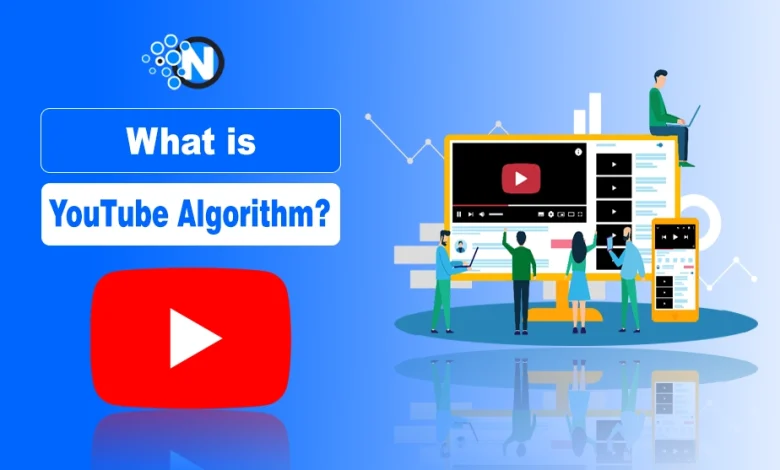
What is the YouTube Algorithm?
The YouTube algorithm is a machine learning system that aligns all of your home feed with what you are most likely to get engaged with and give attention to.
It prioritizes:
- Viewer satisfaction
- Retention
- Engagement signals
Using these metrics, the YouTube algorithm recommends videos across the Home screen, Search results, and Suggested feeds.
In 2026, the goal has shifted from just “watch time” to “viewer satisfaction.” YouTube does not just want people to watch. It wants them to feel like their time was well spent. I have found it more advanced than the TikTok algorithm, which only focuses on retention of users.
How Does the YouTube Algorithm Work?
If you want to grow, you have to stop thinking about what the YouTube algorithm wants and start thinking about what the viewer wants. This is the fundamental secret of how the YouTube algorithm works in 2026.
It follows the audience. If the audience loves a video, the algorithm loves it too. I always tell my fellow creators that the “algorithm” is just a mirror of human behavior. It tracks every click, every skip, and every “not interested” tap.
To master this system, you have to focus on three core pillars, which are essentially the ranking factors for videos:
- Click-Through Rate (CTR)
- Audience Retention
- Viewer Satisfaction.
1. Click-Through Rate (CTR) and Visual Packaging
Your thumbnail and title are the only things standing between a viewer and your content. In 2026, a high CTR is not just about a click. It is about “Honest CTR.”
You have to make sure your thumbnail is a promise that your video actually keeps. If you use a clickbait thumbnail that has nothing to do with the video, the algorithm sees people leaving after five seconds and immediately stops showing your video to others.
I usually aim for a CTR between 5% and 10%, but I have seen smaller channels explode with 12% or higher if their niche is specific enough.
I have also created a complete article on “How to Grow YouTube Channel Fast?” Read it.
2. Audience Retention and the Hook
Once you get the click, you have to hold the attention. I spend about 50% of my scripting time just on the first 30 seconds of the video. Why? Because the retention graph is the primary health check for any upload.
I look for a “flat” retention curve. If I see a massive dip in the first few seconds, I know my intro was too slow or I didn’t deliver the value fast enough. In 2026, the algorithm rewards “completion rate” more than total minutes, especially for videos under 10 minutes long.
Also, I will advise you to understand the YouTube framework, as it will grow your channel quite rapidly.
3. Satisfaction Signals and Surveys
Have you ever seen those little surveys under a video asking, “Was this video worth your time?” Those are satisfaction signals, and they are arguably the most important ranking factor right now.
I have found that even if a video has lower watch time, if the survey results and “share” counts are high, YouTube continues to push it. You should focus on making content that solves a specific problem or provides a genuine laugh so that when that survey pops up, the viewer gives you five stars.
If you are also involved in streaming games, you need to read my article on Twitch vs YouTube comparison, so you can figure out which one is good for you.
YouTube Algorithm Updates 2026
Staying updated is a full-time job, but I have noticed some specific trends this year, according to the official YouTube blog, that you cannot afford to ignore. If you are asking, did YouTube change its algorithm recently? The answer is a resounding yes.
The 2026 updates have brought a “new viewer” boost that helps smaller channels get discovered faster. YouTube is now actively looking for “hidden gems” to keep the platform fresh.
I have seen tiny YouTube channels with 100 subscribers get 50,000 views on a single video because the AI identified it as high-quality and perfectly matched it to a trending interest group.
1. The Decoupling of Shorts and Long-Form
One of the biggest changes I have navigated is the complete separation of the Shorts and long-form algorithms. They used to bleed into each other, which sometimes hurt channel analytics.
Now, they are two different beasts. You can post a viral Short without it “messing up” who your long-form videos are shown to. This is a huge win for creators who want to use Shorts as a discovery tool while keeping their main content focused on a loyal audience.
You should also check my guide on the best time to post on YouTube to get more views.
2. Topic Durability and Evergreen Content
YouTube is also placing a higher premium on “Topic Durability.” This means the algorithm is better at identifying content that will remain relevant for years rather than just a few days.
That’s why you have to start focusing more on evergreen tutorials because I see the 2026 algorithm resurfacing my older videos much more frequently, as shown in the YouTube dashboard. If you create a video today that is still useful in 2028, the system will keep it in the “Suggested” loop for as long as people find it valuable.
I have also created a complete guide on Snapchat AI algorithms, and if you are more interested, you should also check this guide.
YouTube Shorts Algorithm: How to Get More Views?
The Shorts feed is like the Wild West of YouTube right now. If you are wondering how the YouTube Shorts algorithm works, consider it as a high-speed swipe-through test.
Unlike long-form videos, where people choose what to watch, Shorts are served to them in a continuous scroll. I have found that the number one metric for Shorts is the “Viewed vs Swiped Away” ratio.
If more than 30% of people swipe away within the first two seconds, the algorithm kills the video. So, you should aim for a 70% or higher “keep watching” rate to really hit the viral loop.
You should also check my Snapchat vs TikTok Algorithm comparison article. It will give you the idea of how to rank videos on these platforms.
1. The First Second Hook
In the Shorts feed, you don’t have 30 seconds to warm up. You have exactly one second, maybe less, to stop the thumb from scrolling. For this purpose, you can use:
- Bold text overlays
- Fast-moving visuals
- Wait for it promise
I have learned that starting a Short mid-action is much more effective than saying “Hey guys, welcome back.” I want my viewers to feel like they just walked into the middle of something exciting.
If you are just a beginner and have no money to spend, you can choose free video editing software to create hooky videos.
2. Loopability and Re-watch Value
The Shorts algorithm loves it when people watch a video more than once. Therefore, you should design your Shorts to be “loopable,” where the ending flows perfectly back into the beginning.
This tricks the brain into watching it a second time, which sends a massive signal to YouTube that the content is addictive. You can also use “Micro-Pacing,” where you can change the camera angle or add a new text bubble every three seconds to reset the viewer’s attention span.
3. Use Trending Sounds and Niche Context
I always check the “Top Sounds” section when uploading from my phone. Using a trending song can give you a slight edge, but only if it fits your niche.
I have seen creators fail because they used a trending dance song for a serious veterinary tutorial. It confuses the Artificial Intelligence. You should make sure your audio matches the “vibe” of your content so the algorithm knows exactly which “cluster” of viewers to show it to.
If you don’t find any trending audio, you can navigate the YouTube audio library quite easily and use YouTube background music tracks.
How to Reset YouTube Algorithm?
Sometimes, as a viewer, you just need a fresh start. Whether you accidentally clicked on a weird rabbit hole or you want to see what else is out there, knowing how to reset the YouTube algorithm is a lifesaver.
I do this myself about once a year just to see how the “clean” version of YouTube treats new content. It is like giving your digital brain a factory reset.
1. Clear Your Watch and Search History
The most effective way to reset your recommendations is to get into your settings and clear your history.
- Go to Manage Your Google Account.
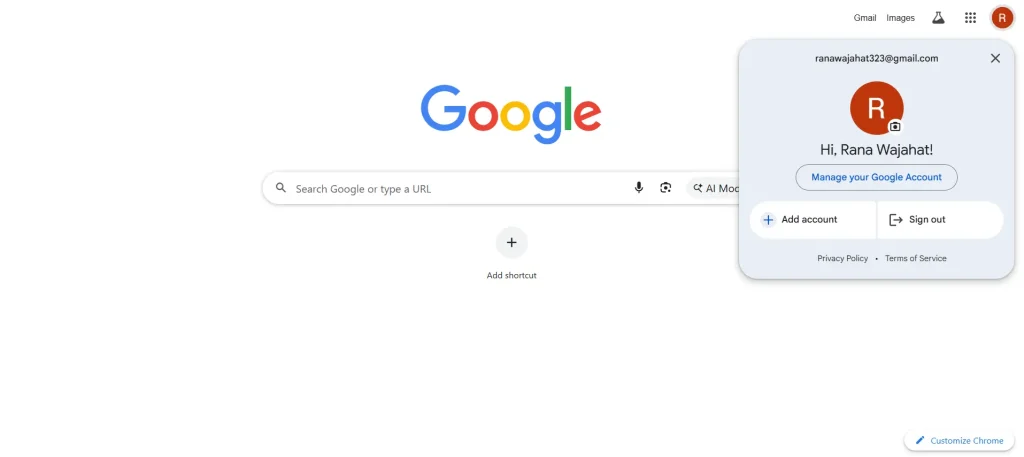
- Find Data & Privacy.
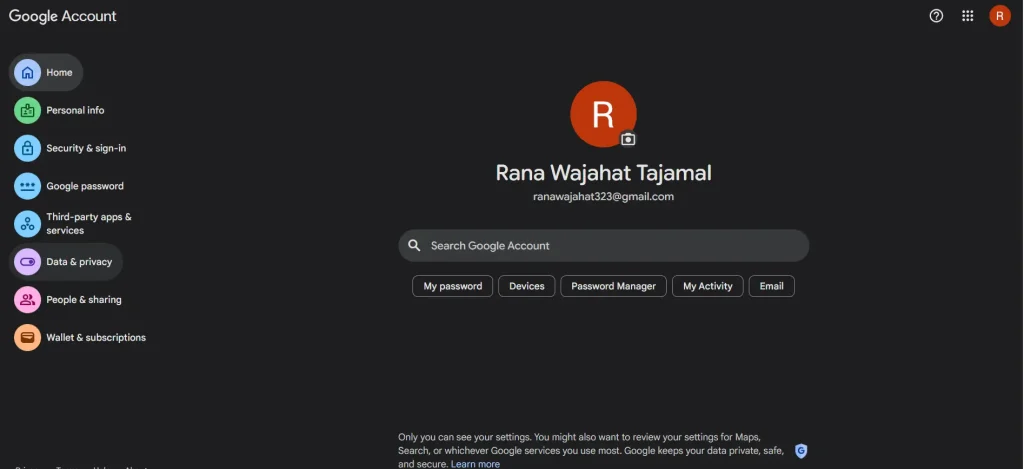
- Then click YouTube History.
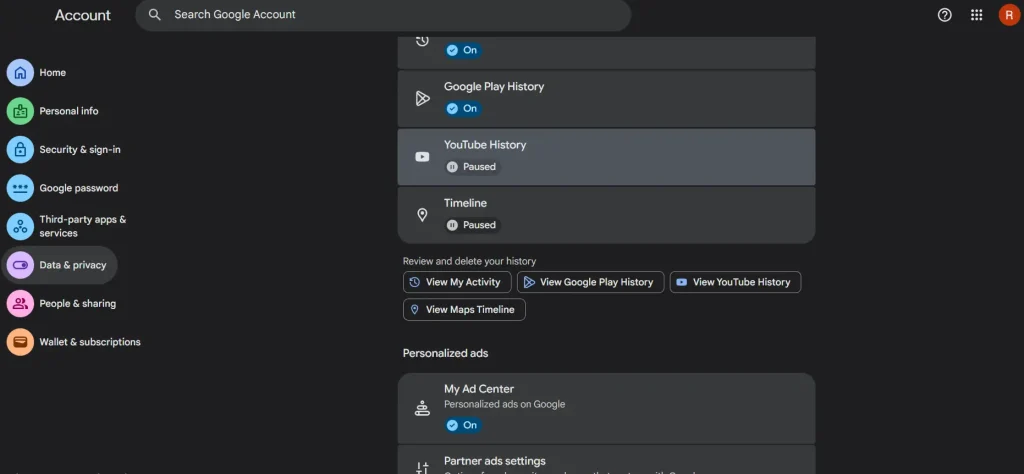
- From there, you can delete everything
Once that data is gone, the algorithm has no “profile” for you, and it starts suggesting broad, popular content. You can then carefully “train” it by searching for and watching only the topics you are currently interested in.
And if you have enough budget, you should subscribe to YouTube Premium, as it will let you download your favorite videos.
2. Use Incognito Mode and Pause History
If you are doing research for a project and you don’t want those searches to ruin your personal feed, you can always use Incognito Mode. Alternatively, you can go into settings and “Pause Watch History.”
This is a pro tip for anyone who shares a YouTube account with kids or roommates. I have seen many channels’ feeds get destroyed by a toddler watching “Baby Shark” for four hours, so pausing history is a mandatory step in my household.
Wanna know more about YouTube? Learn the pros and cons of YouTube, as I have created a complete article.
The Secret to Success: Understanding the YouTube Algorithm
Growing on YouTube in 2026 is about a partnership between your creativity and the platform’s AI. When you focus on high-quality thumbnails, engaging hooks, and genuine viewer satisfaction, the algorithm takes care of the rest.
It is a long game, and there will be days when the numbers don’t make sense. But if you stick to the principles of “honest CTR” and “retention-first” editing, you will find your audience.
Start today by looking at your most recent video and asking yourself: “Would I watch this for more than 30 seconds if I didn’t know the creator?”
If the answer is no, you know exactly where to start your improvements.
People Also Ask
What is the YouTube algorithm?
It is a real-time machine learning recommendation system that matches individual viewers with the videos they are most likely to watch and enjoy across the platform.
How does the YouTube algorithm work?
The system tracks signals like click-through rate, watch time, and viewer satisfaction surveys to rank content based on what best serves a specific user’s interests.
Did YouTube change its algorithm?
YouTube updates its systems daily to improve performance, but major shifts in 2026 focus more on AI-driven “viewer satisfaction” and the separation of Shorts and long-form discovery.
Why is the YouTube algorithm so bad?
Most users perceive it as “bad” when the system creates a feedback loop that feels repetitive or fails to recognize when a viewer’s interests have shifted to new topics.
How long does it take for the algorithm to find an audience for a new video?
In 2026, the system typically initiates a “seed audience” test within the first 2 to 24 hours of upload, but it can take up to two weeks for the AI to fully categorize your content and find the ideal long-term viewer cluster.