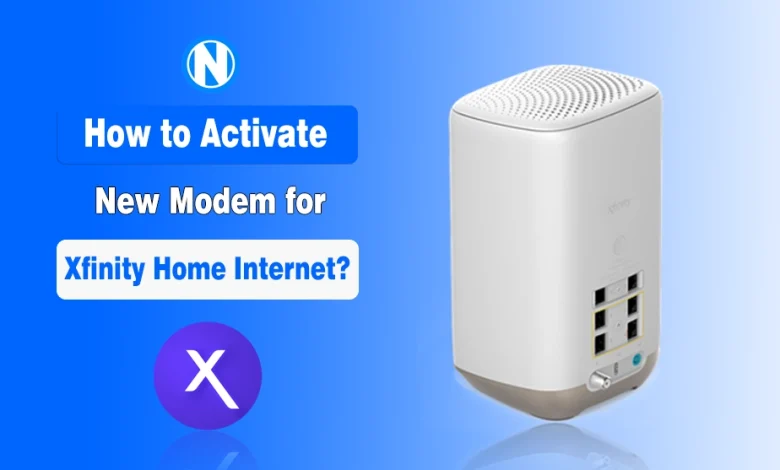
Subscribed to Xfinity Home Internet and now want to activate a new modem? Well, it’s not a difficult task.
The only thing that matters is that you should have Xfinity compatible modems. This way, it will become a lot easier for you to set it up and enjoy the online activities like browsing and watching movies on your selected plans.
In this guide, I have mentioned the steps on how to activate a new modem for Xfinity Home Internet. When you go through them, you will understand that the whole process will take only 30 minutes without requiring expert help.
How to Activate a New Modem for Xfinity Home Internet?
In my article on Home Internet, I have mentioned that a modem converts the external signals from ISPs into digital data. That’s why it is crucial to activate your new modem properly for a seamless internet connection.
I have found that the secret to a painless setup is preparation and following a specific rhythm. Let’s get into the details of how user-friendly Xfinity has made the process of activation of new modem.
- Unpack and inspect your box.
- Make sure it contains the modem or gateway, a power cord, and a coaxial cable.
- Connect the coaxial cable from your wall outlet to the back of the modem.
- Plug the power cord into the modem and an electrical outlet.
- Wait for the lights on the device to stop flashing and stay steady.
- Download the Xfinity app on your mobile phone to begin digital activation.
- Log in using your account credentials to identify your specific service.
- Scan the QR code on the hardware when prompted by the app.
- Follow the on-screen instructions to name your WiFi and set a password.
- Confirm the activation and wait for the modem to reboot and connect.
I have already created a complete article on how to set up Xfinity Home Internet. You should also go and check it for the complete setup.
And if you are not satisfied with the new third-party modems, consider purchasing the xFi Complete add-on, as it will bring you the newest XB10 gateway.
Common Challenges You May Face While Activating a New Modem for Xfinity Home Internet
Even with the best instructions, technology occasionally likes to be difficult. I have helped plenty of people troubleshoot their Xfinity Home Internet setups, and I have noticed a few recurring issues that can cause frustration during the process.
These challenges and their solutions are below:
1. The App Cannot Find the Modem
The most frequent issue I see is the Xfinity app failing to recognize the device during the initial scan. This usually happens because the modem has not finished its boot cycle, or the mobile device is not communicating with servers correctly.
If you are having trouble, looking at specs of your Internet plan might reveal if a specific app setting is blocking your progress.
Solution
To fix this, I suggest restarting your phone and power cycling the modem by unplugging it for thirty seconds. Ensure your phone has a steady cellular data connection during the setup process.
This usually clears the communication error quickly. If the app remains stubborn, searching for the best router for Xfinity might be your next step for a better hardware experience.
2. Solid Red or Blinking Orange Lights
If you notice a persistent red light or an orange light that refuses to turn white, it indicates a signal issue. This often means the modem is receiving power but cannot establish a handshake with the network.
You should verify your specific Internet Speed to ensure the signal being sent matches your hardware capabilities.
Solution
I recommend checking every connection point between the wall and the modem to ensure they are tight. If you are using a cable splitter, try removing it and plugging the modem directly into the wall outlet to test.
Sometimes, looking at Xfinity Internet Plans can help clarify if your service level requires a more signals than your current wiring provides.
3. Inactive Coaxial Wall Outlets
Sometimes the outlet you chose simply isn’t live or connected to the main line outside your house. I have lived in apartments where only one specific outlet in the living room was actually wired for the internet.
Solution
The best solution is to test every coaxial outlet in your home one by one. If none of them work, you might need to contact support to have a technician activate the specific line.
You can find help through Xfinity Customer Service to speed up the process of getting a technician to your door.
4. Incorrect Account Credentials or Permission
It is surprisingly common to get stuck because the Xfinity account isn’t fully authorized for the new hardware. This happens often if you are replacing an old modem but the system still thinks the old device is primary.
I suggest logging into your account via a web browser to verify that the new equipment is listed. If the app still fails, you can use the Xfinity activation web portal as an alternative to push it through.
For those who want the absolute best, checking the best Internet for Home options can help you decide if Xfinity is still the right fit for your needs.
5. Slow Speeds Right After Setup
You might get online only to find that your Xfinity home Internet speed is incredibly slow or the connection drops. This can be discouraging, but it often signifies that the modem is performing background firmware updates.
Many people compare this performance to Google Fiber when they are looking for maximum reliability and throughput.
Solution
I recommend keeping the modem away from large appliances. Give the system about an hour to settle in. If you are still unsatisfied, you might switch to the best Fiber Internet Providers in the USA in your area.
What’s My Take?
I hope this guide has given you the confidence to tackle your Xfinity modem activation with ease. When you follow the structured steps and keep an eye out for those common troubleshooting patterns, you can ensure a smooth transition to high-speed internet.
Remember that patience is your best friend when dealing with hardware boot cycles. Once those lights turn solid, you are ready to enjoy everything the web has to offer.
People Also Ask
How long does it typically take to activate a new Xfinity modem?
The entire process usually takes between 10 and 20 minutes, including hardware boot times.
Can I activate my modem without using the Xfinity mobile app?
Yes, you can visit the Xfinity activation website through a mobile browser to complete the setup.
What should I do if the online light on my modem keeps blinking?
Make sure all cable connections are tight and try a different coaxial wall outlet in your home.
Do I need to call customer service to activate my own personal modem?
No, most approved third-party modems can be activated directly through the self-service app or website.
Will my old WiFi settings work automatically with the new modem?
Only if you manually set the new network name and password to match your previous settings exactly.