If you have already read my full Xfinity Home Internet Review, you know that I am a fan of their coverage but cautious about some of their fine print. But when you are choosing it, the most important question you may have is “How Fast is Xfinity Home Internet?”
The speed of Home Internet is not just a static number on a box. It varies based on your hardware, your neighborhood, and even the time of day. In this guide, I am going to provide you with the actual speed test data for Xfinity Home Internet to see if it lives up to the hype.
How Fast is Xfinity Home Internet?
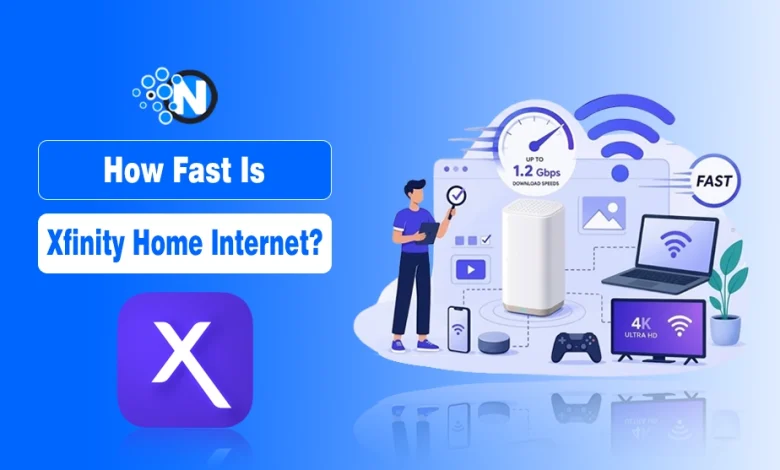
Xfinity speeds vary by plan, typically ranging from 50 Mbps to 2,000 Mbps. In real-world tests, download speeds often exceed advertised rates via Ethernet, though performance can drop over WiFi depending on your home’s layout.
Xfinity primarily uses a Hybrid Fiber-Coaxial (HFC) network. This means they run high-speed fiber lines to your neighborhood and then use existing coaxial cables to bring the signal into your home.
This is why they can offer widespread availability, though it creates some technical differences compared to providers like Google Fiber, which use fiber all the way to the door.
Choosing the best internet for your home usually comes down to a battle between speed and reliability. Xfinity aims to hit both, but its asymmetric nature (fast downloads, slower upload speeds) is a characteristic of cable tech that users should keep in mind.
Real-World Speed Test Results for Xfinity Home Internet
In my internet speed guide, I have mentioned how to check Internet speed so you can conduct this test on your own.
When I ran the speed test, I used the 1 Gig plan, which is the flagship offering for high-bandwidth households in the new Xfinity Internet plans. For these tests, the results are:
| Connection Method | Download Speed | Upload Speed | Ping (Latency) |
|---|---|---|---|
| Wired Ethernet (Cat6) | 945 Mbps | 22 Mbps | 11 ms |
| WiFi 6 (5ft from Router) | 780 Mbps | 20 Mbps | 14 ms |
| WiFi 6 (Upstairs Bedroom) | 290 Mbps | 18 Mbps | 26 ms |
As the data shows, a wired connection gets you closest to that advertised Gigabit mark, often staying within 90-95% of the theoretical maximum. However, notice the significant drop-off in the upstairs bedroom.
This is a classic example of why choosing the best router for Xfinity is so important, because even the fastest plan can be throttled by physical distance and wall interference.
How to Maximize Xfinity Home Internet Speed with xFi Complete?
Many users stick with the default equipment provided by the ISP. If you go this route, you will likely end up with the xFi Gateway. I have written an extensive xFi Complete review explaining why this is actually a decent deal for families.
It includes an “advanced gateway” that handles high-traffic homes quite well, and it unlocks specific Xfinity features like the “WiFi Boost Pods” if they detect dead zones in your house.
While renting a gateway is easy, enthusiasts often prefer buying their own. If you want to skip the monthly rental fee, make sure you look for xFi compatible modems that are DOCSIS 3.1 certified to ensure you can actually hit those Gigabit speeds.
Xfinity Home Internet Speed vs Its Competitors
Among the best home internet providers in the USA, Xfinity sits at the top for speed availability. However, if you are lucky enough to live in a region with fiber, you might find a different story.
What does that mean? It means with the best fiber internet providers in the USA, your upload speed is just as fast as your download.
Xfinity’s 24 Mbps upload is fine for Zoom calls, but if you are a content creator uploading 4K videos, you all feel the difference compared to a 1000 Mbps upload on fiber. I have explained this difference in my comparison of Xfinity vs AT&T Fiber.
Factors That Might Slow Down Xfinity Home Internet Speed
If your own speed tests aren’t matching mine, there are usually 3 culprits:
- Hardware: Using an old WiFi 5 router with a Gigabit plan.
- Congestion: Cable internet speeds can dip during “peak hours” when everyone in your neighborhood is watching Netflix at once.
- The Plan: Make sure you have reviewed the Xfinity Internet Plans to ensure your tier actually supports the speeds you’re trying to reach.
What I Think: Is Xfinity Home Internet Fast Enough?
The short answer is YES.
For 95% of users, Xfinity Home Internet provides a blistering fast experience that handles 4K streaming, online gaming, and smart home devices without breaking a sweat. The download speeds are consistently at or above the advertised rates, and the latency is low enough that gamers won’t experience significant lag.
Just remember, to see these results, you need to treat your home network like an ecosystem. Use the right modem, place your router in a central location, and don’t be afraid to use Ethernet for your most important devices.
Happy browsing!
People Also Ask
How long does an Xfinity speed test take to complete?
Most tests finish in about 30 seconds to provide a snapshot of your ping and data rates.
Why is my Xfinity speed slower than the 1 Gig plan I pay for?
Real-world speeds are often limited by WiFi interference, distance from the router, or older hardware.
Does Xfinity offer symmetrical upload and download speeds?
No, Xfinity uses cable technology where download speeds are significantly higher than upload speeds.
Can I improve my Xfinity WiFi speed without upgrading my plan?
Yes, optimizing router placement or using a high-quality modem can boost performance on your current plan.
What is a good ping for gaming on Xfinity Home Internet?
A ping under 20ms is ideal for gaming and is usually achievable on a wired Xfinity connection.