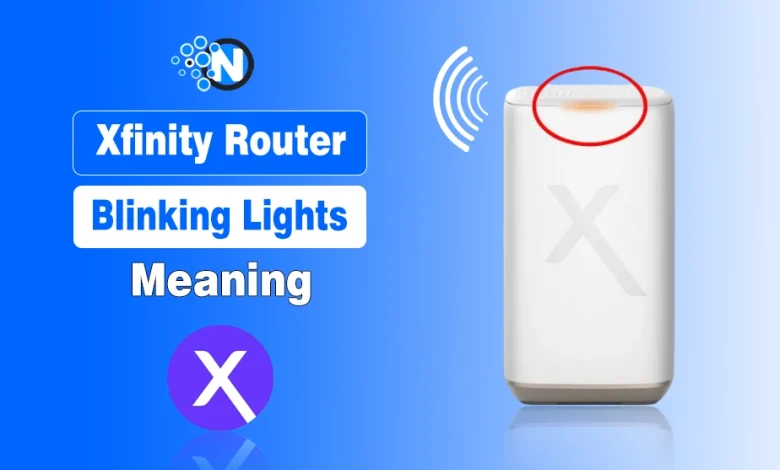
Have you set up your Xfinity Home Internet and are now worried about the Xfinity router blinking its lights in various colors?
It’s a common issue, and each light indicates a different one. It happens maybe when you are streaming your favorite movies or having a conversation with a client on Zoom or Microsoft Teams. That’s why you need to gear yourself up to cope with this issue.
In this guide, I have mentioned and explained the meanings of the different blinking lights of the Xfinity router. As a result, you can have the idea of the problem behind and can deal with it in the right way.
What are the Main Blinking Colors of Xfinity Router?
There are various blinking colors you will see on your Xfinity Router. These colors serve as the primary communication method for your hardware to tell you its current internal status.
The main blinking colors of Xfinity router are:
- White
- Orange
- Blue
- Green
- Red
What Does Each Blinking Color of the Xfinity Router Indicate?
In the under section, I have mentioned what each blinking color of the Xfinity gateway means.
Once you decode the color, the solution usually becomes much more obvious. Each color represents a specific stage of the connection process or a specific error that requires your attention to keep your network running smoothly.
1. Blinking White Light
When you see a white light blinking on your Xfinity gateway, it usually tells that the device is in the middle of the activation process.
This is the very first thing you will see when you set up your Xfinity Home Internet for the first time. It means the router is trying to reach out to the service provider to establish a formal handshake. If you have just moved into a new place and are setting up your Home Internet, this is a perfectly normal sight.
If the white light stays blinking for more than 10 minutes, it might mean the activation signal is not reaching the device. I always suggest checking the coaxial cable to ensure it is tight. Sometimes a loose connection prevents the initial setup from completing.
This light is basically your router saying that it is trying its best to start working but it needs a little more time or a better physical connection to the wall outlet.
2. Blinking Orange Light
An orange or amber blinking light generally indicates that the firmware is currently being updated.
Xfinity pushes updates to its devices to ensure you have the latest Xfinity Features and security patches. I highly recommend that you do not unplug your router while this is happening. Interrupting a firmware update can sometimes cause the software to crash entirely.
In some cases, this light can also mean the router is having trouble connecting to the downstream signal from the street. If it blinks orange for a very long time without turning white or solid, you might be looking at a local service interruption.
I usually check the Xfinity app during these moments to see if there is a reported outage in the neighborhood.
3. Blinking Blue Light
Blue light flashing indicates that the router is in WPS pairing mode.
You can use this mode when you want to connect a printer or a wireless extender without typing in a long password. When you press the WPS button on the back of the device, it will start blinking blue to show it is looking for other devices to pair with.
If you did not press the button and it is still blinking blue, it might have been bumped or triggered by accident. It will usually time out and stop after a couple of minutes.
If you are comparing services like Starlink vs Google Fiber vs xFi Complete, you will notice that almost all modern gateways have some version of this easy pairing feature.
4. Blinking Green Light
A blinking green light is something I often see when there is an issue with the physical line or the local network node. While it can sometimes mean the device is initializing, a persistent green flash usually points to a signal instability.
It means the router can see the network, but cannot maintain a stable enough connection to provide you with the expected Internet Speed.
When you run into this, you should start by inspecting the splitters in the home. If you have too many splitters between the wall and your modem, the signal strength drops significantly. This is especially important for users who have signed up for high-tier Xfinity Internet Plans because those speeds require a very clean signal.
If the green light persists after you have tightened all the wires, it might be time to call a technician to check the lines outside your house.
5. Blinking Red Light
A blinking red light is the one you will see the most because it usually signifies a hardware failure or a total loss of signal. This is the “SOS” signal of the router world. It means the gateway has failed its internal self test or it cannot find any signal at all on the line.
I often see this after a major storm or a power surge that might have damaged the internal components of the modem. Before you give up and order a replacement, I suggest performing a full power cycle. Unplug the power cord for a full minute and then plug it back in.
If the red light returns, you might need to look into xFi Compatible Modems to find a replacement. Sometimes the hardware simply reaches the end of its lifespan and you need a fresh start to get back to having the best Internet for home use.
6. Solid Red Light
While not a blink, a solid red light is worth mentioning here. I find that this often indicates a specific internal error that prevents the wifi from broadcasting. Even if the internet is coming into the house, the router cannot send it out to your devices.
This is a great time to read my xFi Complete Review article to see if upgrading your equipment might solve these recurring hardware stability issues.
Tips for Optimizing Your Xfinity Router Connection
I believe that knowing the meaning of Xfinity router blinking lights is only half the battle. Once you get the lights to turn solid white, which is the goal for most modern Xfinity gateways, you should focus on performance.
I always tell people that placement is the most important factor for a healthy signal. You should keep your router in a central, elevated location away from metal objects and appliances like microwaves that can interfere with the waves.
If you find that your current equipment is constantly giving you trouble, you might want to look at the best router for Xfinity options available on the market. While using the provided gateway is convenient, third party routers often offer more control and better range.
If you are curious about how your performance stacks up against other technologies, you can check out Google Fiber to see if fiber is a better fit for your heavy usage.
I also recommend regularly checking your Xfinity Home Internet speed to ensure you are actually getting what you pay for. If the lights are solid but the speed is slow, the issue might be with the congestion in your area rather than the hardware itself.
And, if you live in an area with many options, you can even look into the best Fiber Internet Providers in the USA for even more reliable uptime.
What's My Take?
I hope this guide helps you feel more confident the next time your Xfinity router starts flashing. It is easy to feel overwhelmed by technology when it stops working, but those lights are actually there to help you narrow down the problem.
Whether it is a simple firmware update or a cable that needs tightening, most of these issues can be solved with a little bit of patience. I always suggest starting with the simplest fix first before moving on to calling technical support.
Having a reliable connection is essential in our modern world, and now you have the knowledge to maintain it.
People Also Ask
What does it mean when my Xfinity router is blinking white?
A blinking white light typically means your gateway is in the process of activating or searching for a connection to the Xfinity network.
Is a blinking orange light on my Xfinity router a sign of an outage?
While it usually indicates a firmware update is in progress, a persistent orange blink can signify a signal issue or a local service interruption.
How do I stop my Xfinity router from blinking blue?
The blue blinking light indicates WPS pairing mode and will usually stop automatically after two minutes or once a device successfully connects.
Can a blinking green light mean my cables are loose?
Yes, a blinking green light often indicates an unstable connection which is frequently caused by loose coaxial cables or faulty signal splitters.
What should I do if my Xfinity router is blinking red?
You should immediately power cycle the device by unplugging it for one minute, as this light usually signals a critical hardware or connection failure.