Xfinity Home Security: How It Works, Pricing, Features & Review (2026)

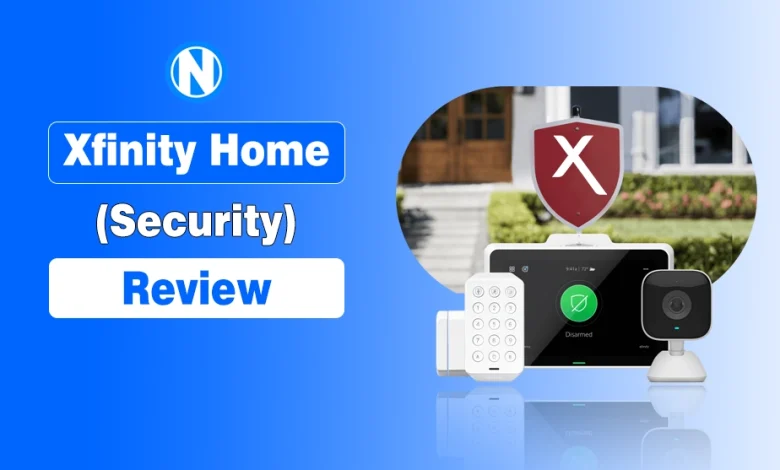
Worried about your home’s safety and wondering if Xfinity Home is the right system to protect it?
All of this stress starts with a small concern, a missed delivery, a late-night alert, or leaving your home unattended. That’s when many people look for a reliable solution, such as a system with smart security cameras, sensors, and 24/7 professional monitoring connected together using the home internet.
This is where Xfinity Home Security jumps in.
Now, I will walk you through what Xfinity Home is, its features, how it works, its setup, Xfinity Home’s equipment, pricing, and real pros and cons.
This will also explain how it differs from xFi Advanced Security, which protects your WiFi network, not your physical home.
What Is Xfinity Home Security?
Xfinity Home Security is a professionally monitored smart home security system offered by Comcast. It protects homes using CCTV cameras, motion sensors, door/window sensors, and 24/7 monitoring, all connected with each other using Wifi.
This lets users control and monitor their home remotely through a mobile app with real-time alerts and live video access in the USA.
It focuses on physical home protection rather than internet security, and often includes smart home features like alerts, automation, and integration with other Xfinity services.
In simple terms, it allows users to:
- Monitor home activity in real time.
- Receive instant security alerts.
- Arm or disarm the system remotely.
- View live camera feeds through the app.
It is different from xFi Advanced Security, which is the feature offered by Xfinity Home Internet that protects your WiFi network. Xfinity Home Security protects your physical property using sensors and surveillance.
Features & Equipment of Xfinity Home Security
Xfinity Home Security comes with a set of smart home devices and features designed to monitor, detect, and respond to home activity in real time.
Core Equipment Included
- Security Cameras for indoor and outdoor live video monitoring.
- Door/Window Sensors to detect unauthorized entry.
- Motion Sensors to identify movement inside protected areas.
- Central Control Hub that connects and manages all devices.
- Keypad/Touch Controller for arming and disarming the system.
Key Features
- 24/7 Professional Monitoring for emergency response support.
- Real-Time Alerts are sent to your phone when activity is detected.
- Live Video Streaming through the mobile app.
- Remote Control Access to arm/disarm the system from anywhere.
- Smart Home Automation, like lighting control and security routines.
This system combines surveillance, detection, and control into a single setup for homeowners who want full visibility and protection of their property.
How Does Xfinity Home Security Work?
Xfinity Home Security works through a connected system of sensors, cameras, and a central hub that monitors activity in and around your home in real time.
When something unusual is detected, it triggers alerts, records activity, and can notify both the homeowner and the professional monitoring team.
1. System Setup
The system is installed with devices like door/window sensors, motion detectors, cameras, and a control hub. These devices are connected to your home network and managed through the Xfinity Home app.
2. Monitoring & Alerts
When a sensor is triggered, such as a door opening or motion detected, the system sends an instant alert to your smartphone.
If professional monitoring is enabled, the monitoring center is also notified for emergency response if needed.
3. Mobile App Control
Users can arm or disarm the system, check live camera feeds, and receive alerts directly through the mobile app, giving full remote control of home security.
4. Automation Features
The system can automate actions like turning lights on when motion is detected or locking doors when the system is armed.
This setup is designed for homeowners in the USA who want continuous monitoring and remote access without managing multiple separate devices.
How to Set Up Xfinity Home Security
Setting up Xfinity Home Security is designed to be straightforward. While full professional monitoring systems typically require an expert, Xfinity also offers DIY options for basic video setups.
1. Schedule Installation (Professional)
After choosing the Xfinity Home Security plan, a technician visits your home. This is required to ensure that the professional monitoring, battery backup, and cellular internet redundancies are configured correctly.
2. Install Core Equipment
The technician (or user, in DIY cases) installs the essential components:
- Touchscreen Controller: The “brain” of the system that manages all sensors.
- Door/Window Sensors: Placed on primary entry points.
- Motion Detectors: Positioned in high-traffic areas.
- Security Cameras: Indoor or outdoor units for live streaming.
- Keypad: For arming and disarming near the door.
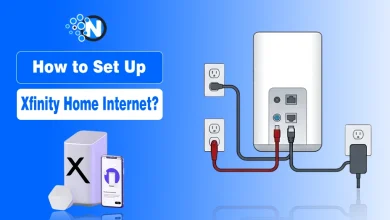
3. Connect to the Xfinity Gateway
All devices are synced to your Xfinity WiFi Gateway. For the professional tier, the technician will verify that the system remains online even if the Gateway is unplugged, testing the built-in cellular backup.
4. Activate the Xfinity App
Once the hardware is in place, you download the Xfinity app to link your account. This allows you to name your sensors, such as “Back Door”, and set up custom push notifications for real-time alerts.
5. System Testing
The final step involves a “walk-through” to test each sensor and camera. The technician ensures that triggering an alarm successfully communicates with the 24/7 monitoring center.
DIY Setup Option (Xfinity Smart Home)
For the Smart Home plan, users can often opt for a DIY setup. This involves plugging in cameras and using the app to scan a QR code for instant pairing without needing a professional visit.
What does Xfinity Home Security Cost?
Xfinity Home Security follows a subscription-based model with two distinct tiers. Both plans are for service only, with equipment sold separately.
Monthly Service Plans
- Xfinity Smart Home ($10/mo): A self-monitoring solution for users who want visibility without a professional dispatch. It includes 24/7 video recording and remote access but does not include professional monitoring, battery backup, or cellular data backup.
- Xfinity Home Security ($65/mo): This is the professionally monitored solution. It includes everything in the Smart Home plan plus 24/7 emergency dispatch, Battery Backup, and Cellular Data to keep the system online during power or internet outages.
This price typically includes a $10/month discount for enrolling in Autopay and Paperless billing.
Equipment & Installation Costs
- Equipment: Devices like cameras, sensors, and hubs are sold separately. For example, a basic indoor camera can be added for approximately $60 or $2.50/mo for 24 months.
- Installation: Professional installation is often required for sensor-based systems to ensure connectivity with the central hub.
- Contracts: Both service tiers are advertised with no service term contracts, though financing equipment may involve a 24-month payment agreement.
What Affects the Price
- Choice of Tier: Selecting the “Security” tier significantly increases the monthly cost but adds professional monitoring and system redundancies.
- Hardware Selection: The more cameras, door sensors, and motion detectors you add to your system, the higher the upfront or financed equipment cost.
- Gateway Connectivity: Both plans are designed to be powered by the Xfinity WiFi Gateway, making it a seamless add-on for existing Xfinity internet customers.
Overall, the pricing scales from a basic $10/mo video-monitoring setup to a comprehensive $65/mo professional security force field for your property, whether you ive in Houston or New York.
Pros and Cons of Xfinity Home Security
Here are sme of the strengths and limitations of Xfinity Home to help you decide whether it fits your needs, especially when comparing it with other home security systems in the USA.
Pros
- 24/7 Professional Monitoring: The high-tier plan offers reliable emergency response and dispatch services.
- Redundancy Features: The professional plan includes Battery and Cellular Data backup, ensuring the system works even if the power or internet goes out.
- Seamless Integration: Works perfectly with the Xfinity WiFi Gateway and allows users to view camera feeds directly on their TV via the Xfinity Voice Remote.
- Flexible Tiers: Offers a low-cost $10/mo self-monitoring option for those who only want video recording without the high cost of professional dispatch.
- All-in-One App: Provides a single interface to manage security, cameras, and smart home features like lighting and locks.
Cons
- Equipment Costs are Extra: The monthly service fees do not include equipment, which must be purchased upfront or financed separately.
- Internet Dependency: The base “Smart Home” plan lacks cellular backup, meaning it fails completely if your home WiFi goes down.
- Professional Installation Fees: Unlike “plug-and-play” DIY systems, Xfinity often requires a professional technician for sensor setup, which usually carries a ~$100 fee.
- Geographic Limits: Service is only available to residents within Xfinity’s specific service regions in the USA.
Xfinity Home offers a strong “force field” for your home, but it is best suited for existing Xfinity customers using services such as Xfinity internet plans and add-ons like xFi Complete.
This helps in professional monitoring and integrated smart home features over a low-cost DIY approach.
Xfinity Home Security App Experience
The mobile app is the main control center for the Xfinity Home Security System, allowing users to manage their entire system from anywhere.
Through the app, users can arm or disarm the system, view live camera feeds, and receive instant alerts when sensors detect activity.
It also provides access to recorded video clips, system status updates, and smart home controls like lights and door locks (if connected).
Key App Features
- Remote arming and disarming of the system
- Live HD camera streaming
- Instant push notifications for alerts
- Access to recorded events and history
- Smart home device control and automation
The app is designed to simplify home monitoring, giving users full visibility and control in real time through a single interface.
Common Problems and Fixes in Xfinity Home Security
Even though Xfinity Home Security is designed for stable performance, users sometimes face minor issues, usually related to connectivity, app syncing, or device setup rather than hardware failure.
1. Camera Not Working or Showing Offline
Fix:
- Restart the camera and control hub.
- Check the WiFi connection strength.
- Re-sync the device through the Xfinity Home app.
2. Sensor Not Responding
Fix:
- Replace or check the battery level.
- Remove and re-add the sensor in the app.
- Ensure proper placement within the range of the hub.
3. Mobile App Not Loading or Freezing
Fix:
- Update the Xfinity Home app.
- Clear app cache or reinstall.
- Restart your phone and try again.
4. Delayed Alerts or Notifications
Fix:
- Check internet stability.
- Restart the router and security hub.
- Ensure system firmware is updated.
5. System Not Arming or Disarming
Fix:
- Verify the correct PIN or credentials.
- Restart the control panel.
- Check for active system errors in the app.
Most issues with Xfinity Home are temporary and linked to connectivity or syncing. Keeping the system updated and ensuring a stable internet connection usually resolves most problems quickly.
My Final Opinion on Xfinity Home Security
Xfinity Home Security is a professionally monitored smart home system in the USA that combines cameras, sensors, mobile app control, and 24/7 monitoring to protect physical homes.
It is best suited for homeowners who want an integrated, easy-to-manage solution with professional monitoring and Xfinity ecosystem support.
Overall, it is a reliable choice for convenience-focused users, but less ideal for those seeking low-cost or highly customizable DIY systems.
People Also Ask
Is Xfinity Home Security wireless?
Yes, most devices like sensors and cameras are wireless and connect through your home network and central hub for easy installation and control.
What is the difference between Xfinity Home Security and xFi Advanced Security?
xFi Advanced Security protects your internet and WiFi network from online threats, while Xfinity Home Security protects your physical home using surveillance and sensors.
Does Xfinity Home Security work during power or internet outages?
Yes, the professionally monitored system includes battery and cellular backup (on higher-tier plans), so it can still send alerts even if your internet goes down.
Can I use Xfinity Home Security without Xfinity Internet?
In most cases, it is designed to work best with Xfinity internet service, and availability/features may be limited without it.
How long are Xfinity Home Security contracts?
It depends on the plan. Some equipment financing options may require a 24-month agreement, while service terms can vary by promotion.
Can I add more cameras or sensors later?
Yes, the system is expandable. You can add extra cameras, motion sensors, or door sensors anytime through your account or app.
Can Xfinity Home Security be hacked?
Yes, like any connected smart system, it uses encryption and security protocols, but users are advised to keep passwords strong and update devices regularly for safety.
Can I move Xfinity Home Security to a new home?
Yes, but you may need professional assistance to reinstall and reconfigure the system at your new location.