I came across Kling AI while researching AI tools late one night. People were searching for ways to turn images into videos using artificial intelligence, and Kling kept appearing in discussions among creators and marketers.
Curious, I explored it myself. At first, I expected basic animations, but Kling AI delivered surprisingly smooth motion, realistic scenes, and more natural visuals than most AI video tools.
That curiosity turned into hands-on testing.
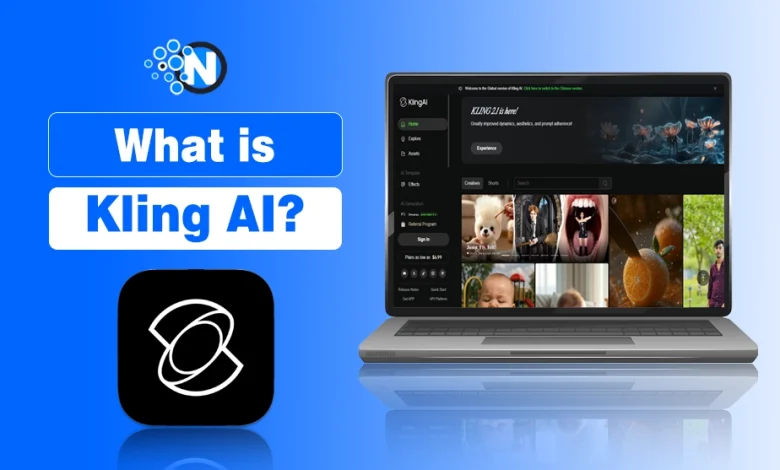
In this guide, I break down what Kling AI is, how it works, its features, pricing, and real-world use cases based on my experience.
What is Kling AI?
Kuaishou Technology developed Kling AI as a generative AI video model that converts text prompts and still images into high-quality videos.
The platform focuses on photorealistic visuals, natural motion, realistic physics, and smooth scene continuity instead of cartoon-style animation.
Kling AI supports video generation up to 1080p at 30 FPS, making it useful for digital content creators, marketers, filmmakers, and digital storytellers.
When I first tried it, what impressed me most was how human the motion looked. Characters blinked naturally, camera movements felt deliberate, and scenes flowed smoothly instead of jumping awkwardly between frames.
In my testing, I was able to generate clips ranging from 5 seconds to roughly 2 minutes depending on the settings and plan selected.
Kling AI Pricing In 2026
A free plan is available to use the basic features of Kling AI and determine its capabilities with only 166 credits/month. The Kling AI plans and their pricing details are below:
| Plan Name | Credits/Month | Monthly Price | Annual Price | Benefits |
|---|---|---|---|---|
| Standard | 660 | $6.99 | $79.2 | Longer clips, faster rendering, and watermark removal for personal use |
| Pro | 3000 | $25.99 | $293.04 | HD videos, priority processing, access to Multi‑Element editing and presets |
| Premier | 8000 | $64.99 | $728.64 | Extended durations (up to 2 min), advanced camera controls, faster queue time |
How Does Kling AI Work?
Here is a simplified breakdown of how it works:
- You enter a detailed text prompt or upload an image.
- Kling AI analyzes motion, depth, and realism.
- The system generates a video clip that follows your instructions.
- You refine or regenerate until satisfied.
The Technology Behind Kling AI
Kling AI is built on two core technologies:
- Diffusion Transformer Architecture: This is the same family of technology that powers some of the most advanced AI image and video generators in the world. It allows Kling to understand complex scene instructions and produce highly detailed outputs.
- 3D Variational Autoencoder (3D VAE): This technology helps Kling understand spatial depth and three-dimensional motion, which is why characters and objects in Kling videos move in believable, physically accurate ways rather than floating or sliding unnaturally.
From my experience, short clips usually take 10–15 minutes to generate. More complex prompts can take longer, especially during peak usage periods. The platform also supports video extension and advanced editing tools, including multi-element swaps and negative prompts.
With model versions such as Kling 1.6, 2.0, 2.1, and the newer 2.6, the system delivers stronger motion consistency and better character fidelity compared with many other AI video generators.
Did You Know?
Kling AI 2.6 is the first version of Kling to integrate native audio directly into the system, which means the platform is no longer limited to visuals alone.
Kling AI Features That Lead to High-Quality Video Generation
1. Text‑to‑Video Generation
One of my favorite things is kling AI video generation feature and how effortlessly it can turn a single line of text into a cinematic video. Imagine typing something like, “A surfer riding golden waves at sunset, camera slowly circling him,” and in a minute, you are staring at a video that looks like it came from a commercial shoot.
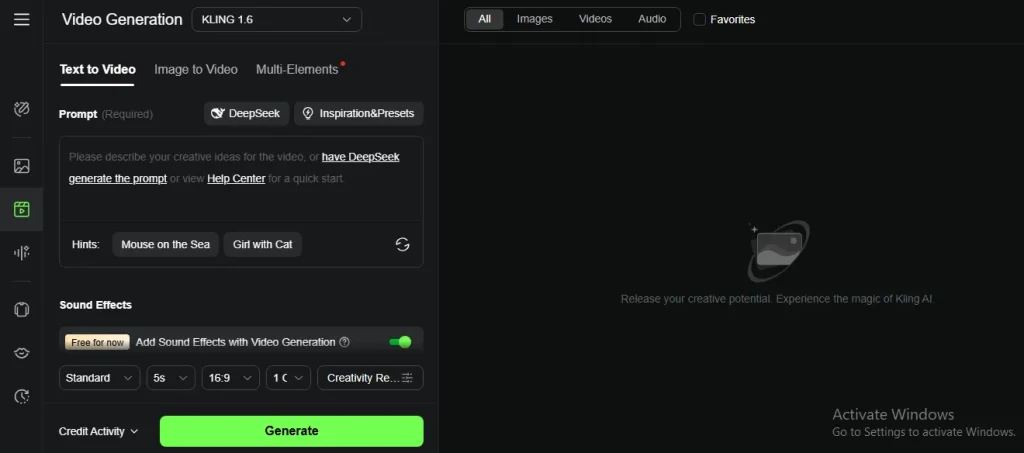
You don’t need any video editing skills or hours of rendering. The latest versions, like 2.0 and 2.6, understand prompts more accurately, so if you describe camera movements, facial expressions, or even lighting moods, Kling usually nails them with surprising realism.
2. Image‑to‑Video Animation
I have all had that one still image that we wished could “come alive.” Kling AI does exactly that. You upload a single photo, maybe a character design, a product shot, or a landscape, and it animates the scene according to your instructions.
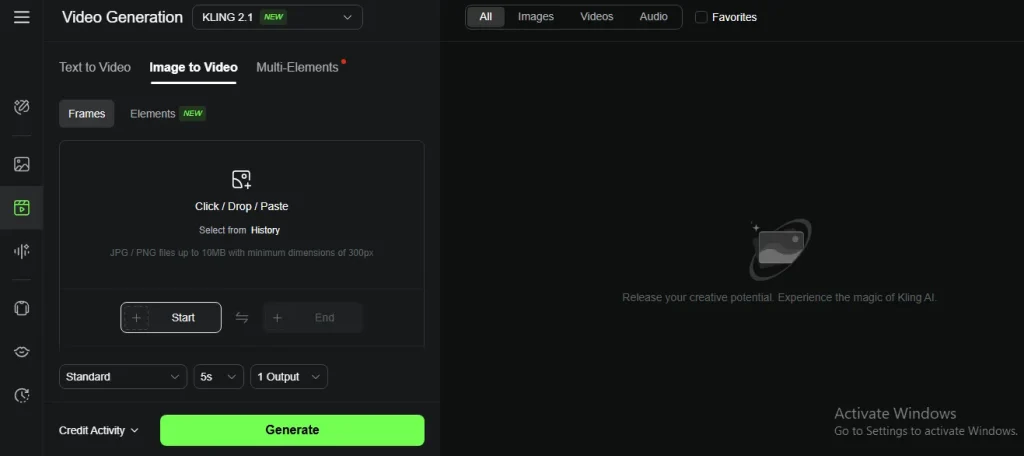
I once used it to animate a coffee cup steaming on a wooden table while sunlight passed through the window, and the effect looked like a lifestyle ad. Creators love this feature for memes, social content, or giving static art a touch of life that grabs attention.
3. Multi‑Element Editing
This feature is like having a tiny Hollywood VFX team in your pocket. With Multi‑Elements, you can point at parts of your generated video and tell Kling AI exactly what to change. Want to remove a distracting trash can from the background? Done. Want to replace it with a street lamp or a flower pot? Also done.
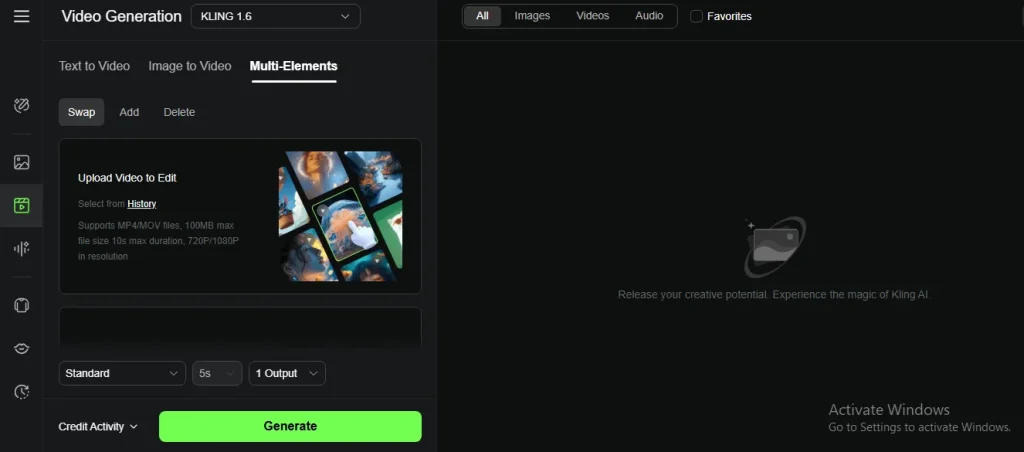
You can even add entirely new objects or characters into the frame without reshooting anything. It’s the kind of tool that turns small creative tweaks into a smooth, professional result.
4. Advanced Camera and Cinematic Controls
If you love that cinematic “wow” factor, this feature will feel magical. Kling AI lets you simulate real camera movements, like zooms, pans, tilts, and even dynamic tracking shots.
Combine that with lighting adjustments, depth‑of‑field effects, and motion blur, and suddenly your AI‑generated clip feels like it came from a short film. It is not only about moving images but also about adding that subtle polish that keeps viewers watching.
5. Realistic Motion and Physics
One thing that makes Kling AI stand out is how natural the motion feels. Characters don’t just “slide” across the screen. They walk, run, or interact with the environment in believable ways. Liquids splash, smoke drifts, and even a falling feather behaves the way you expect.
The latest 2.1 model is particularly good at lip‑sync and facial consistency, so if your video involves characters or dialogues, they look far more alive than in older AI tools.
6. Resolution and Timing Control
Nothing kills excitement faster than a great idea trapped in low quality. Kling defaults to 1080p at 30 fps, which is perfect for most quality online content. You can also create short 5‑ or 10‑second bursts or string them together into longer sequences of around 2 minutes.
If you are testing ideas, lower resolutions and shorter clips save credits, and once you are ready to publish, you can render in HD or even test its experimental 4K mode for extra sharpness.
7. Audio and Sound Integration
A cool thing many people miss is Kling’s ability to handle sound. While it is not a full music studio, it can pair your clips with ambient audio or basic sound effects.
Adding subtle wind, water, or city sounds instantly makes a short AI video feel immersive without needing a separate editor.
8. Negative Prompts and Style Controls
Sometimes, the secret to getting a perfect shot is not just telling the AI what you want. It also involves what you don’t want. Kling supports negative prompts, so if you hate random blur, extra characters, or unwanted objects, you can exclude them.
On top of that, it has style presets that can instantly shift your video into cinematic, anime, hyper‑realistic, or painterly looks. It is like having multiple visual directors at your disposal.
9. Video Extension and Looping
Let’s say you generated a 10‑second shot you love, but you need a 20‑second ad. Kling AI can extend your existing video without breaking its flow, and even loop it naturally.
It is a game‑changer for content marketing or creators who want longer content without starting from scratch.
Step-by-Step Instructions for Using Kling AI for Beginners
Kling AI uses a simple workflow for creating AI videos from text prompts or images. The steps below show how beginners can access the platform, generate videos, and customize output settings.
Step 1: Access the Platform
Go to klingai.com to access the global web version of Kling AI. This works in most countries without any VPN or special setup. You do not need to download any software.
Note: There is also a Chinese mobile app called KwaiCut that includes Kling features, but for most international users the web platform is the easiest starting point.
Step 2: Create Your Account
Click Sign Up on the homepage. You can register using:
- A Google account
- An email address and password
Account creation takes less than two minutes. Once verified, you are automatically placed on the free plan with monthly credits included.
Step 3: Choose Your Generation Mode
Once inside the dashboard, select the mode that matches your goal:
- Text-to-Video if you are starting from a written prompt
- Image-to-Video if you have a photo or image you want to animate
Step 4: Write Your Prompt
This is the most important step. A well-written prompt produces significantly better results than a vague one.
Tips for writing a strong Kling AI prompt:
- Describe the subject, the setting, and the action clearly
- Include camera movement if you want it (e.g., “slow pan left”)
- Mention lighting conditions (e.g., “golden hour sunlight”)
- Add a negative prompt to exclude things you do not want
- Keep the description focused rather than trying to describe too many elements at once
Example of a weak prompt:
“A person walking outside”
Example of a strong prompt:
“A young woman in a red coat walking through a foggy autumn forest, leaves falling slowly around her, camera tracking her from behind at a slow steady pace, cinematic lighting”
Step 5: Adjust Your Settings
Before generating, review the available settings:
- Creativity vs Relevance slider: Higher creativity gives more artistic interpretation. Higher relevance sticks closer to your exact prompt.
- Duration: Choose between 5 or 10 seconds for standard clips
- Aspect Ratio: Select vertical (9:16) for mobile content or horizontal (16:9) for YouTube and desktop
Step 6: Generate and Review
Click Generate and wait for the output. Generation typically takes 10 to 15 minutes for standard clips. Once complete, preview the video and decide whether to:
- Download and use it as is
- Extend the clip for more duration
- Regenerate with an adjusted prompt
- Apply Multi-Element edits to refine specific details
Step 7: Export Your Video
When satisfied, click Download. On the free plan, videos include a watermark. On paid plans, watermark-free downloads are available. You can then use the exported file directly in your editing software, social media scheduler, or ad platform.
Kling AI Pricing In 2026
A free plan is available to use the basic features of Kling AI and determine its capabilities with only 166 credits/month. The Kling AI plans and their pricing details are below:
| Plan Name | Credits/Month | Monthly Price | Annual Price | Benefits |
|---|---|---|---|---|
| Standard | 660 | $6.99 | $79.2 | Longer clips, faster rendering, and watermark removal for personal use |
| Pro | 3000 | $25.99 | $293.04 | HD videos, priority processing, access to Multi‑Element editing and presets |
| Premier | 8000 | $64.99 | $728.64 | Extended durations (up to 2 min), advanced camera controls, faster queue time |
Use Cases Where Kling AI Contributes
Let me take you through some situations where Kling AI truly contributes, and maybe you will see yourself in one of these.
1. Digital Content Marketing and Advertising
I can’t count how many times I have seen small businesses or solo creators struggle to produce eye‑catching ads because traditional video production is expensive and slow.
Imagine you are launching a new coffee brand. Instead of renting a studio, hiring a videographer, and waiting weeks for edits, you type in Kling AI:
“A steaming coffee cup on a wooden table, golden morning sunlight hitting the cup, soft camera pan.”
Within minutes, Kling gives you a photorealistic video ready for Instagram or Facebook ads. For brands that need constant visual content, it is a lifesaver. It is like having a creative team on call 24/7 without the cost.
📌 Fact: Some brands report up to 78% faster content creation with cost savings of around 65% or more compared to filming, due to the use of Kling AI.
2. Entertainment and Social Media
Social media runs at speed. Trends appear, peak, and vanish in a day. If you have ever thought, “I wish I could turn this funny idea into a video before the trend dies,” Kling AI gives you that edge.
I once tested this with a meme. I animated a still image of a cat wearing sunglasses, lounging on a beach while holding a coconut drink. It looked so natural that my friend thought I downloaded a stock video.
Platforms like TikTok, Instagram, and YouTube focus on this quick‑to‑create, scroll‑stopping content.
3. Film Pre‑Visualization and Game Design
If you have ever thought of stepping into filmmaking or game development, you know the struggle: explaining your vision to a team with only sketches or rough storyboards. Kling AI can generate moving previews of your scenes, complete with camera movements, lighting, and realistic motion.
Game developers are using it to prototype cutscenes and environmental sequences before a single 3D model is finalized. Filmmakers can pitch concepts with moving visuals instead of static slides. That’s a huge leap in communication and saves tons of time in pre‑production.
4. Education and E‑Learning
To be very honest, students get bored with slideshows and text‑heavy lectures. But imagine showing them a short AI‑generated animation instead. A history teacher could animate an ancient battle scene. A science teacher could show water molecules dancing in slow motion.
E‑learning creators especially love this because animated explainer videos are expensive to outsource. Kling AI makes learning visually exciting without the need to hire an animator.
5. E‑Commerce and Product Showcases
If you sell products online, you know that photos only go so far. People love motion. They want to see how a watch glimmers in sunlight or how a pair of sneakers looks when someone walks in them.
With Kling, you can animate product images to create high‑end visual ads or rotating showcase clips. Imagine turning a simple shoe photo into a short clip where the shoe slowly spins under a spotlight.
That’s the kind of digital content that grabs buyers’ attention and increases conversions, without a photoshoot.
6. Personal Creativity and Passion Projects
Not everything has to be commercial. Sometimes, you just want to bring your imagination to life. Maybe it is animating a short story you wrote, creating a surreal landscape for a music video, or making a birthday surprise video for a friend.
I once generated a short clip of a paper boat sailing across a moonlit river just because the idea felt peaceful. These little personal projects often end up being portfolio pieces or social content that sparks unexpected opportunities.
Top 6 Kling AI Alternatives That Are Really Impressive
While Kling AI is an impressive tool for creating realistic AI‑generated videos, it is not the only player in town. Depending on your goals, like better collaboration, character consistency, or enterprise‑level editing, you might find another platform that suits your workflow better.
| Kling AI Alternative Tool Name | Best For | Strength |
|---|---|---|
| Runway Gen-3 | Professionals, filmmakers | High-quality output + editing control |
| Pika Labs | Social media creators | Quick & beginner-friendly |
| Google Veo | Storytelling | Strong narrative videos |
| Hailuo MiniMax | Education, business | Great for tutorials & presentations |
| Kaiber AI | Artists, music videos | Creative & visually unique |
| Vyond AI | Businesses, training | Professional & scalable |
So, what are the top tools like Kling AI? I have explained some of the most popular alternatives and when you might prefer them over Kling.
1. Runway Gen‑2 / Gen‑3
Runway is a powerful AI video generation and editing platform widely used by creators and professionals. It allows you to generate short videos from text prompts, edit footage using its built‑in timeline, and even apply effects like masking and background removal.
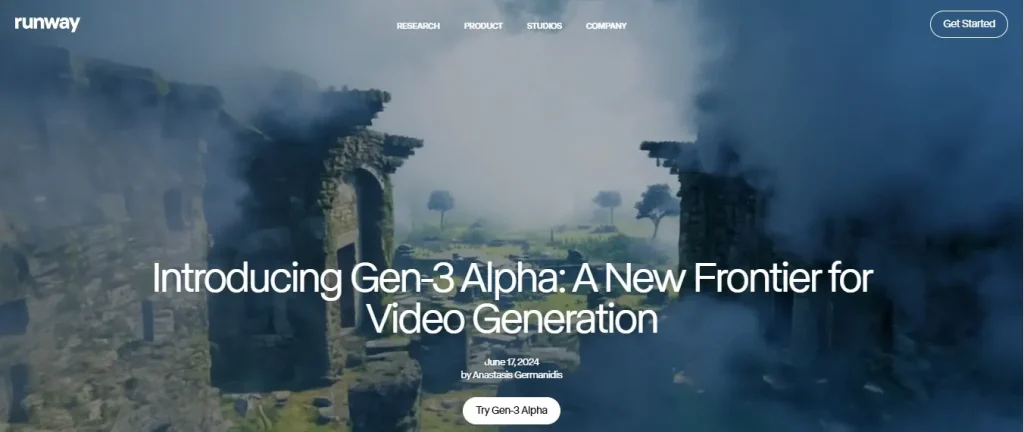
Its Gen‑3 Alpha model delivers higher realism and smooth camera motions, which makes it suitable for marketing, film pre‑visualization, and videos for social media platforms. Runway is ideal if you want a complete AI video solution with integrated editing and team collaboration tools.
2. Pika Labs
Pika Labs focuses on quick and creative AI video generation for social media and short‑form content. It is perfect for animating images, turning prompts into fun, stylized clips, and producing shareable content fast.
While it does not achieve the hyper‑realistic physics that Kling AI offers, Pika’s speed, simplicity, and community presets make it beginner‑friendly. It works best for TikTok, Instagram videos, YouTube Shorts, and meme creators who prioritize quick production over cinematic realism.
3. Google Veo 3.1
Google Veo 3.1 is one of the strongest alternatives to Kling AI, especially for users who want higher-quality and more consistent video output. It can generate realistic videos from text or images, with better scene coherence, smoother motion, and support for longer, more structured clips.
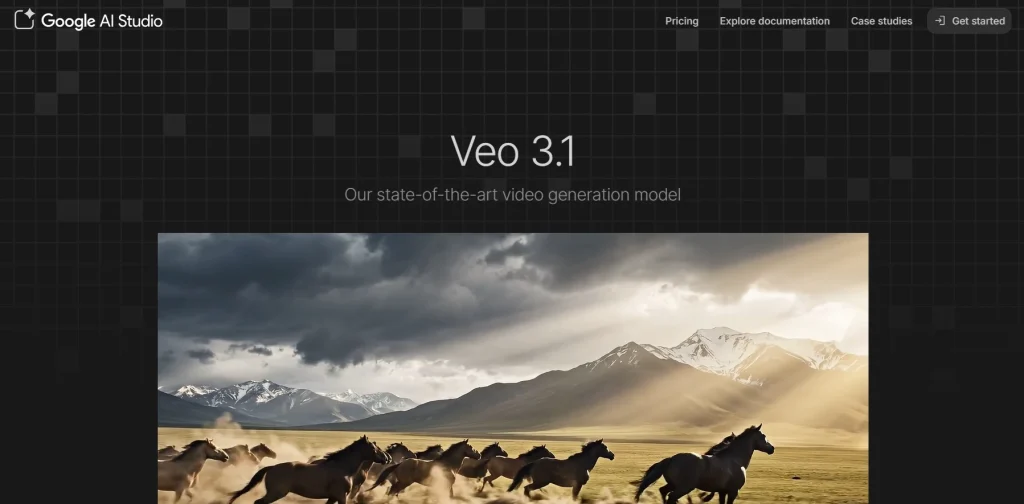
Unlike Kling, which focuses on quick generation, Veo is designed for more polished, production-ready results, making it a better choice for businesses, marketers, and creators who need reliable and high-quality AI video content.
4. Hailuo MiniMax
Hailuo MiniMax specializes in AI‑powered video creation with a focus on avatars and scripted content. It can generate talking characters that lip‑sync to your voice or text. These attributes make it perfect for tutorials, corporate training, or educational videos.
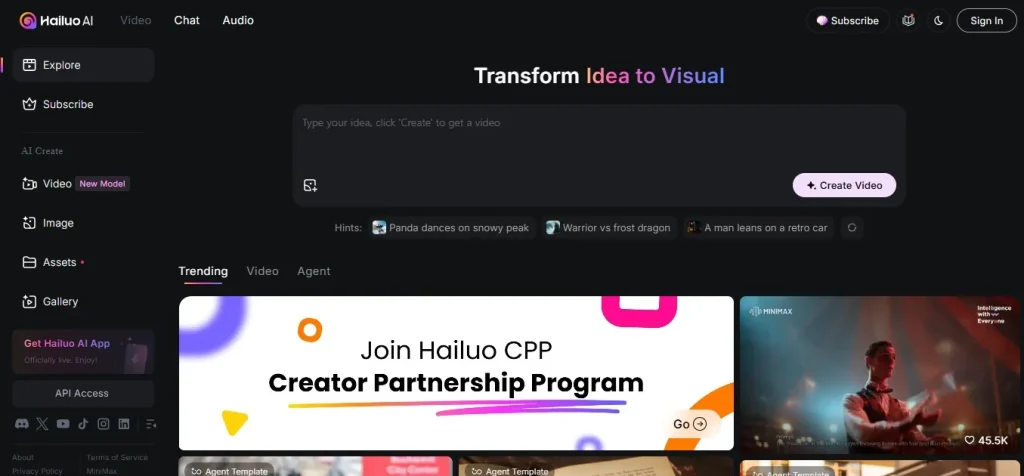
Features like director mode and script integration allow users to control expressions and timing without needing video editing experience. While it is not as strong in cinematic free‑motion as Kling AI, it shines for professional presentation and e‑learning content production.
5. Kaiber AI
Kaiber AI is a creative AI video generator loved by artists, musicians, and digital storytellers. It allows users to transform artwork, photos, or simple prompts into visually striking animated videos. Kaiber stands out for its music video generation feature, where visuals sync with beats to produce unique artistic sequences.
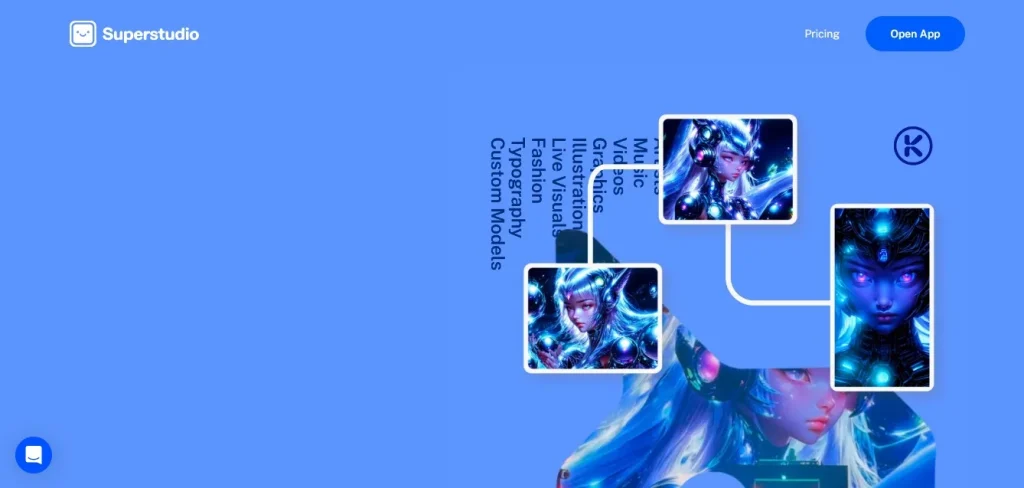
While it leans more toward stylized and abstract effects rather than hyper‑realism, Kaiber is a fantastic alternative for creators who want highly creative, visually appealing content for social media or personal projects.
6. Vyond AI
Vyond AI is a cloud-based platform that helps businesses create professional animated videos without filming. It uses AI-assisted templates, text-to-speech, character animation, and scene automation to speed production for marketing, training, and internal communications.
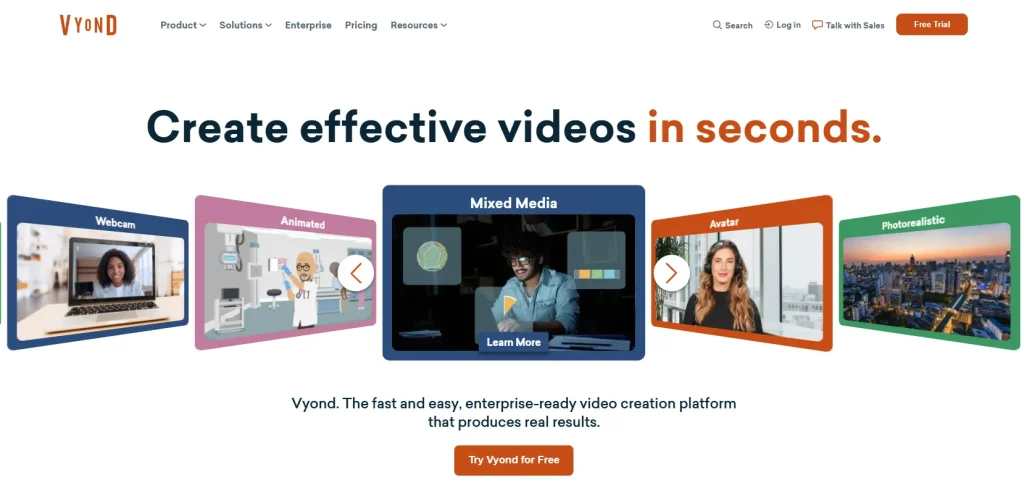
Teams can customize branding, edit timelines visually, and publish videos quickly, making Vyond popular with educators, HR departments, and marketers seeking scalable, consistent video content. Pricing tiers suit growing companies and enterprise teams worldwide today.
Final Thoughts on Kling AI
I hope this guide has given you a clear understanding of what Kling AI can do and where it truly excels. I love how it democratizes dynamic scene generation. No matter if you are a marketer, educator, content creator, or hobbyist, you can benefit from this tool.
It combines strong realism, prompt control, editing flexibility, and affordability in a way that feels fresh. If you have an idea in mind, I encourage you to try Kling’s free plan, experiment with prompts, and see what it can bring to life.
And if you are comparing tools, I would say Kling is a standout wherever motion realism and prompt adherence matter.
People Also Ask About Kling AI
Who created Kling AI?
Kling AI is developed by Kuaishou (Kuaishou Technology), a Chinese tech company known for its short-video platform.
How much is Kling AI?
Kling AI pricing plans start from $6.99 per month for the Standard plan, while the Pro plan costs $25.99 per month, and the price of Premier plan is $64.99 per month.
How long does Kling AI take to make a video?
Kling AI usually takes 15-20 minutes to generate a video, which depends on the complexity of your prompt, video length, and server load.
Is the Kling AI app available?
Yes. You can download the Kling AI app from Play Store for Android and from App Store for iPhone.
Is Kling AI Free?
Kling AI offers a free trial to use its basic features. However, if you want to enjoy premium perks, you have to purchase a subscription plan.