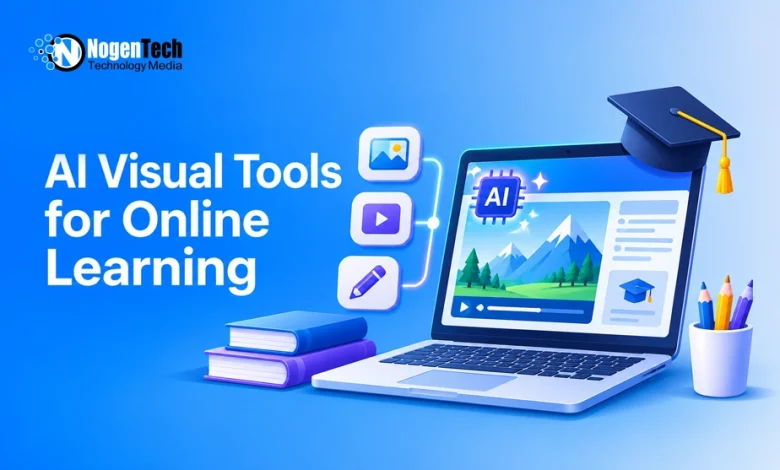
Explaining complex subjects through text alone can be difficult, especially when students need to understand a process, recognize objects, or imagine unfamiliar environments.
Teachers and online course creators often need supporting visuals, but creating custom illustrations takes time and design skills. AI-powered visual tools make it possible to create educational images and videos from written descriptions.
An AI video generator can help develop moving visual explanations, while platforms such as Dreamina also offer AI image-generation and editing capabilities for presentations, worksheets, and digital lessons.
These tools provide practical ways to turn written information into visual learning materials. Here’s how educators and content creators can use them without compromising accuracy or learning objectives.
How AI Turns Written Lessons Into Visual Content
AI image generators use text prompts to produce illustrations based on the subject, setting, style, and composition described by the user.
For example, a teacher explaining the water cycle can request an illustration showing evaporation, condensation, precipitation, and collection. Instead of designing the scene manually, the teacher can generate a visual and refine it for the lesson.
The basic process involves:
- Describe the concept: Identify the subject and what the image should communicate.
- Choose a visual style: Specify whether the image should be realistic, illustrated, or simplified.
- Generate the image: Let the AI produce an initial visual.
- Review and refine: Check the details and adjust the prompt where necessary.
- Add educational context: Include verified labels, explanations, or supporting information.
The result can be used in a presentation, worksheet, or online course after appropriate review.
How to Create Educational Images Using AI
Creating a useful educational image starts with deciding what students should learn from it.
For example, an astronomy lesson might require a simple illustration of the solar system rather than a detailed artistic scene.
Step 1: Define the Learning Objective
Identify the specific idea the visual needs to explain.
A biology illustration might focus on the relationship between plants, animals, and their environment. A language-learning image might show familiar objects that students need to identify.
Keep each image focused on one main concept to avoid unnecessary visual distractions.
Step 2: Write a Clear Image Prompt
Include the main subject, intended audience, composition, and visual style. Understanding how to write effective AI image prompts can help you describe these details more clearly.
Example prompt:
“Create a simple educational illustration of the solar system with clearly visible planets, distinct colors, and a dark background suitable for younger students.”
A clear prompt gives the AI more direction, although it cannot guarantee scientific accuracy.
Step 3: Review and Adjust the Result
Check whether the image communicates the intended concept correctly.
Look for:
- Factual errors: Incorrect objects, scientific details, or historical elements.
- Visual clarity: Important information should be easy to recognize.
- Unnecessary details: Decorative elements should not distract from the lesson.
- Audience suitability: The image should match the learners’ age and knowledge level.
If the image contains mistakes, revise the prompt or correct the visual using appropriate editing tools. Add important labels manually when accuracy is essential.
5 Practical Ways to Use AI Visual Tools in Online Learning
1. Turn Complex Topics Into Simple Illustrations
Some concepts are easier to introduce through visual examples than long written explanations.
For instance, science teachers can create illustrations of ecosystems, while history instructors can generate conceptual scenes of ancient marketplaces.
These images can provide context before learners explore detailed explanations.
For scientific or historical subjects, generated scenes should be checked against reliable references rather than treated as factual evidence.
2. Adapt Visuals for Different Learning Levels
The same topic may require different explanations depending on the audience. AI tools allow creators to experiment with visual styles and complexity.
| Learning Audience | Suitable Visual Approach | Example |
| Younger students | Colorful, simple illustrations | Basic animal habitats |
| Secondary students | More detailed educational graphics | Ecosystem relationships |
| Professional learners | Clean, realistic instructional visuals | Workplace procedures |
Changing the prompt can help make an image more suitable for its intended audience without changing the central topic.
3. Create Consistent Graphics for Online Courses
Online courses often contain several modules that benefit from a recognizable visual style.
Course creators can reuse similar prompt instructions for backgrounds, illustration styles, and compositions across different lessons.
For example, a language course might use the same illustration style for vocabulary exercises covering food, transportation, and household objects.
Some AI platforms also provide reference-image or editing options, although maintaining perfect consistency across generated images is not guaranteed.
4. Prepare Lesson Materials Without Designing Every Image
Teachers and independent tutors can use AI-generated images as starting points for presentations, worksheets, and instructional documents.
Common applications include:
- Presentation slides: Introduce topics with relevant illustrations.
- Vocabulary worksheets: Show objects or situations for learners to identify.
- Discussion exercises: Create scenes that encourage observation and description.
- Training documents: Illustrate workplace situations or procedural steps.
Generated visuals may still need editing, factual verification, and explanatory text before they are ready for students.
5. Add Motion to Educational Illustrations
Static images can introduce a concept, but some lessons benefit from showing movement or changes over time. AI tools can also create videos from text, helping educators develop short visual explanations.
An AI video generator can create short moving scenes from text or supported image inputs. Platforms such as Dreamina support both image and video creation, making them relevant to this type of workflow.
For example, a creator could develop a conceptual illustration of an ancient marketplace and use AI video generation to add environmental movement.
Potential educational applications include:
- Introducing historical settings.
- Creating animated learning scenarios.
- Showing conceptual changes in an environment.
- Supporting narrated explanations.
For processes requiring exact movement, measurements, or scientific relationships, verified animations or purpose-built simulations may be more appropriate.
Who Can Use AI Visual Tools for Learning?
Different users can apply AI-generated visuals to specific educational tasks.
- Teachers: Prepare classroom illustrations, lesson slides, and discussion activities.
- Online course creators: Develop consistent graphics across course modules.
- Students: Illustrate projects, brainstorm concepts, and prepare presentations.
- Corporate trainers: Create visuals for onboarding and instructional materials.
- Educational publishers: Explore illustration concepts before preparing finished resources.
Students should follow academic integrity policies and disclose AI-generated materials when required.
How to Make AI-Generated Educational Visuals More Accurate
AI-generated images can look convincing even when important details are incorrect. This is why human judgment remains important when reviewing visuals for scientific, historical, or technical lessons.
This becomes particularly problematic when visuals represent scientific processes, historical events, or technical information.
UNESCO’s guidance on generative AI in education emphasizes the importance of human oversight, data privacy, and evaluating AI tools before using them in educational settings.
Before using an image in a lesson:
- Check the facts: Compare objects, relationships, and processes with trusted educational sources.
- Verify labels: Add or correct terminology using reliable references.
- Inspect proportions: Check whether misleading sizes or arrangements could confuse learners.
- Provide context: Explain when an image is conceptual rather than technically accurate.
- Make visuals accessible: Include useful alternative text and avoid communicating information through color alone.
Accuracy matters more than visual appearance when an image is intended to teach factual information.
At the End, Common Mistakes to Avoid When Using AI Visuals
AI tools can simplify content preparation, but several mistakes can reduce the usefulness of the results.
- Using vague prompts: Descriptions such as “create a science image” provide little guidance. Specify the topic, audience, and required visual elements instead.
- Adding too many details: Complicated scenes can distract learners. Keep the composition focused on the main educational objective.
- Trusting generated images without checking: AI can produce inaccurate labels, proportions, and objects. Review the visual before publishing it.
- Using visuals only for decoration: An image should explain, demonstrate, or reinforce something relevant to the lesson.
- Ignoring privacy and licensing: Avoid uploading confidential student information and check the platform’s usage terms before publishing generated content.