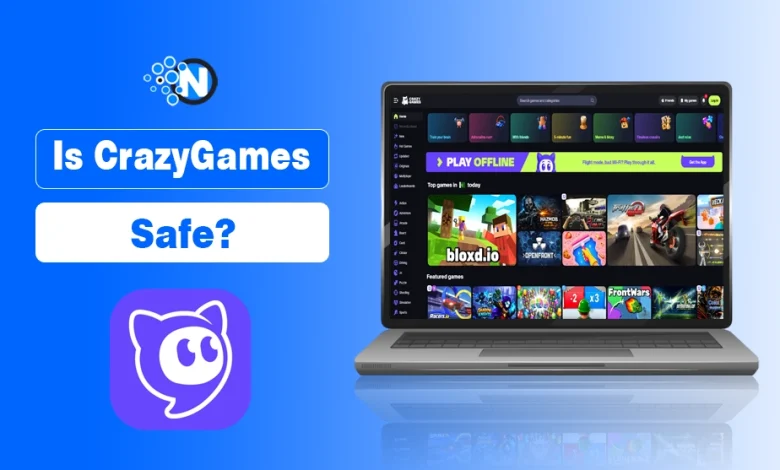
CrazyGames is generally safe to use when you visit its official website, but there are a few things players and parents should check first.
As most games run directly in your browser without requiring a download, it reduces risks associated with installing unfamiliar game files. However, ads, multiplayer interactions, and data collection still deserve attention.
For parents, the biggest question is whether the games are suitable for their child’s age. For other players, it’s usually about viruses, suspicious downloads, and whether the website is legitimate.
Here’s what matters before you start playing.
What Is CrazyGames?
CrazyGames is a browser gaming platform operated by Belgian company Maxflow BV. It offers free games across categories such as puzzles, racing, shooting, sports, and multiplayer gaming.
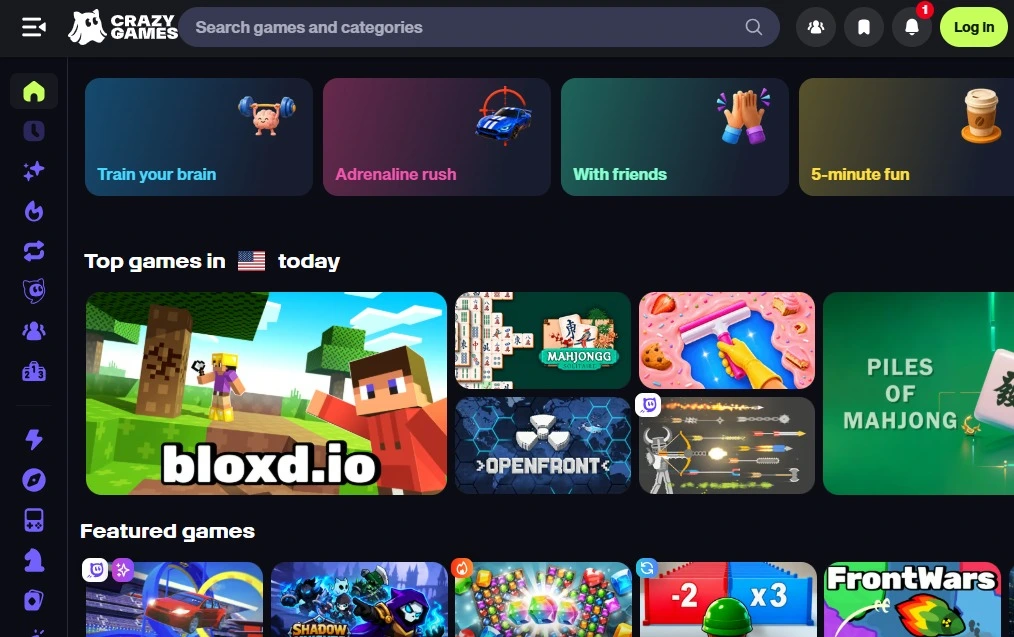
Many titles work directly in Google Chrome, Microsoft Edge, Safari, and other modern browsers. You can play without creating an account, although signing in may unlock additional features.
CrazyGames also has a substantial US audience. According to a report published through Games Press, the platform recorded 1.74 billion play sessions in the United States between May 2025 and May 2026.
That figure comes from CrazyGames’ own usage data. It establishes the platform’s scale, not its security.
Is CrazyGames Safe to Use?
Yes, CrazyGames is a legitimate gaming platform, and its official website is generally reasonable to use with standard online precautions.
The company identifies its operator, publishes privacy and usage policies, and maintains guidelines for developers who submit games. Although these are signs of an established service, they aren’t a guarantee that every game or interaction will be risk-free.
Three things need checking:
| Concern | What it means for players |
| Website authenticity | Use crazygames.com rather than an unfamiliar site with a similar name. |
| Game security | Most browser games don’t require separate installation, but you should remain cautious about downloads and permissions. |
| Age suitability | The main platform is intended for users aged 13 or older, subject to local age requirements. |
The website itself is only part of the picture. Your browser’s security, the game you’re playing, ads you encounter, and any external links you follow also affect your experience.
Can CrazyGames Give Your Device a Virus?
Playing on the official CrazyGames website is generally safe and unlikely to give your device a virus.
Because games run directly in your browser using web technologies like HTML5 and JavaScript, they do not require downloading an executable file.
That makes them different from games distributed through installation files. However, internet browsing still carries standard security risks to watch out for:
- Fake download buttons: Ads or imitation websites may encourage unnecessary software installations.
- Suspicious browser permissions: A game requesting unrelated camera, microphone, or notification access deserves closer inspection.
- Outdated browsers: Missing security updates can leave your device exposed to known vulnerabilities.
- Unofficial game copies: A downloadable version found elsewhere may not come from the original developer.
If a game unexpectedly asks you to install an extension or Windows application, check the request before continuing.
If you’ve already downloaded a suspicious file, don’t open it. Scan it with your device’s security software and delete it if flagged.
Is CrazyGames Safe for Kids?
The main CrazyGames website is intended for users aged 13 and older, or a higher minimum age where local rules require it.
That distinction matters because the platform hosts different genres. A puzzle game may be appropriate for one child, while a shooting game or a multiplayer title with communication features may not be.
For younger children, the company operates a separate platform called CrazyGames Kids.

CrazyGames vs. CrazyGames Kids
| Feature | CrazyGames | CrazyGames Kids |
| Intended audience | Ages 13+ or applicable local minimum | Younger children with parental permission |
| Game selection | Broad range of genres | Age-focused selection |
| User accounts | Available | No user login |
| Chat | Depends on game features | No chat system |
| Advertising | Ad-supported | Contextual advertising |
| In-game purchases | Check individual games | Not available |
According to CrazyGames Kids’ information for parents, the children’s platform screens games for age suitability and excludes chat and in-game purchases.
Parents should still review individual games, especially when children move between different gaming websites.
For another browser gaming option, our Poki review covers its game library, safety considerations, and suitability for younger players.
What should parents check before allowing gameplay?
Start by opening the game yourself. Look closely at the visual content, controls, third-party ads, and any multiplayer chat features that let players talk to strangers.
Parents should always explain why children shouldn’t share their names, school details, phone numbers, or location with other players.
Does CrazyGames Collect Personal Data?
Yes. CrazyGames processes information needed to operate its website, support accounts, provide games, and manage advertising.
Its privacy policy describes categories of information that may include account details, device information, and usage data.
You can play many games without signing in, but anonymous gameplay doesn’t necessarily mean that no technical information is collected.
CrazyGames Kids has a separate children’s privacy policy. It doesn’t require children to register an account, although technical information may still be processed to operate the service.
If privacy is a concern, review your browser’s cookie settings and the platform’s privacy options before playing.
How to Play Safely on CrazyGames
A few precautions can make browser gaming safer without complicating the experience.
- Visit the official domain. Check the address before entering account information or opening a game.
- Keep your browser updated. Install security updates for Chrome, Edge, Safari, or whichever browser you use.
- Avoid unexpected downloads. Browser games generally shouldn’t require unfamiliar installers or extensions.
- Check permissions. Don’t allow access to your microphone, camera, or notifications unless you understand why it’s needed.
- Protect personal details. Use a nickname in multiplayer games and avoid sharing private information.
- Review games for children. Check age suitability and communication features before allowing independent play.
If CrazyGames doesn’t offer the type of game you want, GamePix is another browser gaming platform covered on NogenTech, with HTML5 games across action, racing, puzzles, and multiplayer categories.
Should You Use CrazyGames?
CrazyGames can be a reasonable option for people who want free browser games without installing individual titles. Its identifiable operator, published policies, and dedicated children’s platform are useful signs of an established service.
However, the right choice depends on who’s playing. Adults and eligible teenagers can explore the main platform while following ordinary online precautions. For children under 13, parents should consider CrazyGames Kids and supervise their gaming activity.
The most important checks are simple: use the official website, choose suitable games, and avoid unfamiliar downloads or requests for personal information.