InstaNavigation Moved to StoryNavigation.com How to Use It & Top 5 Alternatives

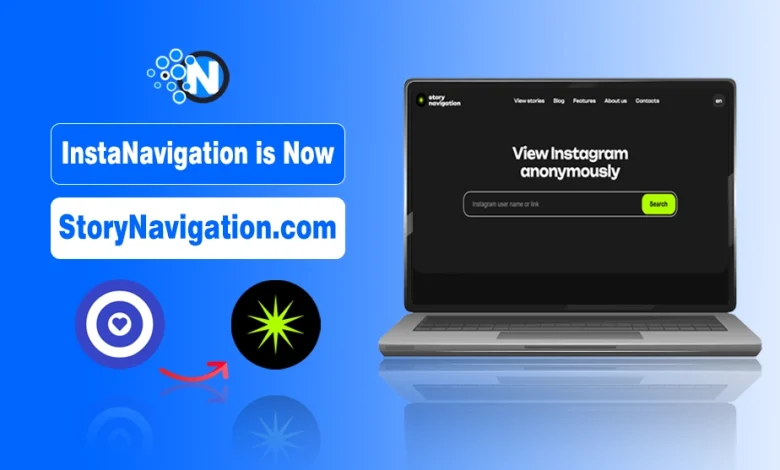
InstaNavigation now works through StoryNavigation.com. It is the same service operating under a new and safer domain name. The rebranding was done to avoid trademark issues, improve platform stability, and ensure uninterrupted access for users.
In this guide, you’ll learn why InstaNavigation changed its name, how StoryNavigation works, and how to use it to view Instagram stories anonymously, download posts, and browse public profiles without logging in. We’ll also cover safety tips and the top 5 alternatives.
Why InstaNavigation Changed to StoryNavigation?
The shift from InstaNavigation to StoryNavigation.com was strategic, aimed at ensuring safety, brand stability, and long-term reliability. Tools using “Insta” faced domain issues and takedown risks due to Instagram’s trademark.
Rebranding to StoryNavigation reduces legal pressure, prevents disruptions, and allows the platform to operate and expand freely.
What is StoryNavigation (InstaNavigation)? & How It Works?
InstaNavigation, now called StoryNavigation, is a web-based tool that allows you to anonymously view Instagram stories without logging in or revealing your identity.
How Story Navigation works:
- Fetching publicly available profile data from Instagram
- Displaying that content through its own web interface
- Allowing you to enter a public username to load available stories
- Showing the stories anonymously without requiring login
This platform offers many features to its users, just like other platforms that I have already discussed, like StoriesIG, MyStalk, and InsAnony.
Normally, you need an Instagram account to view stories, which reveals your name. StoryNavigation lets you browse accounts and watch stories anonymously.
Features of StoryNavigation (Or You Can Say InstaNavigation)
During the transition, the StoryNavigation retained all the features that are available under the domain of InstaNavigation private Instagram story viewer tool. I have mentioned some of the main features of this online tool for you.
1. Protected Privacy
Your privacy is protected while using this tool online. With StoryNavigation, you can watch IG stories without exposing your identity. It’s not hidden to anyone that social media platforms track your activity history. This history is used to train the algorithm to give you content that you’re actually interested in.
But that’s not the case with InstaNavigation or StoryNavigation. You need not worry about your personal data and information being leaked or used by scammers.
2. Unrestricted Exploration
You can navigate through different accounts without any restrictions. It’s just like using the original Instagram application. You can browse different profiles and even hashtags without facing any type of restriction.
3. It’s Free to Use
The StoryNavigation platform is completely free to use. It means you don’t have to pay any kind of money in order to start using its services. Just a browser and a stable internet connection will help you start using it.
4. instanavigation Anonymous and Confidential Exploration
- Your identity remains hidden while viewing Instagram profiles and stories.
- Your browsing and viewing history are not tracked or linked to you.
- This anonymity is the main reason users prefer StoryNavigation.
- You can watch stories without the profile owner knowing you viewed them.
5. Download Stories
Besides viewing stories, you can also download them directly on your device. That’s another perk you don’t get to enjoy on the official Instagram application. It means that you cannot download stories or posts from the app to your device.
On the other hand, there is a separate button available on each story and post that helps you download the posted image/video.
6. No Need to Register Yourself
To use this Instagram story viewer, you don’t need to register. It allows no account Instagram story view to everyone. It makes browsing Instagram without creating an actual account a lot easier, and also ensures that your personal data will not be used.
How to Use InstaNavigation?
Despite its features, StoryNavigation is easy to use. Here’s a step-by-step guide.
Step 1 – Visit the website:
You have to get yourself onto the new StoryNavigation website. Simply visit the website by entering the site’s URL in your browser. You will be taken to its homepage through this link: https://storynavigation.com/.
Previously, the link was (https://instanavigation.com/). But it is now not functional anymore.
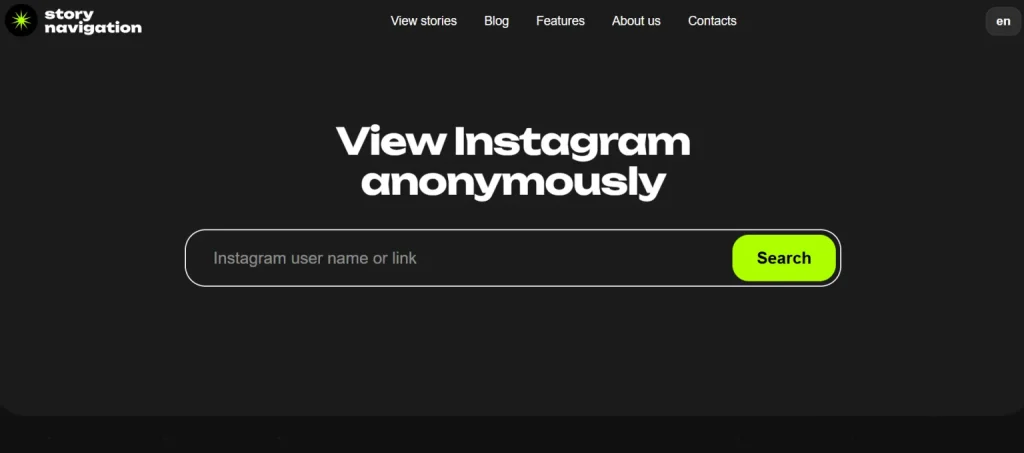
Step 2 – Search for a profile:
Now you have to search for a profile. This tool gives you two different options for that:
- You can find the profile by using its username.
- Find it by entering its link in the search box.
You have to enter the profile username or link and hit the “Search” button. The searched profile will be presented in front of you.
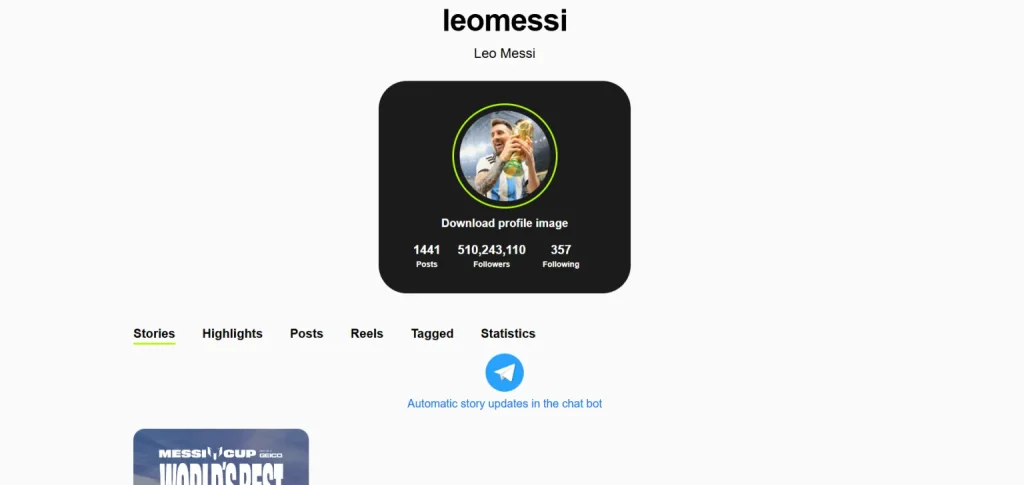
Step 3 – View the story:
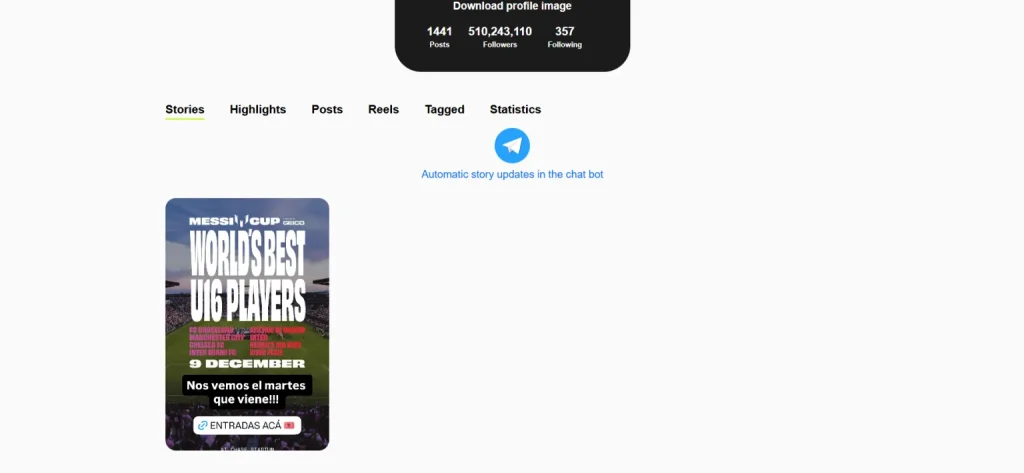
Now that the profile has been opened in the tool, you can easily access and view the story uploaded to the profile. Just click on the story you want to view, and it will open. Whatever has been posted on the story will be presented to you.
How to Download Pics and Videos with StoryNavigation or InstaNavigation?
Downloading pictures and videos with InstaNavigation or StoryNavigation is also very easy. Here are the instructions you have to follow in order to do that.
- Click on any story you want to download.
- You can see a download option in the top-right corner.
- Click on this button to download the content that has been uploaded to the story.

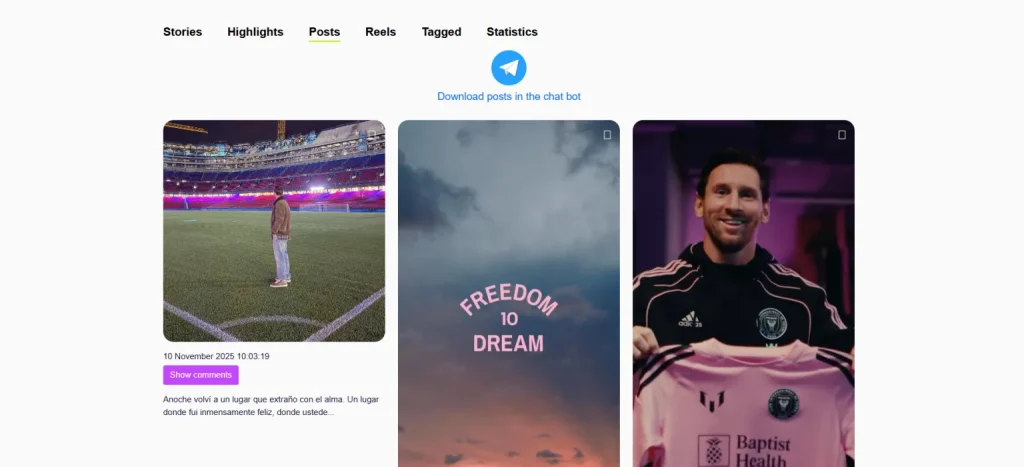
- As mentioned earlier, you can also download pictures and videos posted in general posts or highlights of the profile. For example, if you want to download a post from a profile, go to the “Posts” section first.
Is StoryNavigation Safe Like InstaNavigation?
As the transition of InstaNavigation to StoryNavigation happened, safety might be your main concern. Fortunately, there is no compromise on the safety standards and privacy protocols for the users. In fact, there are some plus points that advocate for the safety of this tool.
- No profile tracking: Your profile history isn’t tracked on this tool. So it cannot be used against you in general ways.
- Strong security protocols: This tool has some of the most advanced and strongest security protocols. They make sure that the user does not face any type of malware threat.
- Transparency: The tool itself is very transparent when it comes to the anonymous stalking of people on Instagram profiles. It does not openly promote the usage of third-party tools for doing so.
Still, there are some hidden risks. To know more, read my guide on the Safety of Private Instagram Viewer Tools for a better understanding.
5 Best Alternatives to StoryNavigation/InstaNavigation
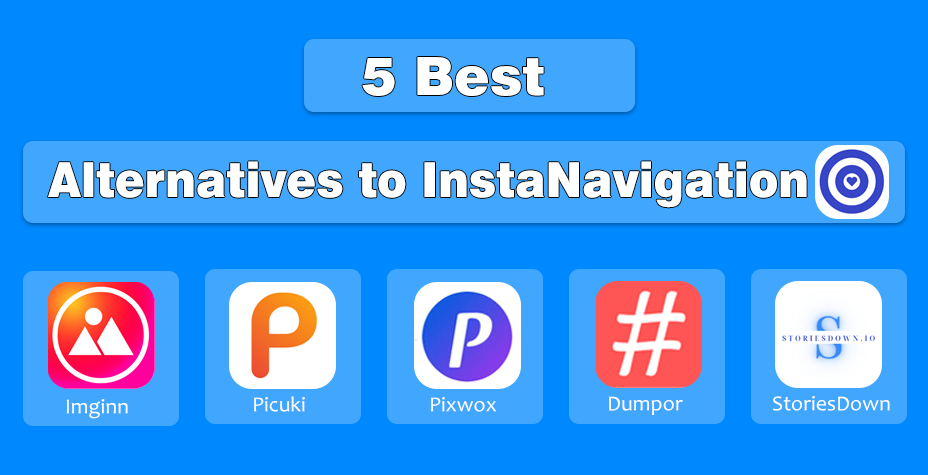
If you are not happy with the transition or want some mighty alternatives to StoryNavigation or InstaNavigation that deliver you the same outcomes, I have enlisted the top 5 options below:
- Imginn: Search profiles by username; view HD profile pics.
- Picuki: Minimalist UI; view posts, stories, and highlights.
- Pixwox: Free, anonymous browsing; shows trending accounts.
- Dumpor: Fast Instagram story viewer; free and premium options.
- StoriesDown: View stories anonymously; supports 7 languages.
Final Thoughts on the Transition of InstaNavigation to StoryNavigation
The move from InstaNavigation to StoryNavigation was a protective rebranding, not a shutdown. By removing “Insta” from the domain, the platform avoided trademark risks and ensured users would not suddenly lose access due to takedowns or blocks.
For users, nothing important has changed, you can still view Instagram stories anonymously, download posts, and browse profiles without logging in. The only real difference is the website name.
If you were worried that InstaNavigation stories viewer stopped working, you can relax. StoryNavigation.com is now the official home of InstaNavigation, just with a stronger, safer identity.
People Also Ask
Why did InstaNavigation change its name to StoryNavigation?
InstaNavigation rebranded to StoryNavigation mainly to avoid trademark risks and improve long-term stability, ensuring the tool stays accessible without interruptions.
Is StoryNavigation the official replacement for InstaNavigation?
Yes. StoryNavigation.com is the direct continuation of InstaNavigation with the same key features, just under a safer and more sustainable domain name.
Does StoryNavigation still let me view Instagram stories anonymously?
Absolutely. StoryNavigation still allows you to watch stories, reels, and posts anonymously without needing to log in.
Is StoryNavigation safe to use?
As long as you use the correct domain and avoid fake clones, StoryNavigation is generally safe and doesn’t require personal information or login details.
Did the rebranding affect any features of InstaNavigation?
No major features were removed. StoryNavigation continues to offer story viewing, downloading, and profile checking with the same functionality users are used to.
How do I access InstaNavigation now?
You can no longer access InstaNavigation under its old domain because the service has been fully moved to StoryNavigation.com.