Visual content has become the first impression of digital communication. Over the last few years, I have tested several AI image tools while working on blog graphics, ad creatives, social media campaigns, landing pages, and branded content projects. Some tools looked impressive at first, but quickly became frustrating when the results lacked consistency or required too much editing afterwards.
That is why the OpenArt AI Image Generator genuinely stood out during my workflow testing. Instead of feeling like a simple “prompt-to-image” app, it felt more like a creative workspace where ideas could move from rough concepts to polished visuals much faster.
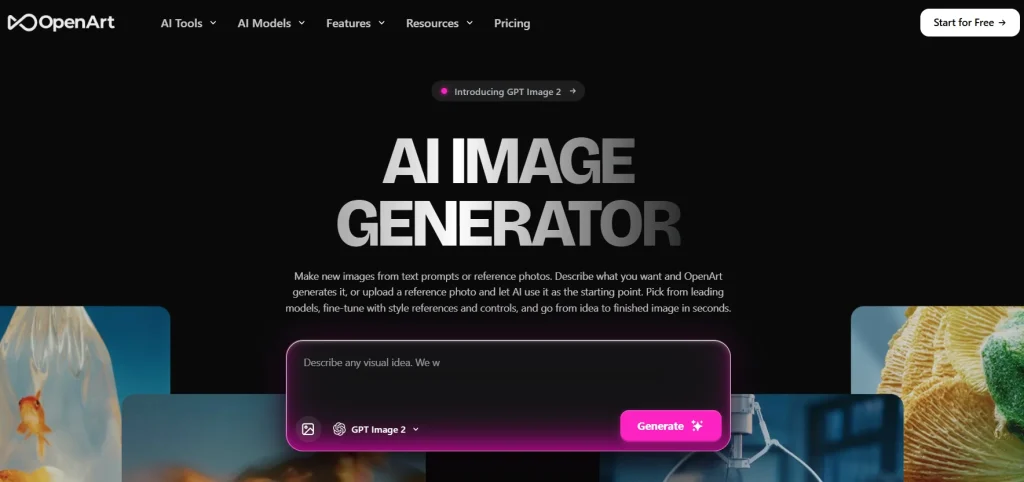
OpenArt’s website comes with a simple and easy-to-use workflow interface where users can describe what they want, upload a starting image, pick from a roster of flagship image models, and move from idea to finished image in seconds.
The platform is designed for modern creative workflows where rough ideas can become campaign concepts, product scenes, character designs, thumbnails, and social assets.
- OpenArt AI Image Generator helps create professional visuals from text prompts and reference images.
- It supports advanced AI models like GPT Image 2.0, Seedream, Wan 2.7, and Recraft V4.
- Designers and marketers can quickly create ads, social graphics, thumbnails, and concept art.
- Built-in editing tools help refine, upscale, and customize generated images.
- OpenArt is useful for creators, startups, ecommerce brands, and small businesses.
What Is the OpenArt AI Image Generator?
The OpenArt AI Image Generator transforms written prompts into high-quality visuals.
You write a prompt, choose a direction, and generate visuals that can be edited or improved. The platform also supports reference-based creation, which is useful when you already have a product, mood board, character, or brand style to guide the output.
OpenArt currently supports several advanced AI image models, including:
- GPT Image 2.0
- Nano Banana 2
- Seedream 4.5
- Seedream 5.0 Lite
- Wan 2.7 Image
- Recraft V4
The platform also includes creative controls like:
- Camera Angle Control
- Image Replace
- AI Upscaling
- Style References
- Background Editing
- Lighting Adjustments
That model flexibility matters because professional creative work rarely succeeds in one attempt. Designers may need alternate compositions, marketers may test different emotional tones, and creators often need multiple variations optimized for different platforms.
My First Experience Using OpenArt
The first thing I noticed was how quickly I could move from a vague idea to a usable visual concept.
Usually, when working on campaign graphics or featured blog images, I spend a lot of time searching for references, testing stock photos, or building rough mockups. With OpenArt, I could simply describe the mood, lighting, and style I wanted and instantly generate several creative directions.
For example, while testing visuals for a luxury skincare landing page, I used a prompt describing:
- soft beige background
- natural window light
- premium minimal style
- cinematic product photography
Within minutes, I had multiple concepts that were already close to production quality. That alone saved a significant amount of brainstorming time.
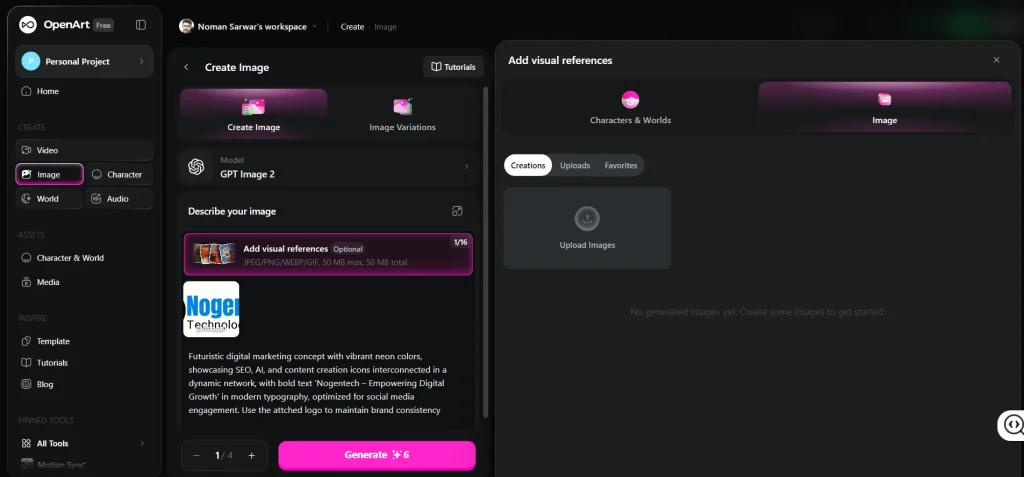
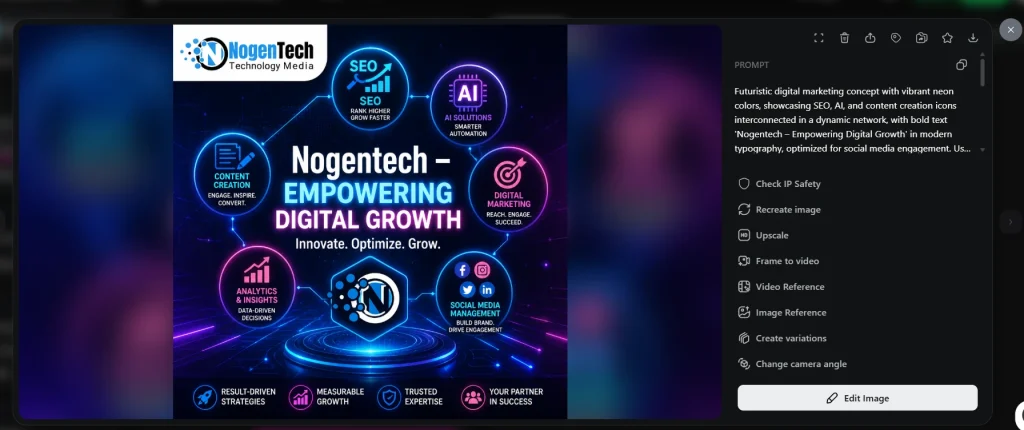
I have also tested the tool for creating a social media graphic for NogenTech; see the results below:
The prompt:
Outout image:
My Experience With the Editing Tools
The editing features were honestly one of the most practical parts of the platform.
In many AI tools, you generate an image and then move to Photoshop or another image editor to fix small issues. OpenArt reduces that extra work by including tools like:
- AI upscale
- background replacement
- face smoothing
- image enhancement
- AI headshots
- AI clothes changer
I particularly liked the upscale feature because some generated visuals initially looked slightly soft in higher resolutions.
Why It Works for Designers and Marketers
Most AI image generators can produce visually appealing images. The difference is whether those visuals are actually usable in real campaigns and creative projects.
Designers need:
- Consistent visual direction
- Composition control
- Better lighting and realism
- Brand alignment
- Editable outputs
Marketing teams need:
- Faster production cycles
- Campaign-specific visuals
- Multiple creative variations
- Assets for testing ads and landing pages
- Scalable content production
OpenArt bridges both needs by combining generation with refinement tools inside the same workspace.
A designer can rapidly test creative directions before opening a complex design file. A startup founder can create hero visuals before investing in expensive photography. A performance marketer can generate several ad concepts around one campaign idea and compare which visual hook works best.
The real advantage is not simply speed. It is the ability to explore more creative possibilities in less time.
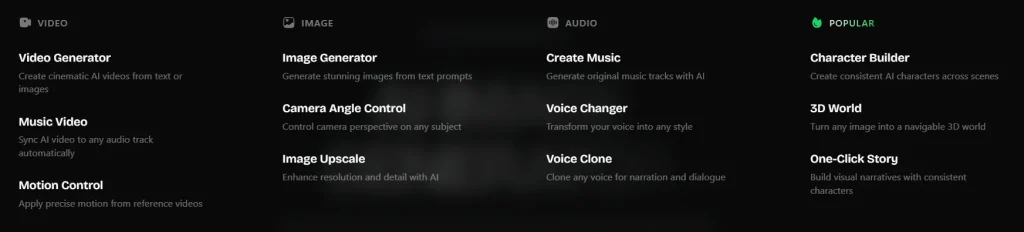
Key Features That Make OpenArt Useful
OpenArt stands out because it connects image generation with editing. Instead of exporting images into multiple external apps, users can continue refining their visuals inside the platform.
Some of the most useful built-in tools include:
- AI Headshot Generator
- AI Character Generator
- AI Influencer Generator
- AI Clothes Changer
- AI Hairstyle Changer
- Photo to Emoji
- Photo to Caricature
- HD Photo Converter
- AI Face Smooth
- Unblur Image
Whether you’re crafting standard digital avatars or exploring niche character styles like furry AI art, these character creation features give you precise control over unique styles, themes, and visual traits
This editing layer is important because AI-generated visuals are rarely perfect on the first attempt. Sometimes the composition works, but the background does not. Other times, the lighting needs refinement, or the image requires higher resolution for commercial use.
OpenArt Pricing & Plans
The platform’s pricing also makes it accessible for both individuals and teams. Paid plans begin at $7/month for the Essential plan, which includes 4,000 monthly credits and multiple parallel generations. Higher plans unlock larger credit pools, expanded creation limits, commercial rights, and access to more than 100 premium AI models across image, video, and audio generation.
How Designers Can Use It
Designers often begin projects with unclear creative directions.
Clients commonly say things like:
- “Make it feel premium.”
- “We want something cinematic.”
- “It should feel modern but approachable.”
Turning abstract feedback into visuals traditionally takes hours of sketching, mockups, and revisions. The OpenArt AI Image Generator speeds up this early exploration phase dramatically.
Designers can use it to:
- Build visual mood boards
- Explore hero image concepts
- Test product compositions
- Create packaging scene ideas
- Develop concept art
- Prototype landing page visuals
- Generate style references
For UI and web designers, OpenArt can help generate fast hero section concepts before moving into Figma or Adobe workflows. For branding projects, it can assist in discovering color moods, photography directions, and campaign aesthetics.
Importantly, AI does not replace design thinking. Human judgment still decides what fits the brand, what communicates clearly, and what feels genuinely original.
AI simply accelerates the experimentation stage.
How Marketers Can Use It
Modern marketing campaigns require enormous visual variety. A single campaign may need:
- Social graphics
- Display ads
- Blog headers
- Email visuals
- Landing page banners
- Presentation assets
- Product scenes
- Video thumbnails
Producing all of this manually can slow down campaign testing and reduce creative agility.
OpenArt helps marketers rapidly generate multiple creative directions around one campaign concept.
For example:
- A performance marketer can test multiple ad styles for one offer.
- A content marketer can create blog headers matching article intent.
- A social media manager can generate seasonal campaign visuals.
- A product marketer can visualize multiple customer use cases.
The best results come when AI visuals support a broader marketing strategy. Strong prompts tied to audience behavior, brand identity, and campaign goals usually outperform random AI-generated artwork.
Used strategically, AI becomes a creative multiplier instead of a shortcut.
How Creators and Small Businesses Benefit
Not every business has a full creative department. Smaller teams often struggle to maintain professional visual quality consistently across platforms.
The OpenArt AI Image Generator gives creators and startups an affordable way to improve their visual branding without large production costs.
Common use cases include:
- YouTube thumbnail backgrounds
- Ecommerce lifestyle imagery
- Blog featured images
- Podcast graphics
- Pitch deck visuals
- Instagram content
- Brand storytelling visuals
For small businesses, visual quality directly affects credibility. Even a strong product can appear unprofessional if the branding and imagery feel weak or inconsistent.
AI-generated visuals help smaller brands compete more effectively while testing ideas before investing heavily in photography or design production.
Tips for Getting Better Results With AI Image Generators
The quality of AI-generated images depends heavily on the prompt and creative direction provided.
Better prompts usually include:
- Subject details
- Lighting style
- Camera angle
- Background setting
- Color palette
- Mood
- Format dimensions
For example, instead of writing:
“Create a skincare ad”
A stronger prompt would be:
“Luxury skincare bottle on a soft beige studio background, natural window lighting, minimal premium aesthetic, shallow depth of field, square Instagram format.”
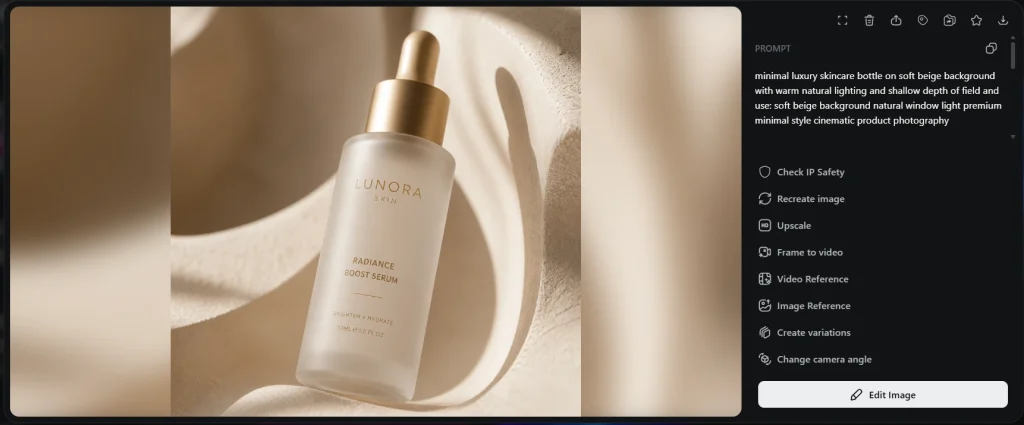
OpenArt also supports image-to-prompt workflows. Users can upload reference images, and the AI analyzes composition, lighting, color grading, and style to generate detailed prompts automatically.
This is especially valuable for:
- Maintaining brand consistency
- Recreating a visual aesthetic
- Building cohesive campaigns
- Matching previous creative work
The most effective workflow is rarely one-click generation. Professional teams typically:
- Generate multiple concepts
- Compare outputs
- Edit promising versions
- Refine compositions
- Upscale final assets
- Publish only the strongest visuals
That iterative approach produces significantly better results.
OpenArt Limitations to Keep in Mind
Like all AI image tools, OpenArt still has limitations.
AI-generated visuals may occasionally produce:
- Inconsistent hands or facial details
- Unnatural textures
- Overly artificial lighting
- Generic compositions
- Brand inconsistencies without references
That is why human review remains essential.
The strongest workflows combine AI speed with professional creative oversight. AI can accelerate ideation and production, but strategy, storytelling, and brand alignment still depend on human decision-making.
OpenArt is Best for AI Image Generation
After spending time testing its different tools, I think the OpenArt AI Image Generator is one of the more practical options available for modern creative work.
The OpenArt AI Image Generator is a smart option for people who need fast, flexible, and editable visuals. Its mix of prompt-based creation, reference-photo support, an editing surface, and model variety (GPT Image 2, Nano Banana 2, Seedream 4.5 / 5.0 Lite, Wan 2.7 Image, and Recraft V4) makes it useful for many modern workflows.
For teams searching for an AI image generator that fits designers and marketers, OpenArt is worth exploring because it supports both imagination and execution. It can help designers develop visual directions, help marketers test campaign ideas, and help creators build stronger content, all from one workspace, starting at $7/month.
OpenArt AI Image Generator FAQs
Who can use OpenArt?
Designers, marketers, creators, bloggers, startups, and ecommerce businesses can all use it.
Can OpenArt create images from reference photos?
Yes, users can upload images to guide style, lighting, and composition.
What are the main uses of OpenArt?
It is commonly used for ads, blog graphics, social posts, thumbnails, product visuals, and concept art.
Does OpenArt include editing tools?
Yes, it offers image upscaling, background editing, AI headshots, and other enhancement tools.
How much does OpenArt cost?
Paid plans start at $7/month with additional features in higher plans.