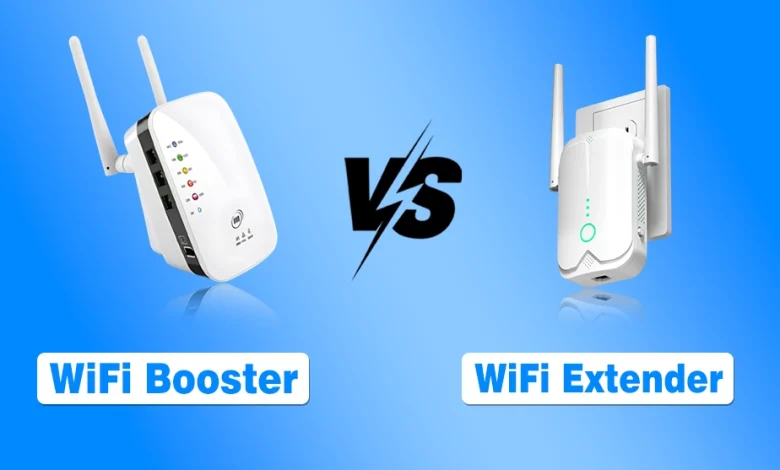
While helping a friend troubleshoot his home WiFi, I noticed he had added both a WiFi booster and a WiFi extender to his cart, thinking they were completely different devices and that using both would improve his coverage.
That confusion is surprisingly common. Terms like WiFi booster, WiFi extender, and repeater are often used interchangeably, making it difficult to understand how they differ and which one is actually right for your home.
If you’re dealing with dead zones, dropped video calls, buffering during streaming, or weak WiFi in certain rooms, choosing the wrong device can waste both time and money.
To clear up the confusion, I’ve compared WiFi boosters vs WiFi extenders, explained how each works, highlighted their key differences, and helped you choose the right option based on your home, usage, and coverage needs.
Why Does the WiFi Coverage Problem Occur in Modern Homes?
Modern homes are filled with obstacles that WiFi signals struggle to cross. Like concrete walls, metal furniture, multiple floors, and even neighboring networks, all interfere with signal strength.
Routers are also usually placed in corners instead of central locations. Add smart TVs, cameras, gaming consoles, and phones all competing for bandwidth, and suddenly your internet feels slow even with a fast package.
It is where WiFi boosters and extenders come into the picture. They are designed to stretch your existing signal, not magically increase your internet speed.
What Is a WiFi Booster?
A WiFi booster is a broad term used for devices that improve wireless coverage. A WiFi extender is a specific type of WiFi booster that rebroadcasts your router’s signal to reach areas with weak coverage. The goal is simple: capture the signal from your router and push it farther into weak areas of your home.
Boosters are popular because they are easy to install, affordable, and require minimal configuration. You plug them into a wall socket, connect them to your network, and they start relaying the signal.
How WiFi Boosters Work in Real Life?
A booster listens to your router and then rebroadcasts the same signal. If the signal it receives is weak, the rebroadcasted signal will also be weak. That is why placement matters a lot. A booster should never be installed in a dead zone. It needs a stable connection to your router to be effective.
Common Use Cases for WiFi Boosters
Boosters work best in small homes or apartments where only one or two rooms suffer from weak coverage. They are also useful for casual browsing, social media, and light streaming. If your needs are basic, a booster can be a quick fix.
What Is a WiFi Extender?
A WiFi extender is a more defined category of device that extends your wireless coverage by creating a secondary access point.
Unlike boosters that simply repeat signals, extenders usually rebroadcast the signal using a separate network identity or smarter signal management. Extenders are designed to cover larger spaces and offer more control.
Many modern extenders support advanced standards, dual-band connections, and better antennas.
How WiFi Extenders Improve Coverage?
Extenders connect to your router wirelessly or via Ethernet and then transmit WiFi into areas your router cannot reach. Because they manage traffic better than basic boosters, extenders often provide more stable performance, especially for video calls and streaming.
Common Use Cases for WiFi Extenders
If you live in a medium-sized house, have multiple rooms, or deal with thick walls, an extender usually makes more sense. They are also ideal for work-from-home setups where reliability matters more than raw speed.
WiFi Extender vs Booster Key Differences
It is the core comparison section. Before breaking it into specific points, I want to make one thing clear. Both devices aim to solve the same problem, but they approach it differently.
| Factor | WiFi Booster | WiFi Extender |
|---|---|---|
| Purpose | Improves WiFi coverage in a small weak-signal area | Extends WiFi coverage to larger or multiple areas |
| How It Works | Rebroadcasts the existing WiFi signal | Rebroadcasts the signal, with some models offering better roaming and management features |
| Coverage | Best for one small dead zone | Better for multiple rooms or larger spaces |
| Speed | Speed may drop because the signal is repeated | Can maintain better performance, especially with dual-band or Ethernet backhaul |
| Latency | May introduce more latency | Usually more consistent for video calls and gaming |
| Setup | Simple plug-and-play | Easy setup with additional configuration options on some models |
| Network Name (SSID) | Often creates a separate network | May use the same or a separate network name, depending on the model |
| Price | Lower | Moderate |
| Best For | Apartments or one weak room | Medium-sized homes with multiple weak areas |
| Alternative for Large Homes | Not recommended | Consider a mesh WiFi system instead |
Wifi Signal Booster vs Extender: Which One Wins for Your Situation?
- Casual browsing in a small apartment: A booster works fine
- Work from home with video meetings: Extender is the right call
- Online gaming: Extender, preferably with an Ethernet port
- Multi-floor home: Extender without question
- Temporary rental or dorm setup: Booster is enough
- Thick walls or concrete construction: Extender handles this far better
- 10 or more connected devices: Extender every time
- Tight budget with a small fix needed: Booster gets the job done
Do WiFi Boosters or Extenders Increase Internet Speed?
It is one of the biggest misconceptions, so let us address it honestly before moving forward.
Neither boosters nor extenders increase your internet speed beyond what your service provider delivers. What they do improve is signal availability. If your device was previously stuck on one bar of WiFi, extending coverage can make the connection feel faster simply because the signal is stronger and more stable.
If you already have good coverage and still experience slow speeds, the issue lies with your internet plan, router quality, or network congestion.
WiFi Booster vs Wifi Extender vs Mesh Systems in 2026?
Before making a final decision, we cannot ignore mesh WiFi systems. In this section, I have provided a short overview.
Here is a quick side-by-side to put all three options in perspective:
| Best For | WiFi Booster | WiFi Extender | Mesh System |
|---|---|---|---|
| Cost | Lowest | Mid range | Highest upfront |
| Coverage | One to two rooms | Multiple rooms | Whole home |
| Seamless Roaming | No | Partial | Yes |
| Speed Retention | Lowest | Moderate | 70 to 80 percent |
| Setup Effort | Minimal | Easy | Moderate |
| Network Names | Separate SSID | Separate or same | Single unified SSID |
| Best For | Quick small fix | Growing home | Full network upgrade |
Mesh systems replace traditional routers and extenders with multiple coordinated nodes. They offer seamless coverage, better speed while gaming, and automatic optimization. However, they cost more and require a full system setup.
If you are building a new home network from scratch, mesh WiFi may be worth considering. If you are fixing an existing setup, extenders are usually more practical.
Common Mistakes When Buying a WiFi Booster or Extender
Choosing the right device is only half the battle. How you use it matters just as much.
- Installing it in a dead zone: A booster or extender needs a strong signal to rebroadcast. Place it halfway between your router and the weak-signal area, not where the signal disappears.
- Expecting faster internet speeds: These devices improve coverage, not the speed provided by your internet plan.
- Buying based on the name alone: “WiFi booster” is mostly a marketing term. Always compare the device’s features and specifications, not just its label.
- Ignoring router placement: Moving your router to a central location can often eliminate dead zones without buying extra hardware.
- Confusing WiFi boosters with cell signal boosters: They solve different problems, especially for RV users, so make sure you’re buying the right device.
- Chaining multiple extenders: Using several extenders can reduce performance and complicate your network. If you need whole-home coverage, a mesh WiFi system is usually the better option.
My Final Words on Choosing a WiFi booster or extender
So, which one should you buy in 2026 among WiFi booster vs extender? If you ask me, the answer depends entirely on your expectations and environment. WiFi signal boosters are simple, cheap, and useful for small fixes.
WiFi extenders are more reliable, scalable, and better suited for modern internet usage. Neither is magic, but when chosen correctly, both can dramatically improve your experience. If your WiFi struggles daily, do not ignore it.
A stable connection is no longer a luxury; it is a basic requirement for work, entertainment, and communication today.