Spend a few minutes on TikTok and you’ll notice how quickly one video turns into another. The platform’s For You Page (FYP) constantly learns from what you watch, like, and share, which is why the feed feels highly personalized.
In my experience, exploring TikTok usually means scrolling the FYP, switching to the Following tab, or joining creators during LIVE sessions. Features like Duet, Stitch, and TikTok Shop have also made it easier for creators to collaborate, grow communities, and monetize content.
TikTok has more than 1 billion global users and continues to grow rapidly, with many users spending over an hour daily on the platform. Ahead, you’ll discover what TikTok is, how the platform actually works behind the scenes, the features that shape the user experience, ways to stay safe, and how both viewers and creators can make the most of it.
Key Takeaways
- TikTok is a short-form video platform owned by ByteDance, where users create and share vertical videos ranging from 15 seconds to 10 minutes.
- The For You Page (FYP) uses a recommendation algorithm based on watch time, likes, shares, and user behavior to deliver personalized content.
- TikTok provides creative tools such as Duet, Stitch, filters, effects, and LIVE streaming that help creators produce engaging videos.
- Creators can monetize through TikTok Gifts, brand partnerships, TikTok Shop, and affiliate promotions.
- Privacy features like comment controls, blocking, and restricted accounts allow users to manage interactions and stay safe.
- Consistent posting, engaging with viewers, and understanding the algorithm can help creators grow their audience on TikTok.
What is TikTok?
TikTok is a short-form video platform owned by ByteDance where users create and share vertical videos ranging from 15 seconds to 10 minutes.
The platform uses a recommendation algorithm called the For You Page (FYP) to deliver personalized video content based on user behavior such as watch time, likes, and shares.
Helpful TikTok Guides on Nogentech
I’ve published several TikTok guides on NogenTech covering tools, tips, branding, and third-party apps that go beyond what this guide covers. Here are the ones worth bookmarking:
TikTok Culture & Branding
- TikTok Logo and Its Story: The history and evolution of TikTok’s visual identity
- Neon TikTok Logo: Neon-style logo assets and design variations
- Top Trendy TikTok Quotes: Popular captions and quotes used by creators
- TikTokers vs YouTubers: How creators on both platforms compare in reach, income, and content style
Marketing & Ads
- TikTok Ads vs Facebook Ads: Side-by-side comparison to help decide where to put your ad budget
- Best Websites to Buy TikTok Followers, Views & Likes: What actually works and what to avoid
Tools & Third-Party Apps
- How to Save TikTok to Camera Roll: Save any TikTok video directly to your phone with or without a watermark.
- TikTok Story Viewer Platforms: Tools to browse TikTok Stories anonymously
- SnapTik: It downloads TikTok videos fast without watermarks
- Urlebird: Use for anonymous TikTok browsing without an account
- Zefoy: It is a TikTok engagement tool overview, and how it works
What Makes TikTok Different From Other Apps
TikTok is designed for quick, engaging video sharing and creative expression. It’s easy to start exploring, whether you’re watching or posting.
Now I will explain how its interface works and what makes it unique among other social media platforms like Facebook, Snapchat, Instagram, and YouTube.
How the TikTok Interface Works
TikTok opens directly to the For You Page, a full-screen vertical video feed that plays automatically. Then there is a bottom navigation bar that gives you access to Home, Discover, the upload button, Inbox, and your Profile.

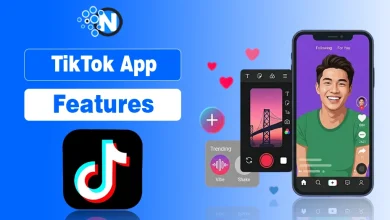
Unlike most social apps, TikTok skips a traditional follower-based home feed and provides you with algorithm-driven content from the moment you open it. These tools are part of the broader TikTok app features that shape how users interact with the platform.
TikTok’s main navigation areas:
- For You: Algorithm-curated videos from any creator on the platform.
- Following: Videos only from accounts you actively follow.
- LIVE: Real-time broadcasts happening right now.
- Discover/Search: Trending sounds, hashtags, and creator search.
- Inbox: Comments, mentions, and direct messages.
The For You Page vs Following Feed
The For You Page serves videos based purely on your behavior watch time, replays, likes, and shares, regardless of who you follow.
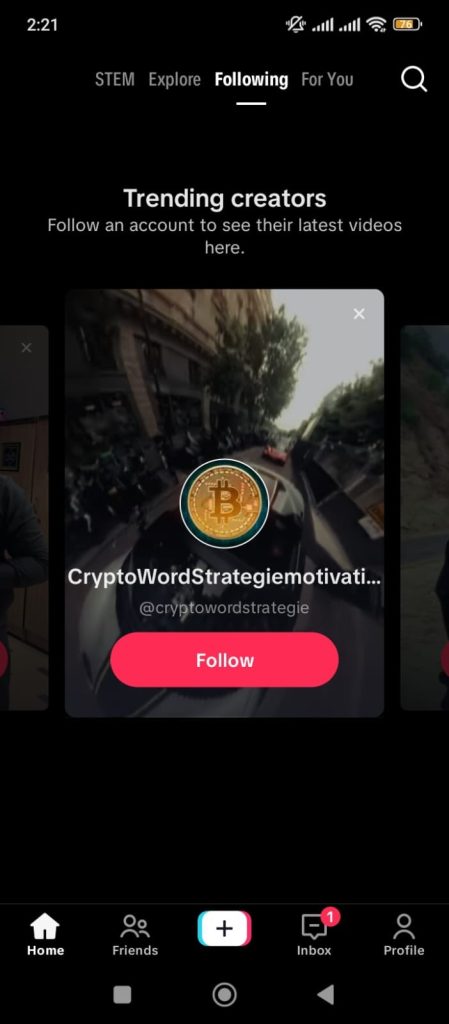
The Following Feed sits alongside it and shows only content from accounts you’ve chosen to follow, making it a more curated, intentional experience compared to the FYP.
How TikTok Recommends Content
TikTok’s recommendation system, developed by ByteDance, analyzes user behavior such as watch time, likes, and shares to decide whether a video should be shown to a wider audience. TikTok recommends videos based on several signals, which are explained in detail in our guide to the TikTok algorithm.
A video that gets watched all the way through or rewatched gets distributed far beyond your existing followers. This is why unknown creators can become popular on TikTok overnight.
Key signals TikTok uses to recommend videos:
- Watch time and completion rate (the strongest signal)
- Replays and shares
- Likes, comments, and saves
- Device and account settings, like location and language
- Video details: sounds, captions, effects, and hashtags
What You Can Actually Create on TikTok
You can produce a wide variety of creative content from quick clips to highly polished videos using the creative tools offered by TikTok itself.
Recording and Editing Videos
TikTok’s in-app camera supports multi-segment recording, green screen effects, speed adjustments, AI-powered filters, auto-captions, text overlays, stickers, and a voiceover tool.
Everything you need to produce a polished, publish-ready video exists inside TikTok, no third-party editor required.
TikTok Stories
TikTok Stories are photos or short videos that disappear after 24 hours. They appear at the top of your followers’ Following Feed and are useful for casual, time-sensitive updates you don’t want living permanently on your profile.
In case you find something odd in your story, you don’t have to wait and can immediately delete your story.
Managing Your TikTok Videos
Every video you post on TikTok can be set to public, followers only, or private. Drafts are stored locally on your device rather than TikTok’s servers, which means they disappear permanently if you uninstall the app.
You can delete any posted video from your profile at any time without it affecting your account standing.
How Reposts Work on TikTok
Reposting on TikTok sends a video to your followers’ For You and Following feeds without adding it to your public profile grid.
It functions like a retweet, a way to amplify content you find valuable without recording a new video. Reposts are visible to your followers but not displayed on your profile for others to browse.
How TikTok Connects You With Your Audience
TikTok helps you build real interactions with your audience through likes, comments, shares, playlists, and real-time LIVE streams.
Likes, Comments, and Shares
Likes, comments, and shares are TikTok’s three core engagement signals. Like counts are public, comments can be filtered by keyword or disabled entirely.
And when someone sends a TikTok video to your DMs, you’ll see it labeled as Shared With You in your inbox. Many users find it confusing when they first encounter it.
TikTok Playlists for Organizing Content
TikTok Playlists let creators group their videos into named collections that appear as browsable tabs on their profile.
If you post across multiple topics, playlists keep your content organized so viewers who love one series can find every video in it without scrolling your entire grid.
If you want to learn how to organize your videos step-by-step, you can follow this guide on how to make a playlist on TikTok.
Going Live on TikTok
TikTok LIVE lets eligible creators broadcast in real time. During a LIVE, viewers send virtual Gifts purchased with TikTok Coins, a virtual currency you top up through the app.
It converts to real earnings for the creator. The top-tier gift, known as the Universe, is worth approximately $674. However, you must be at least 18 years old and meet a minimum follower threshold to host a gift-enabled LIVE.
Understanding the “Nudge” Feature
The Nudge feature lets a LIVE host send a push notification to their followers, encouraging them to join the active stream.
It is triggered manually by the creator, and followers cannot opt out of receiving individual Nudge alerts. If you’ve ever wondered why you keep getting pinged when a creator goes live, that’s the Nudge feature at work.
How to Stay Safe on TikTok
TikTok provides users with comprehensive privacy, blocking, and comment control features to help you manage your safety while using the platform.
Managing Comments on TikTok
TikTok gives creators full control over who can comment on their content:
- Everyone
- Followers only
- Nobody at all
You can also set up keyword filters that automatically hide comments containing specific words before they ever appear publicly.
All of these options are found under Settings → Privacy → Comments, and turning off comments takes less than 30 seconds.
Blocking and Restricting Users
Blocking someone on TikTok removes their ability to view your profile, find your videos, or contact you. The blocked account receives no notification.
For situations that don’t warrant a full block, the Restrict option quietly limits their ability to interact without them knowing.
Managing Notifications and Activity
TikTok lets you customize alerts for likes, comments, follows, mentions, and LIVE events independently. There is also a built-in Screen Time limit under Settings → Digital Wellbeing that caps daily usage.
It is especially useful for younger users or anyone trying to manage how long they spend on the platform.
How to Grow Your TikTok From Scratch
Growing on TikTok requires a mix of smart content strategies, community engagement, and consistency to build a loyal following over time.
Creating Content the Algorithm Likes
Watch time is the single most important growth signal on TikTok. A video that gets watched to the end or rewatched gets shown to a broader audience, regardless of your follower count.
This means the first two seconds of every video matter more than anything else. Using trending hashtags helps with discovery, but a strong hook that stops the scroll is what actually drives distribution.
Posting Consistently and Building Community
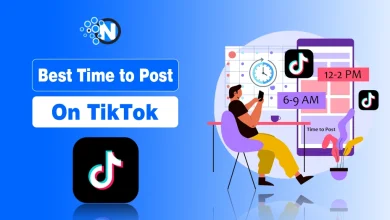
The best time to post on TikTok is when your specific audience is most active, which varies by niche and region.
Beyond timing, consistency matters more than volume. Posting 3–4 times per week gives the algorithm enough content to test across audiences. A predictable schedule also trains your followers to expect new content from you regularly.
Engaging With Your Audience
The fastest way to grow your following on TikTok is to treat it like a two-way conversation. This gets done by replying to comments with a video response, stitching or dueting trending content in your niche, and going LIVE regularly.
TikTok Slang Every User Should Know
TikTok has its own vocabulary that can feel like a second language when you first start. Here’s a quick reference for the terms you’ll see most often:
| FYP | For You Page is the main algorithm-driven video feed |
| Duet | A side-by-side video response filmed alongside another creator’s video |
| Stitch | A clip from another video used as the opening of your own |
| Shadowban | Reduced reach with no notification, usually caused by guideline violations |
| POV | Point of View video filmed from the subject’s perspective |
| DC | Dance Credit is crediting the original choreographer of a trend |
| NPC | Non-Playable Character is a trend where creators act like video game bots |
| Ratio | When a reply gets more likes than the original video it responded to |
| GRWM | Get Ready With Me is a popular self-care and lifestyle content format |
| FR | For Real is a casual agreement or emphasis in comments |
New TikTok Features You Should Watch
TikTok continues to evolve with exciting features, offering new creative and monetization tools for both creators and everyday users.
AI Tools for Creators
TikTok’s Symphony AI suite gives creators tools to generate avatars, turn scripts into videos automatically, and dub content into multiple languages without re-recording.
These tools significantly lower the barrier to producing high-quality, multilingual content for international audiences.
Local Discovery and Search on TikTok
40% of Gen Z now uses TikTok as a primary search engine for product recommendations, restaurant reviews, and how-to content.
TikTok’s local discovery features surface nearby creators and businesses through location-tagged content. This makes it a genuine competitor to Google Maps for local recommendations.
New Monetization Opportunities
Beyond LIVE Gifts and the Creator Rewards Program,creators get paid on TikTok in various ways is expanding rapidly.
Brands can now run brand campaigns using TikTok directly through creator partnerships. TikTok’s affiliate system enables creators to earn a commission every time a viewer buys something through a link in their video.
My Honest Thoughts on TikTok Today
Over time, TikTok has grown from a simple lip-sync app into a platform where creativity, entertainment, and the creator economy intersect. What makes it stand out is how easily anyone can discover content, interact with communities, and share ideas through short videos.
Whether you use TikTok to relax, follow trends, grow a personal brand, or explore creator opportunities, the platform offers tools that make participation accessible to almost everyone.
Once you understand how its interface, recommendations, and safety controls work, the experience becomes far more enjoyable for both viewers and creators.
Questions People Often Ask About TikTok
Why did my TikTok video get zero views suddenly?
Your video is likely under review, shadowbanned, or contains a flagged sound, limiting its distribution.
Can you use TikTok without creating an account?
Yes, you can browse public content, but you cannot like, comment, follow, or personalize your feed.
Can you see who saved your TikTok video?
No, TikTok only shows total save count. Individual identities of people who saved remain private.
What is the difference between a TikTok Stitch and a Duet?
Stitch clips another video as your intro. Duet plays both videos simultaneously in split screen.