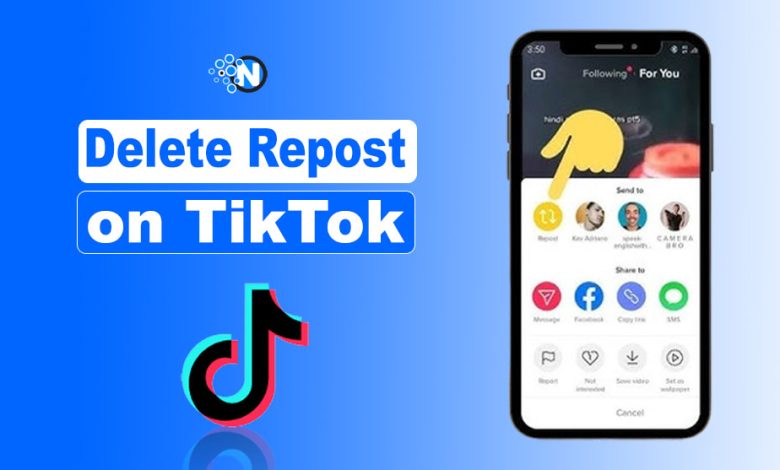
I’ll never forget the moment I accidentally reposted a TikTok video. One scroll, one hilarious clip, and before I knew it—reposted!
At first, it seemed harmless—but later, I realized it didn’t fit the content I usually share for my brand. I couldn’t believe it—especially since, apart from posting time, content quality is key for getting more followers, views, and popularity on TikTok.
If you’ve been in the same situation, feeling that mix of embarrassment and frustration, you’re not alone. That’s why today, I’ll show you a quick action to remove a repost, just as I gave you a guide before on deleting stories from your TikTok account.
In this 2026 guide, I’ll walk you through the exact steps to reverse a repost from your TikTok profile quickly and easily.
How To Delete Repost On TikTok – Easy Steps
Start creating Verdict in seconds, and convert more of your visitors into leads.
If you’ve accidentally reposted a video or inappropriate content, undoing the repost is the fastest way to fix it.
I have described the exact steps to follow:
- Open the TikTok app and click on your Profile icon from the right side of the menu.
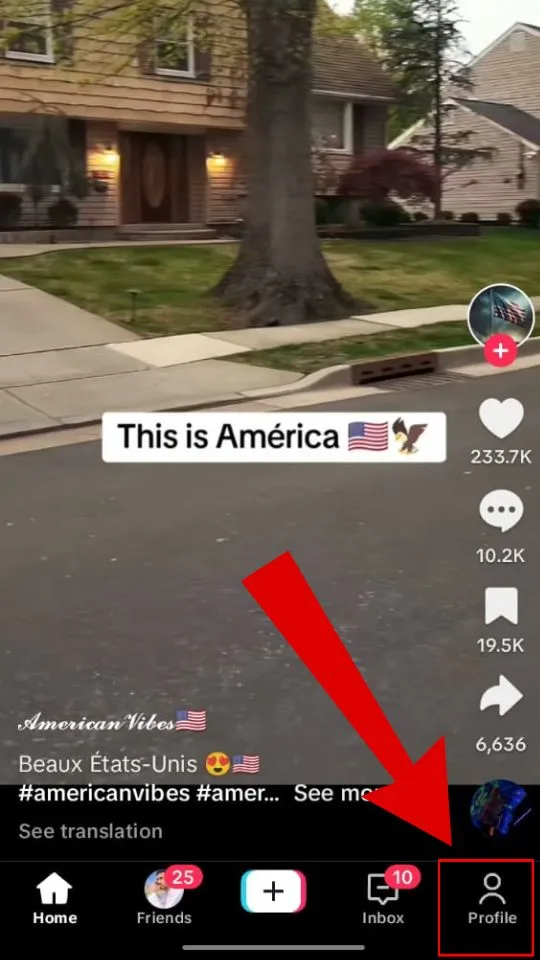
- Open the playlist of your reposted videos
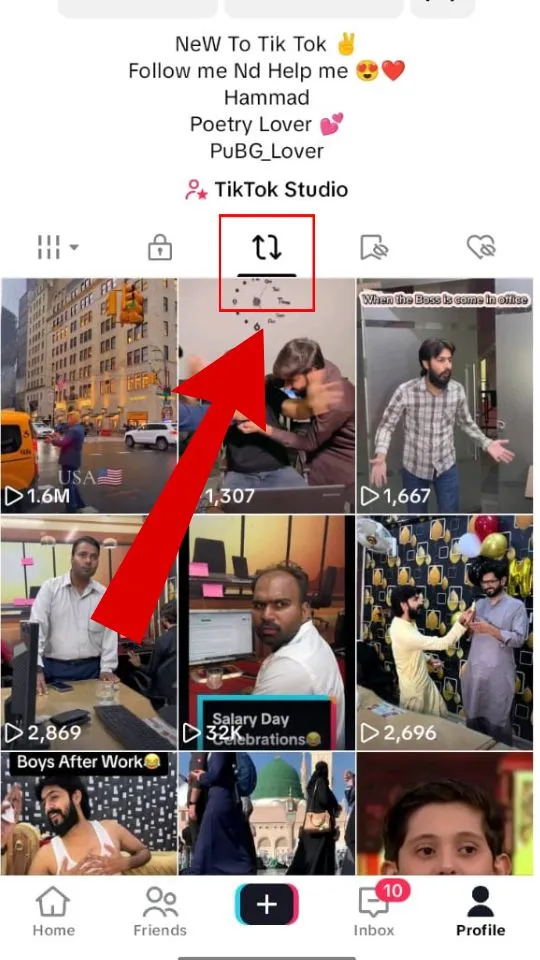
- Select the video you want to undo.
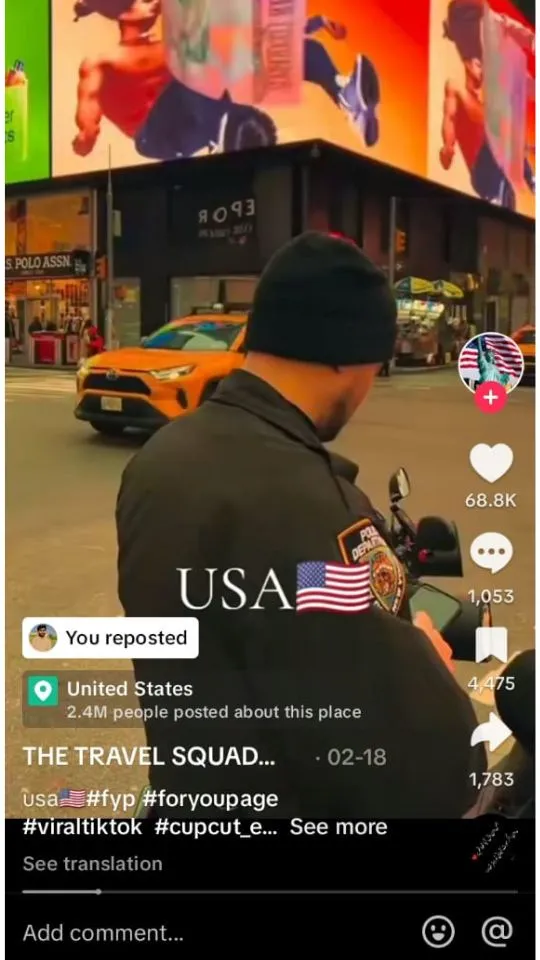
- Tap the Share button.
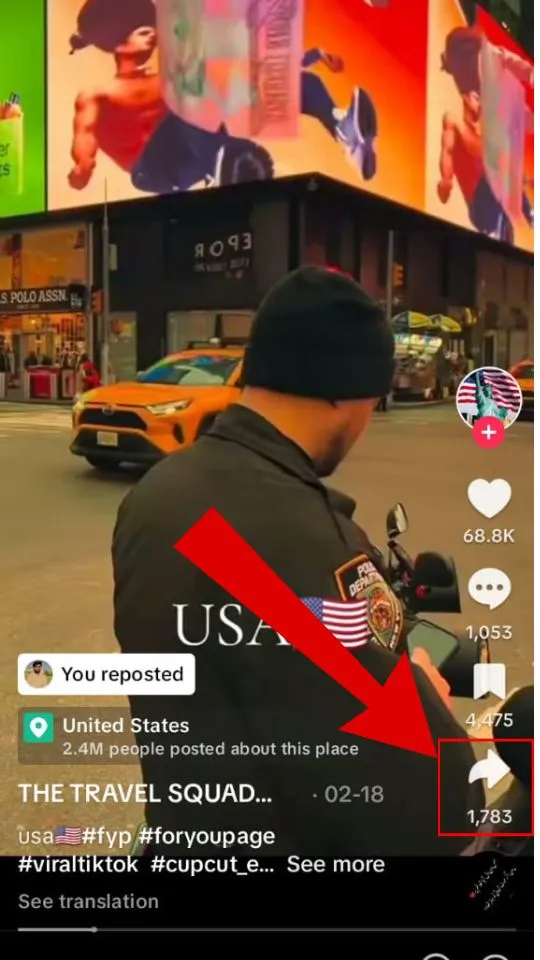
- Click Remove Repost.
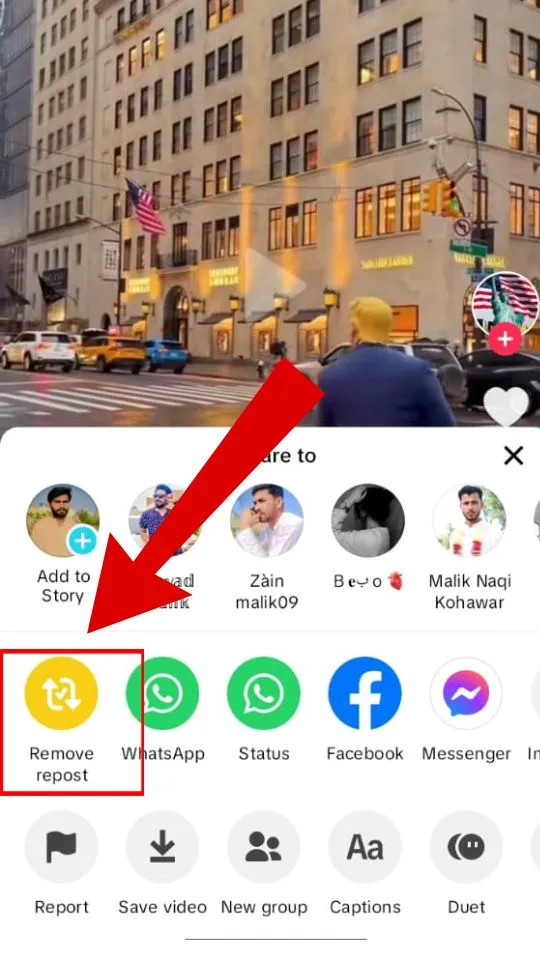
These steps make deleting a repost straightforward.
Keep in mind, the longer a repost stays online, the higher the chances your friends or followers will see it before you delete it.
Possible Reasons to Delete a Repost on TikTok
Start creating Verdict in seconds, and convert more of your visitors into leads.
Since reposting is a useful content interaction feature of TikTok, there might be many reasons you want to repost or share TikTok videos with your followers, but here are some that make you un-repost on TikTok:
Unintentional Share
You may have found a video exciting—funny or serious—and accidentally reposted it while scrolling quickly.
Inappropriate Content
Sometimes a reposted video doesn’t align with your personal or brand image, or it violates community guidelines with offensive language or content.
Incomplete Content
TikTok videos are short-form, and you may have reposted a clip that misses important parts of the original content.
Copyright Video
TikTok protects original creators. Before reposting, ensure you understand video, music, and content ownership & privacy settings.
Take Charge of Your TikTok Content Today
Start creating Verdict in seconds, and convert more of your visitors into leads.
Deleting a repost on TikTok is simple once you know the steps. From accidental shares to content that doesn’t fit your brand, taking control keeps your profile clean and professional.
Managing reposts wisely helps you stay aligned with the TikTok algorithm, ensuring your content gets maximum visibility and engagement.
Personally, I always double-check before reposting now—it saves time and avoids unnecessary mistakes. Follow this guide to manage your TikTok content with confidence and grow your social media profile.
FAQ’S
Start creating Verdict in seconds, and convert more of your visitors into leads.
Can I delete a repost from someone else’s video?
No, you cannot delete a repost if it’s from someone else’s video. You can only delete reposts of videos you have shared from your own account.
How to Find Reposted Videos on TikTok
Open your profile on the TikTok App. Click on the two arrow signs, and you will find all your reposted videos on TikTok.
What happens when I delete a repost?
When you delete a repost, it removes the video from your profile and your followers’ feeds. The original video will still remain on the creator’s profile.
Are there third-party apps to remove multiple reposts at once?
Yes, some apps claim to do this, but TikTok does not officially support them. Use such tools cautiously to protect your account.
Will the original creator know if I delete my repost?
No, the original creator will not be notified if you delete your repost of their video.
Should I delete and repost a TikTok?
Yes, but only if you genuinely want to share it again; deleting and reposting does not improve visibility and may confuse your followers.
Can I recover a deleted repost?
No, once you delete a repost, it cannot be recovered. You would need to repost the original video again if you change your mind.
What if I want to delete multiple reposts at once?
You will need to delete each repost individually, as TikTok does not currently offer a bulk delete option.