Why Router Security and Browser Privacy Aren’t the Same
Router security protects the local network, while browser privacy controls focus on information exposed to websites and online services.

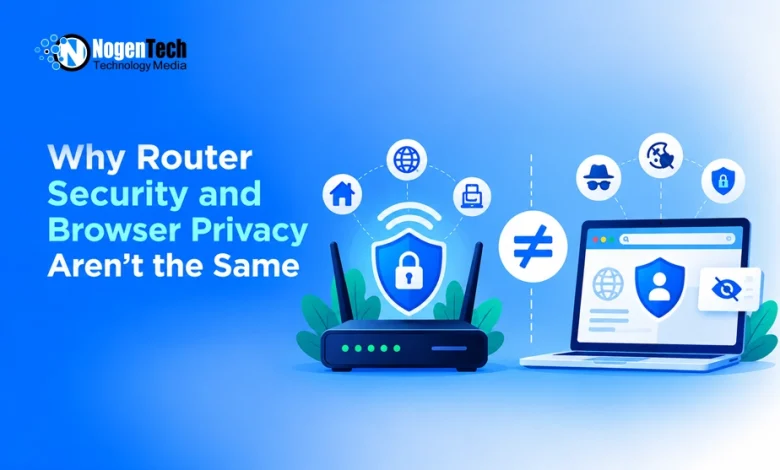
A secure router and a private browser connection serve different purposes. Upgrading an old router or enabling stronger Wi-Fi encryption can improve home network security, but it doesn’t prevent websites from collecting information about a browser or its internet connection.
Router security protects the local wireless network, while browser privacy focuses on the information exposed during online activity. A WebRTC leak test from IPDrop can help identify browser-visible connection details, but it doesn’t measure Wi-Fi encryption strength or verify network trustworthiness.
This guide explains the differences between router security and browser privacy, what each protects, and how to check both separately.
How Router Security and Browser Privacy Work Differently
Router security protects the local network, including wireless connections between devices and the access point. Browser privacy concerns the information websites can collect during online activity.
WPA2 and WPA3 encryption protect wireless communication, but websites can still receive public IP addresses, browser details, and requests.
Similarly, HTTPS encrypts communication between browsers and websites but does not indicate whether router firmware is updated or browser extensions have appropriate permissions.
How to Check Browser Connection Privacy
Browser connection checks begin with identifying the public IP address visible during an ordinary web request. With a direct connection, the destination generally sees the internet connection’s public address. When that request passes through a VPN, it generally sees the VPN exit server’s address instead. A browser proxy can carry supported requests while other traffic follows different routes.
Comparing these addresses helps identify unexpected routing differences. However, an IP address check alone cannot confirm complete privacy or anonymity. Public IP addresses and screenshots containing connection details should not be shared unnecessarily.
What a WebRTC Leak Test Reveals
WebRTC (Web Real-Time Communication) enables real-time audio, video, and peer-to-peer connections in browsers. During connection setup, it gathers possible network paths that may expose connection details.
A WebRTC leak test reports the connection candidates or address details exposed to its test page under the current browser configuration. Compare that observation with the public address shown for an ordinary web request, without treating the candidate list as a record of an actual call’s chosen route.
A public IP address is internet-facing, while a private address is used within a local network. Some browsers use an mDNS hostname to avoid exposing a local address directly. A relay candidate represents a possible connection through an intermediary server; its presence does not establish that it was selected. These observations have different meanings. A private address or mDNS hostname alone does not prove that a VPN has exposed the user’s public ISP address.
WebRTC tests can identify unexpected connection details, but unavailable results do not guarantee complete privacy. They also cannot assess router encryption or network security.
Why Browser Proxies and System VPNs Are Different
Browser proxies and system VPNs can change how internet traffic reaches websites, but their coverage differs.
A browser proxy typically handles supported browser traffic, while a system VPN generally routes traffic through an operating-system-level connection, depending on its configuration.
The IETF’s WebRTC address-handling guidance addresses how browsers manage network addresses during real-time communication, including VPN and proxy considerations.
Some browser proxy configurations may allow WebRTC traffic to follow a different route from ordinary web requests. However, this does not mean every proxy exposes an unwanted IP address.
The result depends on browser settings, extension permissions, VPN configuration, and provider support. Changing one setting at a time and repeating the test helps isolate unexpected results.
How to Keep a Router Secure
Router security requires separate checks because browser privacy tests cannot evaluate wireless encryption, firmware, or administrative access.
Install supported firmware updates to address known vulnerabilities, and use WPA3 or appropriately configured WPA2 according to device compatibility. Replace default administrator passwords with strong, unique credentials. Where the router supports it, a separate guest network can keep visitor devices away from the main network. Review connected devices and investigate unfamiliar entries before removing access.
A modem and router serve different functions. The modem connects the home network to the internet service, while the router directs traffic between devices and networks.
These measures strengthen local network security but do not prevent websites from receiving browser information.
What Router Security and Browser Privacy Tests Prove
Router security checks assess local network protection, while browser privacy tests examine connection details visible during browsing.
Matching public addresses in WebRTC and ordinary browsing results show only that those particular observations agree at the time of testing. Gathering a connection candidate is not the same as selecting a candidate pair for an actual call. Matching results therefore do not prove which media path a later call will use, or protect every application and future connection.
Unexpected results may require reviewing browser settings, VPN or proxy coverage, and provider documentation.
Router security protects the local network, while browser privacy measures address information exposed through internet connections. Both require separate configuration and testing.