Can Xfinity See My Browsing History? How to Keep It Private
Wondering whether Xfinity, your WiFi owner, or someone managing your account can see what you search? Technically Yes, but here's what they can actually access and how to protect your privacy.

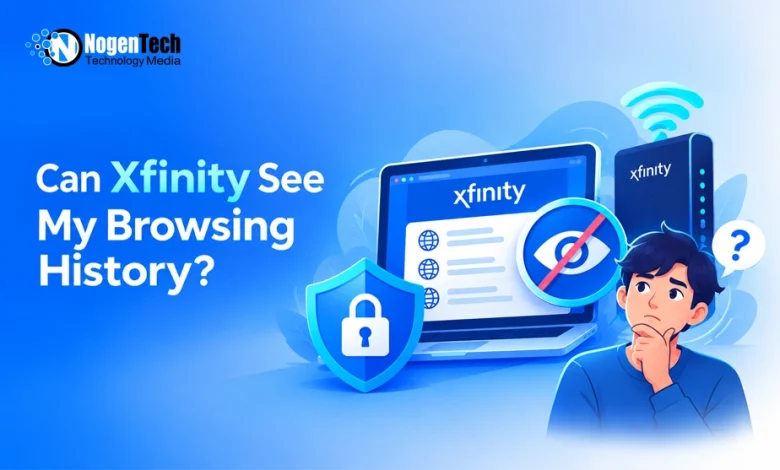
Xfinity can technically observe some information about your internet connections, but that doesn’t mean it keeps a complete list of every website you visit. Comcast says it does not track customers’ browsing activity to build profiles or sell their browsing information.
The situation is different when someone else manages your home WiFi. Although the Xfinity app doesn’t normally display your complete browsing history, certain security alerts and Family Settings can reveal limited information about online activity.
The answer depends on who’s monitoring the connection, which privacy settings you’re using, and whether tools like a free VPN are part of your setup.
Can Xfinity See What Websites You Visit?
As your internet service provider (ISP), Xfinity carries the traffic between your home network and the internet. That gives it technical visibility into connection information, such as IP addresses and potentially website domains.
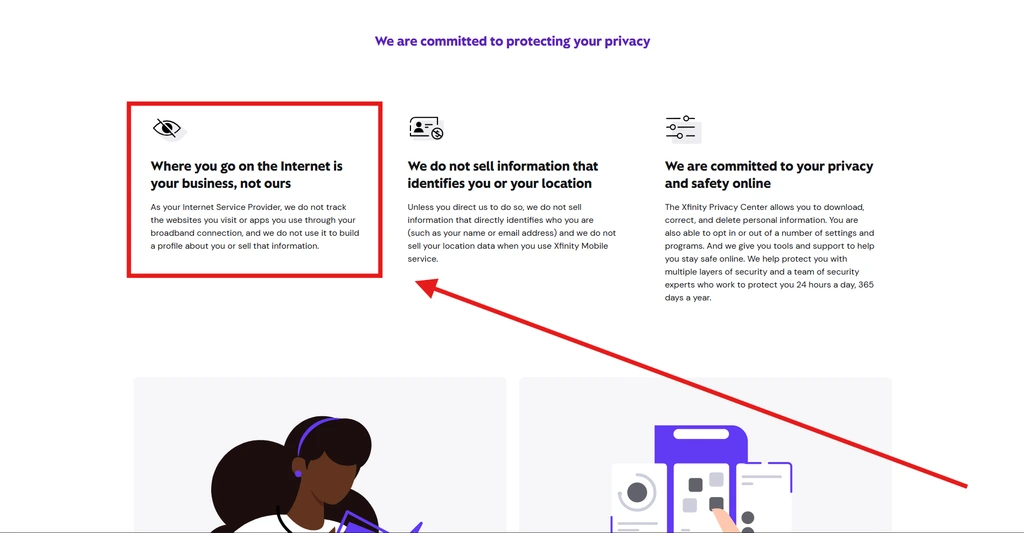
However, Xfinity says it does not track the websites you visit or apps you use through its broadband service to build a profile about you or sell that information.
You can read more about this commitment in the official Xfinity Privacy Center.
There’s also an important difference between visiting an encrypted and an unencrypted website. With HTTPS, your connection protects details such as the specific pages you open, search terms, passwords, and information you enter into forms.
An ISP may still be able to identify the website or service you’re connecting to through available network information.
So, while Xfinity provides your internet connection, it doesn’t automatically have access to everything you read, search, or type online.
Can the Xfinity Account Holder See Your Browsing History?
Not as a complete browsing-history list in the standard Xfinity app. Someone who manages your Xfinity account can see connected devices and use available network management features, but that doesn’t give them direct access to every website you’ve visited.
For example, a parent, roommate, or other account manager may be able to:
- See which devices are connected to the home network.
- Review screen time and supported app or site activity when eligible Family Settings are enabled.
- Pause WiFi access or apply parental controls.
- View security alerts when CyberSecure detects suspicious activity.
Xfinity’s newer Family Settings documentation explains that screen time details can include supported apps and sites, depending on the device, settings, and feature availability.
That means an account holder may learn something about your online activity without seeing your full browser history.
What About a Different Router?
If the WiFi owner uses a separate router, custom DNS service, or network monitoring software, they may be able to record more information than the standard Xfinity app provides.
That’s why you shouldn’t assume that using Xfinity internet makes your browsing private from everyone who controls the network.
Does Xfinity itself Keep a Record of Your Browsing History?
Xfinity’s official support representatives have explained that its standard Gateway doesn’t maintain a complete browsing-history list that customers can open and review.
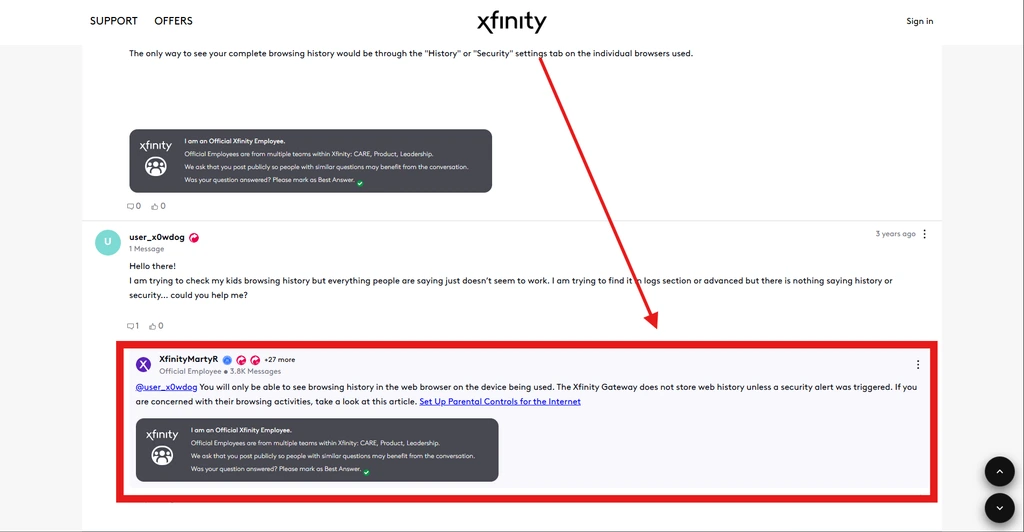
However, websites associated with security alerts may appear in the security dashboard.
Xfinity’s privacy policy also states that the company collects certain personal and technical information, including device identifiers and IP addresses, to provide services, maintain security, and meet applicable legal requirements.
How long does Xfinity keep browsing history? Its published privacy policy does not establish one universal retention period for a complete personal browsing-history log. Retention varies by information type and applicable business or legal requirements.
So, claims that Xfinity stores everyone’s browsing history for exactly 90 days or six months shouldn’t be treated as confirmed.
Can Xfinity See Your Browsing History in Incognito Mode?
Incognito mode doesn’t hide your network activity from Xfinity or the WiFi owner.
Chrome Incognito, Safari Private Browsing, and similar modes mainly prevent the browser from saving your browsing history locally after the private session ends.
They don’t encrypt your entire internet connection or stop the network from seeing available connection information.
For example, someone checking your computer later might not find those websites in your browser history. But the network you used may still have access to domain information or other connection metadata.
Incognito is useful for privacy on a shared device, but it’s not a substitute for network-level privacy tools.
How to Keep Your Browsing History Private on Xfinity
You don’t need to change your internet provider to improve your browsing privacy. A few settings and tools can reduce how much information others can see.
1. Use a Trusted VPN
A virtual private network (VPN) encrypts your traffic between your device and the VPN server.
This makes it harder for Xfinity or someone managing your WiFi network to identify the websites you visit through ordinary network monitoring. They can generally still see that you’re connected to a VPN and how much data you’re transferring.
However, a VPN doesn’t make you completely anonymous. The VPN provider whether it’s a paid or free VPN becomes another party you must trust, and websites can still identify you when you sign in.
2. Browse Using HTTPS
HTTPS encrypts the information exchanged between your browser and a website.
Most major websites already use HTTPS, but it’s worth enabling your browser’s HTTPS-Only or Always Use Secure Connections setting where available.
This helps protect sensitive information such as passwords, messages, and form entries, although it doesn’t necessarily conceal which website you’re visiting.
3. Use Encrypted DNS
Encrypted DNS helps prevent ordinary DNS requests from being read by others on the network. Browsers and operating systems increasingly offer this option through their privacy or security settings.
Keep in mind that encrypted DNS alone doesn’t hide all website-identifying information, and it may affect network filtering or parental controls.
4. Review Your Xfinity Privacy Settings
Xfinity allows customers to manage certain data-sharing and advertising preferences through its Privacy Center. To review them:
- Visit the Xfinity Privacy Center.
- Open Your Privacy Choices.
- Select the account-holder privacy options and sign in.
- Review available audience measurement, advertising, and information-sharing preferences.
- Turn off any optional settings you don’t want enabled.
These settings help control certain uses of your personal information. They don’t erase all technical data associated with providing your internet service.
5. Manage Browser History and Account Activity
Clearing your browser history removes locally saved records, but it doesn’t delete information that websites, search engines, or network services may already hold.
For additional privacy, review your Microsoft or Google account activity, browser synchronization settings, and saved search history.
If someone else has access to your device or browser account, securing those accounts is just as important as protecting the network connection.
Does Xfinity Advanced Security Track Your Browsing?
Xfinity Advanced Security, now called CyberSecure, is designed to identify and block suspicious network activity.
It can generate alerts for dangerous websites or connections, which may reveal limited details about a blocked destination to someone managing the account.
However, that doesn’t mean CyberSecure provides a searchable history of every website you’ve visited.
Can You Delete Your Browsing History From Xfinity?
There isn’t a standard Xfinity app feature that lets customers open and delete a complete list of previously visited websites, because the app doesn’t provide that type of browser-history record.
You can delete history stored in your browser, manage certain personal information through the Xfinity Privacy Center, and review available privacy preferences.
However, clearing browser history or disabling CyberSecure doesn’t necessarily erase information retained elsewhere for account, security, or legal purposes.
If you want to request access to or deletion of eligible personal information, Xfinity provides privacy request options through its Privacy Center.
Final Thoughts: Your Browsing Isn't Fully Visible, but It Isn't Fully Private Either
Xfinity doesn’t give account holders a complete browsing-history report through its standard app, and Comcast says it doesn’t track broadband browsing to create profiles or sell that information.
Still, your activity isn’t completely invisible. Network administrators may see connection details, Xfinity Family Settings can show supported activity information, and CyberSecure may report suspicious websites.
For better privacy, use HTTPS, consider a trustworthy VPN, review your Xfinity privacy preferences, and secure the accounts and devices you use to browse.