After more than 10 years as a content writer working with NogenTech team, startups, agencies, and growing businesses, I’ve noticed one pattern again and again: most people are not struggling because they lack motivation; they’re struggling because they’re using the wrong tools or simply too many of them.
In 2026, productivity looks very different from just a few years ago. AI assistants, automation platforms, and remote workflows are now part of everyday work. The challenge is no longer just getting tasks done. It is staying focused, managing priorities, and avoiding constant digital overwhelm.
I’ve tested dozens of productivity apps during my career. Some promised big results but only added more complexity, while others quietly made work faster, smoother, and easier to manage. The real difference is simple: the best tools do not just help you do more, they help you focus on what matters most.
In this guide, I’ve listed the best productivity apps in 2026 based on real-world usability, efficiency, and long-term value, so you can choose tools that actually improve the way you work.
What Are Productivity Apps?
Start creating Verdict in seconds, and convert more of your visitors into leads.
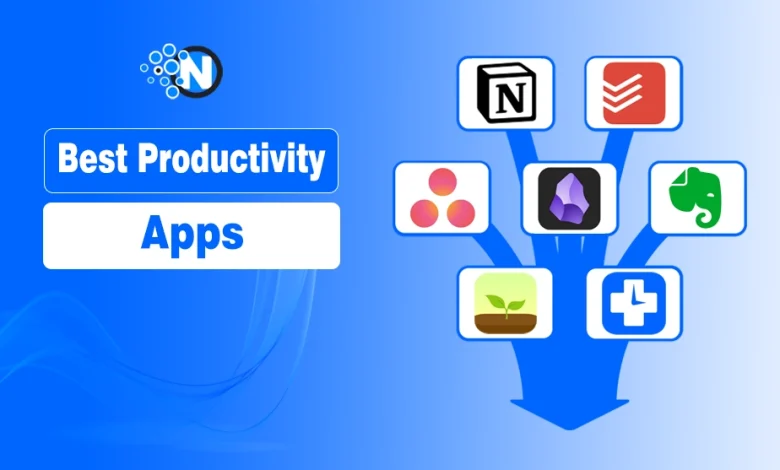
Productivity apps are tools designed to help individuals and teams manage tasks, organize information, track time, and streamline workflows.
Modern apps go beyond simple task lists; they now include AI-powered automation, collaboration tools, and real-time analytics.
These tools help individuals & teams manage tasks, workflows, and big projects by providing them with a large range of functionalities, such as planning, management, tracking, note-taking, scheduling, and communication.
Best Productivity Apps
Start creating Verdict in seconds, and convert more of your visitors into leads.
Notion is one of the most versatile productivity tools available today. It combines note-taking, task management, databases, and collaboration into a single customizable workspace. In 2026, its AI capabilities make it even more powerful by helping users write content, summarize notes, and automate workflows.
Best for: Professionals, startups, and content teams who want a centralized productivity system.
Key Features
- All-in-one workspace (notes, tasks, databases)
- AI writing and summarization tools
- Templates for projects, CRM, content planning
- Real-time collaboration
- Cross-platform syncing
| Pros | Cons |
|---|---|
| Highly customizable for any workflow | Learning curve for beginners |
| Replaces multiple tools in one platform | Can become complex if over-customized |
| Strong AI integration | Performance may slow with large databases |
| Great for individuals and teams |
Todoist is a simple yet powerful task management app that helps users organize tasks, set priorities, and track progress. Its clean interface and fast performance make it a favorite for individuals who want a distraction-free productivity tool.
Best for: Individuals and freelancers who need simple and effective task management.
Key Features
- Natural language task input
- Priority levels and labels
- Recurring tasks and reminders
- Cross-platform syncing
- AI-based task suggestions
| Pros | Cons |
|---|---|
| Easy to use and lightweight | Limited advanced project management features |
| Fast and responsive | Not ideal for large teams |
| Great for daily task tracking | Customization is limited compared to Notion |
| Strong mobile experience |
Asana is a powerful project management tool designed for teams. It helps businesses organize tasks, assign responsibilities, and track project progress efficiently. It improves communication, boosts productivity, and helps teams deliver projects on time.
Best for: Teams and businesses managing complex projects and workflows.
Key Features
- Task assignment and tracking
- Project timelines and boards
- Workflow automation
- Team collaboration tools
- Reporting dashboards
| Pros | Cons |
|---|---|
| Excellent for managing team workflows | Can feel overwhelming for new users |
| Strong visualization tools (Kanban, timelines) | Premium features are expensive |
| Scalable for large organizations | Not ideal for solo users |
| Integrates with many tools |
Obsidian is a powerful note-taking and knowledge management tool that helps users build a “second brain.” It uses a unique linking system to connect ideas and create a network of knowledge. This approach transforms simple notes into an interconnected knowledge graph, making it easier to organize information, discover insights, and enhance long-term learning.
Best for: Writers, researchers, and decision makers.
Key Features
- Local storage (privacy-focused)
- Bi-directional linking
- Graph view for visualizing ideas
- Markdown support
- Plugin ecosystem
| Pros | Cons |
|---|---|
| Excellent for deep thinking and research | Steep learning curve |
| Highly customizable | Not beginner-friendly |
| Works offline | Requires setup and organization |
| Strong privacy control |
Evernote remains a reliable tool for capturing and organizing notes, documents, and ideas. It is ideal for users who want a structured and easy-to-use note-taking system. With its structured and easy-to-use system, Evernote makes it simple to organize information, sync across devices, and stay productive whether you’re a student, professional, or business team.
Best for: Students, teams and professionals who need simple note organization.
Key Features
- Note organization with notebooks
- Web clipping tool
- Document scanning
- Cross-device syncing
- Search functionality
| Pros | Cons |
|---|---|
| Easy to use | Limited customization |
| Great for organizing information | Free plan restrictions |
| Strong search capabilities | Not as powerful as newer tools |
| Good for everyday note-taking |

Forest is a unique productivity app that uses gamification to help users stay focused. Planting virtual trees while working encourages users to avoid distractions. This creative approach turns focus sessions into a rewarding experience, motivating individuals to build better habits and achieve their goals.
Best for: People struggling with distractions.
Key Features
- Focus timer
- Gamified productivity system
- Progress tracking
- Custom sessions
- Motivation through rewards
| Pros | Cons |
|---|---|
| Fun and engaging | Limited features beyond focus |
| Helps reduce phone usage | Not suitable for complex workflows |
| Simple and effective | Gamification may not work for everyone |
| Great for students |
RescueTime automatically tracks how you spend your time on digital devices and provides insights into your productivity habits. It provides detailed insights into your daily habits, highlighting where your attention goes and identifying opportunities to improve focus, reduce distractions, and boost efficiency.
Best for: Professionals who want to optimize time management.
Key Features
- Automatic time tracking
- Productivity reports
- Focus sessions
- Goal setting
- Alerts for distractions
| Pros | Cons |
|---|---|
| Detailed insights into time usage | Requires time to interpret data |
| Helps identify productivity leaks | Can feel intrusive |
| Runs in the background | Limited collaboration features |
| Great for self-improvement |
ChatGPT is one of the most powerful AI tools for productivity. It helps with writing, brainstorming, coding, planning, and automating several tasks. By streamlining workflows and generating creative ideas, it helps professionals, teams and businesses save time, boost efficiency, and achieve better results.
Best for: Professionals who want to optimize time management.
Best for: Anyone looking to boost productivity with AI.
Key Features
- Content generation and editing
- Idea brainstorming
- Task planning
- Coding assistance
- Data analysis
| Pros | Cons |
|---|---|
| Saves time on repetitive tasks | Requires good prompts for best results |
| Improves creativity and output | May produce inaccurate outputs |
| Constantly improving | Not a full workflow system |
| Extremely versatile |
Microsoft 365 Copilot integrates AI directly into Microsoft apps like Word, Excel, and Outlook, helping users automate everyday work tasks. It assists with drafting documents, analyzing data, managing emails, and creating presentations, turning routine workflows into faster, smarter, and more efficient processes.
Best for: Corporate users and teams, especially working on Windows and Microsoft 365 apps.
Key Features
- AI-generated documents
- Spreadsheet analysis
- Email drafting
- Workflow automation
- Integration with Microsoft ecosystem
| Pros | Cons |
|---|---|
| Seamless integration with Office tools | Requires Microsoft subscription |
| Saves time on repetitive tasks | Limited outside Microsoft ecosystem |
| Strong enterprise features | Learning curve for advanced features |
| Improves workplace efficiency |
Productivity Apps Comparison Table
Start creating Verdict in seconds, and convert more of your visitors into leads.
Below is a quick comparison table of productivity apps
| App | Best For | Complexity | AI Features |
|---|---|---|---|
| Notion | All-in-one | Medium | Strong |
| Todoist | Tasks management | Low | Moderate |
| Asana | Teams | High | Moderate |
| Obsidian | Knowledge | High | Limited |
| Evernote | Notes taking | Low | Limited |
| Forest | Focus | Low | None |
| RescueTime | Time tracking | Medium | Moderate |
| ChatGPT | AI productivity | Low | Very Strong |
| Microsoft Copilot | Office work | Medium | Very Strong |
How to Choose the Right Productivity App
Start creating Verdict in seconds, and convert more of your visitors into leads.
Choosing a productivity app isn’t about picking the most popular tool; it’s about finding the one that fits your workflow, reduces friction, and actually gets used daily.
Here’s a smarter way to decide:
- Choose Notion if you want a centralized system for notes, tasks, databases, and content planning, all in one place
- Choose Todoist if you prefer simple, fast task tracking without unnecessary complexity
- Choose Asana if you’re working with a team and need structured workflows, task assignments, and collaboration
- Choose ChatGPT or Microsoft 365 Copilot if your goal is to automate content writing, planning, and repetitive tasks using AI
Before you commit, ask yourself:
- Do I need simplicity or flexibility?
- Am I working solo or with a team?
- Do I want AI assistance or manual control?
The real key isn’t stacking multiple apps; it’s choosing one or two tools that complement each other and using them consistently. That’s where real productivity gains happen.
Boost Productivity with the Right Apps
Start creating Verdict in seconds, and convert more of your visitors into leads.
Productivity isn’t about finding the “perfect app”; it’s about building a system you can stick to.
The tools listed in this guide are powerful, but their real value depends on how you use them. I’ve seen people become overwhelmed by using five different apps for tasks, notes, and planning, when in reality, one or two well-chosen tools would have done the job better.
In 2026, with AI becoming a core part of our workflows, productivity is shifting from manual effort to intelligent assistance. The smartest professionals aren’t the busiest; they’re the ones who know how to leverage tools to eliminate unnecessary work.
FAQs
Start creating Verdict in seconds, and convert more of your visitors into leads.
What is the best productivity app in 2026?
Notion is widely considered the best all-in-one productivity app, while ChatGPT is the best AI productivity assistant.
Are productivity apps worth it?
Yes, they help improve organization, reduce stress, and increase efficiency.
Which productivity app is best for teams?
Asana is one of the best apps for team collaboration and project management.
Is Canva a productivity tool?
Canva is a high-quality graphic designing tool that can help you generate creative visuals to elaborate on your projects.
Are productivity apps useful?
Productivity apps are highly useful when it comes to managing and automating bigger tasks to save time and effort.
Are Productivity Apps Free?
While some best productivity apps offer their free versions, you must purchase a subscription to enjoy optimal advantages with their premium features.