There’s always that one moment on TikTok when scrolling stops being fun.
Maybe someone keeps leaving uncomfortable comments, sending unwanted messages, or just popping up when you’d rather not see them for a secure browsing experience.
I’ve been there, wondering whether blocking someone was the right move and, more importantly, how to do it without messing up my account settings.
TikTok gives you full control over who can interact with you, but the steps aren’t always obvious, especially after frequent app updates. Whether you’re trying to block someone, delete TikTok videos, stories or reposts, or manage your content, knowing the right steps matters.
In this guide, I’ll walk you through the exact, up-to-date steps to block someone on TikTok and explain what actually happens once you do.
NOTE: If you’re new to the platform and still learning the basics, you may want to explore this complete TikTok guide first.
How to Block Someone on the TikTok App?
Start creating Verdict in seconds, and convert more of your visitors into leads.
TikTok has become hugely popular due to its global accessibility and cross-platform usability. You can use it on smartphones, iOS and Android, as well as on laptops and PCs.
The steps below will help you block someone on TikTok you don’t follow.
- Update your TikTok app via the App Store (iOS) or Play Store (Android).
- Launch the app and log in to your account.
- Tap the Home icon at the bottom-left corner of the screen.
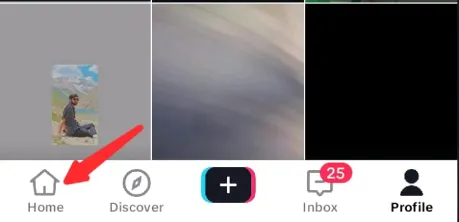
- Scroll through videos to find the profile you want to block. If you follow them, you can also use your following feed to locate them faster.
- Tap the profile picture on the right sidebar to open their profile.

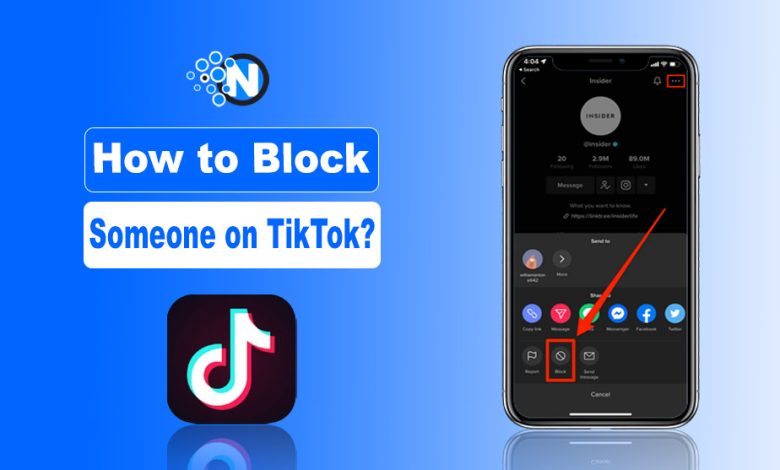
- Tap the arrow button at the top-right of the profile page.
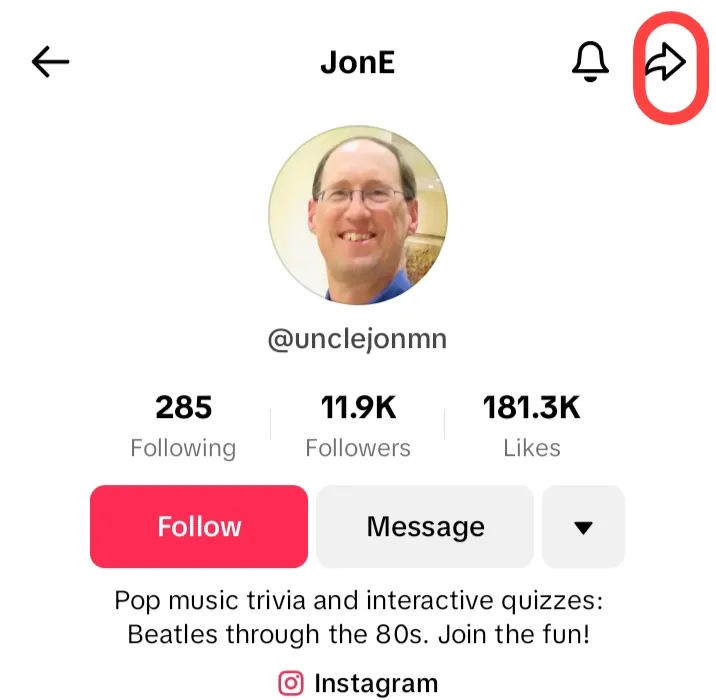
- In the pop-up menu, select Block and confirm.
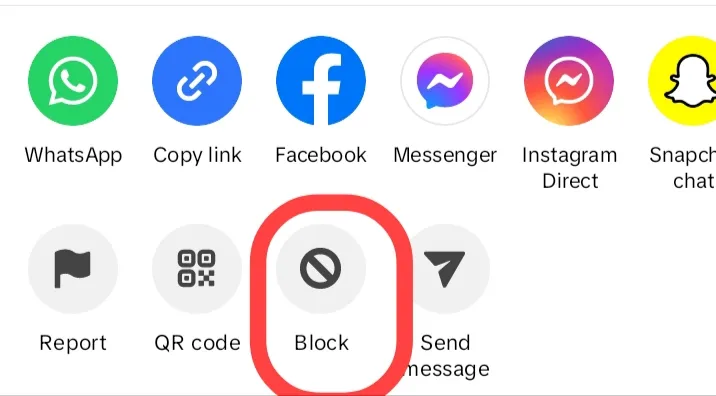
👉 Pro Tip: You can also use TikTok’s search bar to locate the profiles you want to block. Tap Discover from the bottom, hit the search bar at the top, find the user, and follow the steps above.
How to Block Someone on the TikTok Website?
Start creating Verdict in seconds, and convert more of your visitors into leads.
You can also block TikTok accounts directly from your web using these steps:
- Visit the official TikTok website and log in.
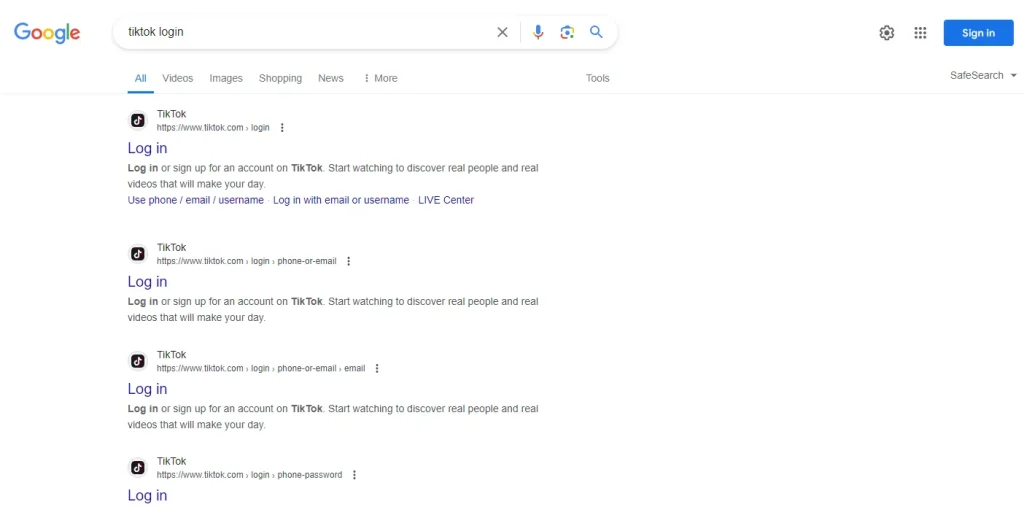
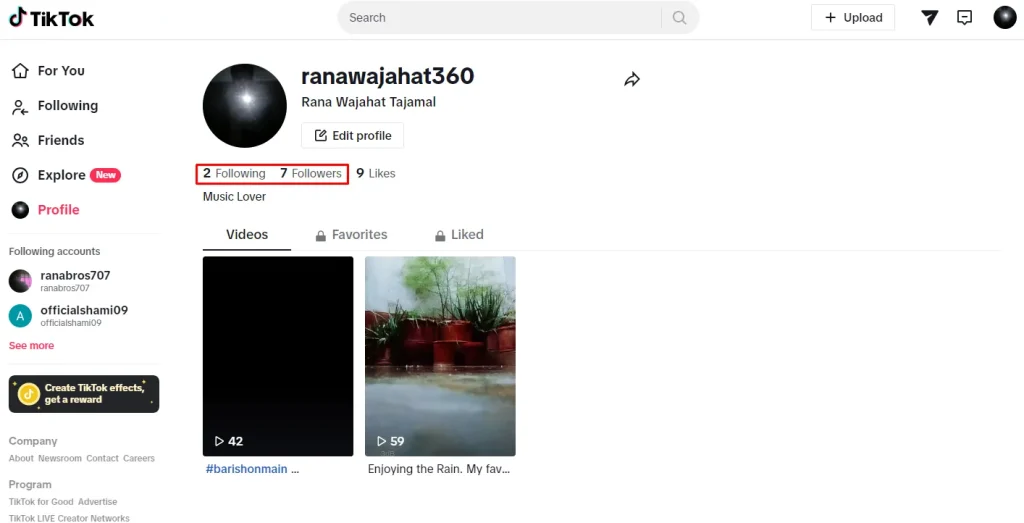
- Click your profile picture in the left sidebar.
- Locate the users you want to block from your followers or following list.
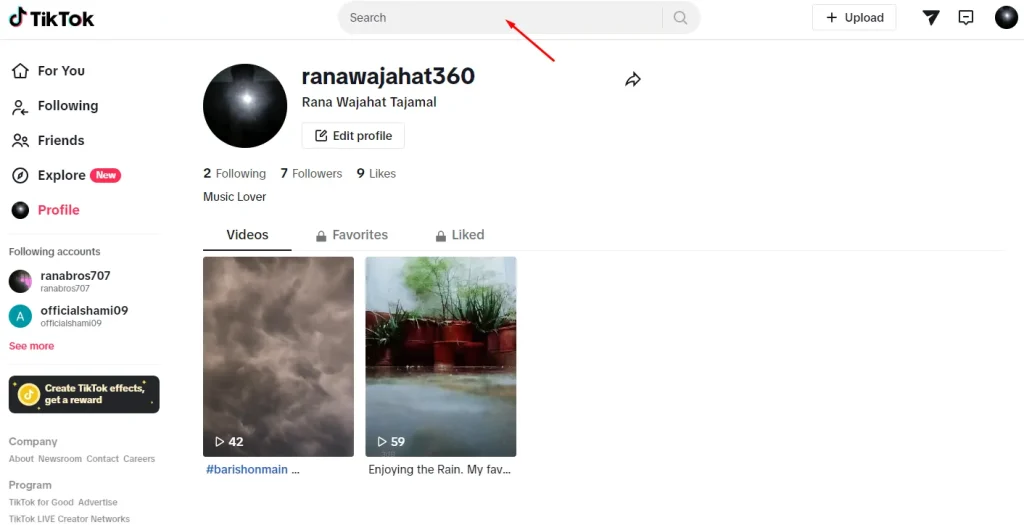
- Alternatively, use the search bar to find the profile directly.
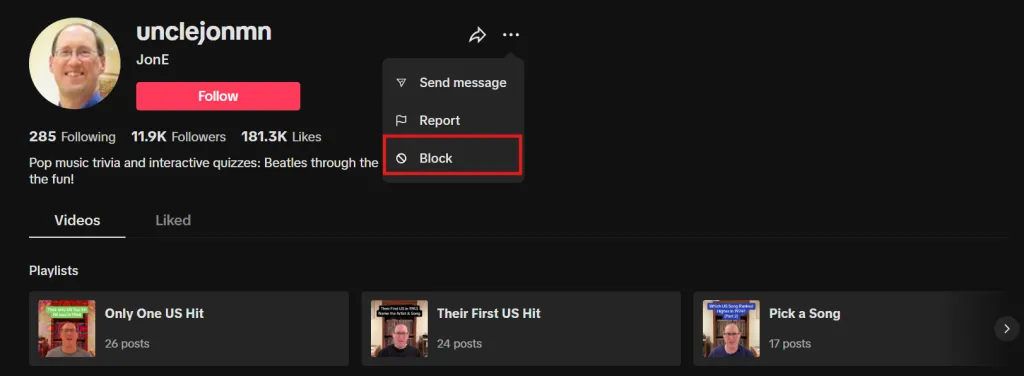
- On the user’s profile, click the three dots next to their username.
- Select Block from the drop-down menu.
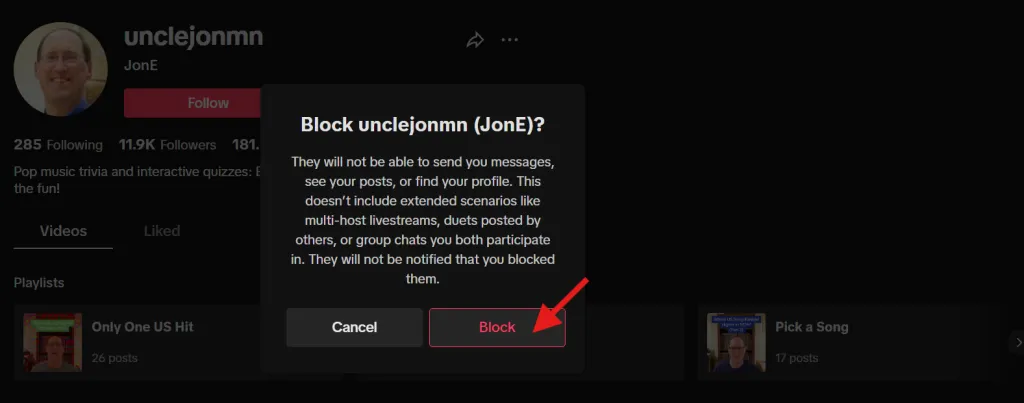
- Confirm in the pop-up to permanently block the profile.
What Happens When You Block Someone?
Start creating Verdict in seconds, and convert more of your visitors into leads.
Blocking someone on TikTok is just one part of protecting your account; adjusting your TikTok privacy settings gives you more control over who can comment, duet, or message you.
When you block a profile:
- They cannot view your content or videos on your profile.
- They cannot send you direct messages (DMs).
- They cannot like or comment on your videos.
- They cannot follow your account or interact with your profile in any other way.
Importantly, TikTok does not notify users when they are blocked. However, they may notice when visiting your profile if your videos are no longer visible.
Take Control of Your TikTok Experience Today
Start creating Verdict in seconds, and convert more of your visitors into leads.
Blocking people on social media platforms like TikTok isn’t just about stopping unwanted messages; it’s about taking control of your experience. Blocking users is one of the best safety features of TikTok app.
From personal experience, I’ve found that managing who can interact with me makes scrolling more enjoyable and stress-free. Follow the steps in this guide, and you’ll feel safer, more in control, and free to enjoy TikTok on your own terms.
After blocking that annoying profile from your profile, you may also want to read about:
- What is the best time for you to post on TikTok?
- How can you get more likes, views and followers on TikTok?
People Also Ask
Start creating Verdict in seconds, and convert more of your visitors into leads.
How do you block someone on TikTok when there are no three dots?
If you don’t see three dots, you can still approach the arrow button. Clicking on it will also help you find the block button on TikTok.
When you block someone on TikTok, what can they see?
The user you have blocked may get the notification that you have viewed their profile.
How do you block someone on a TikTok 2026 iPhone?
Just approach the profile and click on the share button at the top right corner. Tap the block button and follow the confirmatory pop-ups.
Can you block someone from messaging you on TikTok?
Blocking someone on TikTok will also prevent them from sending you direct messages on TikTok.
Can I block someone I don’t follow?
Yes. Use TikTok’s search bar or Discover page to find their profile, then follow the usual blocking steps.
Can I block a follower?
Yes absolutely. TikTok allows you to block anyone, including your followers, without notifying them.
What happens if I block someone during a live session?
Blocking a live session immediately prevents the user from interacting with you, sending messages, or commenting, even if they’re watching your live.
Why can’t I block someone on TikTok?
You can’t block someone on TikTok if you’re:
- The app is outdated.
- Profile is restricted.
- Temporary glitch.
Updating the app and trying again usually fixes it.