How-To Guides
Follow easy, step-by-step how-to guides and tutorials covering technology, software, AI tools, digital marketing, and practical solutions.
-

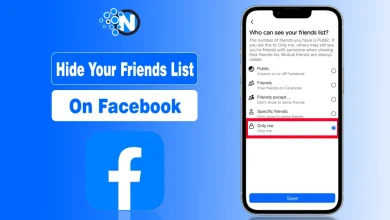
How to Hide Your Facebook Friends List in a Few Simple Steps
You can easily hide your friend list on Facebook by navigating to “settings and privacy” and changing the option under…
Read More » -
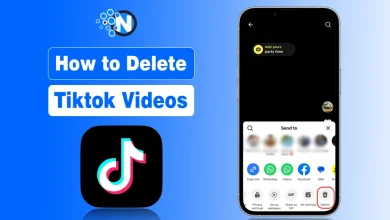
How to Delete TikTok Videos Quickly (iOS, Android, Desktop) 2026
Before deleting anything, understand TikTok algorithm & to delete a video, all you need to do is open the TikTok…
Read More » -
Starting a Blog in 2026: WordPress and Monetization
Key Takeaways A blog is a powerful platform for sharing knowledge, expertise, opinions, and updates through articles, visuals, and videos,…
Read More » -
How to View AirDrop History? (Guide 2026)
AirDrop does not provide a built-in history or log that shows all the files you have sent or received. However,…
Read More » -
How to Use Automation Marketing Tools for Business Growth in 2026
More than 80% of companies are using marketing automation to survive and grow their business through marketing. As an SEO…
Read More » -
10 Gmail Hacks You Didn’t Know About to Enhance Your Productivity
Email can either be a productivity booster or a daily distraction, and for most people, Gmail sits right at the…
Read More » -
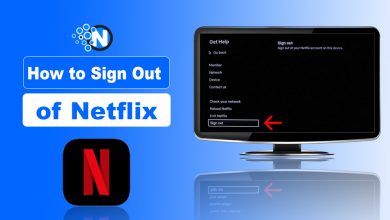
How to Sign Out of Netflix on Your TV? Complete Guide (2026)
Have you ever reviewed the viewing history of your Netflix app to evaluate if this account is available to others?…
Read More » -
Declutter Your Desk: Easy Guide to Logitech Unifying Software
My laptop had a few ports, and shifting between three USB receivers for my Logitech keyboard, mouse, and presentation clicker…
Read More » -
How to Copy or Duplicate a Page in Microsoft Word
Microsoft Word is the most popular standard for documents, but it lacks a duplicate page button. Word functions as a…
Read More » -
How To Cancel LinkedIn Premium on Desktop, Android, and iPhone? (2026 Updated Guide)
I have seen many users struggle with canceling LinkedIn Premium because LinkedIn does not place the cancellation option where you…
Read More » -
Shadowbanned on Reddit? Here’s How I Reclaimed My Subreddit
Being part of Reddit feels like building something real. You post, you moderate, you watch a community slowly come alive.…
Read More » -
How to Change Margins in Google Docs – A Beginner’s Tutorial
If you’ve ever opened a Google Doc and thought, “Why does everything look so cramped?” or “How do I make…
Read More » -
How to Check Word Count on Google Docs (Step‑by‑Step Guide)
Counting words should not disrupt the writing process. However, a number of Google Docs users are left-clicking through the menu…
Read More »