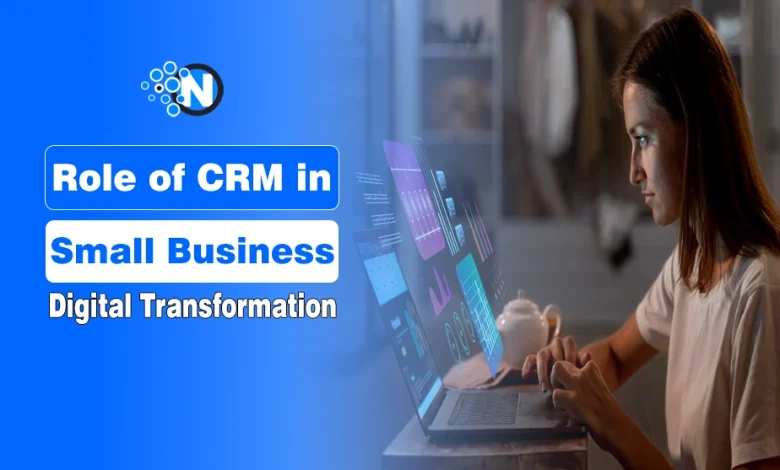
CRM is changing from a system for storing customer information into a platform that can automate work, predict customer behavior, personalize interactions, and connect customer data across sales, marketing, and support.
For businesses, the main concern is no longer just managing customer records. Teams need to reduce manual work, understand customers better, respond faster, and use their data without compromising privacy. The latest CRM software trends are developing around these needs.
| CRM Trend | What It Means for Businesses |
|---|---|
| AI-Powered CRM Automation | Automates repetitive CRM tasks and workflows |
| Generative AI | Creates emails, summaries, and recommendations |
| Predictive Analytics | Forecasts sales, customer behavior, and churn |
| Agentic AI | Performs CRM tasks with less manual involvement |
| Hyper-Personalization | Tailors customer experiences using behavioral data |
| Omnichannel CRM | Connects customer interactions across different channels |
| Mobile-First CRM | Gives teams access to CRM workflows from anywhere |
| Low-Code & No-Code CRM | Makes CRM customization easier without extensive coding |
| CRM & CDP Integration | Brings customer and behavioral data into a more unified view |
| Privacy-First CRM | Strengthens consent, security, and customer data management |
10 CRM Trends Changing How Businesses Work
1. Automation Is Taking Repetitive CRM Work Off Teams
AI-powered automation is reducing the manual work involved in keeping CRM systems updated. Instead of sales and support teams spending time entering data or managing routine follow-ups, CRM platforms can handle many of these tasks automatically.
Common uses include:
- Updating customer records
- Logging emails, calls, and meetings
- Assigning leads to sales representatives
- Scheduling follow-ups and reminders
- Routing customer requests
- Flagging stalled sales opportunities
This shift is already happening across business workflows. Microsoft’s 2025 Work Trend Index found that 46% of leaders said their organizations were using AI agents to fully automate workstreams or business processes, with customer service and marketing among the leading areas for AI investment.
The practical benefit is less time maintaining the CRM and more time working with customers. Automation can also reduce missed follow-ups and incomplete customer records.
2. Generative AI Is Becoming Part of Everyday CRM Workflows
Generative AI is moving directly into CRM workflows rather than being used as a separate writing tool. Sales, marketing, and support teams can use it to create or summarize information using customer data already available in the CRM.
It can help teams:
- Draft personalized sales emails
- Summarize calls and meetings
- Create follow-up messages
- Generate campaign content
- Summarize customer conversations
- Suggest next steps for sales representatives
The important change is that employees can complete these tasks without constantly moving customer information between the CRM and separate AI tools.
3. Predictive Analytics Is Helping Teams Make Smarter Decisions Earlier
Predictive analytics uses historical and current CRM data to estimate what may happen next. Instead of relying only on past reports, teams can use CRM data to identify opportunities and risks earlier.
Businesses can use predictive analytics to:
- Score and prioritize leads
- Forecast sales
- Identify customers at risk of leaving
- Estimate customer lifetime value
- Find patterns in customer behavior
The value comes from knowing where attention is needed before the outcome happens. Sales teams can prioritize stronger opportunities, while customer teams can identify accounts that may need attention.
4. Agentic AI Is Moving CRM Toward Autonomous Workflows
Agentic AI takes CRM automation further by allowing AI agents to complete multi-step tasks with less manual involvement. Unlike generative AI, which mainly creates or summarizes information, an AI agent can act on that information within defined rules.
For example, an agent may qualify a lead, update its CRM record, assign it to the appropriate salesperson, and trigger a follow-up workflow.
Anyhow, businesses still need human oversight, particularly for customer-facing or higher-risk decisions. The trend is toward letting AI handle more routine execution while people remain responsible for judgment and exceptions.
5. Hyper-Personalization Is Making Customer Experiences More Relevant
CRM personalization is moving beyond adding a customer’s name to an email. Modern systems can use purchase history, browsing behavior, previous conversations, preferences, and engagement data to determine what is relevant to an individual customer.
Businesses can use this data to personalize:
- Product recommendations
- Marketing offers
- Sales follow-ups
- Customer support
- Loyalty campaigns
The business case is significant. McKinsey estimates that generative AI could increase marketing productivity by 5% to 15% of total marketing spending, with personalization and content creation among the relevant applications.
The challenge is using customer data responsibly. More personalization requires accurate data, appropriate consent, and controls over how customer information is used.
6. Omnichannel CRM Is Bringing Customer Conversations Together
Customers may contact a business through email, phone, live chat, social media, messaging apps, or other channels. Omnichannel CRM brings those interactions into a connected customer record.
That means a support agent can see a previous email before answering a chat, while a salesperson can understand earlier conversations before contacting the same customer.
For businesses, this reduces fragmented customer records and makes it easier for sales, marketing, and support teams to work from the same context.
7. Mobile CRM Is Keeping Teams Connected From Anywhere
CRM access is no longer limited to employees sitting at a desktop. Mobile CRM allows sales representatives, field teams, and managers to work with customer information while away from the office.
Useful mobile capabilities include:
- Viewing and updating customer records
- Adding notes after meetings
- Managing leads and deals
- Receiving follow-up reminders
- Viewing dashboards
- Accessing customer history before a meeting
This is particularly useful for field sales and distributed teams because CRM records can be updated closer to the actual customer interaction instead of waiting until employees return to their desks.
8. Low-Code CRM Is Making Customization Easier for Teams
Low-code and no-code tools let businesses change CRM workflows without building everything from scratch or relying on developers for every adjustment. Teams can use visual tools to:
- Build custom sales pipelines
- Create approval workflows
- Automate follow-ups
- Add custom fields and forms
- Set workflow triggers
This gives businesses more control over how the CRM fits their processes. However, easier customization can also create unnecessary complexity, so workflows should solve a clear business problem rather than automate processes simply because the tools allow it.
9. CRM and CDP Integration Is Unifying Customer Data
CRM systems mainly contain relationship data such as contacts, deals, conversations, and support history. Customer Data Platforms (CDPs) can add behavioral information from websites, apps, campaigns, and other sources.
Connecting the two can give teams a broader customer view that includes:
- Contact information
- Purchase history
- Website and app activity
- Marketing engagement
- Sales interactions
- Customer support history
This helps reduce data silos and gives sales, marketing, and service teams more consistent information about the same customer.
10. Privacy-First CRM Is Putting Customer Data Protection First
As CRM systems collect more customer information and AI uses more of that data, privacy and data governance become more important. Privacy-focused CRM practices include:
- Managing customer consent
- Controlling employee access to data
- Keeping customer records accurate
- Supporting data access and deletion requests
- Monitoring how AI uses customer information
- Maintaining audit and security controls
Businesses therefore need to evaluate new CRM capabilities based not only on what they can automate, but also on what customer data those features use and who can access it similar to how structured operational transparency frameworks help digital platforms align their data governance and safety operations.
How to Stay Updated on CRM Trends?
Keeping up with CRM trends is easier when you rely on trusted sources instead of following every new update. While researching all this stuff, the NogenTech team found these resources to be the most reliable for tracking CRM developments.
- Follow vendor blogs: Read updates from HubSpot, Salesforce, Zoho, Microsoft, and Pipedrive to learn about new CRM features and product improvements.
- Review analyst reports: Annual reports from Gartner and Forrester provide valuable insights into CRM market trends and platform comparisons.
- Track user reviews: Platforms like G2 and Capterra highlight feature trends and real user feedback.
- Set Google Alerts: Monitor keywords such as “CRM trends,” “AI CRM,” or your preferred CRM platform to receive the latest updates.
- Join professional communities: Follow CRM experts and LinkedIn communities for practical implementation tips and industry discussions.
- Subscribe to industry newsletters: Publications like CRM Magazine, Destination CRM, and GTMnow regularly cover emerging CRM trends.