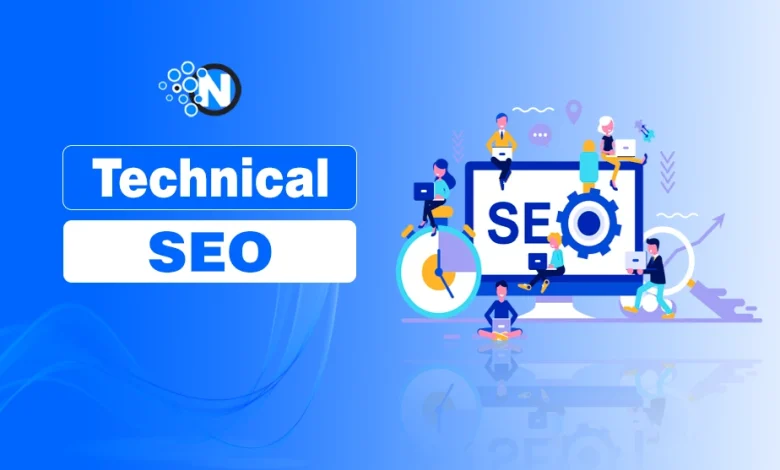
“I thought my website was perfect until Google didn’t think so.” I had great content, a clean design, and still… no traffic. That’s when I realized something important was missing – the Technical SEO.
Most website owners focus entirely on on-page and off-page SEO, and only 33% of the sites can pass the core web vitals threshold. No doubt, these two are the most dynamic aspects of the search engine optimization strategy; advanced Technical SEO can help you greatly in enhancing the visibility of your site in the search engine results pages.
In 2026, with AI-driven search, zero-click results, and evolving algorithms, advanced technical SEO is no longer optional; it’s what separates high-performing websites from invisible ones.
As you read next, you will explore what Technical SEO is, why it matters, and how to implement a complete Technical SEO checklist, audit processes, and optimization strategies, which I have implemented on NogenTech as well.
What is Technical SEO?
Technical SEO is the process of optimizing a website’s technical foundation to help search engines crawl, index, and understand its content more effectively.
It focuses on the infrastructure behind a website. It ensures that search engines can access important pages, process website data correctly, and provide users with a fast, secure, and mobile-friendly experience.
What are the Key Components of Technical SEO?
Technical SEO covers several areas that directly impact a website’s search performance, including:
- Crawling and indexability
- Site architecture and navigation
- Core Web Vitals and page speed
- Mobile optimization
- XML sitemaps and robots.txt
- Internal linking
- Structured data and schema markup
- HTTPS and website security
- Canonical tags and duplicate content management
- AI search and answer engine optimization
Together, these elements create a strong technical foundation that helps search engines discover, interpret, and rank your content more efficiently.
Technical SEO vs On-Page SEO vs Off-Page SEO
Although all three contribute to higher rankings, they serve different purposes.
- Technical SEO focuses on a website’s infrastructure and performance. It helps search engines crawl, index, and understand your content.
- On-Page SEO focuses on optimizing individual pages through content, keywords, headings, title tags, and user intent optimization.
- Off-Page SEO focuses on building authority through backlinks, digital PR, brand mentions, and other external ranking signals.
Simply put, Technical SEO builds the foundation, On-Page SEO improves relevance, and Off-Page SEO strengthens authority. A successful SEO strategy requires all three to work together.
Why is Technical SEO Important in 2026?
Technical SEO is important because it helps search engines access, understand, and rank your content efficiently.
Without a solid technical foundation, even high-quality content can struggle to gain visibility in search results. As search evolves toward AI-powered experiences, Technical SEO is no longer limited to improving crawlability and indexability.
It also helps search engines and AI systems interpret your content, understand website structure, and surface relevant information in search results.
A well-optimized website can:
- Improve crawling and indexing efficiency
- Enhance page speed and user experience
- Support mobile-first indexing
- Increase visibility through structured data and rich results
- Reduce technical issues that affect rankings
- Improve compatibility with AI-driven search systems
In short, Technical SEO creates the foundation that allows your content, on-page SEO, and off-page SEO efforts to perform effectively.
What are the Technical Factors in SEO
The following are the important advanced technical SEO insights and techniques that play a vital role in improving your site ranking in the SERPs:
1- Crawling and Indexing
Crawling is the process by which search engines discover new web pages on your website. On the other hand, indexing involves storing and organizing these pages in the search engine database. These are the most vital advanced technical SEO pillars.
You have to make sure that your site has no crawling and indexing issues to improve the visibility of its content in the search engines.
Problems
Here are some common technical SEO issues you must look out for:
- Blocked Resources: Some resources, like CSS and JavaScript, are blocked by robots.txt. Thus, it prevents search engine crawlers from crawling and indexing your content.
- Thin Content: Pages with little or no content are sometimes indexed. Consequently, they affect the overall site quality.
- Duplicate Content: Multiple URLs with the same or similar content may confuse search engines, which may cause indexing issues.
Solutions
- Unblock Resources: You should update the robots.txt file to make sure the search engine crawlers can access important resources.
- Improve Content Quality: Next, focus on pages with thin content. Add more comprehensive and high-quality content to them.
- Canonical Tags: Canonical tags can help you signal Google bots regarding the preferred version of your web pages.
<strong>Subject</strong>: ………………………………
⚠️Advanced Technical SEO Advice: Optimize your crawl budget by analyzing server log files. If bots are wasting time on duplicate pages, broken links, or low-value content, your important pages might not get crawled or indexed efficiently
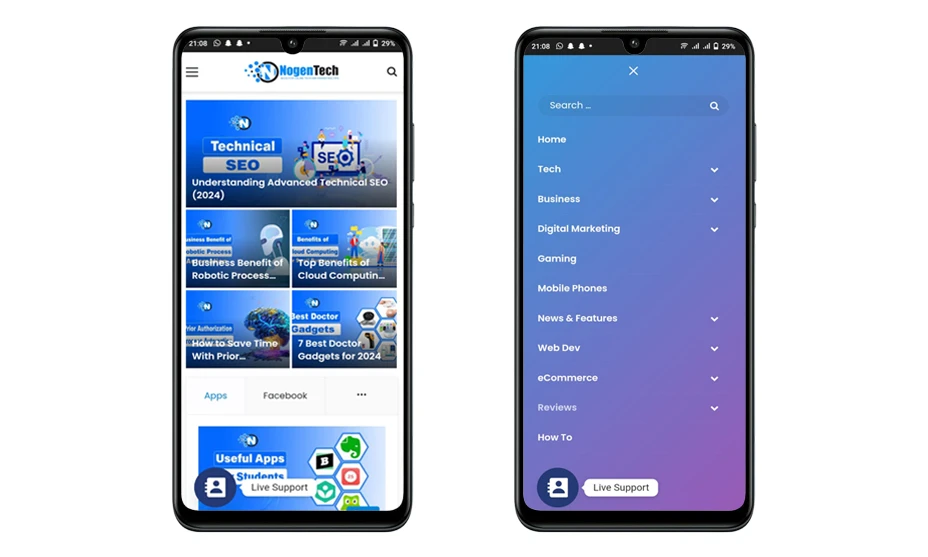
2- Site Structure and Navigation
A well-structured website is beneficial in this latest competitive landscape as it helps search engines learn about the relationships between different pages of your site. When you add a proper navigation channel to your site, it ultimately benefits the indexing factors.
Problems
- Deep Pages: There could be chances that you have not mentioned your important pages at the top, and they are hidden deep inside the hierarchy.
- Broken Links: There is a chance that your site is pointing towards pages that are not available on the web anymore. It could be your site’s own interlinks or outbound links.
- Inconsistent Navigation: While navigation is crucial, inconsistent navigation can cause significant issues. It not only confuses users but also search engines.
Solutions
- Flat Structure: You have to make sure that all the important pages of your site are easily accessible. Further, it is best if they are accessible within three clicks from the homepage. Also, provide direct links to your pillar pages.
- Fix Broken Links: Perform an SEO audit to identify the broken links. You can remove them if they are outbound. Conversely, internal links can be updated by publishing content on the same URL.
- Consistent Navigation: Consistent navigation is necessary to prevent your users and search engines from getting confused.
3- Mobile Optimization
Talking about the latest in advanced Technical SEO is mobile optimization. In the last 10 years, there has been a huge advancement in the development and usage of mobile devices.
That’s why mobile optimization is one of the core advanced technical SEO factors to enhance user experience. In this way, there is a maximum chance that it will get a higher SERP ranking.
Problems
- Non-Responsive Design: If your website theme is not suitable for screens of different sizes, it may impact the overall SEO.
- Slow Mobile Load Times: It is also seen that the website theme takes more time to load on mobile devices. Consequently, it causes issues.
- Poor Mobile User Experience: Sometimes, the navigation is not properly optimized for mobiles. Hence, it can be a problematic factor.
Solutions
- Responsive Design: Use responsive design techniques to ensure that your site is working properly on various devices.
- Optimize Mobile Speed: Compress images and use browser caching to reduce server response times. It will surely improve the speed.
- Enhance Mobile UX: Simplify mobile navigation and add touch-friendly elements to make your site easy to navigate.
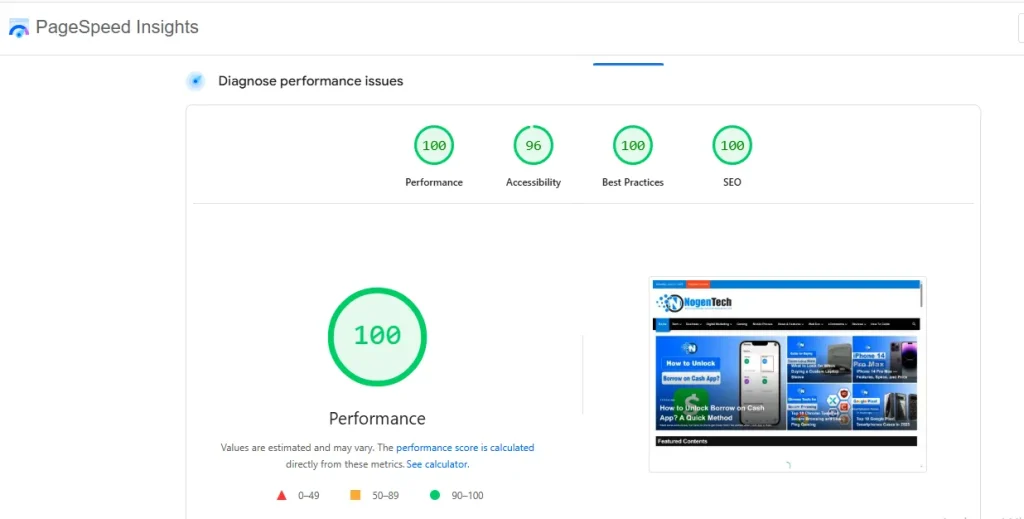
4- Page Speed and Core Web Vitals
Fast-loading pages are also the latest in advanced technical SEO techniques, as they enhance user experience. The reason is that they do not have to wait longer to get in touch with your content.
Core Web Vitals now play a critical role in Technical SEO. Metrics such as Largest Contentful Paint (LCP), Interaction to Next Paint (INP), and Cumulative Layout Shift (CLS) help Google measure real-world user experience and website performance.
As a result, it will reduce the bounce rate. Different techniques, including the likes of image optimization, browser caching, and CDNs, can play a vital role in improving the page loading speed.
Problems
- Large Images: Large images are not usually optimized for search engines. Thus, they reduce the page loading speed.
- Too Many HTTP Requests: If you are receiving a large number of users at a specific time, there is a chance that the page speed will be decreased.
- No Browser Caching: Lack of caching increases load times for returning visitors.
Solutions
- Image Optimization: Compress and resize images without compromising their quality.
- Minimize HTTP Requests: You should reduce the number of HTTP requests by combining files and using CSS.
- Enable Browser Caching: Next, implement browser caching to store static resources locally on the servers. In this way, you can assist returning visitors.
5- Duplicate Content
Duplicate content can negatively impact SEO as search engines may penalize or filter out duplicate pages.
Canonical tags are helpful under such circumstances as they indicate the preferred version of a page. In this way, you can avoid duplicate content issues. Further, SEO tools are available that can help you check the duplicate content for more effective insights.
Problems
- URL Parameters: Different URLs with the same content due to tracking parameters.
- Printer-Friendly Pages: Duplicate content from printer-friendly versions of pages.
- Content Syndication: Republishing content on other sites creates duplicates.
Solutions
- Canonical Tags: As I mentioned earlier, you should use canonical tags to indicate the original version of a page.
- Parameter Handling: Configure URL parameters in Google Search Console to avoid unwanted outcomes.
- Rel=”nofollow”: Use the rel=”nofollow” attribute for printer-friendly links. As a result, it will help in preventing the indexing.
6- Internal Linking
Internal links are also counted among advanced Technical SEO strategies as they connect different pages within the same website. They are highly useful as they play an exceptional role in enabling search engines to understand the structure of the site and distribute page authority.
Problems
- Orphan Pages: Pages with no internal links leading to them.
- Broken Internal Links: Internal links that lead to 404 error pages.
- Uneven Link Distribution: Some pages have too few or too many internal links.
Solutions
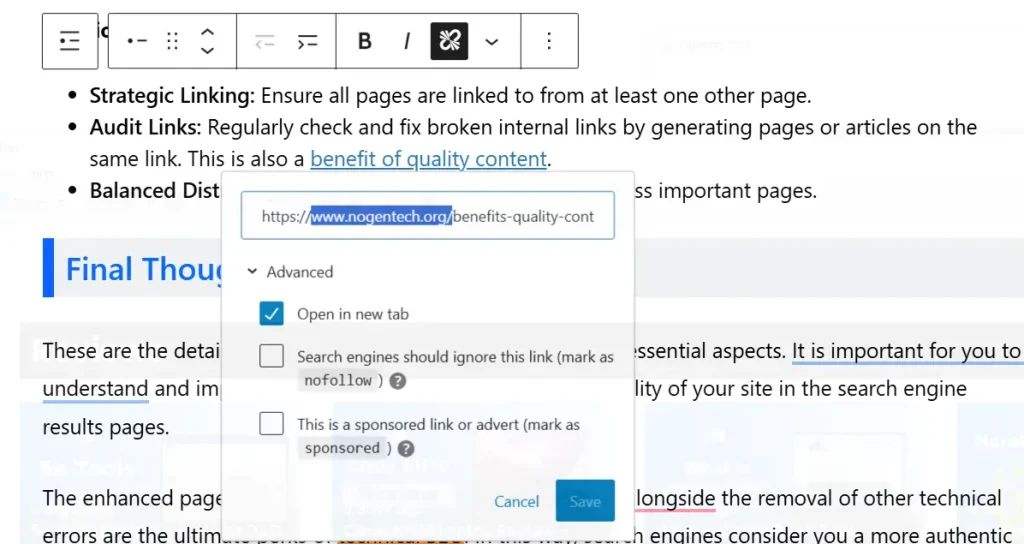
- Strategic Linking: Ensure all pages are linked to from at least one other page.
- Audit Links: Regularly check and fix broken internal links by generating pages or articles on the same link. This is also a benefit of quality content.
- Balanced Distribution: Distribute internal links evenly across important pages.
7. Schema Markup and Structured Data
Schema Markup is a type of structured data added to your website’s HTML that helps search engines understand your content more clearly. It enables rich results in search (like star ratings, event dates, or product availability), which can improve your visibility and click-through rates.
Structured data improves how your website appears in SERPs and enables rich snippets. This not only improves user engagement but also signals to Google what your content is about more precisely.
Problems
- Incorrect Implementation: Improperly structured schema tags or syntax errors prevent Google from reading your markup.
- Using Wrong Schema Types: Irrelevant or outdated schema types (like data-vocabulary.org, which is deprecated) lead to lost opportunities for rich results.
- Missing Key Properties: Important attributes (like price, availability, or review/Rating) may result in incomplete or ignored markup.
- No Schema Markup at All: Many websites still don’t use schema markup, missing out on enhanced SERP features.
Solutions
- Use Google’s Structured Data Markup Helper to generate clean and valid JSON-LD or Microdata code.
- Validate with Google’s Rich Results Test and Schema.org Validator to check for errors.
- Update Your Markup Regularly to comply with new schema guidelines.
- Implement Context-Relevant Schema Types such as:
- Article, BlogPosting for blog posts
- Product for e-commerce items
- Local Business for local SEO
- FAQPage for FAQs
<strong>Subject</strong>: ………………………………
💡 Pro Tip
Always use JSON-LD format (JavaScript-based schema) for easier implementation and better Google compatibility. It’s Google’s recommended format and doesn’t interfere with your HTML structure.
8- HTTPS and Website Security
Website security is an important Technical SEO factor because search engines prioritize secure websites that protect user data. HTTPS encrypts the connection between a user’s browser and your website, making it more secure and trustworthy.
Google has used HTTPS as a ranking signal for years, and websites without a valid SSL certificate may display security warnings that can negatively impact user trust and engagement.
Problems
- No SSL Certificate: Websites running on HTTP instead of HTTPS are considered less secure.
- Mixed Content Issues: Some website resources load over HTTP while others load over HTTPS, creating security warnings.
- Expired SSL Certificates: An expired certificate can make your website inaccessible and reduce user trust.
Solutions
- Install an SSL Certificate: Secure your website with a valid SSL certificate and migrate all pages to HTTPS.
- Fix Mixed Content Errors: Ensure all images, scripts, and resources load through HTTPS.
- Monitor SSL Expiration: Regularly check and renew SSL certificates to maintain website security and uninterrupted access.
<strong>Subject</strong>: ………………………………
💡 Pro Tip
After migrating to HTTPS, redirect all HTTP URLs to their HTTPS versions and update your XML sitemap to ensure search engines index the secure version of your website.
9. Technical SEO for AI Search
This is where most websites still fall behind.
Traditional SEO setups are no longer enough; AI search systems now rely heavily on how easily they can read, interpret, and extract answers from your site.
New Priorities:
- Ensure AI crawlers (GPTBot, ClaudeBot, PerplexityBot) can properly access your website without restrictions in robots.txt or firewall rules.
- Consider implementing llms.txt to guide AI systems in understanding your most important pages and preferred content structure.
- Use clean, structured HTML so content is immediately readable without relying on JavaScript rendering or client-side loading.
- Avoid heavy JavaScript dependency that blocks or delay AI bots from seeing your main content.
- Strengthen entity signals by clearly defining your brand, topics, and expertise across your website and structured data.
How to Learn Technical SEO?
Learning Technical SEO requires a combination of foundational knowledge, practical experience, and continuous learning. Since search engines and ranking systems evolve regularly, staying updated with industry changes is just as important as understanding the fundamentals.
- Learn SEO Fundamentals: Start by understanding how search engines crawl, index, and rank web pages. This foundation will make advanced Technical SEO concepts easier to understand.
- Practice on Real Websites: Apply Technical SEO concepts on your own website or test projects. Practical experience helps you understand how technical changes affect search performance.
- Master Essential SEO Tools: Learn to use tools such as Google Search Console, Google PageSpeed Insights, and website crawling tools to identify and troubleshoot technical issues.
- Study Website Architecture and Structured Data: Understanding site structure, internal linking, schema markup, and indexing signals is essential for long-term Technical SEO success.
- Follow Industry Resources and Courses: Stay updated through reputable SEO blogs, industry publications, webinars, and Technical SEO courses to keep pace with evolving search technologies and best practices.
Consistent learning and hands-on implementation are the most effective ways to develop Technical SEO expertise and stay competitive in the evolving search landscape.
What is a Technical SEO Audit?
A Technical SEO audit is the process of evaluating a website to identify technical issues that may affect its visibility in search engines.
It helps uncover problems related to crawling, indexing, site performance, mobile usability, security, structured data, and internal linking. The purpose of a Technical SEO audit is to identify technical barriers that prevent a website from achieving its full organic search potential.
Unlike content or backlink audits, a Technical SEO audit focuses solely on the technical health of a website.
Why is a Technical SEO Audit Important?
Technical issues can negatively impact rankings, organic traffic, and user experience, even when a website has high-quality content.
A Technical SEO audit helps you:
- Identify technical issues affecting search visibility
- Improve website performance and usability
- Detect indexing and crawlability problems
- Validate structured data implementation
- Ensure compliance with SEO best practices
When Should You Perform a Technical SEO Audit?
Most websites should perform a Technical SEO audit every 3 to 6 months. You should also conduct an audit:
- After a website redesign
- Following a site migration
- After major technical changes
- When experiencing unexpected traffic declines
- Before launching large-scale SEO campaigns
Regular audits help identify and resolve issues before they impact organic performance.
How to Perform a Technical SEO Audit
Performing a Technical SEO audit involves reviewing the key technical elements that affect how search engines crawl, index, and evaluate your website using tools like:
1. Crawl Your Website
Start by crawling your website with an SEO auditing tool to identify broken links, redirect chains, duplicate pages, missing metadata, and other technical issues.
2. Check Indexability
Review indexed pages in Google Search Console and identify pages that are blocked, excluded, or unintentionally removed from search results.
3. Analyze Site Performance
Evaluate page speed and Core Web Vitals to identify performance issues that may affect user experience and search visibility.
4. Review Mobile Usability
Ensure your website is fully responsive and functions properly across different screen sizes and devices.
5. Audit Internal Linking
Check for broken internal links, orphan pages, and navigation issues that may affect crawlability and page authority distribution.
6. Validate Structured Data
Review schema markup implementation and test it using structured data validation tools to identify errors or missing properties.
7. Verify Website Security
Confirm that HTTPS is properly configured, SSL certificates are active, and there are no mixed-content issues.
8. Prioritize and Fix Issues
Once the audit is complete, prioritize issues based on their potential impact on crawling, indexing, user experience, and search performance. A Technical SEO audit is only effective when the identified issues are addressed and monitored regularly.
Common Technical SEO Issues and Their Solutions
Technical issues can limit a website’s ability to rank, regardless of content quality. The following are some of the most common Technical SEO issues affecting search performance.
Crawl and Indexing Issues
- Problem: Important pages may fail to appear in search results due to blocked resources, incorrect directives, or indexing errors.
- Solution: Review indexing reports regularly and ensure important pages are accessible to search engines.
Slow Page Speed
- Problem: Large images, excessive scripts, and poor server performance can increase loading times and affect user experience.
- Solution: Optimize media files, reduce unnecessary code, and improve server response times.
Broken Links
- Problem: Broken internal and external links can negatively impact both user experience and crawl efficiency.
- Solution: Audit links regularly and fix or replace broken URLs.
Duplicate Content
- Problem: Multiple URLs containing similar content can dilute ranking signals and create indexing confusion.
- Solution: Use canonical tags and maintain a consistent URL structure.
Structured Data Errors
- Problem: Incorrect schema implementation can prevent eligibility for rich results.
- Solution: Validate schema markup and fix any reported errors or warnings.
Mobile Usability Problems
- Problem: Poor mobile experiences can affect engagement and search visibility.
- Solution: Use responsive design and test pages across different devices regularly.
How to Choose the Right Technical SEO Agency
Not all SEO agencies specialize in Technical SEO. Before hiring one, evaluate their technical expertise, processes, and proven results.
- Review Technical SEO Experience: Choose an agency with experience handling Technical SEO projects, including audits, website migrations, and large-scale optimization initiatives.
- Analyze Previous Results: Review case studies, client testimonials, and past projects to assess their ability to improve search visibility and resolve technical challenges.
- Understand Their Audit Process: A reputable agency should have a structured approach to identifying issues, prioritizing recommendations, and measuring improvements.
- Evaluate Reporting and Communication: Clear reporting and regular communication are essential for tracking progress and understanding the impact of technical changes.
- Assess Expertise in Modern Search: Ensure the agency stays current with AI-driven search, Core Web Vitals, structured data, and evolving search best practices.
Technical SEO FAQs
What is the difference between a Technical SEO audit and an SEO audit?
A Technical SEO audit focuses on a website’s technical health, including crawling, indexing, performance, and website architecture. A general SEO audit may also evaluate content quality, keyword optimization, backlinks, and overall search visibility.
Does technical SEO improve rankings directly?
Not directly, but it enables better crawling, indexing, and user experience—which improves rankings over time.
What does a Technical SEO specialist do?
A Technical SEO specialist identifies and resolves technical issues that affect search performance. Their responsibilities may include conducting audits, improving website architecture, optimizing Core Web Vitals, implementing structured data, and monitoring indexing performance.
Is technical SEO more important than content?
Both are important, but without technical SEO, even great content may never rank.
Is Technical SEO difficult to learn?
Technical SEO can seem complex at first, but understanding the fundamentals of crawling, indexing, website architecture, and performance optimization makes it much easier. Consistent practice and hands-on experience are the fastest ways to develop Technical SEO skills.
How often should I audit my technical SEO?
You should perform a technical SEO audit every 3–6 months, or immediately after major website updates or migrations.
My Conclusive Thoughts on This Advanced Technical SEO Guide
Technical SEO remains one of the most important aspects of search engine optimization because it creates the foundation that supports content, rankings, and user experience.
From crawlability and indexing to Core Web Vitals, structured data, and AI search readiness, every technical element plays a role in how search engines evaluate your website.
As search continues to evolve with AI-powered systems, websites that prioritize Technical SEO will have a stronger chance of maintaining visibility and organic growth.
In my experience, many websites focus heavily on content creation while overlooking technical issues that quietly limit their performance. Regular audits, proactive monitoring, and adherence to Technical SEO best practices can help prevent these problems and support long-term SEO success.
<strong>Subject</strong>: ………………………………
📌 If you want to get further assistance or need advanced Technical SEO Consultation, feel free to contact the Nogentech team and let them handle the rest.