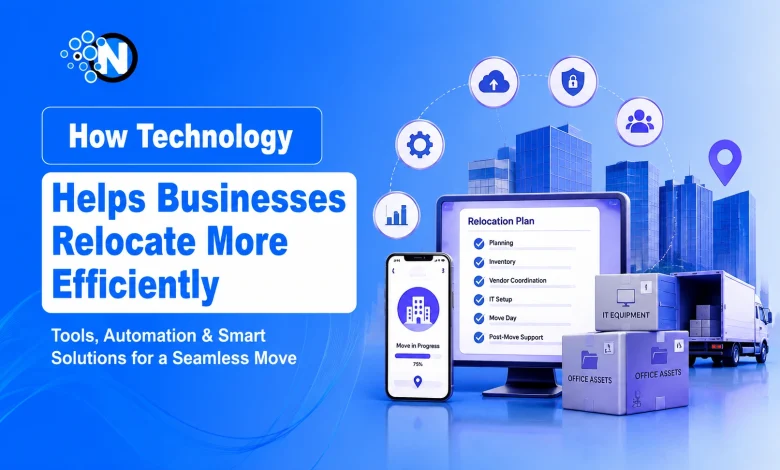
Relocating a business involves far more than moving office furniture and equipment. A successful move requires coordinating:
- Employees
- Customers
- IT infrastructure
- Daily operations
- Business continuity
Without careful planning, organizations risk downtime, communication breakdowns, misplaced assets, and unexpected costs.
Modern technology simplifies business relocations through cloud-based collaboration platforms, digital asset tracking, workflow automation, and project management software, giving organizations greater visibility and control throughout the move.
Research from McKinsey & Company shows that digital transformation improves operational efficiency through better technology-driven decision-making.
The same approach helps businesses coordinate relocations more effectively, reduce disruptions, and maintain continuity during the transition.
Why Is Technology Important for Business Relocations?
Technology streamlines business relocations by using project management software, cloud platforms, and digital workflows to improve coordination and business continuity.
Traditional office relocations often rely on spreadsheets, printed checklists, emails, and phone calls, increasing the risk of:
- Missed deadlines
- Communication gaps
- Duplicate work
- Limited project visibility
Modern digital platforms centralize:
- Project planning
- Team communication
- Document sharing
- Task management
- Progress tracking
This enables project managers, IT teams, HR departments, and facility managers to assign responsibilities, monitor milestones, update schedules, and respond quickly to changes from a single workspace, reducing manual coordination and keeping the relocation on schedule.
How Does Project Management Software Improve Business Relocation Planning?
Project management software like Microsoft Planner, Asana, and ClickUp centralizes business relocation planning, tasks, timelines, and team collaboration.
Business relocations involve multiple stakeholders, including:
- Executives
- Facilities managers
- IT departments
- HR teams
- Vendors
- Contractors
- Landlords
- Employees
Instead of relying on emails, spreadsheets, and manual follow-ups, Microsoft Planner, Asana, Monday.com, ClickUp, and Trello enable teams to:
- Assign responsibilities
- Set project milestones
- Track task completion
- Share documents
- Monitor progress in real time
- Identify delays early
Digital checklists help complete critical relocation activities on schedule, including:
- Employee communication
- Office equipment inventory
- Internet and network installation
- Security system migration
- Vendor coordination
- Workspace preparation
A shared project workspace improves collaboration, accountability, and on-time execution throughout the relocation process.
How Does Digital Inventory Management Protect Business Assets During Relocation?
Digital inventory management uses QR codes, RFID, barcodes, and cloud asset databases to track business assets and reduce loss during relocation.
Business assets often include:
- Computers
- Servers
- Networking hardware
- Specialized machinery
- Office furniture
- Confidential documents
Digital asset management systems record and track each item throughout the relocation using:
- QR codes
- Barcode scanning
- RFID technology
- Cloud asset databases
This helps businesses:
- Reduce lost or misplaced equipment
- Improve asset accountability
- Simplify post-move verification
Many full-service moving companies have also adopted digital logistics platforms that allow business clients to monitor shipments, receive automated updates, and coordinate deliveries through online portals.
This additional visibility reduces uncertainty while improving communication between moving crews and company stakeholders.
How Can Technology Improve Employee Communication During a Business Relocation?
Microsoft Teams, Slack, SharePoint, employee portals, cloud-based collaboration tools, and company intranets centralize relocation updates, documents, and announcements in one place.
Business relocation is as much about people as logistics. Employees naturally want answers about:
- New office locations
- Work schedules
- Parking
- IT access
- Seating arrangements
- Hybrid work policies
- Equipment availability
Interactive FAQs, digital surveys, and scheduled announcements help reduce uncertainty while encouraging employee engagement.
When employees understand the relocation timeline and expectations, they adapt more quickly and experience less disruption.
How Can Workplace Analytics Improve Office Relocation Decisions?
Workplace analytics uses occupancy and usage data to optimize office layouts, support hybrid work, and improve space planning during business relocations.
A relocation creates an opportunity to improve workspace efficiency rather than simply recreating the existing office.
Organizations increasingly use workplace analytics to understand:
- Space utilization
- Meeting room occupancy
- Collaboration patterns
- Desk usage
- Employee traffic flow
These insights help businesses determine whether they actually need the same office footprint or whether a redesigned layout would better support hybrid work and future growth.
Instead of making decisions based on assumptions, organizations can use operational data to optimize their new workplace.
How Does Technology Reduce Business Downtime During Relocation?
Cloud-based applications, workflow automation, and coordinated scheduling reduce business downtime by keeping operations running during office relocations.
Every hour of business interruption can increase operational costs. Technology minimizes downtime by coordinating critical relocation activities, including:
- Network migration
- Equipment installation
- Security configuration
- Vendor scheduling
- Employee onboarding
- Workspace readiness
Cloud-based business applications enable employees to access files, collaborate remotely, and continue working while physical infrastructure is being relocated.
This approach maintains productivity, supports business continuity, and reduces operational disruption throughout the relocation process.
How Does Automation Simplify Business Relocations?
Workflow automation streamlines business relocations by automating tasks, approvals, notifications, and reporting to improve efficiency and reduce delays.
Automation reduces manual work by handling repetitive relocation tasks, including:
- Task reminders
- Equipment tracking
- Vendor notifications
- Approval workflows
- Document management
- Status reporting
Automated workflows help businesses:
- Complete milestones on schedule
- Reduce administrative effort
- Improve process consistency
- Keep stakeholders updated in real time
This allows project managers to focus on resolving operational challenges instead of manually tracking tasks and follow-ups.
How Can Technology Improve Security During a Business Relocation?
Cloud backups, multi-factor authentication (MFA), and device management systems protect business data, devices, and operations during office relocations.
Business relocations involve transferring both physical assets and sensitive company data. Technology strengthens security through:
- Cloud backups
- Encrypted file sharing
- Multi-factor authentication (MFA)
- Device management systems
- Access control platforms
- Real-time monitoring
Organizations should also maintain an updated inventory of:
- Laptops
- Mobile devices
- Servers
- Networking equipment
Combining physical security with cybersecurity helps prevent asset loss, protect sensitive information, and maintain business continuity throughout the relocation.
How Will AI and Smart Technologies Transform Future Business Relocations?
AI, IoT, and predictive analytics will optimize business relocations through smarter scheduling, risk analysis, asset tracking, and workspace planning.
Emerging technologies are making business relocations more data-driven and efficient. Future innovations include:
- AI-powered scheduling optimization
- Predictive risk analysis
- Digital office simulations
- Smart asset tracking
- Automated vendor coordination
- Real-time occupancy planning
These technologies help organizations identify potential risks earlier, optimize resource allocation, and make faster, data-driven decisions throughout the relocation process.
Frequently Asked Questions About Technology and Business Relocations
Can small businesses benefit from digital relocation tools?
Yes. Cloud-based project management and collaboration tools help small businesses reduce relocation costs, improve coordination, and minimize downtime.
What technologies should businesses prioritize before relocating?
Project management software, cloud storage, digital inventory systems, MFA, and backup solutions are essential for secure, efficient relocations.
How does cloud technology support business continuity during relocation?
Cloud platforms keep employees connected to files, applications, and communication tools, allowing operations to continue during office relocations.
What are the biggest technology risks during a business relocation?
Common risks include data loss, network downtime, device misplacement, and unauthorized access, all reduced through cybersecurity planning.
Why should businesses use digital asset tracking during an office move?
QR codes, RFID, and cloud asset management provide real-time equipment tracking, improving accountability and reducing asset loss.
Final Thoughts: Technology Is the Foundation of a Successful Business Relocation
Business relocations no longer have to rely on disconnected spreadsheets, manual coordination, and reactive problem-solving.
Modern digital tools provide organizations with greater visibility, stronger communication, improved asset tracking, and more efficient project management from planning through post-move operations.
Technology alone cannot guarantee a successful relocation, but when combined with clear leadership, structured planning, and effective communication, it significantly reduces operational disruption and helps businesses transition into their new workspace with greater confidence.