Is your team wasting time searching for the right file instead of getting work done?
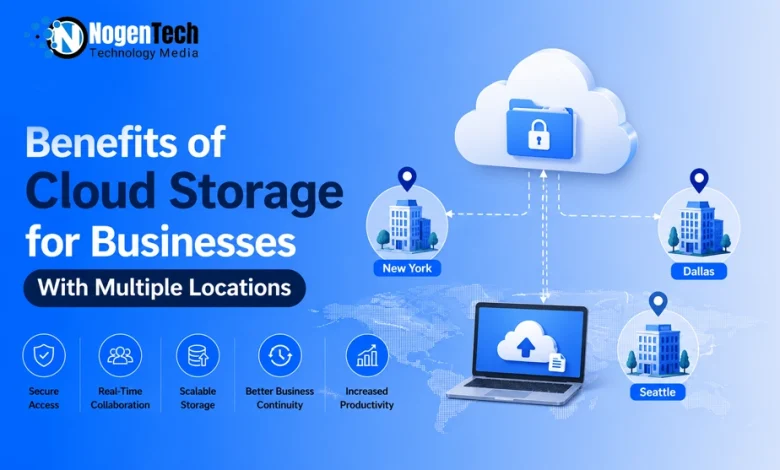
Imagine a business with offices in New York, Dallas, and Seattle. While one team updates reports, another needs the latest pricing sheet, and marketing reviews campaign assets. Without a centralized platform, employees can waste time searching for files or working from outdated versions.
Cloud storage solves these challenges by enabling:
- Secure access to business data from any office, remote location, or hybrid workplace.
- Real-time collaboration, file synchronization, and version history to keep teams aligned.
- Scalable storage, stronger data security, and simplified file management as the business grows.
- Better business continuity by keeping distributed workforces connected and productive.
For businesses with multiple locations, cloud storage provides the flexibility, reliability, and efficiency needed to support modern operations.
Why Do Businesses with Multiple Locations Need Cloud Storage?
Cloud storage helps businesses with multiple locations securely access, share, and manage files from a centralized platform, improving collaboration and productivity.
Managing files across multiple offices becomes difficult when teams rely on local servers or separate storage systems. Employees may encounter outdated documents, duplicate files, and inconsistent versions, slowing collaboration and daily operations.
While standard business data scales fine under a uniform directory, certain creative departments face heavier workflow hurdles.
For instance, managing heavy media assets requires specialized cloud storage for photographers and designers to handle raw, high-resolution files without disrupting the central system.
A cloud storage platform provides a single source of truth, ensuring authorized employees can access the latest business data from any office, remote location, or hybrid workplace.
Common challenges cloud storage solves:
- Disconnected file systems across offices.
- Duplicate files and outdated document versions.
- Delayed collaboration between distributed teams.
- Higher IT complexity from managing local servers.
- Limited scalability as the business grows.
By centralizing file storage, document management, and team collaboration, businesses can keep every location connected, secure, and aligned.
What Are the Key Benefits of Cloud Storage for Businesses with Multiple Locations?
Cloud storage helps businesses with multiple locations improve collaboration, security, productivity, file management, scalability, and cost efficiency from a centralized platform.
How Does Cloud Storage Improve Collaboration Across Teams?
Cloud storage enables real-time collaboration, secure file sharing, and version control, helping distributed teams work faster from the same documents.
Whether employees work from different offices or remotely, cloud storage keeps everyone connected through a shared workspace. Team members can collaborate without emailing multiple file versions or waiting for manual updates.
Key collaboration features include:
- Real-time collaboration on shared documents.
- Secure file sharing across teams and locations.
- Version history to track and restore previous changes.
- Simultaneous editing without creating duplicate files.
- Faster communication using the latest document version.
Platforms like Google Workspace and Microsoft 365 make collaboration seamless by allowing authorized users to access and edit files from virtually anywhere.
However, if your distributed workforce relies on tools beyond just shared folders, it’s worth exploring the best cloud-based collaboration tools for remote teams to fully synchronize your project communication and task workflows alongside your storage setup.
How Does Cloud Storage Protect Business Data?
Cloud storage protects business data with encryption, access controls, multi-factor authentication, audit logs, and secure file sharing.
Businesses with multiple locations need consistent security regardless of where employees work. A centralized cloud storage platform applies the same security policies across every office.
Security features include:
- Encryption for data in transit and at rest.
- Role-based access permissions.
- Multi-factor authentication (MFA) for secure logins.
- Audit logs to monitor file activity.
- Secure file sharing with authorized users only.
Providers such as Microsoft Azure, Google Cloud, and security guidance from NIST help businesses strengthen data protection and meet security best practices.
Yet, as data multiplies across various branch locations, simply relying on basic cloud security isn’t enough to prevent compliance slip-ups. This is exactly why DSPM is essential for modern compliance in the cloud, as data security posture management helps organizations automatically map, track, and protect sensitive data across every remote endpoint.
How Does Cloud Storage Improve Productivity?
Cloud storage increases productivity by streamlining workflows, reducing manual tasks, and providing instant access to business files from any device.
Employees spend less time searching for documents and more time completing work. Automatic synchronization ensures every team member works with the latest information.
Productivity benefits include:
- Faster workflows across departments.
- Less time searching for files.
- Reduced manual file management.
- Automatic synchronization across devices.
- Secure mobile access for employees on the go.
How Does Cloud Storage Simplify File Management?
Cloud storage centralizes file management with organized folders, version control, and standardized document structures across every location.
Using one centralized repository makes it easier to organize business documents while reducing confusion between offices.
Best practices include:
- Standardized folder structures.
- Consistent file naming conventions.
- Centralized document storage.
- Duplicate file prevention.
- Built-in version control.
How Does Cloud Storage Support Remote and Hybrid Work?
Cloud storage gives remote and hybrid employees secure access to business files, improving collaboration across locations and time zones.
Modern businesses rely on flexible work environments. Cloud storage ensures employees remain productive whether they’re working from home, traveling, or collaborating across different regions.
Beyond digital files, physical transitions across offices require equal alignment especially when evaluating how technology helps business relocation during growth or office shifts.
Teams are also shifting their mobile workflows to the cloud; for instance, businesses operating across multiple locations often leverage specialized tools like the best cloud phone for multi-account management to keep team-based Android environments synchronized and accessible from anywhere.
Benefits include:
- Secure access from home offices.
- File access for traveling employees.
- Easier collaboration across time zones.
- Support for laptops, tablets, and mobile devices.
How Does Cloud Storage Reduce IT Costs?
Cloud storage lowers IT costs by reducing hardware, server maintenance, and infrastructure expenses while providing scalable subscription plans.
Instead of maintaining separate servers at every office, businesses can manage storage through one cloud platform.
Cost-saving advantages include:
- No physical servers to maintain.
- Reduced hardware maintenance.
- Automatic software updates.
- Lower IT administration costs.
- Flexible subscription-based pricing.
How Does Cloud Storage Ensure Business Continuity?
Cloud storage improves business continuity with automatic backups, disaster recovery, and high availability to minimize downtime.
Unexpected outages, hardware failures, or accidental file deletion can disrupt operations. Cloud-based backups help businesses recover quickly.
Business continuity features include:
- Automatic backups.
- Built-in disaster recovery.
- Reduced operational downtime.
- Fast data recovery.
- High system availability.
How Does Cloud Storage Scale with Business Growth?
Cloud storage scales with business growth by making it easy to add users, expand storage, and support new office locations.
Businesses can increase storage capacity without replacing existing infrastructure, making expansion faster and more cost-effective.
Scalability benefits include:
- Add new users in minutes.
- Expand storage as needed, including options for unlimited cloud storage.
- Simplify onboarding for new offices.
- Support long-term business growth.
- Enterprise-ready scalability.
How Do You Choose the Right Cloud Storage Solution for a Multi-Location Business?
Choose a cloud storage solution with strong security, scalable storage, collaboration tools, reliable uptime, and seamless software integrations.
The right cloud storage platform should support your current operations while scaling with your business.
As multi-office environments often rely on several cloud environments simultaneously, understanding multicloud connectivity vs networking becomes essential to ensure seamless data flow, data compliance, and long-term infrastructure stability.
Key factors to consider:
- Security: Encryption, multi-factor authentication (MFA), role-based access, and compliance certifications.
- Scalability: Easily add users and increase storage as your business grows.
- Collaboration: Real-time editing, file sharing, and version history for distributed teams.
- Integrations: Compatibility with Microsoft 365, Google Workspace, Slack, and Microsoft Teams.
- Reliability: High uptime, automatic backups, and disaster recovery.
- Pricing: Flexible plans based on your storage and user requirements.
Popular business solutions include Microsoft OneDrive, Google Drive, Dropbox Business, Box, and Egnyte.
Instead of guessing which platform handles worldwide distribution the best, it helps to review a comprehensive evaluation of the best cloud storage services around the globe to compare their international performance, regional pricing, and structural scalability before making your final pick.
People Also Ask
Is cloud storage safe for businesses with multiple locations?
Yes. Cloud storage protects business data with encryption, multi-factor authentication, access controls, and secure backups across all business locations.
Businesses can also use role-based permissions and activity logs to control file access and monitor user actions
Can cloud storage replace on-premises servers?
Yes. Many businesses replace on-premises servers with cloud storage to reduce hardware costs, simplify management, and improve accessibility.
Cloud storage eliminates the need to maintain local servers while providing secure, centralized access to files from any location.
What types of businesses benefit most from cloud storage?
Cloud storage benefits any business with multiple locations, remote teams, growing workforces, or shared file management needs.
Industries such as healthcare, retail, finance, legal, education, construction, and professional services commonly use cloud storage to improve collaboration and data security.
Can employees access cloud storage from mobile devices?
Yes. Most cloud storage providers offer secure access through mobile apps, allowing employees to work from smartphones, tablets, and laptops.
Mobile access helps remote employees and traveling staff stay productive without being tied to a specific office.
What should businesses look for in a cloud storage provider?
Choose a provider that offers strong security, scalable storage, collaboration tools, reliable uptime, and business software integrations.
Also compare pricing, compliance certifications, customer support, backup options, and storage capacity before selecting a platform.
Final Thoughts: Why Cloud Storage Is a Smart Long-Term Investment
Cloud storage helps businesses with multiple locations improve collaboration, strengthen data security, simplify file management, and scale operations through a centralized platform.
As organizations expand across offices, remote teams, and hybrid workplaces, managing business data becomes more complex. A reliable cloud storage solution helps centralize files, streamline collaboration, protect sensitive information, and support business continuity without increasing IT complexity.
In my view, investing in the right cloud storage platform is no longer just an IT decision; it’s a business decision. Solutions like Microsoft OneDrive, Google Drive, Dropbox Business, and Box provide the flexibility and scalability growing businesses need to keep teams connected, productive, and prepared for future growth.