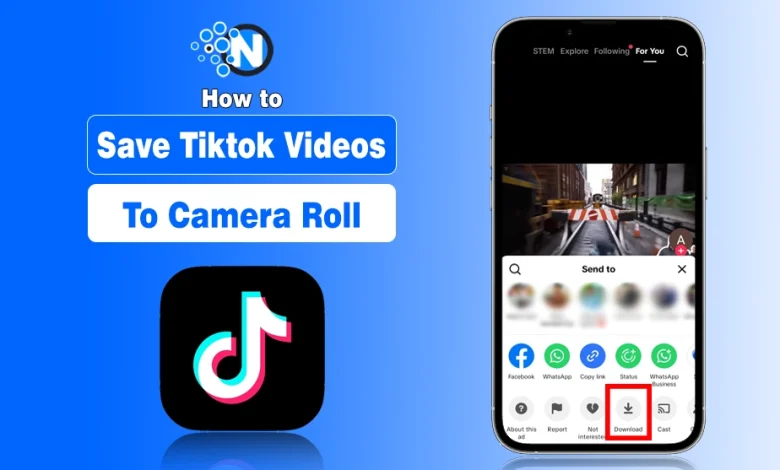
I understand how frustrating it can be when you find a great video on TikTok and can’t figure out how to save TikTok videos to camera roll. Maybe you want to watch it later offline, share it with friends, or repost it (properly) on other social media platforms.
The good news? TikTok makes it simple, if the creator allows it.
Now, I’ll walk you through exactly how to save TikTok videos to you phone, what to do if the download option is missing, and how to troubleshoot when the option is not showing.
First Method: Save Directly From the TikTok App?
There are a few different ways that you can save TikTok videos to your camera roll. We will go over each method so that you can choose the one that works best for you:
On iPhone or Android:
- Open the TikTok app.
- Find the video you want to download.
- Tap the Share icon (arrow on the right side).
- Tap Save Video.
- The video will automatically download to your camera roll or gallery.
That’s it.
The saved video will usually include the TikTok watermark with the creator’s username. This watermark is intentional and part of TikTok’s content protection system.
If you’re trying to grow your own account instead of reposting others’ content, it’s better to focus on proven ways to get more likes, views, and followers on TikTok.
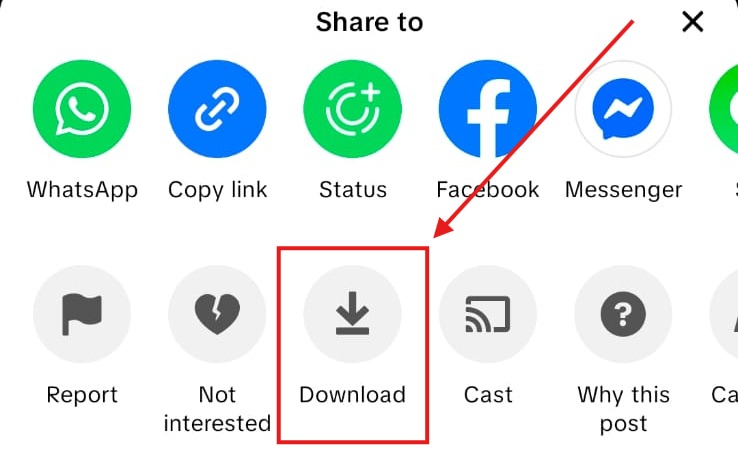
After doing this the video will be saved to your camera roll and you can watch it whenever you want. If you plan to repurpose saved videos for monetization, make sure you understand the platform rules and explore different ways to make money on TikTok responsibly.
Second Method: Save TikTok to Camera Video Via Live Wallpaper:
If you are using either andriod or IOS, there is another way that you can save TikTok videos. You can take a Live wallpaper of the video and download it to the camera roll that way. Here’s how:
- Open the TikTok app and find the video you want to save.
- Make sure the video is playing in full-screen mode.
- Press and hold down the screen to take a Live wallpaper.
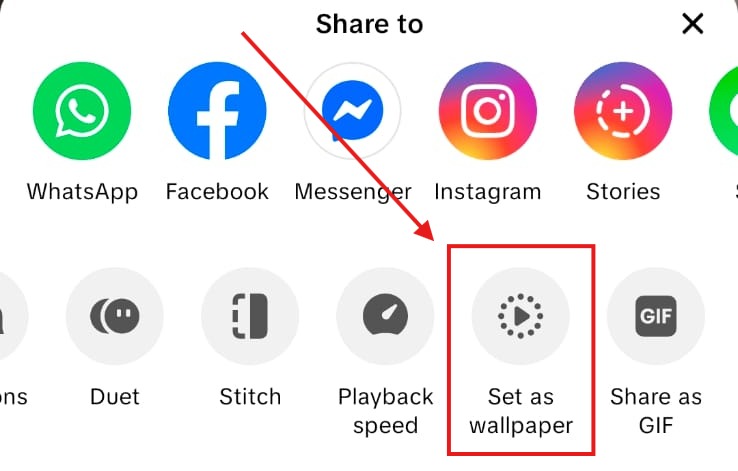
- Tap on the share icon
- From the share menu
- Select the live wallpaer option
- When the Live wallpaper has been saving
- You can share it any place on your mobile or with friends to save this video
TikTok has grown into one of the most influential social platforms globally, with over a billion active users.
How to Save TikTok Drafts to Camera Roll?
TikTok drafts are stored locally on your device, not on TikTok’s servers. If you delete the app, drafts disappear.
To save a draft:
- Open your draft.
- Set privacy to Only me.
- Turn on Save to device.
- Post the video.
- Delete the private post if you don’t want it public.
That’s currently the safest official method. If you’re managing a creator or business account, understanding how to use TikTok strategically for your brand will help you repurpose saved content more effective.
Is it Legit to download anyone’s Tiktok Video?:
Downloading a TikTok video is only allowed if the creator has enabled the download option. TikTok gives creators full control over whether others can save their content.
If the “Save Video” button is available, you’re allowed to download it for personal use. you can also use the third party tool like snaptik if you want to download multiple videos. However, reposting or monetizing someone else’s content without permission may violate copyright policies.
If your goal is to build your own presence instead of relying on others’ content, you should learn how to become popular on TikTok without shortcuts.
Troubleshooting: If You Can’t Save TikTok Videos
If the official method doesn’t work, try this:
- Update the App: Go to your App Store or Google Play and update TikTok.
- Check Storage Space: Low storage can block downloads.
- Check App Permissions: Ensure TikTok has permission to access Photos/Gallery.
- Restart Your Phone: It sounds basic, but it fixes many issues.
- Reinstall TikTok (Careful!): Only do this if you don’t have important drafts saved.