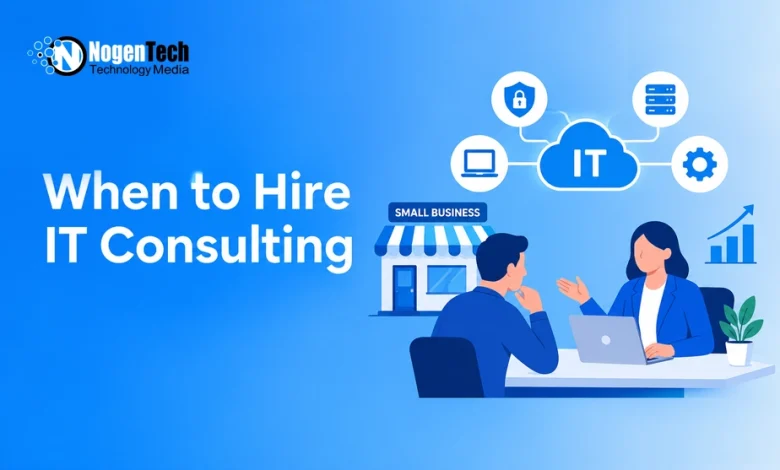
A small business needs IT consulting when it faces a technology decision that its current team cannot confidently assess, plan, or implement. This could involve connecting sales and billing software, opening a second office, or migrating customer records without disrupting operations.
The key is knowing whether the problem needs a routine fix or a bigger technology decision. If your existing IT team can resolve it, consulting may not be necessary.
However, if you’re investing in technology without understanding the problem, available options, or potential risks, an IT consultant can help you make an informed decision.
Do You Need IT Consulting or Everyday IT Support?
IT support handles everyday technical issues, such as locked accounts, software errors, and network connectivity problems. IT consulting focuses on what needs to change, why, and how to implement those changes within your budget.
A managed service provider handles ongoing IT operations. Some also provide consulting, but assessments and planning may be charged separately.
If you’re outsourcing IT for the first time, understanding how managed IT services support local startups can help clarify your ongoing support needs. Consulting should address a specific decision, problem, or project.
5 Situations Where Small Businesses Need IT Consulting
1. The Same IT Problems Keep Coming Back
Your office network slows down every Monday. Restarting the equipment temporarily fixes it, but employees keep losing time, and nobody knows the actual cause.
IT consulting can help when repeated fixes fail to address the root problem.
Before replacing equipment, assess:
- Network performance and affected workflows.
- Application requirements and system dependencies.
- Previous incidents and attempted fixes.
Start by asking your existing IT provider for a root-cause investigation. Bring in a specialist if the issue involves multiple systems or falls outside their expertise.
Any recommendation to upgrade equipment should explain why simpler fixes won’t work.
2. Your Software Creates Extra Work Between Departments
Your sales team enters an order into the CRM. Operations copies it into a spreadsheet, and accounting re-enters the details into the billing system. A customer address change means updating all three.
The question is whether these systems can share data reliably and which should maintain the original records. The right CRM features, including third-party integrations, can help reduce duplicate data entry.
An IT consultant can help you:
- Map workflows and identify duplicate data entry.
- Compare software integration with system replacement.
- Account for exceptions such as refunds, canceled orders, and customer updates.
- Define measurable improvements, such as faster order processing.
Before purchasing another subscription, establish what the change should achieve.
3. You’re Expanding Beyond Your Current IT Setup
Opening a second office requires more than an internet connection. Employees need shared files, consistent access permissions, compatible devices, and reliable network infrastructure to work across locations.
Consulting is useful before purchasing equipment or signing software contracts, when there’s still time to identify dependencies and avoid incompatible systems.
At this stage, IT consulting can help create a technology roadmap covering:
- Network requirements: Internet connectivity and office infrastructure.
- Employee access: Shared files, accounts, and permissions.
- Equipment: Devices, software, and installation needs.
- Implementation: Priorities, responsibilities, and deadlines.
Use the office opening date as your deadline. Confirm internet installation, equipment delivery, and access testing before employees arrive.
4. Your Technology Costs Keep Increasing
Your business pays for cloud storage, backups, security software, and collaboration tools. Some licenses belong to former employees, while others appear to offer overlapping features, making it important to compare productivity tools before paying for additional subscriptions.
Start with an inventory of subscriptions, active users, renewal dates, and service owners. If dependencies remain unclear, a consultant can help identify potential savings without removing essential services.
A technology cost assessment should consider:
- Unused licenses and overlapping subscriptions.
- Essential services and system dependencies.
- Migration and employee training expenses.
- Contract commitments and ongoing maintenance.
For example, canceling an unfamiliar backup service without checking what it protects could create a bigger problem than its monthly cost.
A cheaper subscription doesn’t always mean lower overall costs.
5. You’re Moving a Business-Critical System
Migrating business email, customer records, or scheduling software requires careful planning, especially when downtime or missing data could disrupt customer service.
Before migration, identify what must transfer, which systems depend on it, and how success will be verified. For accounting systems, a software migration checklist can also help identify data errors and broken integrations after the move.
A migration plan should include:
- Test migration: Identify potential problems before the final move.
- Cutover window: Schedule the transition to minimize disruption.
- Responsibilities: Assign tasks and decision-making authority.
- Rollback plan: Define how to recover if migration fails.
- Employee training: Prepare staff to use the new system.
Successfully transferring data doesn’t necessarily mean the business can operate normally. Employees must still be able to access records, use integrations, and complete routine tasks.
Is Your IT Problem Worth Paying a Consultant to Solve?
Before requesting proposals, estimate the problem’s impact using employee time, recurring disruptions, and documented expenses.
For example, suppose four employees each spend 15 minutes daily reentering orders.
| Factor | Estimated Value |
| Employees affected | 4 |
| Time lost per employee | 15 minutes daily |
| Working days | 20 per month |
| Total time lost | 20 hours monthly |
| Assumed labor cost | $35 per hour |
| Monthly staff capacity cost | $700 |
This doesn’t automatically mean $700 in cash savings. Salaries may remain unchanged, and new software could introduce additional expenses.
However, the calculation provides a measurable baseline for comparing consulting proposals and potential improvements.
For migrations, expansions, or major purchases, also consider how difficult the decision would be to reverse. Reviewing options before signing a contract may prevent expensive corrections later.
Is a One-Time IT Assessment Enough?
A one-time assessment is usually appropriate when your business has one defined problem or upcoming decision.
Ask for a written scope that explains what will be reviewed, the expected deliverables, and what marks the work as complete. Implementation can be quoted separately.
Ongoing IT advisory support may be more suitable when technology decisions arise frequently and no internal employee has the expertise or capacity to manage them.
Before committing to recurring fees:
- Check whether your existing IT contract includes planning.
- Confirm the advisory schedule and expected outputs.
- Consider whether internal IT staff only need temporary specialist support.
What Should You Expect From an IT Consultant?
Agree on specific deliverables before hiring a consultant.
- Current-state assessment: Systems involved, identified problems, and supporting evidence.
- Options and trade-offs: Potential solutions, including improvements to existing systems.
- Prioritized action plan: Costs, dependencies, responsibilities, and implementation order.
- Acceptance criteria: Measurable conditions for determining project success.
- Documentation and handoff: Information and access details needed to maintain the systems.
Also clarify whether the consultant sells recommended products, receives referral fees, or expects to manage implementation. These relationships should be transparent.
If your project requires physical installations or regular visits, comparing local versus national managed IT providers may help. However, technical expertise and service capabilities matter more than location alone.
What Should You Prepare Before Meeting an IT Consultant?
Prepare enough information to explain the problem without giving unrestricted system access. Bring:
- Support history: Recent tickets and examples of recurring issues.
- Technology inventory: Affected applications, devices, and vendors.
- Financial details: Relevant invoices, renewal dates, and support contracts.
- Project requirements: Deadline, budget range, and decision-maker.
Describe your problem with a specific example:
“Our sales team enters each order twice, and we need to know whether our CRM can connect to our billing system before the annual renewal.“
This gives the consultant a clear workflow to inspect, a deadline, and a decision to address.
Request a proposal specifying assessment deliverables, exclusions, and fees. You can then decide whether implementation is worthwhile based on the findings, without committing to a complete technology overhaul.