The First 30 Days After Accounting Software Migration: A Weekly Checklist to Catch Issues Early

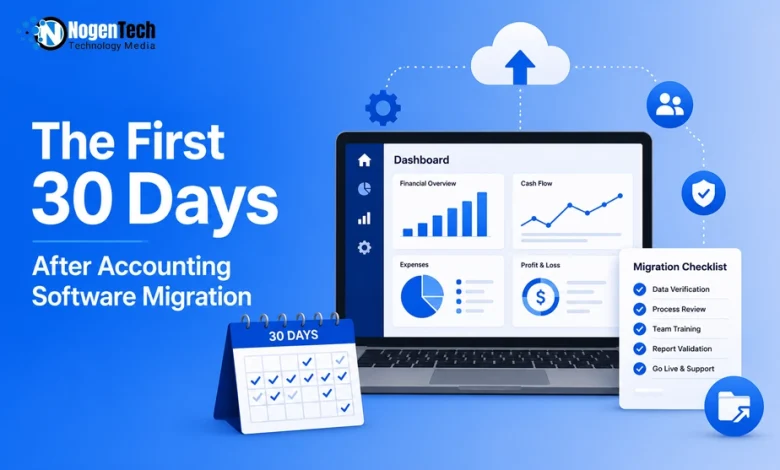
Your accounting software may be live, but is your financial data actually accurate?
Switching accounting systems is a major step for any small business, but a successful accounting software migration doesn’t end after data import.
Navigating these transitional phases smoothly is important, especially for day-to-day accounting challenges for San Diego small business owners and entrepreneurs everywhere. The first 30 days are critical to verify:
- Opening balances and the chart of accounts
- Bank reconciliations and software integrations
- Financial reports, tax filings, and cash flow
Even minor setup or data mapping errors can affect reporting, compliance, and day-to-day bookkeeping if left unchecked.
Whether you adopted small business accounting software for better reporting, invoicing, or automation, this weekly checklist will help you validate your migration, catch issues early, and ensure your system delivers accurate and reliable data.
How Do You Validate an Accounting Software Migration in the First 30 Days?
During the first 30 days after an accounting software migration, you should verify your balances and settings, reconcile transactions, review financial reports, confirm integrations, and establish best practices to ensure reliable reporting.
Focus on these priorities each week:
- Week 1: Verify balances and core settings
- Week 2: Reconcile transactions and test workflows
- Week 3: Review financial reports for accuracy
- Week 4: Confirm integrations and compliance settings
Week 1: Verify balances and core settings
The first week should focus on foundational accuracy. Before entering new transactions at scale, confirm that your starting point is correct.
Start with beginning balances. Compare the following reports from your old system to the new one as of the migration date:
- Balance sheet
- Accounts receivable aging
- Accounts payable aging
- Bank account balances
Totals should match exactly; if they do not, investigate immediately. Differences often stem from incomplete data imports or incorrect cutoff dates.
Next, review your chart of accounts. Make sure accounts are categorized correctly. Misclassified accounts can distort financial statements and make reporting unreliable.
For businesses managing equipment or property leases, this mapping stage is doubly critical to maintain lease accounting software reporting accuracy and avoid compliance headaches down the road.
Also confirm core settings, including:
- Sales tax rates and codes
- Payroll tax settings
- Payment terms
- User permissions
Errors in these areas can cause compliance problems or create confusion for staff.
Week 2: Reconcile transactions and test workflows
By the second week, you will likely have live transactions flowing through the system. This is the time to confirm that everyday processes are working as expected.
Begin by reconciling bank and credit card accounts. Match transactions recorded in the system to actual bank statements. Even if only a short period has passed, early reconciliation helps identify duplicate entries, missing transactions, or incorrect account mapping.
Next, test your core workflows:
- Create and send an invoice
- Record a customer payment
- Enter and pay a vendor bill
- Process payroll, if applicable
Follow each transaction from start to finish and review how it appears in financial reports. If something looks off, adjust now before transaction volume increases.
Week 3: Review financial reports for accuracy
By week three, enough activity should exist to review financial reports meaningfully. This is where subtle issues often appear.
Run and review:
- Profit and loss statement
- Balance sheet
- Cash flow statement
Compare these reports to expectations based on known activity. If revenue seems unusually high or expenses appear in unexpected categories, trace transactions back to their source.
Pay close attention to accounts receivable and accounts payable. Confirm that open invoices and unpaid bills reflect reality. Misapplied payments or incorrect vendor balances can cause confusion later.
If you are unsure how to create an invoice or record a payment properly in the new system, revisit internal procedures and document the correct steps. Clear documentation reduces inconsistent data entry across your team.
Week 4: Confirm integrations and compliance settings
Many small businesses connect their accounting system to other tools, such as payment processors, payroll services, or inventory platforms. Integration errors may not show up immediately, which makes week four a good time for review.
Check that:
- Payment processor deposits match recorded sales
- Payroll tax liabilities align with payroll reports
- Inventory quantities reflect actual stock levels
- Sales tax calculations match applicable rates
Whether you adopted new software, you need to ensure every bridge to a third-party tool is stable. If your storefront uses localized digital options, verifying these connections ensures that optimization strategies like using a UPI payment gateway to boost checkout conversion
This actually registers smoothly in your backend ledgers without creating a messy trail of unmatched transactions. If your business collects sales tax, confirm that liability accounts are accumulating the correct amounts. Mistakes here can affect future filings.
This is also a good time to review recurring transactions. Confirm that recurring invoices, bills, or journal entries are set up correctly and scheduled at the right intervals.
How Can You Maintain Accurate Financial Records After the First 30 Days?
Maintain accurate financial records after an accounting software migration by following consistent bookkeeping and financial reporting practices.
Regular bank reconciliations, financial reviews, and updated documentation help prevent errors, support compliance, and keep your accounting data reliable.
Make these practices part of your monthly routine:
- Reconcile bank and credit card accounts to identify discrepancies early.
- Review financial statements, including the balance sheet, profit and loss statement, and cash flow statement, every month.
- Document migration-related adjustments to maintain a clear audit trail.
- Update internal accounting procedures based on lessons learned.
- Standardize workflows and documentation to improve consistency, simplify training, and reduce data entry errors.
What Are the Most Common Accounting Software Migration Issues?
The most common accounting software migration issues include duplicate records, incorrect opening balances, misdated transactions, and account mapping errors.
Identifying and correcting these issues early helps maintain accurate financial reporting, reliable bookkeeping, and compliance. Watch for these common migration errors:
- Duplicate customers or vendors created during data import.
- Inactive accounts accidentally reactivated.
- Transactions assigned incorrect dates around the migration cutoff.
- Opening balances recorded as regular income or expenses instead of beginning balances.
Reviewing these issues during the first month prevents reporting errors from affecting future reconciliations, tax filings, and business decisions.

Why Is Reviewing Your Accounting Software Migration Early Important?
Reviewing your accounting software migration early helps ensure accurate financial reporting, reliable bookkeeping, and informed business decisions.
Identifying errors during the first 30 days reduces costly corrections and gives your team time to adapt to new workflows.
An early review helps you:
- Verify financial reports for pricing, hiring, tax filings, and loan applications.
- Correct data and setup errors before they affect more transactions.
- Adapt to new accounting workflows with minimal disruption.
- Avoid time-consuming cleanup by resolving migration issues early.
- Clean data is your absolute ticket to securing capital when you need it, especially now when modern AI is changing small business financing options by evaluating real-time operational health.
Final Thoughts: Make Your Accounting Software Migration Count
Migrating to new small business accounting software is only the beginning. In my view, the businesses that gain the most value are those that spend the first 30 days validating financial reports, opening balances, bank reconciliations, and software integrations instead of assuming everything imported correctly.
A structured review helps you catch issues early, improve bookkeeping accuracy, and build confidence in your financial data. Investing a little time after migration can prevent costly corrections and support smarter business decisions as your company grows.