How to Improve Lead Conversion Rates with AI CRM?
AI CRM helps improve lead conversion rates by identifying promising prospects, automating follow-ups, and personalizing sales communication. Learn how these features work, the best practices to follow, and the mistakes to avoid.

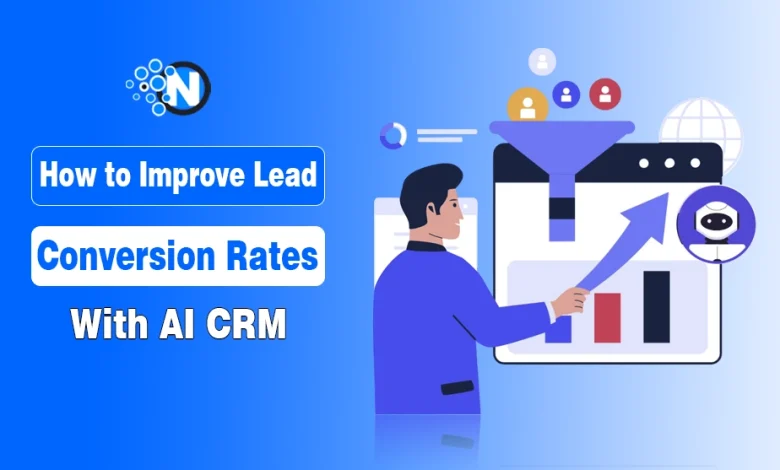
An AI-powered CRM helps businesses improve lead conversion rates by identifying promising leads, prioritizing follow-ups, and automating routine sales tasks. It uses customer data and Artificial Intelligence (AI) to help sales teams decide which prospects to contact and when.
For example, if someone repeatedly visits your pricing page or requests a product demo, an AI CRM can flag that person as a potential buyer. It can also remind your sales team to follow up, suggest personalized messages, or automatically assign the lead to the right representative.
The goal isn’t simply to collect more leads. It’s to convert more of the leads you already have by responding faster and focusing on people who are more likely to buy.
How Does AI CRM Improve Lead Conversion Rates?
AI-powered CRM helps sales teams identify potential buyers, follow up at the right time, and avoid spending too much effort on leads that aren’t ready to purchase. It does this by analyzing customer interactions, automating routine tasks, and highlighting opportunities that need attention.
Here are the main ways it can improve lead conversion rates.
1. Identifying and Prioritizing Promising Leads
Not everyone who visits your website or contacts your business is ready to buy. Some people are researching, while others are actively comparing options or requesting prices.
An AI CRM can analyze signals such as:
- Website visits and pages viewed.
- Email clicks and responses.
- Content downloads and demo requests.
- Previous conversations and purchase history.
It uses this information for AI lead scoring, which assigns leads a score or priority based on how closely their behavior matches that of customers who previously made a purchase. For example, Salesforce’s Einstein Lead Scoring uses historical lead data to help sales teams prioritize prospects.
Someone who requests a demo and visits your pricing page may receive a higher score than someone who only reads a blog post.
This helps sales teams decide which leads to contact first, rather than treating every inquiry as equally urgent. The scores are predictions, though, so salespeople still need to review them.
2. Automating Follow-Ups and Lead Management
A promising lead can lose interest if nobody responds to their inquiry. AI CRM tools help prevent this by handling routine follow-up tasks and notifying sales representatives when action is needed.
Depending on the CRM, businesses can automate:
- Follow-up emails after inquiries or demo requests.
- Meeting reminders.
- Lead assignment to available sales representatives.
- Notifications when a prospect responds or becomes more active.
For example, when someone fills out a contact form, the CRM can assign the inquiry to a salesperson and schedule a follow-up if no response is recorded.
Sales representatives using mobile CRMs instead of traditional CRMs can also review leads and respond while away from their desks.
The benefit is simple: fewer leads get overlooked, and sales teams spend less time managing repetitive tasks.
3. Personalizing Customer Communication
Sending the same message to every prospect doesn’t account for what they’re interested in or where they are in the buying process.
An AI CRM can use customer preferences and previous interactions to help businesses tailor:
- Follow-up emails.
- Product or service recommendations.
- Marketing messages.
- The timing of sales outreach.
For instance, a prospect who has repeatedly viewed a particular service may benefit from information about that service rather than a general introduction to the company.
Personalization makes communication more relevant, but sales teams should review AI-generated messages before sending them, especially when discussing pricing, commitments, or customer-specific details.
4. Qualifying Leads Through AI Chatbots
Some potential customers visit a website outside business hours or have questions they want answered before speaking with a salesperson.
AI chatbots can handle common inquiries, collect contact details, and ask questions that help determine whether a visitor is a suitable lead.
For example, a chatbot might ask what service someone needs, their budget, and when they plan to make a purchase. It can then pass that information to the CRM or help schedule a meeting.
This allows businesses to capture and organize inquiries even when their sales team is unavailable. More complex questions can be passed to a human representative.
5. Forecasting Conversions and Improving the Sales Process
Predictive analytics uses historical CRM data to estimate which leads are more likely to convert and where potential problems may arise.
For example, if previous sales data shows that prospects who attend a product demo are more likely to purchase, the CRM may highlight demo requests as important opportunities.
AI CRM analytics can also help businesses identify:
- Leads that have stopped responding.
- Stages where potential customers frequently drop out.
- Delays in follow-ups or deal approvals.
- Campaigns that generate qualified leads rather than just inquiries.
These insights help managers adjust their sales process and decide where to focus their team’s time.
Businesses should also monitor actual conversion rates and sales results instead of relying entirely on AI predictions. When evaluating software, look for the CRM features your business needs rather than choosing a platform based on AI claims alone.
6. Keeping Sales, Marketing, and Customer Support Connected
A lead may interact with several people before becoming a customer. If marketing, sales, and support teams don’t share information, prospects may receive repeated questions or inconsistent messages.
An AI CRM can bring customer interactions into one place, helping teams see which campaigns attracted a lead, what questions they’ve asked, and what actions have already been taken.
This makes it easier to:
- Pass qualified leads from marketing to sales.
- Coordinate follow-ups without duplicating work.
- Track lead conversion across different campaigns.
- Continue relevant communication after a purchase.
Shared customer information is also an important part of broader CRM adoption in small business digital transformation.
After a sale, the same CRM can support customer service, renewal reminders, and relevant follow-up offers. These activities don’t directly increase the initial lead conversion rate, but they can improve retention and create opportunities for repeat business.
Best Practices for AI Lead Conversion Optimization
To get better results from an AI CRM, focus on these four practices:
- Set clear lead priorities: Define what makes someone a qualified lead, such as requesting a quote, booking a demo, or showing repeated interest in a service. Use AI scores to prioritize prospects, but don’t rely on them alone.
- Automate routine follow-ups: Set reminders, assign incoming leads, and automate basic responses so inquiries aren’t overlooked. Keep important sales conversations personal.
- Review AI recommendations: Check suggested messages, next steps, and lead scores before acting on them. AI may miss details your sales team knows about a customer.
- Measure results: Track lead conversion rates, response times, and sales cycle length. Monitor Customer Acquisition Cost (CAC) and Return on Investment (ROI) to see whether the CRM justifies its cost.
When comparing the best CRM software, prioritize features your team will use. If you need customizable lead assignments or approval processes, monday CRM is one option to evaluate.
Common AI CRM Mistakes That Reduce Lead Conversion
Poor CRM data, excessive automation, weak lead scoring, and ignoring AI insights reduce AI CRM performance and lead Even a capable AI CRM can produce poor results if customer data is inaccurate or workflows aren’t configured properly.
Common mistakes include:
- Using outdated or duplicate data: Incorrect contact details and incomplete records can cause missed follow-ups and unreliable lead scores.
- Over-automating communication: Repeated or poorly timed messages can frustrate prospects. Leave complex questions and negotiations to sales representatives.
- Trusting AI scores without checking them: A high score doesn’t guarantee a purchase. Compare predictions with actual responses and sales.
- Ignoring lower-scored leads: Some prospects need more time before buying. Keep appropriate follow-ups in place.
- Not tracking results: Without measuring conversion rates and response times, you can’t tell whether the CRM is helping.
If information isn’t syncing correctly between your website, forms, and CRM, a CRM developer can help fix complex integrations.
Review your subscription regularly, too. Paying for features you don’t use can increase costs without improving results. See why businesses overpay for CRM software for common examples.
How Does AI CRM Improve Lead Conversion Across Different Industries?
AI CRM improves lead conversion by using AI lead scoring, predictive analytics, and automation to identify, engage, and convert qualified leads across industries.
While the core capabilities remain the same, AI CRM adapts to different sales cycles, customer behavior, and buying journeys to improve conversion outcomes.
Insurance: Following Up on Quotes and Policy Inquiries
Insurance customers often compare quotes from several providers. An AI CRM helps agents track inquiries, coverage preferences, and follow-up schedules.
For example, when someone requests a car insurance quote but doesn’t respond, the CRM can remind the agent to follow up. It can also flag prospects who request multiple quotes or show renewed interest.
Real Estate: Identifying Buyers Ready for a Viewing
Real estate agents deal with both casual browsers and buyers actively searching for a property.
An AI CRM can track listing activity, viewing requests, budgets, and previous conversations. For example, a buyer requesting several viewings within their budget may be prioritized for a personal follow-up, while someone browsing listings can continue receiving relevant property updates.