For years, while running websites like NogenTech.org, I’ve seen businesses spend on separate tools for everyday tasks they could already handle with Google apps. The real challenge isn’t finding more software; it’s knowing which Google apps are actually worth using.
Google reports that over 19.5 million U.S. businesses used its tools to reach new customers last year, while 85% of small businesses using AI saw an increase in sales.
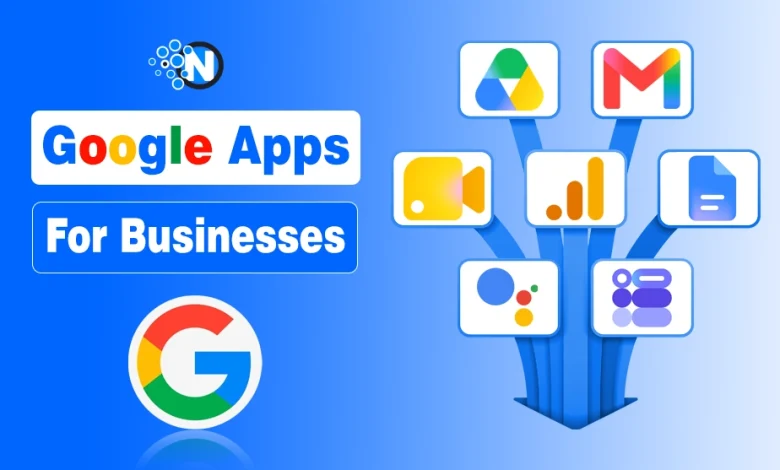
Instead of using every available tool, the goal is to pick the right Google app for the right business need. Below, I’ve selected the best Google apps for businesses in 2026, what each is best for, and the specific problem it can help you solve.
| Google App | Best For | Business Problem It Solves |
|---|---|---|
| Gmail | Professional business email | Keeps client and team communication organized |
| Google Drive | File storage & sharing | Keeps business files accessible and easier to share |
| Google Docs | Document collaboration | Prevents multiple versions of the same document |
| Google Sheets | Business data & tracking | Organizes budgets, sales, inventory, and other data |
| Google Meet | Video meetings | Connects remote teams and clients |
| Google Calendar | Scheduling | Keeps meetings, appointments, and deadlines organized |
| Google Forms | Surveys & data collection | Collects leads, feedback, and responses |
| Google Business Profile | Local visibility | Helps nearby customers discover your business |
| Google Analytics | Website analytics | Shows how visitors find and use your website |
| Google Ads | Paid advertising | Helps businesses reach potential customers |
| Google Gemini | AI-assisted work | Helps with writing, research, summaries, and repetitive work |
Note: This list includes both Google Workspace productivity apps and standalone Google business tools such as Google Ads, Analytics, and Business Profile.
List of 11 Best Google Apps for Businesses Explained
The 11 Google apps below are selected around those real business needs. For each one, I’ll explain what it is best for, the problem it solves, its most useful features, and whether the free version is enough or Google Workspace makes more sense.
1. Gmail – For Professional Business Email
Gmail keeps business communication searchable and organized instead of letting important client conversations disappear inside a crowded inbox.
The free version works for individual users, while Google Workspace lets businesses use Gmail with their own domain, such as info@nogentech.org, and provides centralized account management.
Key Features:
- Email scheduling
- Spam protection
- Filters and labels
- Powerful search
- Calendar and Meet integration.
Best for: Businesses that regularly communicate with customers, clients, suppliers, or employees through email.
2. Google Drive – For Business File Storage & Sharing
Keeping contracts, images, reports, and other files across different computers makes them harder to find and easier to lose. Google Drive gives businesses a cloud-based place to keep their files accessible to authorized team members from different devices and locations.
Key Features:
- Cloud storage
- Folder organization
- Sharing permissions
- Version history
- File search
Best for: Remote teams and businesses that frequently share files internally or with clients.
A free Google Account includes 15 GB shared across Drive, Gmail, and Google Photos if you link your phone number; otherwise, you get 5GB of space only. Workspace provides higher business storage limits.
3. Google Docs – For Real-Time Document Collaboration
Passing different versions of proposals, reports, or content drafts between employees creates unnecessary confusion. Google Docs lets everyone work on one live document, making it easier to review work and finalize business documents without constantly downloading and resending files.
Key Features:
- Simultaneous editing
- Comments
- Suggested edits
- Automatic saving
- Version history.
Best for: Content teams, agencies, managers, and businesses that frequently review documents together.
4. Google Sheets – Business Data & Tracking
Small businesses do not always need expensive software to track everyday numbers. Google Sheets provides a flexible way to manage budgets, sales, inventory, project progress, and other structured business information while keeping the data accessible to the people who need it.

Key Features:
- Formulas
- Charts
- Filters
- Pivot tables
- Conditional formatting
- Forms integration.
Best for: Small businesses that need lightweight financial, operational, sales, or project tracking.
5. Google Meet – Client & Team Video Meetings
When clients or employees are in different locations, Google Meet provides a simple way to hold online conversations without requiring everyone to work from the same office. Meetings can also be scheduled through Google Calendar, which makes it useful for regular remote communication.

Key Features:
- Video calls
- Screen sharing
- Live captions
- Calendar integration
- Browser access
- Recording on eligible plans.
Best for: Remote teams, consultants, agencies, interviews, and online client meetings.
6. Google Calendar – Scheduling & Appointments
Meetings, deadlines, and appointments become difficult to manage when they are scattered across emails and messages. Google Calendar puts them into a shared schedule so businesses can see upcoming commitments and reduce clashes between important events.
Key Features:
- Shared calendars
- Recurring events
- Reminders
- Invitations
- Meet links
- Appointment scheduling on eligible plans
Best for: Service businesses, managers, consultants, and teams handling frequent meetings or appointments.
7. Google Forms – Feedback & Data Collection
Collecting customer or employee information manually can quickly become repetitive. Google Forms gives businesses a simple way to gather structured responses online and send the collected data into Google Sheets when further sorting or analysis is required.

Key Features:
- Multiple question types
- Response summaries
- Templates
- Conditional sections
- Sheets integration.
Best for: Customer feedback, lead forms, employee surveys, registrations, and internal requests.
8. Google Business Profile – Local Customer Visibility
A local business needs to appear where nearby customers are already searching. Google Business Profile lets eligible businesses manage how important business information appears across Google Search and Maps, making it particularly valuable for companies that depend on customers from a specific area.
Key Features:
- Business hours
- Contact details
- Photos
- Reviews
- Updates
- Products/services
- Performance insights.
Best for: Restaurants, stores, clinics, contractors, agencies, and other local or service-area businesses.
9. Google Analytics – Website Performance Tracking
Website traffic alone does not tell you whether visitors are actually helping the business. Google Analytics helps connect website and app activity with measurable actions, giving businesses a clearer picture of where visitors come from and what happens after they arrive. It is one of the best web analytics tools from the U.S. that anyone can use worldwide.

Key Features:
- Traffic acquisition reports
- Events
- Key events
- Engagement data
- Audience insights
- Advertising reports.
Best for: Websites, ecommerce stores, publishers, apps, and businesses running digital marketing campaigns.
10. Google Ads – Paid Customer Acquisition
Waiting for organic traffic is not always practical when a business needs customers now. Google Ads allows companies to pay for visibility across Google properties and advertising inventory, while controlling campaign budgets according to their goals.

Key Features:
- Search campaigns
- Performance Max
- YouTube advertising
- Audience targeting
- Conversion tracking
- Automated bidding
Best for: Businesses that have an advertising budget and want measurable leads, sales, traffic, or local inquiries.
11. Google Gemini – AI-Assisted Business Tasks
Repetitive knowledge work can consume hours that could be spent on customers or growth. Gemini can help businesses get through tasks such as preparing first drafts, summarizing information, and working with content across supported Google Workspace apps faster.
Key Features:
- AI writing assistance
- Summarization
- Rainstorming
- Document analysis
- Workspace integrations on supported plans.
Best for: Teams that spend significant time writing, researching, analyzing information, or handling repetitive office work.
The U.S. Chamber of Commerce reported that 58% of small businesses were using generative AI last year, compared with 40% in 2024.
Free Google Apps vs Google Workspace: Which One is More Useful?
Many Google apps, including Gmail, Drive, Docs, Sheets, Forms, Calendar, and Meet, can be used for free with a personal Google Account.
Google Workspace becomes more useful when a business needs custom-domain email, more storage, employee account administration, additional security controls, or advanced collaboration and AI features.
As of September 2026, Google lists Business Starter from $6.30/user/month with a one-year commitment, with higher tiers offering more storage and business features.
For a solo user, free apps may be enough. For a growing team managing company accounts and data, Workspace usually makes more sense.
Frequently Asked Questions
Can I run a small business entirely with Google apps?
Yes, for most basic operations. Google apps can handle email, files, documents, meetings, scheduling, and data tracking, but you may still need specialized tools for accounting, payroll, or CRM.
Does Google have a CRM app for businesses?
No, Google does not offer a dedicated CRM. You can use Sheets, Gmail, and Contacts for basic customer tracking, while advanced sales management requires a dedicated CRM.
Can multiple employees use the same Google business account?
Yes, but it is not recommended. Each employee should have an individual Workspace account so you can control access, improve security, and manage company data properly.
What happens to business files when an employee leaves?
A Google Workspace administrator can transfer certain data from a departing employee’s account to another user before deleting the account.
Can Google apps work without an internet connection?
Yes, some can. Google Docs, Sheets, and Slides support offline work when offline access is enabled beforehand, and changes sync when you reconnect.
Do Google apps integrate with other business software?
Yes. Many CRM, accounting, project management, and productivity platforms integrate with Google apps, and additional integrations are available through the Google Workspace Marketplace.