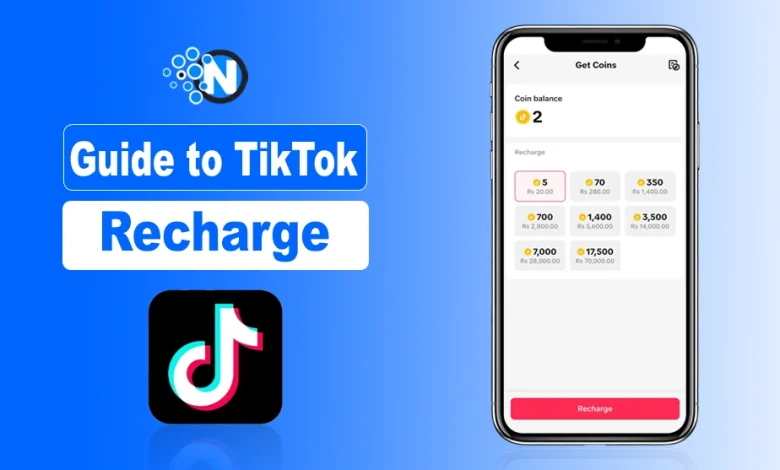
TikTok is one of the most popular short-video platforms and offers several interactive features, including TikTok recharge and its virtual currency, such as TikTok Coins.
I first noticed these coins while watching a TikTok live stream where viewers were sending gifts to support a creator. It looked exciting, but I wasn’t sure how the system worked.
That’s when I realized those gifts were powered by online TikTok’s virtual currency. These coins let you send virtual gifts, such as TikTok Universe, to your favorite creators, but you need to recharge or purchase them first.
The process is simple, yet many beginners still find TikTok recharge confusing. Let’s take a closer look at what TikTok’s virtual currency is, how it works, and how you can easily buy and use coins.
What is TikTok Virtual Currency?
Start creating Verdict in seconds, and convert more of your visitors into leads.
TikTok Coins are virtual currency purchased with real money. You can use them to purchase and send virtual gifts to your favorite creators during live streams or videos.
Virtual gifts and coins are part of TikTok’s broader creator monetization system, one of the many TikTok app features available today.
This makes them a key way for fans to interact with creators and get them paid for the TikTok content they produce for their fans.
Steps to Purchase TikTok Coins
Start creating Verdict in seconds, and convert more of your visitors into leads.
1. Open TikTok and tap on your Profile at the bottom-right of the home screen.

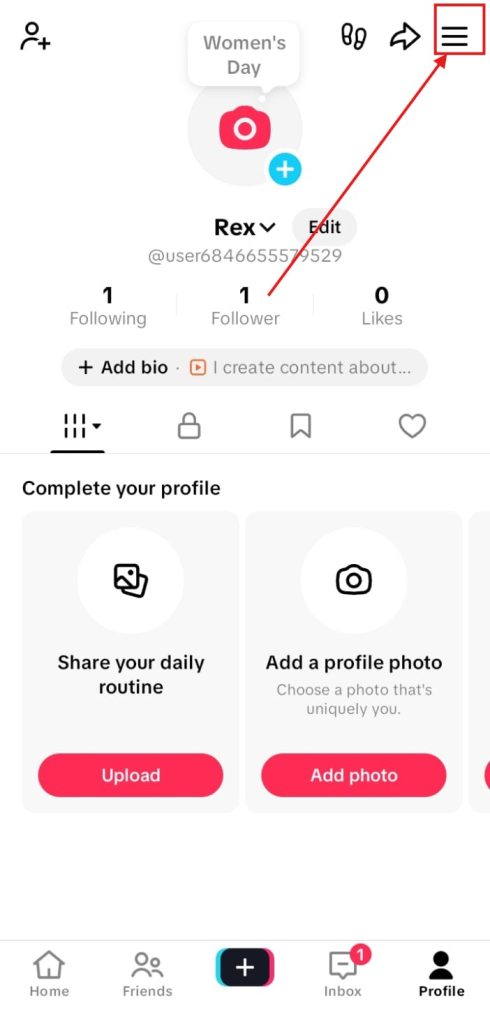
2. Then click on the three lines (☰) at the top-right corner of your profile.
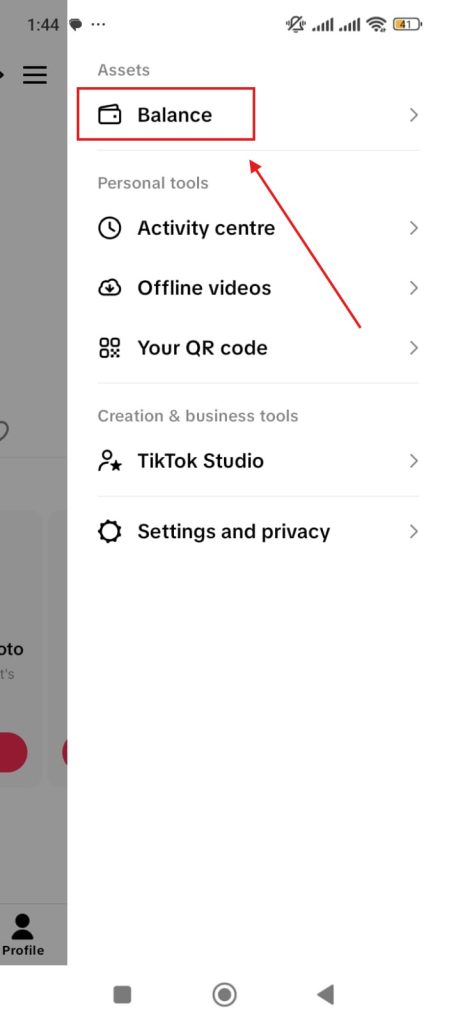
3. Then tap the Balance available in the Assets section.
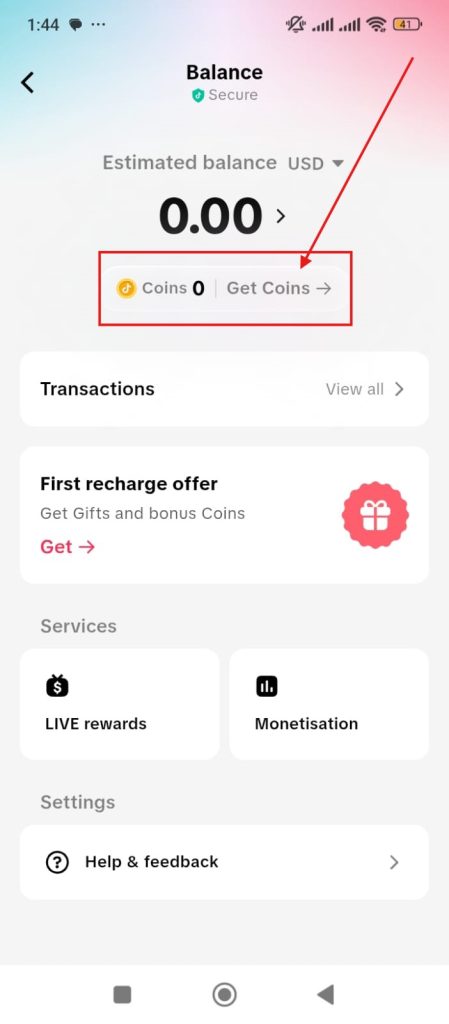
4. The upcoming window will show your balance. After that, tap Get Coins to make a TikTok recharge.
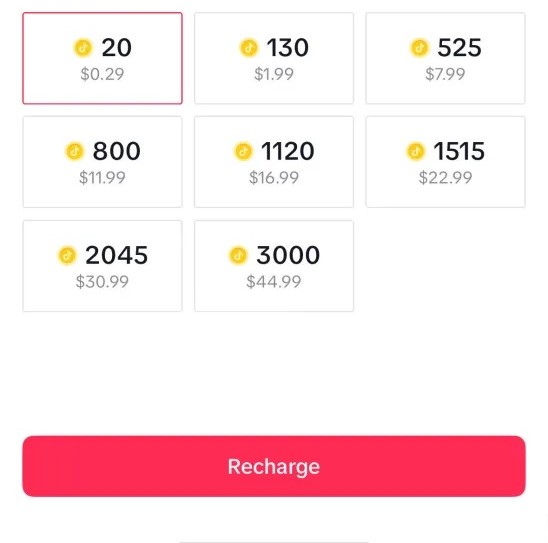
5. Select a coin package that suits you to top up your TikTok coins. Then tap on the Recharge button available at the bottom of the screen.
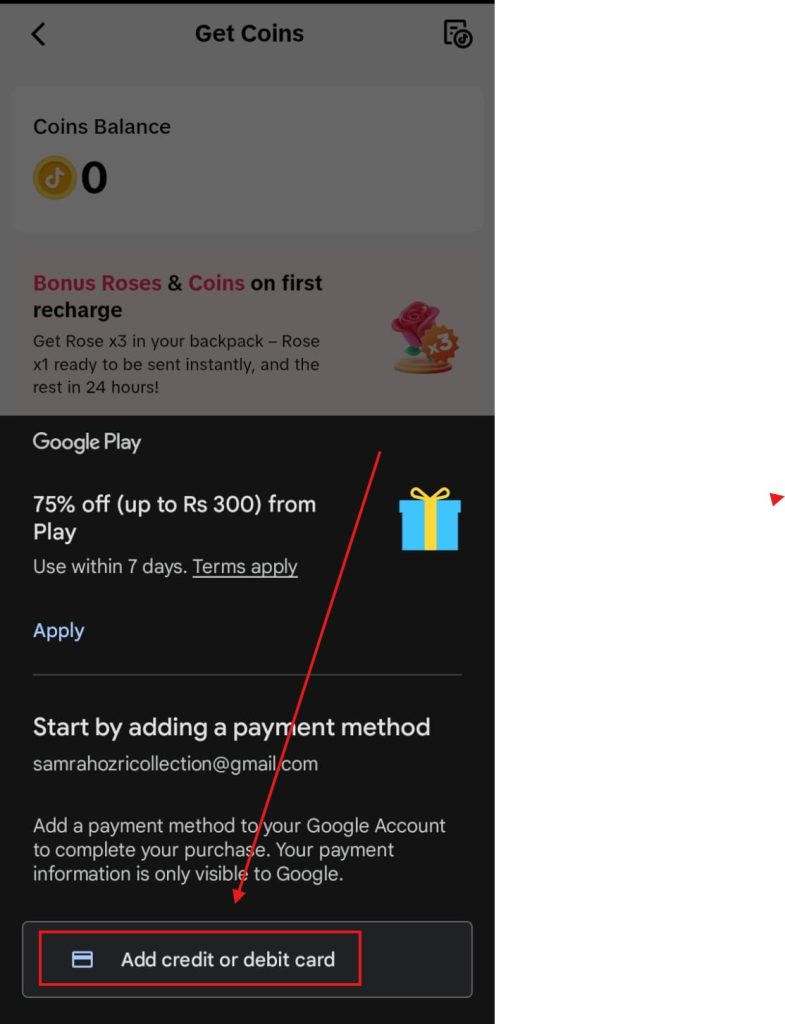
6. Add your credit or debit card to complete the purchase
Tips for TikTok Recharge and How to Use TikTok Coins?
Start creating Verdict in seconds, and convert more of your visitors into leads.
Here are some of the most effective tips and uses for TikTok recharge that you should understand to make sure you can have optimal advantages.
Tips for TikTok Recharge
- Compare Prices: Check different coin packages to find the best deal.
- Use Promotions: Look for discounts or special offers on coins.
- Set a Budget: Decide how much to spend and stick to it.
Uses of TikTok Coins
- Send virtual gifts to creators.
- Show appreciation and support.
- Make live streams more engaging and fun.
- Some gifts may unlock special features or rewards for creators.
That's All It Takes, Your TikTok Coins Are Just a Few Taps Away
Start creating Verdict in seconds, and convert more of your visitors into leads.
And that’s all you need to know about TikTok recharge and virtual currency. Recharging TikTok coins is surprisingly quick and straightforward.
Personally, I think the smallest package at $0.29 is a great way to test it out before committing to more. Once you start gifting your favorite creators, it genuinely makes the whole TikTok experience feel more fun and connected.
Sending gifts not only supports creators but also strengthens engagement signals tracked by the TikTok algorithm.
Frequently Asked Questions
Start creating Verdict in seconds, and convert more of your visitors into leads.
Can I Convert TikTok Coins Back to Real Money?
No, once you purchase TikTok Coins, you cannot convert them back to real money. However, creators can exchange the gifts they receive for real money.
What does recharge coins mean on TikTok?
“Recharging coins” simply means purchasing TikTok Coins with real money, which you can then use to send virtual gifts to creators.
Are TikTok Coins Worth It?
TikTok Coins are a great way to support your favorite creators and enhance your TikTok experience. If you enjoy interacting with creators and live streams, they are definitely worth it.
How Much Do TikTok Coins Cost?
The cost of TikTok Coins varies depending on the package you choose. It’s best to check the current prices in the app.