How to Set Up a Fully Secure VPS for Hermes Agent Deployments
To set up a secure VPS for Hermes Agent, you need to harden the server, isolate the agent in a container, restrict network access, and protect its data. Follow these 10 steps to configure your VPS, secure agent access, and maintain security after deployment.

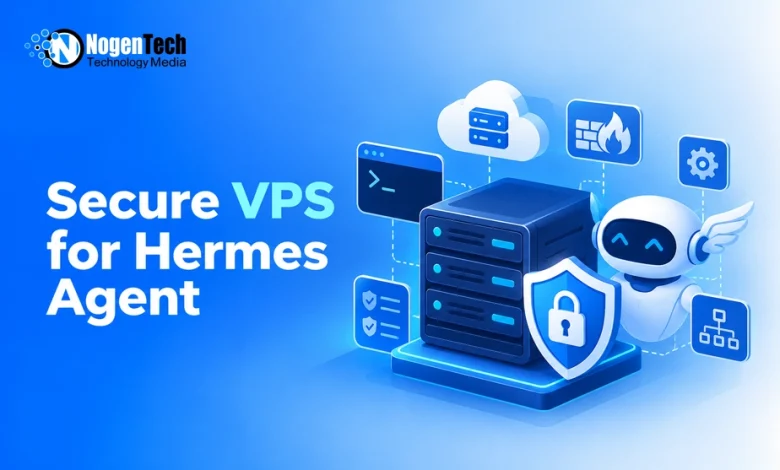
Hermes Agent runs best on a server of its own, awake at all hours and ready to act. That independence is the point, but it also means the machine holds your keys, your data, and direct access to outside services. Solid security is not luck; it comes from a short list of deliberate steps, each layered on the last. Here is how to build that foundation from a bare server up.
Think of it as three ideas working together: shrink what is exposed, separate the agent from the host, and keep watching after launch. Each layer covers for the others if one slips.
Provision and Harden the Base Server
Everything that follows rests on a locked-down starting point, so the base server is where the real work begins.
Step 1: Choose a Clean, Right-Sized Instance
Begin with a clean instance of a current, long-term-support server operating system for a predictable base with steady updates. For most deployments, two vCPUs and 4 to 8 GB of RAM is a sound starting point. Scale higher if the agent runs local browser automation or hosts its own models, since both eat memory quickly.
Step 2: Set Up Safe Access
Never run day-to-day work as the all-powerful root account. Create a dedicated user with limited privileges, then switch off direct root login over the remote shell. Go a step further and disable password logins altogether, allowing only approved cryptographic keys. Passwords can be guessed or leaked; a private key kept on your own device is far harder to steal.
Step 3: Close the Firewall
By default, block every inbound connection and open only what you truly need, which usually means your admin session and a few required outbound calls. Where you can, limit administrative access to a single fixed address. A tool that watches for repeated failed logins and bans the source automatically shuts down brute-force attempts before they start.
Isolate the Agent in a Container
Run Hermes Agent in a container to separate its processes and files from the VPS operating system.
Step 4: Run the Container Without Root Privileges
Use a rootless container runtime, such as rootless Docker or Podman, to limit the permissions available to Hermes Agent.
Remove unnecessary container capabilities, prevent processes from gaining additional privileges, and avoid running the container in privileged mode.
These restrictions are part of runtime security and help limit the damage if Hermes Agent or one of its tools is compromised. However, they don’t guarantee complete isolation from the host.
Step 5: Persist State Safely
The agent grows more capable the longer it runs, as memory, logs, and skills pile up. That progress has to survive restarts. Point the state directory at a managed container volume, not a raw host folder. This keeps important data intact through updates and reboots while keeping the underlying system out of reach.
Protect the Network and Gateways
Restrict access to Hermes Agent’s interfaces and communication channels so unauthorized users cannot reach or control it.
Step 6: Keep Interfaces Private
Configure your VPS for Hermes Agent so management dashboards, internal databases, and container ports aren’t publicly accessible unless necessary.
Bind internal services to localhost or a private network instead of exposing them to the internet. When remote access is required, use authenticated connections such as a VPN or SSH tunnel.
Step 7: Add a Guarded Entry Point
Sometimes you do need to reach a dashboard from afar. When that happens, place it behind a reverse proxy carrying valid encryption certificates, and add a separate login on top. That way, a single exposed page is wrapped in two layers of protection instead of sitting open to anyone who finds the address.
Step 8: Allowlist Who Can Command the Agent
Your agent likely listens on chat channels, and those are a direct line to its controls. Set a strict allowlist of approved accounts so only you and your team can issue instructions. Without that guardrail, a stranger who stumbles onto the channel could hand the agent tasks you never intended.
Maintain and Audit Over Time
Good security drifts without attention, so build a few habits that keep the setup honest.
Step 9: Back Up State and Sandbox Commands
Security is not a one-time task. Schedule automated, encrypted backups of the state directory, and store them with append-only permissions so a compromised server cannot erase its own history. When the agent fires off shell commands, run them in a throwaway container, not on the host. Then a bad one breaks nothing.
Step 10: Check for Open Ports
Every month or so, pull up the ports listening on the host and check that each one belongs. Stray services have a way of appearing after updates or quick experiments. Pairing that habit with recognized server security guidance helps you catch drift early, long before a forgotten port becomes an open door.
Conclusion
A secure agent server is built in layers, not with a single switch. Harden the base, box the agent into its own space, guard the network, and keep auditing once it is live.
None of these steps is hard on its own, and together they turn an exposed machine into a dependable home for an agent you trust to work alone. Set it up with care now, and the upkeep stays light later.