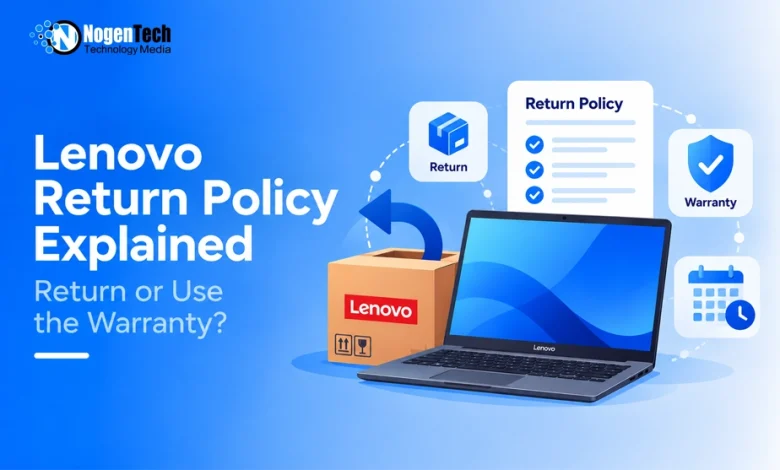
Products purchased from Lenovo.com can generally be returned within 30 calendar days of the invoice date. Lenovo says eligible returns initiated within this period are free of return shipping and restocking fees. LenovoPRO purchases receive 45 days, while Motorola purchases have a 14-day window.
The important question is not only whether you can return the product. You also need to decide whether a return, replacement, or warranty claim fits the problem.
A return usually makes sense when you recently received the wrong, damaged, or unwanted product. If the return window has closed and the device develops a covered fault, Lenovo’s warranty process may be the better route.
These are calendar days, so weekends and public holidays count. Check the invoice rather than estimating the deadline from the delivery date.
Does Lenovo Charge Return or Restocking Fees?
Lenovo says eligible products returned within the applicable window are processed without return-shipping or restocking fees. A 15% restocking fee, plus return shipping and handling charges, may apply to:
- Server and storage products
- Personal-computing orders containing more than five units
- Products submitted after the applicable return window
Lenovo provides an exception when it shipped the wrong product or made an error in the ordered configuration.
For a typical customer returning one laptop within 30 calendar days, the 15% charge should not automatically apply. This is important because several older third-party guides describe restocking fees without explaining the conditions attached to them.
Can You Return an Opened Lenovo Laptop?
Lenovo’s current US policy does not list opening a standard laptop as an automatic reason for refusing its return.
However, Lenovo asks customers to send the product back in its original box with all accessories and packaging. The returned merchandise is inspected before a refund is issued.
Before packing the laptop, collect:
- The original charger and power cable
- Any adapters or accessories included with the order
- Manuals and documentation
- Internal protective packaging
- The original product box
Back up your files, sign out of personal accounts, and follow Lenovo’s instructions for resetting the device. Do not remove the serial-number label.
How to Return a Lenovo Product
Lenovo directs US customers to its online Order Lookup system. Starting the return there creates a record of when the request was submitted and connects it to the original order.
1. Confirm Where You Purchased the Product
The Lenovo return policy discussed here applies primarily to products purchased directly from Lenovo.com in the United States.
If the laptop came from Amazon, Best Buy, Walmart, Costco, or another seller, the retailer’s return policy normally applies. The Lenovo brand on the product does not automatically make it a Lenovo.com return.
2. Check the Invoice Date
Locate the invoice and confirm that you are still within the correct return window. Keep the order number and purchasing email address available.
3. Initiate the Return Online
Open Lenovo Order Lookup, enter the requested information, and select the return option.
Do not ship the product independently or refuse delivery. Lenovo advises customers to accept the package and return it through the authorized process.
4. Wait for the RMA and Shipping Label
Lenovo says it sends an email within 48 hours after processing the request. The email should include:
- An RMA (Return Merchandise Authorization) number
- A prepaid return-shipping label
- Packaging instructions
- The next steps for completing the return
The RMA helps Lenovo identify the order when the package reaches its return center.
5. Pack and Ship the Product
Repack the product securely with its original accessories and packaging. Photograph the laptop, serial number, accessories and sealed package before shipping.
Apply Lenovo’s return label and take the package to an authorized UPS location. A product delivered in the United States should be submitted at a US location. You can find the nearest drop-off point through the UPS location finder.
Keep the receipt and tracking number until the refund reaches your account.
How Long Does a Lenovo Refund Take?
Lenovo asks customers to allow 5–10 business days for it to receive the package, inspect the merchandise and issue the refund to the original payment method.
After Lenovo issues the refund, the bank or payment provider may require another 2–10 business days to post the funds. If tracking confirms delivery but the processing period has passed, contact Lenovo with:
- Your order number
- The RMA (Return Merchandise Authorization) number
- UPS tracking information
- The date Lenovo received the package
A delayed bank posting does not necessarily mean Lenovo has not issued the refund, so check the status of both stages.
What If the Laptop Arrives Damaged or Defective?
Inspect the package and laptop soon after delivery. Lenovo recommends reporting damage, missing items, incorrect products or configuration problems before the return period ends.
Take clear photographs of:
- Damage to the shipping box
- Damage to the laptop
- The serial-number label
- Missing or incorrect accessories
- Any visible configuration mismatch
For a new defective laptop, you may have more than one option:
- Return it for a refund
- Request a replacement
- Ask Lenovo Technical Support to diagnose the problem
- Use the warranty if a repair is more appropriate
Do not spend most of the return window repeatedly troubleshooting a laptop if you already know you want a refund. Keep the invoice deadline in view while dealing with support.
Should You Return the Laptop or Use the Warranty?
A return reverses a recent purchase. A warranty addresses eligible problems while you continue to own the product. Use this distinction to choose the better route:
| Situation | Better starting point |
| You changed your mind within the return window | Return |
| Lenovo sent the wrong model or configuration | Return or replacement |
| The laptop arrived damaged | Report it immediately and request a return or replacement |
| A serious defect appeared soon after delivery | Return or replacement |
| A hardware fault appeared after the return window | Warranty |
| The issue involves drivers or software | Technical Support |
| The laptop was accidentally damaged | Check accidental-damage coverage |
| The product came from another retailer | Retailer’s return policy |
If the return period has closed, use the laptop’s serial number to complete a Lenovo warranty check. This will help you confirm whether coverage remains before paying for an outside repair.
For diagnosis, drivers or warranty assistance, use the official Lenovo Technical Support portal.
What Happens After the Return Window Closes?
Do not assume Lenovo will accept a late return simply because you are willing to pay a restocking fee. Its published policy says products submitted after the allotted period may be subject to a 15% fee and return shipping charges, but acceptance can still depend on the order and circumstances.
After the deadline, consider these options:
- Check the remaining Lenovo warranty.
- Ask Lenovo Technical Support to diagnose the issue.
- Review any extended warranty or accidental-damage protection purchased with the laptop.
- Check whether your payment card includes purchase protection.
- Ask Lenovo Customer Care whether an exception is available.
Avoid opening the laptop or authorizing an outside repair before checking the warranty terms. Unauthorized work may affect the support options available.
Lenovo.com and Retailer Returns Are Different
Where you purchased the laptop determines the initial return process. A purchase made directly through Lenovo.com follows Lenovo’s return window. A Lenovo laptop bought through a third-party seller usually follows that seller’s rules.
The differences may include:
- Return deadlines
- Open-box conditions
- Restocking charges
- Mail or in-store returns
- Exchange availability
- Refund processing times
Lenovo’s policy specifically states that Best Buy pickup orders must be returned to a Best Buy store. Warranty service may still come from Lenovo after the retailer’s return period expires, depending on the product and coverage.
Do Holiday Purchases Receive More Time?
Lenovo sometimes offers extended holiday returns for qualifying orders. These are temporary promotions with specific purchase and return dates.
Do not rely on a previous holiday deadline for a current purchase. The standard Lenovo.com window remains 30 calendar days unless the terms displayed for your order provide an active extension.
Save a copy of any holiday-return offer shown at checkout. It may help if the promotional deadline is later questioned.
Check These Details Before Shipping
Spend a few minutes checking the return before handing the package to UPS:
- Confirm the invoice date and deadline.
- Make sure Lenovo.com was the original seller.
- Decide whether you want a refund, replacement or repair.
- Back up personal files and remove account access.
- Include all original accessories and packaging.
- Photograph the product and serial number.
- Use the RMA and Lenovo-issued label.
- Keep the UPS receipt and tracking details.
- Monitor the refund on the original payment method.
- Check the warranty if the return window has ended.
Related Lenovo Guides: Want to explore more about Lenovo? Check out these NogenTech guides:
- Explore the Lenovo Legion 7 laptops and their key features.
- Check out some of the best Lenovo Chromebook models.
- Learn more about the Lenovo IdeaPad lineup.