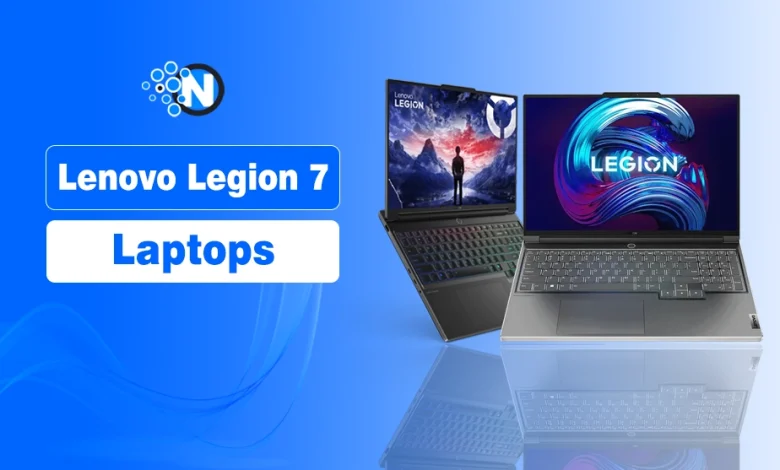
Choosing a Lenovo Legion 7 laptop can get confusing when different generations come with different processors, GPUs, displays, and prices. The right option depends on whether the priority is high-end gaming performance, portability, display quality, or overall value.
That choice matters in a growing category: the global gaming laptop market is estimated at $14.36 billion in 2026 and projected to reach $20.05 billion by 2034, according to Fortune Business Insights.
The Lenovo Legion 7 lineup offers several performance-focused options, so the models below are compared by specifications, gaming hardware, features, and the type of gamer each one suits.
| Model | Processor | GPU | Display |
|---|---|---|---|
| Lenovo Legion 7i Gen 10 | Intel Core Ultra 9 275HX | NVIDIA GeForce RTX 5070 | 16″ WQXGA OLED, 240Hz |
| Lenovo Legion 7i Gen 9 | Intel Core i9-14900HX | NVIDIA GeForce RTX 4070 | 16″ WQXGA IPS |
| Lenovo Legion Pro 7i Gen 9 | Intel Core i9-14900HX | Up to NVIDIA GeForce RTX 4090 | 16″ WQXGA IPS |
| Lenovo Legion Pro 7i Gen 8 | Intel Core i9-13900HX | RTX 4080 / RTX 4090 | 16″ WQXGA IPS, 240Hz |
| Lenovo Legion Slim 7 Gen 8 AMD | AMD Ryzen 7 7840HS | NVIDIA GeForce RTX 4060 | 16″ WQXGA IPS |
5 Lenovo Legion 7 Laptops and What Each One Offers
Each Lenovo Legion 7 laptop takes a slightly different approach to gaming performance, graphics, display quality, and portability. Here is a closer look at the five models, starting with their key specifications and the differences that matter most for gaming.
1. Lenovo Legion 7i Gen 10
- OS: Windows 11 Home / Pro
- Processor: Up to Intel Core Ultra 9 275HX
- GPU: Up to NVIDIA GeForce RTX 5070 Laptop GPU
- RAM: Up to 32GB DDR5
- Storage: PCIe 4.0 NVMe SSD
- Display: 16-inch WQXGA OLED, 240Hz
- Weight: Starting at under 2 kg
- Keyboard: Legion TrueStrike RGB Keyboard
- Color: Glacier White
The Lenovo Legion 7i Gen 10 pairs Intel Core Ultra HX processors with NVIDIA RTX 50-series laptop graphics. The RTX 5070 configuration is aimed at demanding games, high graphics settings, and other GPU-intensive workloads.
Its 16-inch WQXGA OLED display with a 240Hz refresh rate combines sharp visuals with smooth motion for fast-paced games. The relatively slim aluminum chassis also makes it easier to carry than heavier Legion Pro models.
For buyers comparing Lenovo’s gaming line with its everyday laptops, the Lenovo IdeaPad family takes a more general-purpose approach, while the Legion 7 prioritizes graphics performance, cooling, and high-refresh displays.
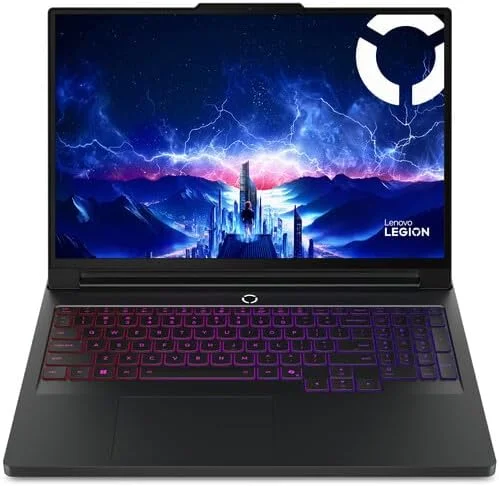
2. Lenovo Legion 7i Gen 9
- OS: Windows 11 Home / Pro
- Processor: Up to Intel Core i9-14900HX
- GPU: Up to NVIDIA GeForce RTX 4070 Laptop GPU
- RAM: Up to 32GB DDR5
- Storage: PCIe 4.0 NVMe SSD
- Display: 16-inch WQXGA 240Hz or 3.2K 165Hz IPS
- Weight: Starting at 2.24 kg (4.94 lbs)
- Keyboard: White or per-key RGB backlight
- Color: Eclipse Black or Glacier White
The Lenovo Legion 7i Gen 9 combines up to a Core i9-14900HX processor with RTX 4070 graphics. It is a strong fit for gamers who want AAA gaming performance without the extra weight and higher-end hardware of the Pro 7i.
According to Lenovo’s official specifications, the Legion 7i Gen 9 was offered with WQXGA 240Hz and 3.2K 165Hz IPS displays. The 240Hz option favors faster gameplay, while the 3.2K panel provides higher resolution for users who also work with detailed visual content.
At around 2.24 kg, it also provides a better balance between gaming hardware and portability than the heavier Pro models.
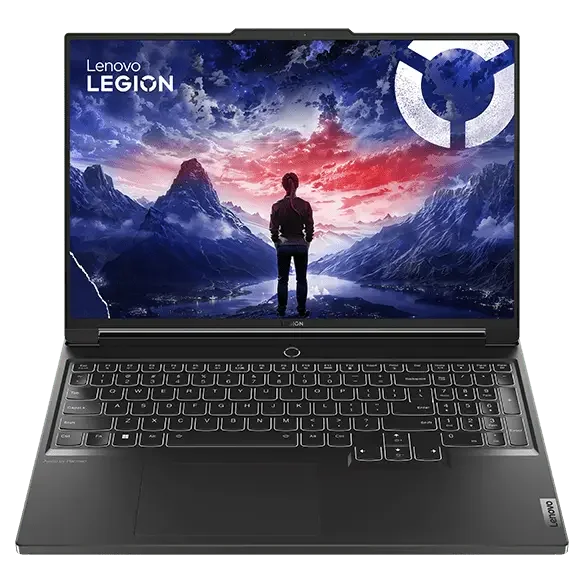
3. Lenovo Legion Pro 7i Gen 9
- OS: Windows 11 Home / Pro
- Processor: Intel Core i9-14900HX
- GPU: Up to NVIDIA GeForce RTX 4090 Laptop GPU
- RAM: Up to 32GB DDR5-5600
- Storage: Up to two PCIe 4.0 M.2 SSDs
- Display: 16-inch WQXGA IPS, 240Hz
- Weight: Around 2.8 kg
- Keyboard: Legion TrueStrike RGB Keyboard
- Color: Eclipse Black
The Lenovo Legion Pro 7i Gen 9 pushes performance further with the Core i9-14900HX and up to an RTX 4090 Laptop GPU. It suits gamers who prioritize maximum graphics performance and high settings, with enough power for GPU-heavy creative workloads as well.
Its 16-inch WQXGA 240Hz display provides the high refresh rate expected from a performance-focused gaming laptop, while the cooling system is designed to manage sustained CPU and GPU loads.
It also has two DDR5 memory slots and two M.2 SSD slots, giving more room for upgrades. Buyers comparing brands rather than individual Legion models can also look at the broader Lenovo vs HP laptop differences.
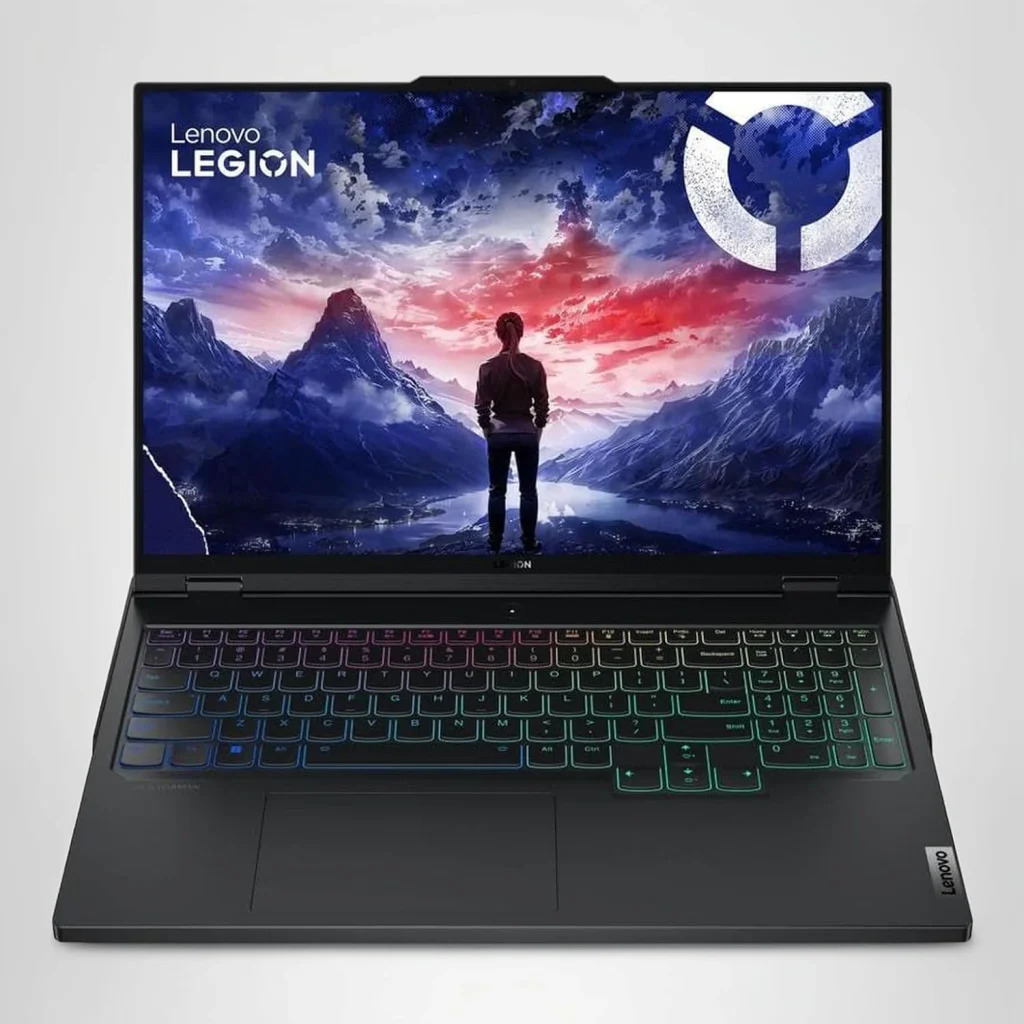
4. Lenovo Legion Pro 7i Gen 8
- OS: Windows 11 Home / Pro
- Processor: Intel Core i9-13900HX
- GPU: NVIDIA GeForce RTX 4080 or RTX 4090 Laptop GPU
- RAM: Up to 32GB DDR5
- Storage: Up to two PCIe 4.0 M.2 SSDs
- Display: 16-inch WQXGA IPS, 240Hz
- Weight: Around 2.8 kg
- Keyboard: Legion TrueStrike RGB Keyboard
- Color: Onyx Grey
The Lenovo Legion Pro 7i Gen 8 is a strong option for gamers looking at older high-end Legion hardware without giving up RTX 4080 or RTX 4090 performance. The RTX 4090 configuration includes 16GB of GDDR6 VRAM, while the RTX 4080 comes with 12GB.
Both configurations are designed around high-end gaming, with a 16-inch WQXGA 240Hz display and higher-power dedicated graphics. Two DDR5 memory slots and two M.2 SSD slots also provide room for RAM and storage upgrades.
As an older Legion generation, the condition of a second-hand unit matters alongside its specifications. A Lenovo warranty check can help confirm whether coverage remains on a particular device before purchase.
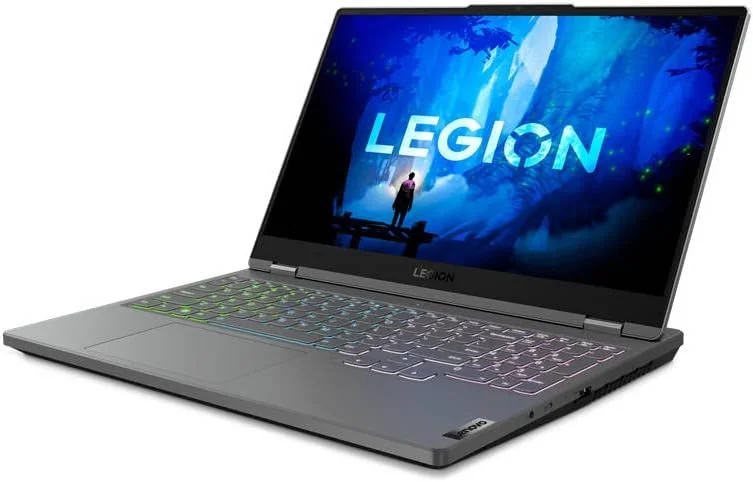
5. Lenovo Legion Slim 7 Gen 8 AMD
- OS: Windows 11 Home / Pro
- Processor: AMD Ryzen 7 7840HS
- GPU: NVIDIA GeForce RTX 4060 Laptop GPU
- RAM: Up to 32GB DDR5-5600
- Storage: Up to two PCIe 4.0 M.2 SSDs
- Display: 16-inch WQXGA 240Hz or 3.2K 165Hz IPS
- Weight: Around 2 kg (4.4 lbs)
- Keyboard: White or per-key RGB backlight
- Color: Glacier White or Storm Grey
The Lenovo Legion Slim 7 Gen 8 AMD combines an 8-core Ryzen 7 7840HS with RTX 4060 graphics. It is better suited to gamers who prioritize portability while still wanting dedicated graphics for modern gaming.
Its display options include WQXGA 240Hz and 3.2K 165Hz IPS panels, while the chassis weighs around 2 kg. This makes portability the main difference between the Slim 7 and the more performance-focused Pro 7i models.
The laptop supports up to 32GB DDR5-5600 memory, although part of the memory is soldered and only one SO-DIMM slot is available. For context, older models such as the Lenovo IdeaPad 720S-15 used dedicated GTX graphics but belong to an earlier generation of Lenovo performance laptops.
People Also Ask
Are Lenovo Legion laptops upgradeable?
Yes. Most Lenovo Legion laptops support RAM and SSD upgrades, although upgrade options vary by model.
Do Lenovo Legion laptops overheat during long gaming sessions?
They can get hot under heavy gaming loads, but Lenovo’s cooling systems help manage temperatures. Fan noise may also increase during intensive gaming.
How long do Lenovo Legion laptops last?
A Lenovo Legion laptop can remain useful for several years with proper care. Battery health, cooling, hardware, and usage affect its lifespan.
Are Lenovo Legion laptops reliable?
Generally, Legion laptops are built for demanding gaming workloads. Reliability still varies by model, usage, and maintenance.