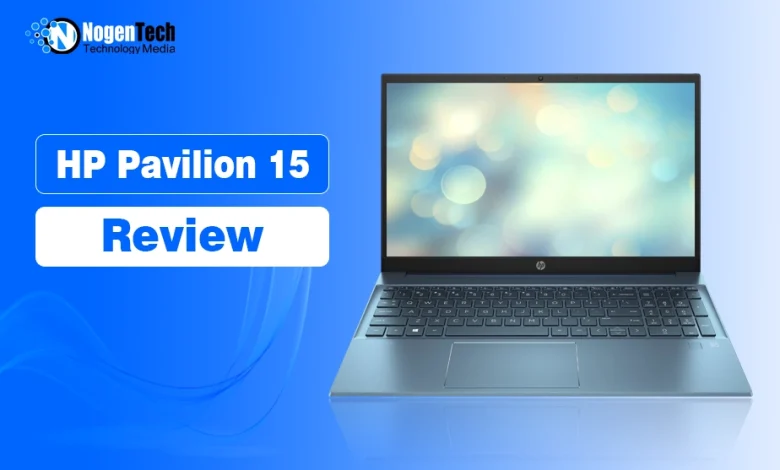
I use an HP Pavilion Laptop 15-eg0xxx for content writing, research, WordPress, and other everyday web-based tasks. My HP Laptop’s configuration has an 11th Gen Intel Core i5-1135G7 processor, 32GB of RAM, Intel Iris Xe graphics, and a touchscreen.
It is an older Pavilion model, and mine has been used enough to pick up a few scratches on its blue body. But for the work I actually do, I am still satisfied with it.
For writing, research, WordPress, and general productivity, I am still satisfied with its everyday performance. I would not choose this configuration for demanding modern games, sustained 3D rendering, or other GPU-heavy workloads, but those are not the tasks I bought or use it for.
This review is therefore based on my experience with my specific HP Pavilion 15 configuration and focuses on how useful an older Pavilion remains for everyday work in 2026.
Quick Verdict:
My HP Pavilion 15-eg0xxx remains a capable laptop for my writing, research, WordPress, and browser-heavy workflow. The 32 GB of RAM gives my configuration plenty of multitasking headroom, while the older Core i5-1135G7 remains sufficient for the tasks I perform. I would keep an existing unit that continues to meet my needs, but I would be more careful about buying one used in 2026 because its exact specifications, battery condition, physical condition, operating-system support, and price all matter.
My HP Pavilion 15 Specifications
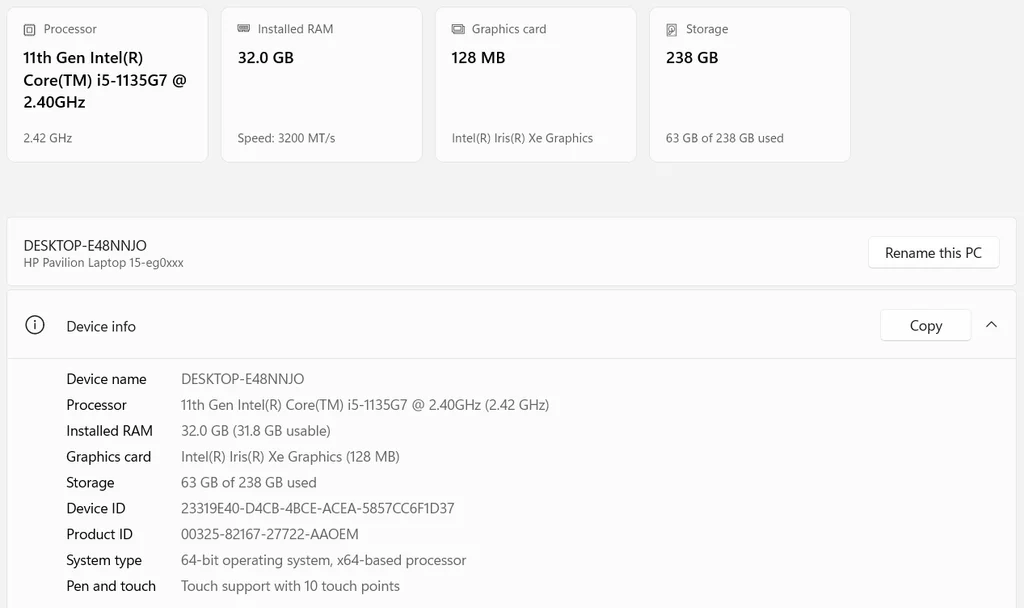
Here is the configuration I use:
| Specification | My HP Pavilion 15 |
|---|---|
| Model family | HP Pavilion Laptop 15-eg0xxx |
| Processor | Intel Core i5-1135G7, 4 cores/8 threads |
| CPU frequency | Up to 4.20 GHz turbo |
| Memory | 32 GB, 3200 MT/s |
| Graphics | Intel Iris Xe integrated graphics, 80 EUs |
| Storage | About 238 GB total capacity reported by Windows |
| Operating system | Add your Windows version here |
| Display | Add size + native resolution |
| Touchscreen | 10-point multitouch |
| System type | 64-bit OS, x64-based processor |
My laptop originally came with 16GB of RAM, and I later upgraded it to 32 GB.
How I Actually Use My HP Pavilion 15?
Most of my work happens in a web browser.
A normal work session can involve researching topics across several tabs, checking sources, drafting and editing articles, working inside WordPress, managing online tools, reading documents, checking email, and switching between different web applications.
I use the laptop as a working machine rather than specifically for benchmarking, so the observations in this review are based primarily on my normal content-writing workflow.
That distinction matters. A laptop can perform very differently depending on what someone expects from it. My experience tells me how this Pavilion works for writing and browser-based productivity, not how it performs for every possible workload.
Is the HP Pavilion 15 Good for Writing?
Yes. My HP Pavilion 15 is still a capable writing laptop in 2026.
I regularly use it to research topics, write and edit articles, manage content in WordPress, check sources, and move between browser-based tools. It handles those tasks without making the laptop itself the focus of my attention.
The 32 GB of RAM is particularly useful because I often have multiple browser tabs and applications open together. The Core i5-1135G7 is no longer a new processor, but I don’t need the latest CPU to write articles or manage content.

The Core i5-1135G7 is an older processor, but writing, WordPress, research, email, and similar productivity tasks do not require the newest CPU generation.
For a writing laptop, I would generally place more importance on comfortable everyday performance, sufficient RAM, SSD storage, a readable display, a usable keyboard, and reliable battery condition than simply choosing the newest processor generation.
What Is the Keyboard Like for Writing?
Because I use this laptop primarily for content work, the keyboard is one of the parts I interact with most.
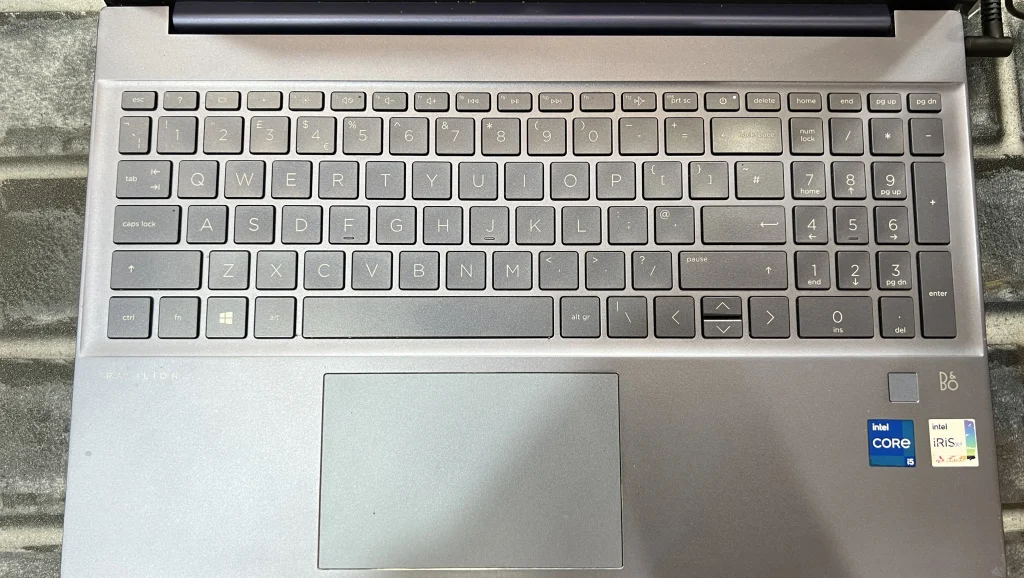
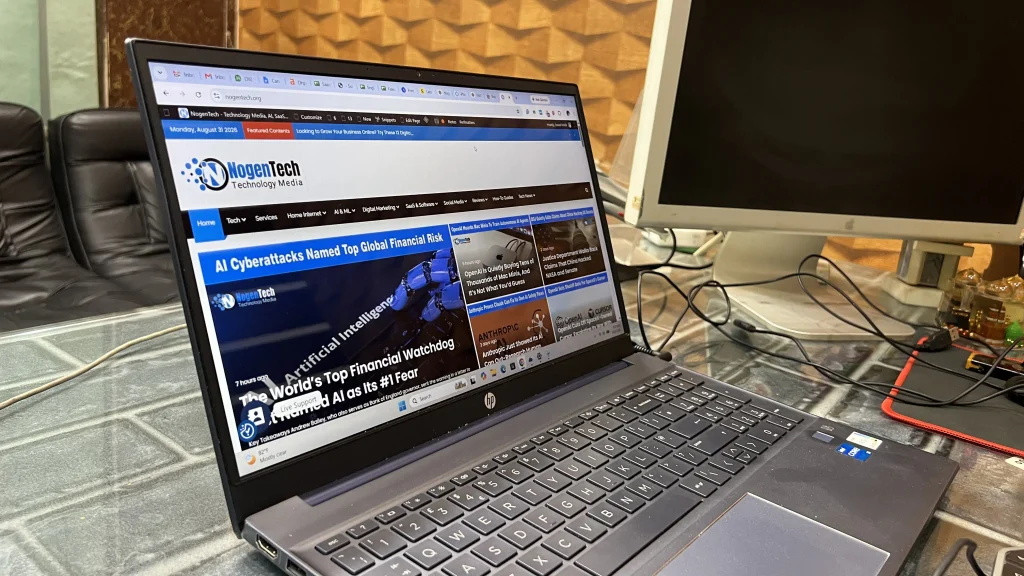
My Pavilion has a full-size keyboard with a numeric keypad, and most of my work is completed with the keyboard and trackpad rather than the touchscreen.
For writing articles, I care more about being able to type comfortably for my normal work sessions than about having unusual keyboard features. The layout has been practical enough for the writing and editing work I continue to do on this machine.
How Does It Handle Multitasking?
For my workload, multitasking is one of the reasons I am still comfortable using this laptop.
I can research in 15 to 20 browser tabs while writing and editing content without constantly closing pages to free memory. WordPress and the other browser-based tools involved in my work also run comfortably alongside my research tabs.
The 32GB of RAM deserves much of the credit here. This is also why I don’t think laptop comparisons should be based on the manufacturer alone.
Is Intel Iris Xe Enough for My Work?
My Pavilion 15 uses the Intel Iris Xe graphics integrated into the Core i5-1135G7, rather than a separate dedicated GPU.
For my work, that is enough.
Writing, web research, WordPress, office applications, streaming, and normal browser use don’t require a powerful dedicated GPU. I would rather have sufficient memory and responsive everyday performance for this type of workload.
Intel lists the integrated graphics in the i5-1135G7 with 80 execution units.
I would not choose this particular Pavilion configuration primarily for demanding modern gaming, sustained 3D rendering, or other workloads where graphics performance is one of the main requirements.
That is not a criticism of how it performs for my work; those simply are not the workloads this laptop is serving for me.
What Is the Laptop Like After Regular Use?
My Pavilion 15 doesn’t look new anymore, and I think that is worth showing in a long-term review.
Mine has a blue finish with a few visible scratches on the body from regular use. They are cosmetic and haven’t affected how I use the laptop for work.
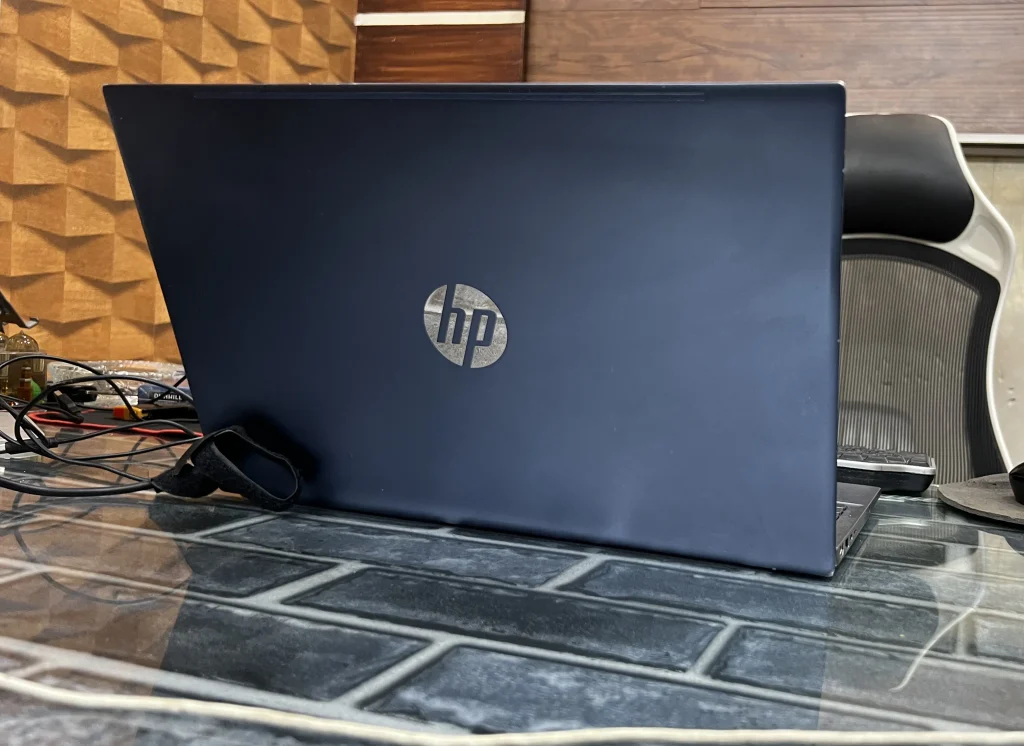
I prefer showing its actual condition rather than hiding the marks for the review. This is a laptop is for work, rather than a new machine taken for photographs.
The scratches are also something to consider if you’re looking at a used Pavilion 15. Check the body, hinges, keyboard, display, ports, and charger rather than judging an older laptop only by its specifications.
Is the Touchscreen Useful for Writing?
My model supports 10-point touch, but I wouldn’t consider the touchscreen essential for a writer.
I occasionally find touch convenient for navigation and scrolling, but most of my work is still done with the keyboard and trackpad, just like in the image below.
If I were choosing between two otherwise similar writing laptops and the touchscreen version cost significantly more, touch support alone wouldn’t persuade me to pay the extra money.
For me, the touchscreen is a useful extra feature rather than a major reason to choose this laptop.
Where Does My Pavilion 15 Show Its Age?
The most obvious sign of age on paper is the 11th Gen Intel Core i5-1135G7 platform.
There are much newer laptop processors available in 2026, so this Pavilion is clearly no longer current-generation hardware. That doesn’t create a problem for my current writing workload. It does change how I would judge this laptop as a purchase today.
For the work I perform, the more practical questions are whether the machine remains responsive, whether the battery and storage are still healthy, whether the display and keyboard continue to work properly, and whether the operating system remains supported.
My Pavilion continues to meet my current writing and productivity needs, so the existence of newer processors is not by itself a reason for me to replace it.
If I were shopping for this laptop used or refurbished today, though, I would judge it much more critically because I would be comparing an older machine with newer laptops available at the same price.
What About Windows Support in 2026?
Operating-system support is an important consideration when keeping or buying an older Windows laptop.
Microsoft ended standard support for Windows 10 on October 14, 2025. Windows 10 PCs can continue to operate, but normal support no longer includes the standard security updates. Further, the technical assistance before the end-of-support date, unless an extended-security option is being used.
Microsoft’s Windows 11 processor guidance includes 11th Generation Intel Core i5 processors among supported processor families, although processor generation alone does not guarantee that every individual PC meets all Windows 11 requirements.
Because of that, I would check the complete laptop’s Windows 11 eligibility and current operating-system status before buying a used Pavilion 15 in 2026.
For an existing owner, I would also consider supported software and security updates alongside performance when deciding how long to keep using the machine.
Who Is the HP Pavilion 15 Still Good For?
Based on my experience, a well-configured Pavilion 15 can still make sense for:
- Content writers and editors
- Bloggers and WordPress users
- Students
- Office and remote workers
- Web research
- Email and video calls
- Browsing and streaming
My positive experience should not be taken to mean that every Pavilion 15 is equally suitable. The exact configuration matters.
For example, my machine has 32 GB of RAM. Someone looking at a lower-spec Pavilion 15 should judge that configuration separately rather than expecting exactly the same multitasking experience.
Should You Buy an HP Pavilion 15 in 2026?
If you already own one that meets your needs, keeping it can make more sense than upgrading just because it is old.
That is what I am doing.
My Pavilion still handles my writing and research workload, so replacing it would currently solve a problem I don’t have.
Buying one in 2026 requires more consideration because newer alternatives are available. I would consider a used or refurbished Pavilion 15 only when its condition, specifications, and price make sense compared with a newer laptop.
Before buying a used one, check its battery condition, display, keyboard, hinges, ports, charger, storage health, and physical wear.
What About Battery Life?
Battery condition is particularly important on an older laptop because batteries degrade differently depending on age and how the machine has been used.
I have not included a specific battery-runtime claim here because I have not measured a controlled battery-life test for this review.
For someone buying a used Pavilion 15, I would therefore recommend checking the actual battery health rather than relying on the battery-life figures HP advertised when the laptop was new.
A laptop can still perform perfectly well while plugged in but have a significantly aged battery.
My Experience With the HP Pavilion 15
For the work I actually do, my HP Pavilion 15-eg0xxx continues to be a useful everyday laptop in 2026.
Its Core i5-1135G7 is old by current standards, and the scratches on my blue model make its regular use fairly obvious. Neither has stopped it from doing what I need.
The 32GB of RAM helps with my browser-heavy workflow, Intel Iris Xe is sufficient for my everyday tasks, and I can comfortably use it for writing, research, WordPress, and general productivity.
I wouldn’t recommend buying an older Pavilion 15 simply because mine still works well. For an existing owner, however, the more useful question is whether the laptop still handles your work, not how old the processor is.
Mine does, so I am continuing to use it.
Pros and Cons of My HP Pavilion 15
| Pros | Cons |
| Comfortable for my writing and browser-based productivity workflow | Uses an older 11th Gen Intel processor |
| 32 GB of RAM provides plenty of multitasking headroom | Integrated graphics are not intended for demanding GPU-heavy workloads |
| Continues to handle WordPress, research, and everyday web tasks well | Approximately 238 GB of total storage is limited compared with many newer systems |
| Touchscreen can occasionally be convenient | Touch support is not particularly important for my writing workflow |
| Genuine long-term use rather than a short-term review sample | My unit has visible cosmetic wear |
| No strong productivity reason for me to replace it yet | Battery condition needs to be judged individually on older units |