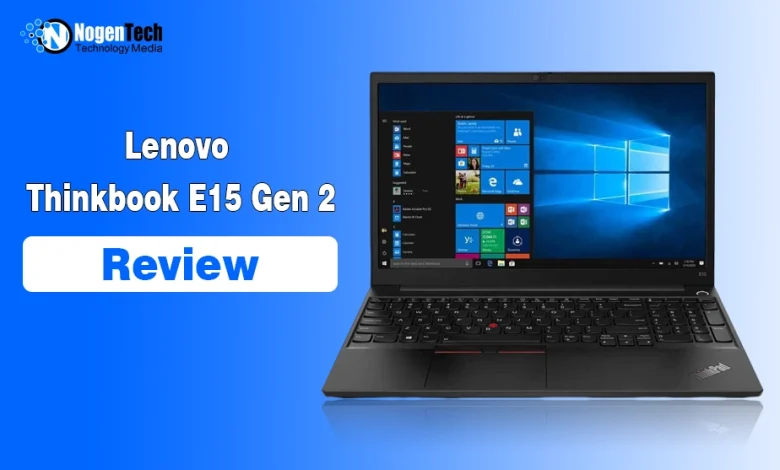
My answer is yes, but at the right price and for the right workload. As you know, this one is old enough, launched in 2020.
I tested this ThinkPad E15 Gen 2 (20TD) with an 11th Gen Intel Core i5-1135G7, 8GB RAM, Intel Iris Xe graphics, and a 15.6-inch Full HD display. I later gave it to a graphic designer I work with, and he regularly used Adobe Photoshop on it.
Here’s the funny part: he liked the laptop so much that he asked if he could keep it. We’ve worked together for years, so I couldn’t really say no. 😅
So, here’s how the E15 Gen 2 actually performed for us and where its age starts to show.
Lenovo ThinkPad E15 Gen 2 Specifications
Here are the specs of the Lenovo ThinkPad E15 Gen 2 laptop I used:
| Specification | My ThinkPad E15 Gen 2 |
| Machine Type | 20TD |
| Processor | Intel Core i5-1135G7 |
| RAM | 8GB |
| Graphics | Intel Iris Xe |
| Storage | Around 238GB usable SSD |
| Display | 15.6-inch Full HD |
| Resolution | 1920 × 1080 |
| Touchscreen | No |
| Keyboard | Full-size, backlit + numpad |
| Pointing | Touchpad + TrackPoint |
| Battery | 45Wh |
| OS I Used | Windows 10 |
Keep in mind that Lenovo ThinkPad E15 Gen 2 specifications vary by configuration, so a used or refurbished model may have different RAM, storage, display, or other hardware.
Design and Display Quality: Simple and Practical Experience
The E15 Gen 2 has the classic ThinkPad look: a black business-focused design, red TrackPoint, physical touchpad buttons, and a full-size keyboard with a numpad.
My laptop feels mostly plastic during everyday use. It doesn’t have a premium ultrabook feel, but the overall build has been fine for me.
One small annoyance is the hinge. I need both hands to open it because the base starts lifting if I try with one.
The 15.6-inch 1920 × 1080 display is also pretty straightforward. It worked well enough for browsing, office work, and Photoshop, but I wouldn’t call it a standout feature.
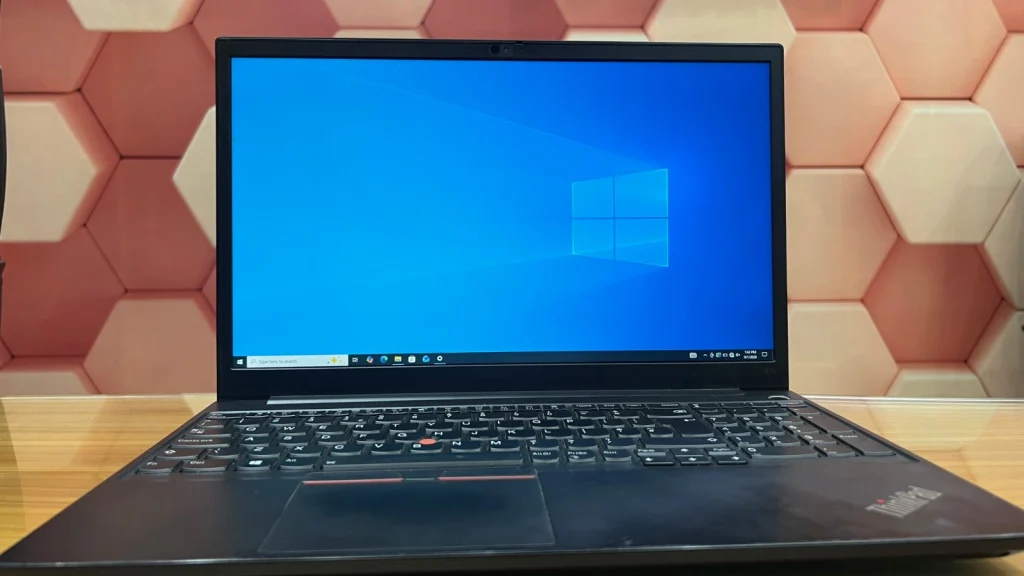
Basically, it’s a decent Full HD screen, nothing more.
If you’re buying one used, check the exact display configuration because Lenovo offered the E15 Gen 2 with different FHD panels.
Performance: Better Than I Expected From 8GB RAM
This is where the Lenovo ThinkPad E15 Gen 2 Core i5 surprised me.
With the Core i5-1135G7 and 8GB RAM, I could work with around 15 browser tabs open without noticeable trouble. I also tested this same machine in my Lenovo vs HP laptop comparison, where its 8GB configuration performed better than I expected.
Browsing, research, writing, and other everyday tasks remained smooth. The better test came when I handed it to my graphic designer colleague.
He used Adobe Photoshop on it, and his feedback on the speed was genuinely positive. I’m not treating that as a benchmark test, but it showed me that this laptop can handle more than basic browsing and documents.
Still, 8GB wouldn’t be my first choice if you’re buying one specifically for heavier multitasking in 2026.
Adobe currently lists 8GB RAM as the minimum for Photoshop, while recommending 16GB or more, so if a higher-RAM configuration is available for a reasonable price, I’d consider that instead.
What About Keyboard, Touchpad, and Ports?
I like the keyboard on this laptop. The keys feel comfortable, there’s a dedicated numpad, and you still get the classic ThinkPad TrackPoint.
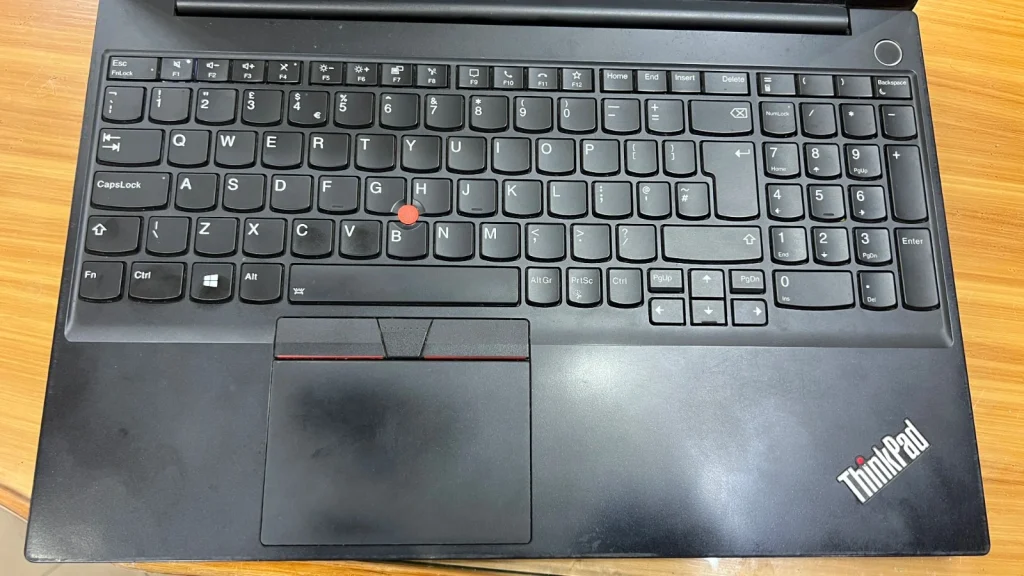
The touchpad is smooth as well.
My unit has a backlit keyboard, but this is one area I expected to like more. The lighting works, but the keys cover enough of it that the backlight doesn’t look as clean or noticeable as I expected.
Connectivity is more impressive. The E15 Gen 2 Intel series offers useful connections including USB-A, USB-C/Thunderbolt 4, HDMI, Ethernet, and a 3.5mm audio jack.
For a work laptop, that’s a practical selection and means fewer adapters hanging off the side.
Heat and Webcam: One Is Fine, One Shows Its Age
My E15 Gen 2 gets warm under heavier use, but the heat has remained reasonable. I never experienced anything that made me concerned about how hot the laptop was getting.
The webcam isn’t as impressive, though it also has a lid-type structure on the top that you can use for privacy purposes and hide the camera.
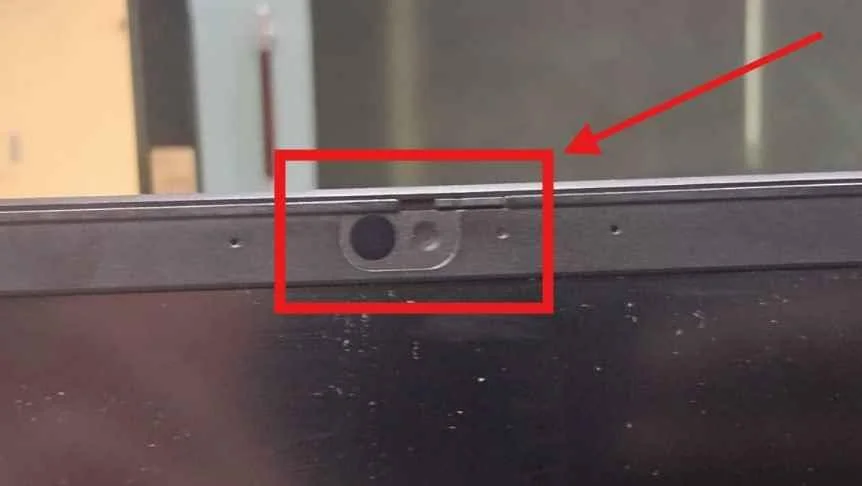
The camera quality feels dated by current standards. It’s usable for a basic Zoom or Google Meet call, but if video quality matters to you, I’d use an external webcam.
This is one of the areas where you can tell you’re using an older business laptop.
So, is the Lenovo ThinkPad E15 Gen 2 Worth Buying in 2026?
For office work, browsing, writing, research, studying, WordPress, and general productivity, I think the Core i5-1135G7 version can still make sense.
I have seen that it can handle some Photoshop work, although I wouldn’t confuse it with a modern workstation or buy an 8GB model specifically for demanding creative workloads.
The bigger question is price.
Most people considering this laptop today will probably be looking at a used or refurbished unit. Before buying one, check the RAM, SSD, battery health, display, keyboard, charger, ports, hinges, warranty, and overall condition.
If it’s priced well compared with newer alternatives, there’s still a useful laptop here. If the seller wants close to newer-laptop money, I’d start looking at newer hardware instead.