While creating guides on how to add cash to Cash App and how to add a debit card to Cash App, I noticed that people are actively looking for ways to unblock their contacts on this finance app.
Maybe you blocked someone on Cash App because you thought they were trying to scam you? Maybe the request looked shady, or their username raised red flags. Later, you realized it was either a misunderstanding or you accidentally blocked the wrong person altogether. It happens, trust me. And now you are looking for how to unblock someone on Cash App.
The good news is that unblocking someone on Cash App is actually pretty simple. In this blog post, I will guide you through the exact steps you need to follow to undo that block and get things back to normal, quickly and without any confusion.
How to Unblock Someone on Cash App?
Maybe someone sent you messages for advanced loans or tried to scam you on the app; whatever the reason, blocking is a good solution.
However, if you don’t think it’s right, below I have mentioned the steps by step details. You should follow to know how to unblock someone on Cash App on iPhone quite comfortably.
- Launch the Cash App on your smartphones.
- Make sure you are logged in to the correct account.
- At the bottom right of your screen, you will see a clock icon. Tap on it
- It takes you to your Activity section, where you can see the record of your recent transactions.
- Scroll through your past activity and find the person you blocked.
- If you recently interacted with them, they will appear in this list.
- Tap on their name to open their profile.
- Once inside their profile, look for the three dot icon (located in the upper right corner of the screen).
- Tap on it to reveal more options.
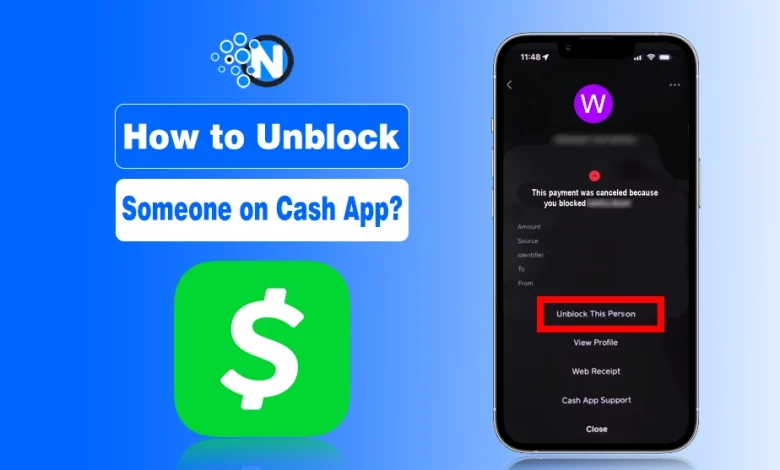
- You will see an option that says Unblock This Person.
- Tap on it, and they are unblocked.
- You can now send or receive money from them as usual.
How To Unblock Someone On Cash App On Android?
You need to follow the exact procedure as that of iPhone to unblock someone on Cash App on Android. The reason is Cash App usually keeps the same interface for its mobile application across different mobile operating systems.
How To Unblock Someone On Cash App On Computer?
You cannot unblock someone on Cash App on a computer because the Cash App web version only allows you to log in, view your payment history, and manage your account settings.
To unblock someone on Cash App, you must use the mobile app on iOS or Android.
What Happens After You Unblock Someone on Cash App?
When you unblock someone on Cash App, the app won’t send them a notification. They won’t even know unless they try to interact with you again. However, a few things that will happen after you unblock someone on Cash App are:
- You Can Resume Transactions: Once you unblock someone, you can request or send money like before. The restrictions are lifted immediately.
- They Remain in Your Contact History: Unblocking does not delete the Cash App transaction history. So if you have had prior exchanges, they will still be visible in your Activity tab.
- Borrowing Option Will Remain Unaffected: If you have unlocked the borrowing option on Cash App, unblocking contacts won’t have any effect on the borrowing option.
There are chances that you may start facing suspicious attempts again. In that case, it would be best for you to delete the Cash App account and create a new one with a different email.
Final Thoughts
Unblocking someone on Cash App is one of the easiest processes once you know the right steps, as I have mentioned in this guide. No matter if it is a personal decision or just an error you want to fix, the app makes it quick and easy.
Just keep in mind that your financial safety comes first, and Cash App, being one of the top money management apps, gives you the flexibility to control your interactions. So the next time you need to reconnect with someone on the platform, you will know exactly what to do.
People Also Ask
How to block and unblock someone on Cash App?
Open the person’s profile in Cash App, tap Block to stop interactions or visit Blocked Accounts in settings and tap Unblock to restore access.
How do you unblock someone from Cash App?
Go the activity tab on Cash App and click on the user profile. Tap three dots and choose Unblock This Person option.
How to Block Someone on Cash App?
Click on the profile you want to block, go to the bottom, and tap the Block option.
What happens when you block someone on cash app?
When you block someone on Cash App, you won’t be able to send and receive money to them.
How to unblock someone on Cash App on Android?
Open Cash App, go to your profile, select Privacy & Security, open Blocked Accounts, choose the person, and tap Unblock.