What Is Monday CRM? Features, Benefits & Setup Guide
Monday.com offers a dedicated CRM software called Monday CRM to help businesses manage customer contacts, track leads and sales deals, automate follow-ups, and organize sales activities in one place.

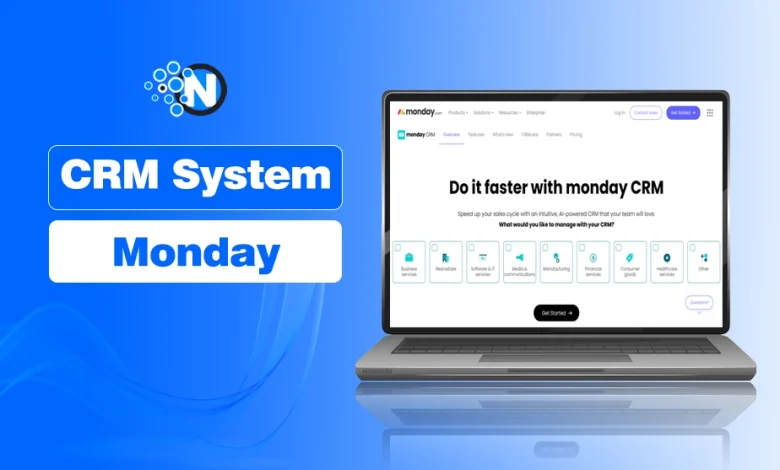
Monday.com is widely known for its project management tools, but its CRM product is designed specifically for sales teams. Built on monday Work OS, it allows businesses to customize sales pipelines, assign responsibilities, and connect the tools they already use.
It is different from a basic spreadsheet-type tool; monday CRM keeps customer information, deal progress, and team activities connected. However, its features, automation options, and pricing vary by plan, so businesses should understand what they actually need before choosing one.
Like other Customer Relationship Management (CRM) systems, Monday CRM helps teams keep track of customer interactions throughout the sales process.
What Is Monday CRM, and Is It the Same as Monday.com?
As told you above, Monday.com offers a dedicated customer relationship management product called Monday CRM. It is part of the monday.com platform, which also offers tools for project management and other business operations.
The main difference is their purpose. Monday work management focuses on organizing projects, tasks, and team workflows, while Monday CRM is built around sales activities such as managing leads, tracking deals, and maintaining customer records.
Both use customizable boards and workflows, but Monday CRM includes sales-focused tools such as deal pipelines, contact management, and sales reporting.
Monday CRM is cloud-based, meaning businesses access it online rather than installing it on their own servers. It is offered as a separate product with its own subscription plans.
What Are the Benefits of Using Monday CRM?
Monday CRM’s main benefits include:
- Flexible sales processes: Teams can adjust pipeline stages, customer fields, and workflows as their needs change.
- Easy access to customer information: Sales teams can find contact details, previous conversations, and deal updates without searching through spreadsheets or emails.
- Fewer missed follow-ups: Automated reminders and task assignments help teams respond to leads on time.
- Clearer sales pipeline visibility: Managers can identify delayed deals, monitor progress, and see where follow-ups are needed.
- Better team coordination: Shared customer records and assigned responsibilities help prevent confusion and duplicated work.
- Less manual work: Automating routine updates and notifications gives sales representatives more time to communicate with customers.
According to Salesforce’s 2026 State of Sales report, sales representatives spend 60% of their working time on non-selling tasks, highlighting the importance of automating routine sales activities.
How Do You Set Up Monday CRM?
You can set up monday CRM using its built-in sales tools without coding. The platform provides dedicated boards for managing leads, contacts, accounts, and deals, as explained in monday.com’s official CRM setup documentation.
- Customize Your Sales Pipeline: Open monday CRM and adjust the pipeline stages to match your sales process, such as New Lead, Qualified, Proposal, Negotiation, and Closed Won.
- Import Your Contacts: Import contacts and leads from a spreadsheet or supported CRM integration. Check for duplicates and missing information before importing.
- Customize Deal Records: Add fields for deal value, assigned sales representative, expected closing date, and follow-up dates.
- Assign Leads: Assign each lead or deal to a team member responsible for follow-ups and updates.
- Configure Automations: Set up automations for lead assignments, follow-up reminders, and deal status updates. Available options depend on your subscription plan.
- Connect Business Tools: Connect supported applications, such as Gmail, Microsoft Outlook, or Slack, to manage communication and updates.
- Create Sales Dashboards: Set up dashboards to track open deals, pipeline value, sales activity, and other relevant metrics.
What Are the Key Features of Monday CRM?
Monday CRM includes the core features of CRM software, such as contact management, sales tracking, and reporting, along with customizable workflows for managing different sales processes.
Its main features include:
- Contact and Account Management: Store customer details, company information, and communication history in one place.
- Lead and Deal Tracking: Track potential customers and monitor deals from initial contact to closing.
- Customizable Sales Pipelines: Adjust deal stages and fields to match how your team manages sales.
- Workflow Automation: Set up automatic lead assignments, follow-up reminders, notifications, and status updates.
- Sales Dashboards and Reporting: Monitor deal progress, pipeline value, sales activity, and team performance.
- Team Collaboration: Assign responsibilities, share updates, and attach files to customer or deal records.
- Integrations: Connect supported applications such as Gmail, Microsoft Outlook, Slack, and Zapier.
Most basic workflows can be customized without coding, although some advanced features and automation options depend on the subscription plan.
Pricing is another consideration. Businesses should compare the features included in each plan before subscribing, as paying for unused capabilities is one reason businesses overpay for CRM software.
How Does Monday CRM Integrate With Other Business Tools?
Monday CRM connects with email, communication, scheduling, and document management tools. Depending on the integration, teams can link customer activities, receive notifications, and automate tasks without switching between applications.
Some useful integrations include:
- Gmail and Microsoft Outlook: Connect email accounts to manage customer communication and track relevant conversations.
- Slack and Microsoft Teams: Send notifications about new leads, deal updates, and assigned tasks to team channels.
- Google Calendar and Outlook Calendar: Keep track of meetings, appointments, and scheduled follow-ups.
- Zoom: Connect meeting-related activities with sales workflows.
- DocuSign: Manage document signing as part of the sales process.
- Zapier: Connect Monday CRM with other applications and create automated workflows, such as adding new form submissions as leads.
Available integrations and automation capabilities may vary by subscription plan.
Is Monday CRM Better Than Traditional CRM Software?
Monday CRM may be a good choice for businesses that want customizable sales pipelines, straightforward task management, and automation without extensive technical setup.
However, other CRM platforms, such as Salesforce, HubSpot, and Zoho CRM, also offer these capabilities. Some provide more specialized tools for complex sales processes, advanced reporting, or industry-specific requirements.
The better option depends on your team’s workflow, required integrations, budget, and the features available in each platform’s subscription plans.
Still Have Questions About Monday CRM? We've Answered the Most Common Ones
Does Monday CRM Have a Chrome Extension?
Yes. Monday CRM offers a Google Chrome extension that lets users access Monday.com features, save information, and manage work directly from the browser.
Is There a Monday CRM App?
Yes. Monday CRM is available as a mobile app for iOS and Android, allowing users to manage customer relationships from anywhere.
Final Thoughts: Is Monday CRM the Right Choice for Your Business?
Monday CRM is worth considering if your team needs customizable sales pipelines, centralized customer records, and automation without complex technical setup.
However, before choosing it, compare the subscription plans with your budget and sales requirements. If your business needs specialized reporting, advanced integrations, or complex sales workflows, evaluate those capabilities against other CRM platforms before making a decision.