SaaS & Software

Mobile CRMs vs Traditional CRMs: What’s Right for Your Business?

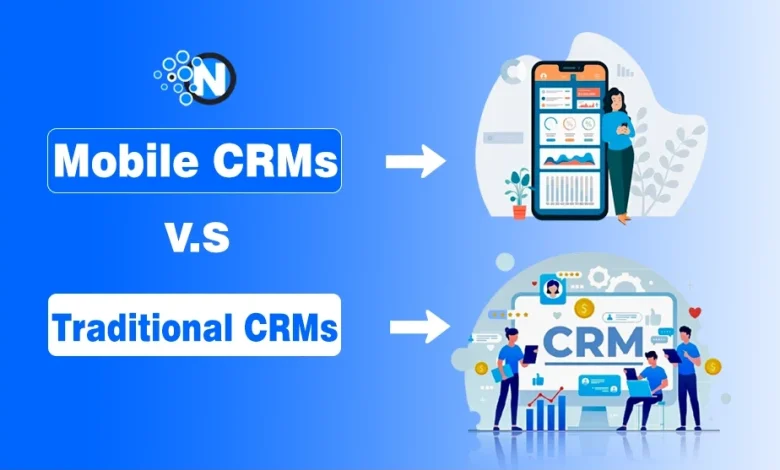
Still using a traditional CRM, or thinking about switching to a mobile CRM?

Any business that wants to bring better customer relationships and teamwork to the table must get the right CRM system. As found on Tech.co, 91% of companies with more than 11 employees use a CRM system because CRM can boost conversion rates by 300%.

There is confusion between Mobile CRM and Traditional CRM, and it can be confusing, but each CRM has its benefits, which can cater to different business needs.

Mobile CRM is designed for teams that need access to customer data, sales pipelines, and tasks from anywhere using a smartphone or tablet. Traditional CRM, on the other hand, is built for desktop-based workflows and often offers deeper customization for office-based teams.

Now, I’ll compare Mobile CRM vs. Traditional CRM, along with AI CRM and Social CRM, explain the key differences, and help you determine which CRM type is the best fit for your business in 2026.

<strong>What is a Mobile CRM?</strong>

Mobile CRM is a customer relationship management system that lets you access customer data, manage sales activities, and update records from a smartphone or tablet.

Unlike traditional desktop CRM, it is designed for teams that work outside the office.

While researching mobile CRM solutions, I found that the best platforms are built for mobile-first workflows, not just desktop software with a companion app. They allow sales and support teams to work from anywhere without waiting to get back to a computer.

A modern mobile CRM typically includes:

  • Access to customer records anywhere
  • Offline access with automatic syncing
  • Voice-to-text note capture
  • Business card scanning
  • GPS location tracking
  • Push notifications for tasks and updates
screesnhot of Mobile CRM layout on the mobile screen
Screesnhot of Mobile CRM layout on the mobile screen

The shift toward mobile CRM is accelerating. Nearly half of CRM users now access their platform from a smartphone, and businesses using mobile CRM report higher productivity and stronger sales performance.

Teams can update customer information immediately after meetings instead of relying on manual data entry later.

What is a Traditional CRM?

Traditional CRM is a desktop-first customer relationship management system designed to manage customer data, sales pipelines, and business communications from a fixed workstation.

It works best for businesses with office-based teams and structured sales processes.

While reviewing traditional CRM platforms, I found they are built around record-keeping rather than mobility. They centralize customer information and help teams track interactions, deals, and support requests from a single system.

A traditional CRM typically helps you:

  • Store customer and contact information
  • Manage sales pipelines and deals
  • Track emails, calls, and customer interactions
  • Generate reports and sales forecasts
  • Support lead management and customer service

The biggest limitation is flexibility. Most traditional CRM systems rely on desktop workflows, making it harder for field sales teams and remote employees to update records in real time. As businesses adopt AI, mobile access, and omnichannel communication, many legacy CRM platforms struggle to keep pace.

Traditional CRM is still a good fit for:

  • Office-based sales teams
  • Businesses with established CRM workflows
  • Enterprises requiring complex ERP integrations
image showing the layout of Traditional CRM structure
Image showing the layout of Traditional CRM structure

Mobile CRMs vs. Traditional CRMs – Comparison

Here is a direct comparison of how mobile CRM and traditional CRM differ across every dimension that matters to a business decision:

FeatureMobile CRMTraditional CRM
AccessAny device, anywhere, anytimeDesktop or browser, office-based
Data entryVoice, photo, GPS, touchManual keyboard input
Real-time syncYes — instant across all devicesOften delayed — end-of-day logging
Offline accessYes — syncs when reconnectedLimited or none
AI integrationNative on modern platformsBolted on or absent
User adoptionHigh — especially field teamsOften low — perceived as admin burden
Setup complexityLow — plug and playMedium to high
Customization depthModerateDeep
Cost to startFree to low costMedium to high
Best forField teams, SMBs, remote workersOffice-based, enterprise, regulated industries
image sowing the differences of Mobile CRMs vs. Traditional CRMs
Image showing the differences between Mobile CRMs vs. Traditional CRMs

Accessibility and Mobility

Mobile CRM gives sales and support teams instant access to customer data from anywhere. I found this especially useful for field reps who need to update deals immediately after meetings instead of waiting until they return to the office.

Traditional CRM works best for office-based teams that primarily use desktops.

Real-Time Sync and Offline Access

Modern mobile CRMs sync customer data across devices in real time, keeping everyone updated. Most also support offline mode, allowing teams to work without an internet connection and sync changes later.

Traditional CRM often depends on a stable internet connection and manual updates.

Faster Data Entry

One of the biggest advantages I noticed is how quickly mobile CRM captures information.

Mobile CRM supports:

  • Voice-to-text notes
  • Business card scanning
  • GPS location tagging
  • Photo uploads

Traditional CRM mainly relies on manual keyboard entry, which usually takes longer.

User Adoption

Mobile CRM is easier to use because it fits naturally into daily workflows. Sales reps can log calls, update deals, and receive notifications directly from their phones.

Traditional CRM often sees lower adoption because users postpone updates until they’re back at a computer.

Customization and Integrations

Traditional CRM still has an advantage for large organizations. Platforms like Monday.com, Microsoft Dynamics 365, and SAP CRM offer advanced customization, automation, and enterprise integrations.

For most small and mid-sized businesses, however, a simpler mobile CRM is usually easier to deploy and manage.

Cost and ROI

Mobile CRM generally requires a lower upfront investment, and many providers offer free plans, making it a practical choice for growing businesses.

While comparing both options, I found that the real cost isn’t just the subscription; it’s how much your team actually uses the CRM. A simpler mobile CRM with high adoption often delivers better ROI than a complex system that employees rarely update.

Social CRM vs Traditional CRM: Key Differences

Social CRM extends traditional CRM by capturing customer interactions from social media alongside emails, calls, and purchase history.

While reviewing both approaches, I found the biggest difference is that traditional CRM manages customer records, whereas social CRM manages ongoing conversations and engagement.

FeatureSocial CRMTraditional CRM
Data SourcesSocial media, reviews, forums, DMsEmail, calls, forms, purchase history
Customer ViewConversations & sentimentContacts, deals & support history
Data TypeStructured + unstructuredMostly structured
EngagementReal-time, two-wayScheduled, one-way
Best ForB2C, DTC, community brandsB2B, enterprise sales

How Social CRM Differs from Traditional CRM?

The main difference is how customer interactions are captured and managed.

Social CRM

  • Tracks social media conversations in real time
  • Monitors mentions, reviews, comments, and direct messages
  • Measures customer sentiment and brand engagement
  • Connects social interactions to customer profiles

Traditional CRM

  • Focuses on emails, phone calls, forms, and purchases
  • Manages sales pipelines and customer records
  • Tracks deals, support tickets, and communication history
  • Works best for structured sales processes

For example, if a customer posts a complaint on X, Facebook, or Instagram, a traditional CRM may never detect it. A social CRM can capture that interaction, link it to the customer’s profile, and route it to the support team automatically.

If your business relies heavily on social engagement and customer communities, Social CRM is the better choice. If your priority is sales management, lead tracking, and structured customer relationships, a traditional CRM remains the better fit.

When Should You Choose Social CRM?

While comparing both approaches, I found that Social CRM works best when customer conversations happen on social platforms, not just through email or phone.

Choose Social CRM if you:

  • Engage customers mainly through social media
  • Need real-time sentiment and brand monitoring
  • Handle support requests from social channels
  • Run a community-driven brand (fashion, gaming, beauty, food, etc.)
  • Track competitors and share of voice

When Is Traditional CRM the Better Choice?

Traditional CRM remains the better option for businesses with structured sales and long-term customer relationships.

Choose Traditional CRM if you:

  • Focus on B2B or enterprise sales
  • Manage long sales cycles
  • Rely on email, phone, and meetings
  • Use social media as a secondary channel

Can Social CRM and Traditional CRM Work Together?

Yes. In most cases, using both together delivers the best results.

A traditional CRM manages contacts, deals, and customer history, while Social CRM adds real-time conversations, social engagement, and sentiment data. Together, they provide a more complete view of every customer.

AI CRM vs Traditional CRM: What's the Real Difference?

While comparing AI CRM and traditional CRM, I found the biggest difference isn’t the features; it’s how the work gets done.

A traditional CRM depends on manual updates and predefined rules, while an AI CRM captures data automatically, predicts outcomes, and recommends the next best action.

FeatureAI CRMTraditional CRM
Data ProcessingAutomated & predictiveManual & reactive
Lead ScoringAI-poweredRule-based
ForecastingAI & machine learningPipeline-stage estimates
PersonalizationDynamicTemplate-based
Data EntryAutomaticManual
AutomationAI agentsWorkflow rules

Why AI CRM Is Different?

Traditional CRM was built to record customer information, not analyze it. That becomes a limitation when sales reps forget to update records or enter incomplete data.

AI CRM solves this by automatically collecting information from emails, meetings, calendars, and calls. With more complete data, it can predict customer behavior, identify at-risk deals, and recommend the next best action before problems appear.

AI CRM Improves Forecast Accuracy?

One of the biggest advantages I noticed is sales forecasting.

Traditional CRM forecasts usually rely on deal stages, giving every opportunity at the same stage a similar probability of closing. AI CRM goes further by analyzing:

  • Customer engagement
  • Deal velocity
  • Historical win rates
  • Rep performance
  • Buying signals

This creates more reliable revenue forecasts and helps sales teams identify risks earlier.

Benefits of AI CRM Over Traditional CRM

AI CRM helps businesses spend less time on administration and more time selling. Key benefits include:

  • Automatic data capture from calls and emails
  • AI-powered lead scoring
  • More accurate sales forecasting
  • Personalized follow-ups and recommendations
  • Automated workflows with less manual work

Is AI CRM Better for Small Businesses?

For many SMBs, the answer is yes. While researching this comparison, I found that manual CRM updates can consume hours every week for a small sales team. AI CRM reduces that workload by capturing customer interactions automatically, allowing teams to focus on selling instead of data entry.

AI is no longer limited to enterprise software. Platforms like HubSpot, Zoho CRM, and Freshsales now include AI features that are accessible to small and mid-sized businesses.

How to Migrate From Traditional CRM to a Modern CRM?

Migrating to a modern CRM is more than moving customer data. While researching CRM migrations, I found that successful projects start with clean data, clear goals, and proper user training.

Following a structured process helps reduce risks and improve adoption.

Step 1: Audit Your Current CRM

Review your existing CRM before making any changes.

Check:

  • Customer data quality
  • Active workflows and automations
  • Team adoption and usage
  • Current pain points

This helps identify what should be migrated and what should be left behind.

Step 2: Define Your Requirements

Decide what your new CRM should improve.

Common requirements include:

  • Mobile access for remote teams
  • AI-powered automation and lead scoring
  • Better integrations
  • Easier reporting and workflows

Having clear goals makes choosing the right CRM much easier.

Step 3: Choose the Right Migration Path

The type of migration depends on your business needs.

  • Traditional → Mobile CRM: Better access for field teams.
  • Traditional → AI CRM: More automation and predictive insights.
  • Traditional → Social CRM: Add social media engagement.
  • Traditional → Cloud CRM: Improve scalability and remote access.

Step 4: Clean and Migrate Your Data

Before importing data, remove duplicates, fix incomplete records, and standardize formats. Clean data improves reporting, automation, and AI performance after migration.

Step 5: Test Before Switching

Instead of replacing your old CRM immediately, run both systems for a short period. This allows you to verify data accuracy, test workflows, and resolve issues before completing the migration.

Step 6: Train Your Team

Even the best CRM will fail without user adoption. Focus training on the tasks employees perform every day, such as updating deals, managing contacts, generating reports, and using new AI or mobile features.

People Also Ask About Mobile CRM and Traditional CRM

Is mobile CRM better than traditional CRM?

Mobile CRM is better for remote and field teams, while traditional CRM is better for office-based businesses with complex workflows.

Can mobile CRM work offline?

Yes. Most modern mobile CRM platforms let users access and update records offline, then sync data automatically when reconnected.

What features should a good mobile CRM have?

A good mobile CRM should include offline access, real-time syncing, AI automation, voice-to-text, notifications, and third-party integrations.

Can traditional CRM be upgraded with AI?

Yes, many traditional CRM platforms now offer AI features, but AI-native CRMs generally provide deeper automation and predictive insights.

Is Social CRM suitable for B2B businesses?

Yes. While Social CRM is popular with B2C brands, B2B companies also use it for social selling, lead generation, and customer engagement.

Which CRM is best for remote sales teams?

Mobile CRM is the best choice because it provides real-time access to customer data from any location or device.

What should you consider before switching CRM platforms?

Evaluate your business goals, data quality, integrations, budget, team adoption, and migration requirements before making the switch.

What industries benefit most from mobile CRM?

Mobile CRM is especially valuable for real estate, healthcare, construction, automotive, field services, and any business with mobile sales teams.

How long does CRM migration usually take?

Most small and mid-sized CRM migrations take a few weeks to a few months, depending on data size, customizations, and integrations.

How to Choose the Right CRM for Your Business?

The right CRM depends on how your team works and what you want to achieve. Use the instructions below to choose the best CRM option for your business.

Choose a Mobile CRM if:

  • Your sales team works in the field or remotely.
  • You need real-time access from smartphones or tablets.
  • Fast data entry and offline access are important.
  • You want a simple, easy-to-use CRM with quick deployment.

Choose a Traditional CRM if:

  • Your team primarily works from the office.
  • You need advanced customization and complex workflows.
  • Your business relies on ERP or other enterprise integrations.
  • You operate in a highly regulated industry with strict compliance needs.

Choose an AI CRM if:

  • You want AI-powered lead scoring and sales forecasting.
  • Your team spends too much time on manual CRM tasks.
  • You need workflow automation and predictive insights.
  • Improving sales productivity is a top priority.

Choose a Social CRM if:

  • Your customers actively engage with your brand on social media.
  • You want to monitor mentions, reviews, and direct messages.
  • Social media is an important customer service channel.
  • Brand sentiment and online engagement influence your marketing strategy.

Fawad Malik

Fawad Malik is a digital marketing professional and technology writer with over 15 years of industry experience. He specializes in SEO, SaaS, AI, consumer technology, internet services, and content strategy. He is the Founder and CEO of WebTech Solutions, a digital agency focused on helping businesses grow through modern online strategies. Through NogenTech, Fawad shares practical insights on internet technology, WiFi, apps, AI tools, digital trends, and the latest tech updates for readers worldwide.

Related Articles

Leave a Reply

Your email address will not be published. Required fields are marked *

Back to top button