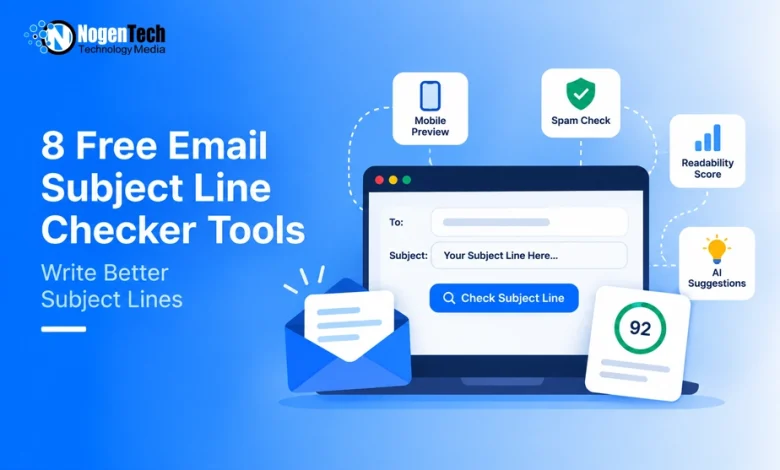
A subject line can score 90/100 and still fail in the inbox. It may get cut off on mobile, hide the main hook, or pass a spam-word check without telling you much about real deliverability.
We tested 8 free email subject line checker tools as per our metrics before hitting Send, such as:
- Mobile previews
- Clarity and readability feedback
- Spam-risk flags
- Sign-up requirements
- Free-use limits
Use the comparison below to quickly find the right checker for your needs, then see where each tool performs well and where it falls short.
| Tool | Best for | Problem it solves |
| InboxArmy | All-in-one pre-send check | Combines multiple checks in one place |
| EmailToolTester | Mobile cut-off checks | Catches truncated hooks on mobile |
| ZURB TestSubject | Subject + preheader preview | Spots awkward cut-offs and repetition |
| Omnisend | Quick first-pass score | Quickly screens subject-line ideas |
| CoSchedule | Word choice and clarity | Improves weak or vague wording |
| Mailmeteor | AI alternatives | Generates options when you’re stuck |
| SubjectLine.com | Rule-based analysis | Flags issues using 800+ rules |
| SendCheckIt | Detailed analysis | Finds readability and copy issues |
According to HubSpot, 65% of marketers say subject lines have the greatest impact on email open rates, making it worth testing the copy before every send.
8 Best Free Email Subject Line Checker Tools
The table above gave you the quick answer. Now here’s a closer look at how each tool handles its specific job, along with the features that make it useful.
1. InboxArmy — Best for an All-in-One Pre-Send Check

InboxArmy is the most complete starting point in this list because its free email subject line checker sits inside a wider set of free email utilities.
Paste a subject line, select Generate, and you get a score out of 100 broken into clarity, urgency, engagement, spam risk, word balance, reading grade level, sentiment, and skimmability, along with one-click alternatives and a side-by-side comparison view. It also returns a character count with mobile and desktop previews that show exactly where the line truncates.
Key features:
- Scores subject lines out of 100 across eight named factors
- Suggests one-click alternatives and compares them side by side
- Shows mobile and desktop previews with the exact cut-off point
- No login required and no daily limit on the free tier
- Processes subject lines in real time without storing them
Best for: Marketers who want a full pre-send check, including spam scanning and HTML validation, without opening several tools.
2. EmailToolTester — Best for Mobile Cut-Off Checks

EmailToolTester is most useful when your main concern is how a subject line will actually appear on smaller screens.
Instead of relying only on a score, it previews your subject line across several named mobile devices. This makes it easier to spot where an important offer, keyword, or hook could disappear before the recipient sees it.
Key features:
- Preview subject lines on multiple mobile devices
- Includes iPhone, iPad, Pixel, and Samsung previews
- Checks subject line and preheader text together
- Displays character and word counts
- Works directly in the browser without signup
Best for: Marketers who want to catch mobile truncation before sending a campaign.
3. ZURB TestSubject — Best for Subject + Preheader Preview

ZURB TestSubject is useful when you want to see how the sender name, subject line, and preheader work together inside an inbox.
Enter all three fields, and the tool creates mobile previews, making it easier to catch repeated copy, weak preheaders, or important text that gets cut off before you build the full email.
Key features:
- Preview subject lines on mobile screens
- Displays sender name and preheader text
- Shows all three inbox elements together
- Offers previews for several named devices
- Doesn’t require an account to test
Best for: Teams optimizing the subject line and preheader as one inbox experience.
Mobile previews are only one part of the pre-send process; NogenTech’s email accessibility checklist covers additional checks that can improve how emails render and perform across inboxes.
4. Omnisend — Best for a Quick First-Pass Score

Omnisend works well when you need a quick opinion before spending more time refining a subject line.
It produces a score from 0 to 100 and breaks the result into practical areas such as length, wording, and scannability. Because tests can be repeated, it’s convenient for comparing several drafts during the early editing stage.
Key features:
- Provides a 0–100 subject-line score
- Reviews length and wording
- Checks scannability
- Includes a subject-line preview
- Allows repeated tests without signing up
Best for: Quickly screening several subject-line ideas before deeper testing.
5. CoSchedule — Best for Word Choice and Clarity

CoSchedule is better suited to writers who want to understand the language inside their subject line, not just its length.
Its analysis looks at factors such as word balance, reading level, sentiment, clarity, and skimmability. That makes it useful for diagnosing copy that technically fits the inbox but still feels vague, complicated, or difficult to scan.
Key features:
- Analyzes word balance
- Measures reading grade level
- Reviews sentiment and clarity
- Evaluates skimmability
- Requires a CoSchedule account/login
Best for: Refining the wording and readability of an existing subject-line draft.
6. Mailmeteor — Best for AI Subject-Line Alternatives

Mailmeteor is useful when the problem is a lack of good alternatives rather than a specific formatting issue.
Its standalone subject-line tool can evaluate your draft and use AI to suggest other approaches. This gives you additional angles to compare without turning the process into a separate brainstorming session or requiring a full email campaign.
Key features:
- Tests an existing subject line
- Generates alternative subject-line ideas
- Uses GPT-4o for AI suggestions
- Runs as a standalone web tool
- Useful for quickly creating variants
Best for: Writers who have one draft but need stronger alternatives to compare.
7. SubjectLine.com — Best for Rule-Based Analysis
SubjectLine.com takes a more rule-driven approach to evaluating subject lines. The company says its system applies 800+ rules informed by more than 3 billion email messages sent and tracked through its partners and clients.
That makes it useful as a second opinion, although the company itself notes that its results don’t guarantee campaign performance.
Key features:
- Evaluates subject lines against 800+ rules
- Uses data informed by 3B+ tracked emails
- Flags marketing and filtering-related factors
- Provides a score with improvement guidance
- Offers additional paid features through Pro
Best for: Getting a data-informed second opinion before choosing a final subject line.
8. SendCheckIt — Best for Detailed Subject-Line Analysis

SendCheckIt goes deeper than a basic character counter by examining several elements of the copy. Its analysis can help uncover problems involving length, readability, scannability, sentiment, and wording.
The tool also compares subject lines with a large dataset of marketing emails, making it more useful when you want diagnostic feedback rather than only a visual preview.
Key features:
- Analyzes multiple subject-line factors
- Checks readability and scannability
- Evaluates length and sentiment
- Uses a benchmark of 100,000+ marketing emails
- Offers free testing, with signup required to unlock results
Best for: Marketers who want detailed feedback on why a subject line may need improvement.
Tips for Getting Better Results From a Subject Line Checker
A checker can spot weaknesses, but its score shouldn’t make the final decision for you. Combine its feedback with email A/B testing to validate promising subject lines with your actual audience, then apply these practical checks before sending:
- Front-load the main hook: Put the offer, benefit, or important message early so mobile truncation doesn’t hide it.
- Check the subject and preheader together: Let the preheader add context instead of repeating the same words.
- Don’t chase a perfect score: Different tools use different rules, so focus on useful feedback rather than reaching 100/100.
- Compare multiple versions: Test two or three strong variations instead of repeatedly polishing a single subject line.
- Preview on mobile: Check whether the most persuasive part remains visible on smaller screens.
- A/B test your finalists: A checker can shortlist strong options, but Mailchimp recommends testing subject-line variations to learn what actually resonates with your audience.
- Don’t treat spam checks as deliverability tests: Subject-line wording is only one signal; sender authentication, reputation, and spam complaints can also affect inbox placement.