Scrolling past the same unwanted YouTube channel once is nothing. Scrolling past it for the fifteenth time is when I’m looking for a way to stop it.
At that point, I’d rather take more control over the recommendation system that decides what shows up in my feed. That’s exactly what the “Don’t recommend channel” option is for.
In this guide, I’ll show you how to block a YouTube channel from your recommendations on desktop and mobile, with screenshots and a short video walkthrough.
How Can You Block a YouTube Channel on Desktop?
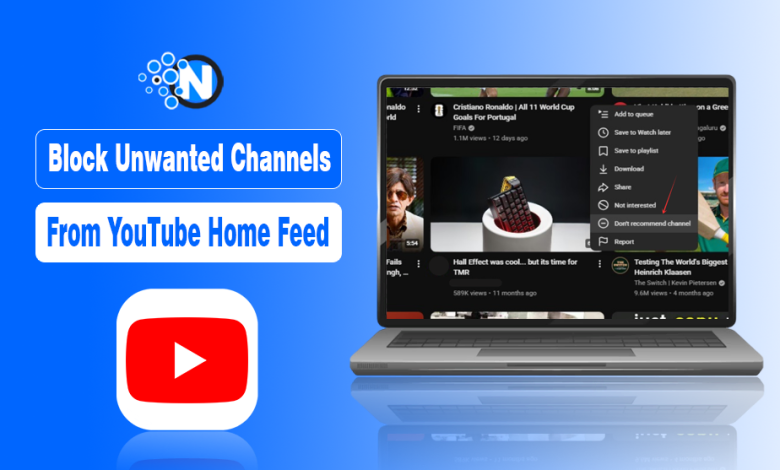
To block a YouTube channel from your recommendations on desktop, just follow the simple steps I’ve listed below:
- Open YouTube and find a video from the channel you no longer want to see in your recommendations.
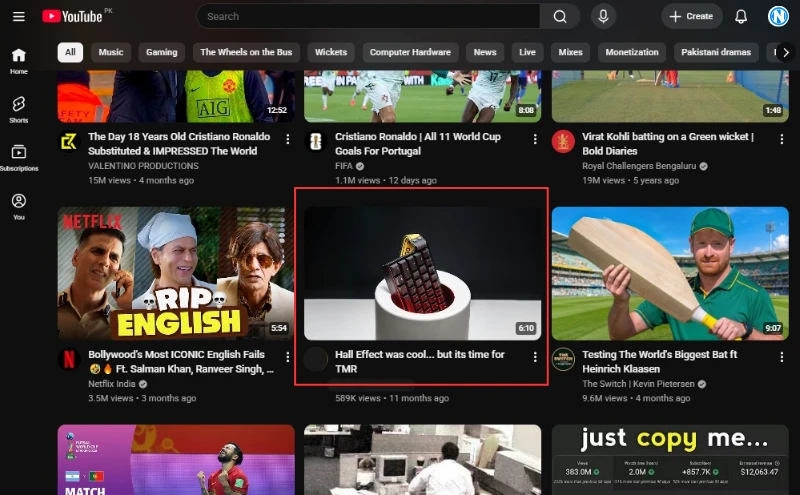
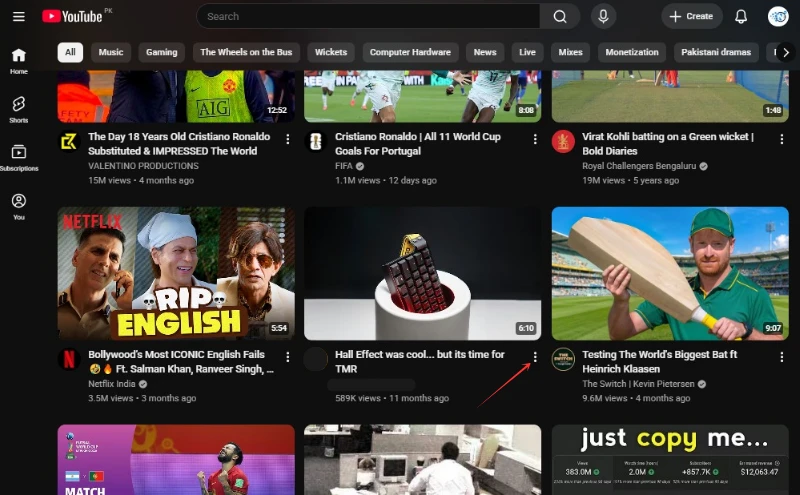
- Click the three dots icon next to the video title.
- Select Don’t recommend channel from the menu.
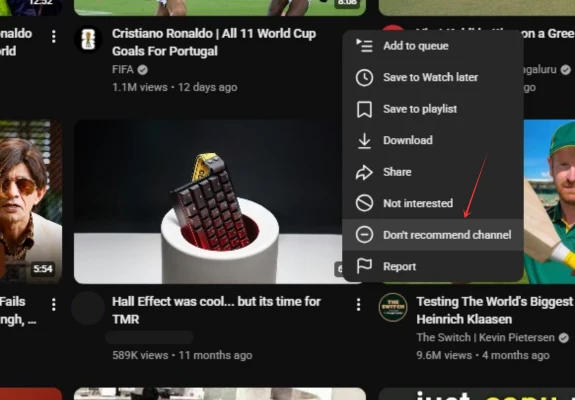
YouTube will then use your feedback to adjust your recommendations and show you fewer videos from that channel.
How Can You Block a YouTube Channel on Mobile?
You can block a channel from your feed on mobile too, although the controls are arranged a little differently in the YouTube app. Let me show you how to do it:
- Open the YouTube app.
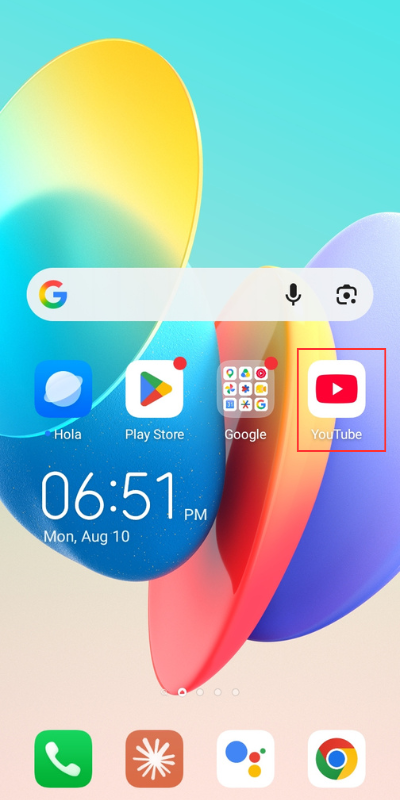
- Find a video from the channel you no longer want to see and tap the three dots icon next to the video.
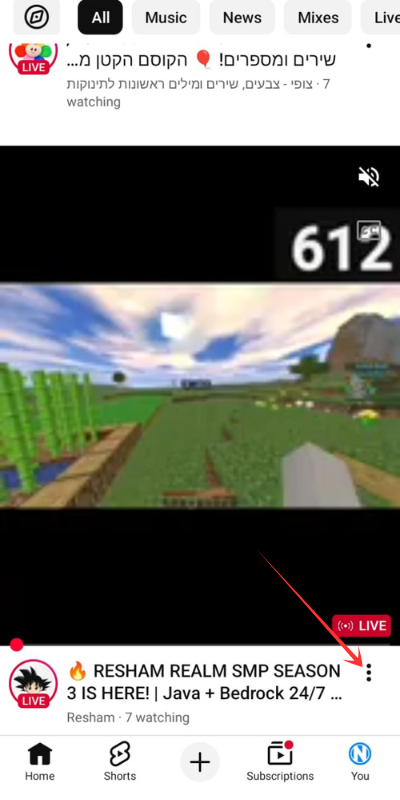
- Tap Don’t recommend channel.
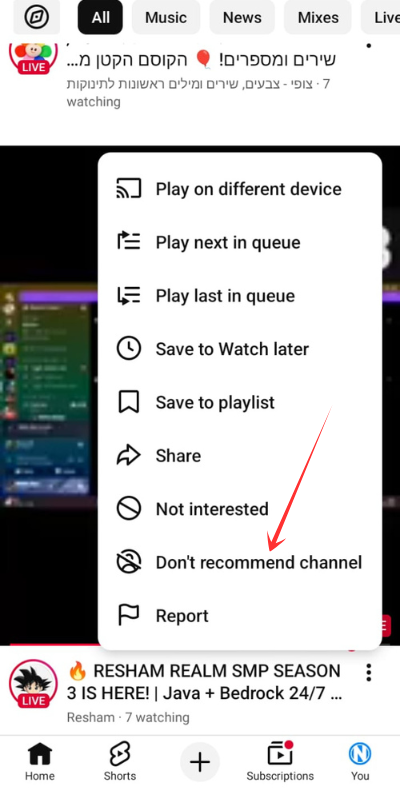
From now on, the YouTube algorithm will avoid automatically pushing more videos from this channel in your home feed.
Quick Video: Block a YouTube Channel From Your Recommendations
If you’re still confused about how to block a YouTube channel from your feed, here’s a quick short on how you can do so in just a few seconds:
Questions You Might Have About Blocking a YouTube Channel
Does “Don’t recommend channel” completely block a YouTube channel?
No. It tells YouTube to stop recommending that channel’s videos to you, but you can still find the channel through search, direct links, or other parts of YouTube.
Can I actually block someone on YouTube?
Yes. YouTube has a separate Block option for users. That is meant for stopping unwanted interactions, rather than controlling which channels appear in your recommendations.
Can I stop a YouTube channel from appearing in my search results?
No. “Don’t recommend channel” affects recommendations, not YouTube search results. If you search for that channel or its videos, they can still appear.
Can I undo “Don’t recommend channel” on YouTube?
Yes, but YouTube doesn’t provide a simple Undo button for each channel after the fact. Recommendation feedback can be managed through your Google activity settings if you need to change past feedback.