Trying to install a ChatGPT plugin only to discover the Plugin Store has changed? Here’s what you need to know.
The ChatGPT Plugin Store is no longer as prominent as it once was, yet users still search for Canva ChatGPT plugins, Outlook integrations, Google Drive connections, and other productivity tools.
This has left many wondering whether ChatGPT plugins still exist or not. The confusion increased after OpenAI introduced custom GPTs and Actions as the successor to traditional plugins.
Moving next, I’ll explain what ChatGPT plugins are, whether they still exist, what happened to the ChatGPT Plugin Store, what replaced traditional plugins, and how ChatGPT integrations work in 2026.
What Are ChatGPT Plugins?
ChatGPT plugins were integrations that allowed ChatGPT to connect with third-party applications, websites, and online services to perform tasks beyond standard AI conversations.
They were introduced by OpenAI to help users access real-time information, automate workflows, and interact with external platforms directly from ChatGPT.
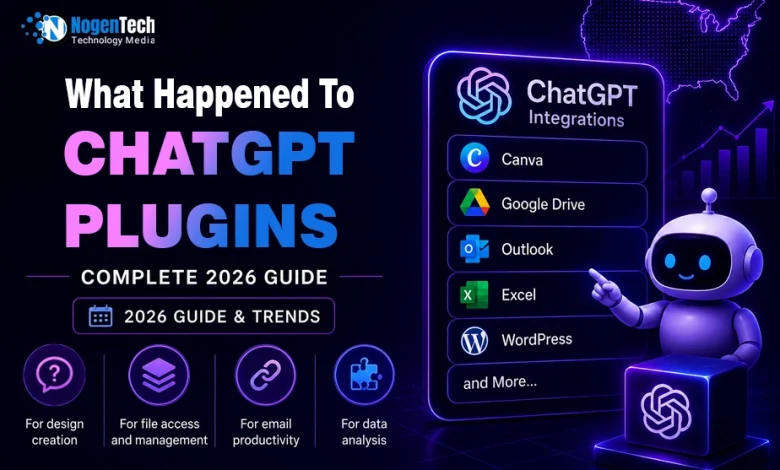
Some of the most popular ChatGPT plugin integrations included:
- Canva for design creation
- Google Drive for file access and management
- Outlook for email productivity
- Excel for data analysis
- WordPress for content publishing
- Calendly for scheduling
- Expedia for travel planning
These integrations transformed ChatGPT from a chatbot into a productivity assistant for businesses, marketers, students, developers, and everyday users.
Are ChatGPT Plugins Still Available in 2026?
No, ChatGPT plugins are no longer the primary integration system in ChatGPT.
OpenAI has largely replaced traditional plugins with:
- Custom GPTs
- GPT Actions
- The GPT Store
While older plugin documentation still exists online, most integrations are now accessed through GPT-powered experiences rather than individual plugins.
What Happened to the ChatGPT Plugin Store?
The ChatGPT Plugin Store has been largely replaced by the GPT Store, i.e., the Explore GPTs and Apps section.
Previously, users could browse and install plugins directly from the ChatGPT Plugin Store. However, OpenAI shifted its focus toward custom GPTs and GPT Actions, making the Plugin Store less prominent within the platform.
As a result, many users are searching for:
- ChatGPT Plugin Store
- ChatGPT Plugin Store location
- How to access ChatGPT Plugin Store
often encounter outdated resources that reference the previous system.
What Replaced ChatGPT Plugins?
Custom GPTs, GPT Actions, and the GPT Store replaced traditional ChatGPT plugins.
Instead of installing separate plugins, users can now access specialized GPTs designed for specific tasks, such as:
- Content creation
- Research and learning
- Project management
- Marketing automation
- Document analysis
- Productivity workflows
This approach provides a more streamlined experience while allowing ChatGPT to integrate with external tools and services more efficiently than the original plugin ecosystem.
How to Use ChatGPT Integrations Today?
The easiest way to use ChatGPT integrations is through custom GPTs, GPT Actions, and built-in connectors available within ChatGPT.
Since traditional ChatGPT plugins are no longer the primary integration system, OpenAI now allows users to extend ChatGPT’s capabilities through modern alternatives that connect with external tools and services.
Some of the most common ChatGPT integrations include:
- Canva for design creation
- Google Drive for document access
- Microsoft Outlook for email workflows
- Microsoft Excel for data analysis
- WordPress for content publishing
- Calendly for scheduling
- GitHub for development tasks
How to Access ChatGPT Integrations
Using ChatGPT integrations is straightforward:
- Open ChatGPT and sign in to your account.
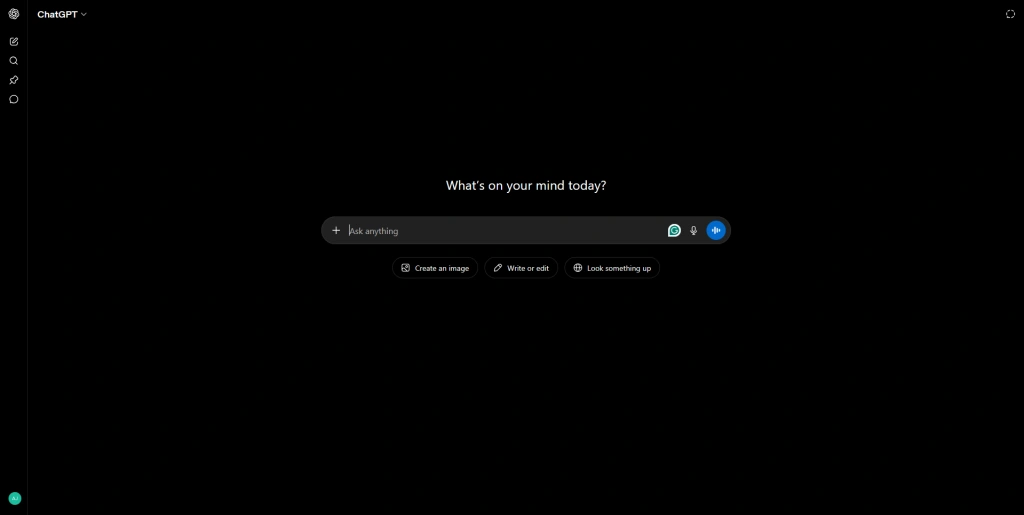
- Visit the GPT Store (GPTs).
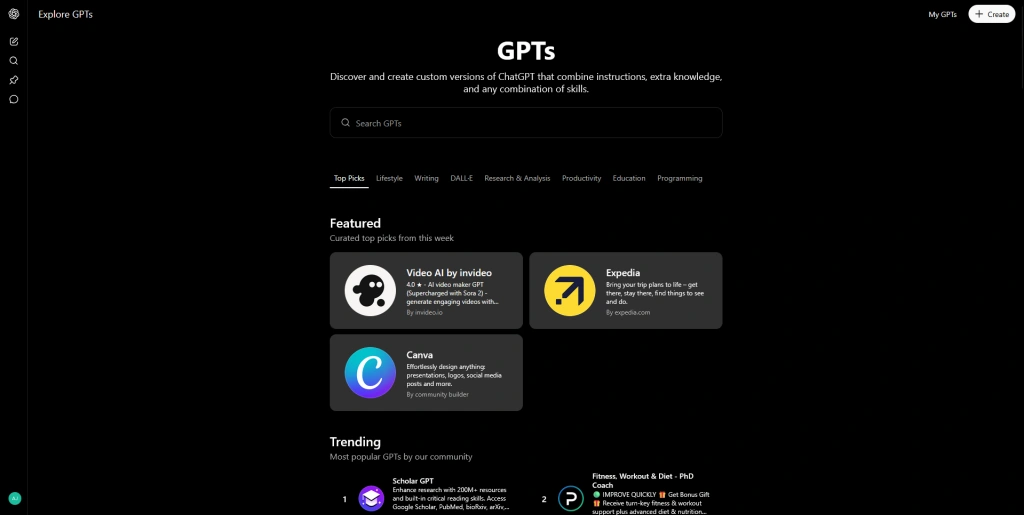
- Search for a GPT related to your task or preferred platform.
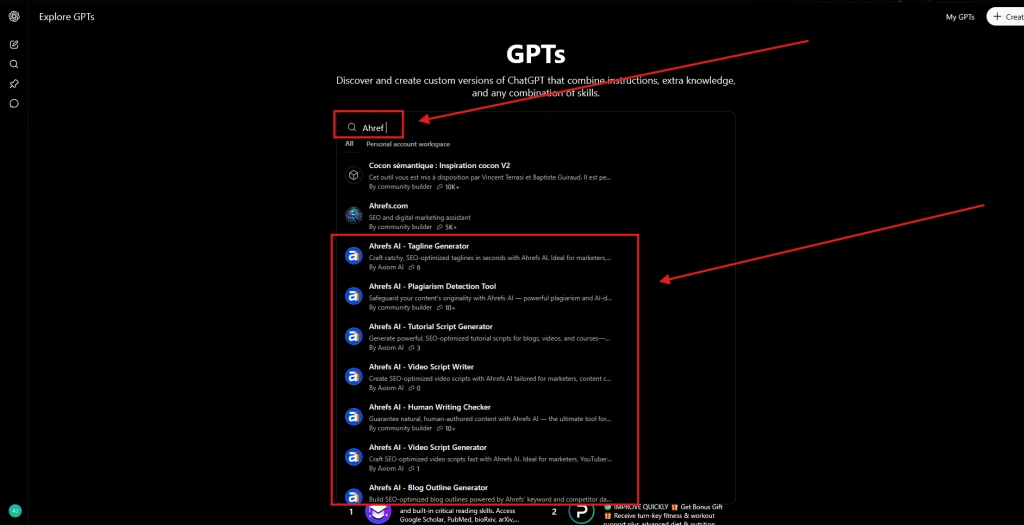
- Open the GPT and follow any authorization prompts.
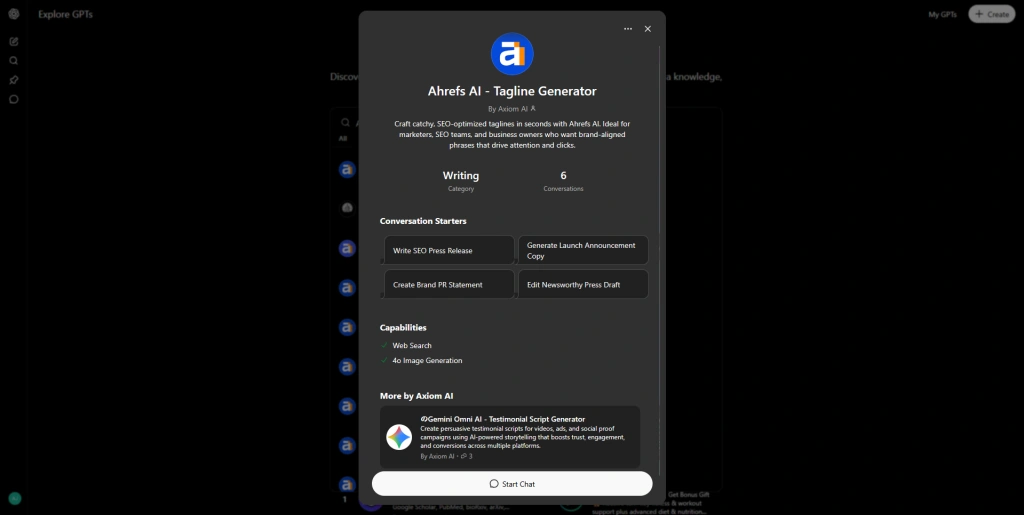
- You can also connect the required app in the Apps section for a more personalized experience.
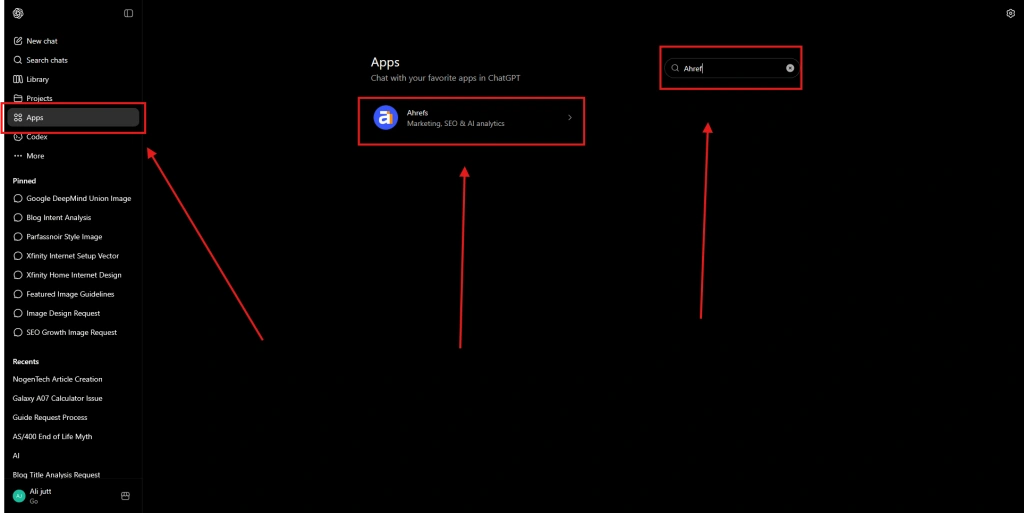
Once connected, ChatGPT can perform tasks such as retrieving documents, creating content, analyzing data, generating designs, and automating workflows.
Benefits of ChatGPT Integrations
Modern ChatGPT integrations help users:
- Save time on repetitive tasks
- Improve productivity and collaboration
- Access information from connected platforms
- Create content more efficiently
- Automate business and marketing workflows
Whether you’re a student, marketer, business owner, or developer, ChatGPT integrations make it easier to work with the tools you already use every day.
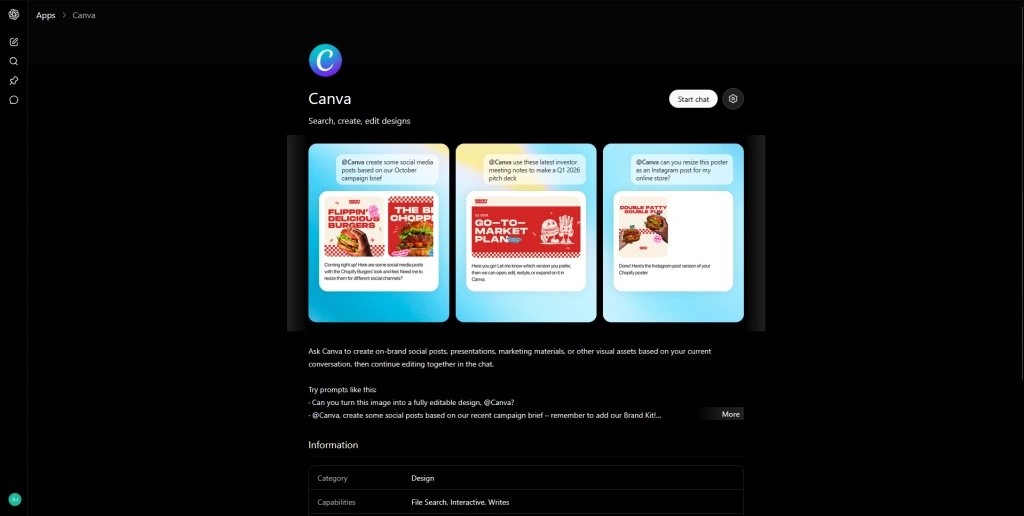
Now I will show a step-by-step process on how I connect my Canva with ChatGPT so you can understand easily how it works:
Canva ChatGPT Plugin and How to Connect Canva With ChatGPT
The Canva ChatGPT App integration allows users to create presentations, social media graphics, marketing materials, and other visual content directly from ChatGPT prompts.
While traditional ChatGPT plugins have been replaced, Canva can still be used with ChatGPT through supported integrations and GPT-powered experiences.
How to Connect Canva With ChatGPT
Follow these steps:
- Sign in to ChatGPT and Open the Apps.
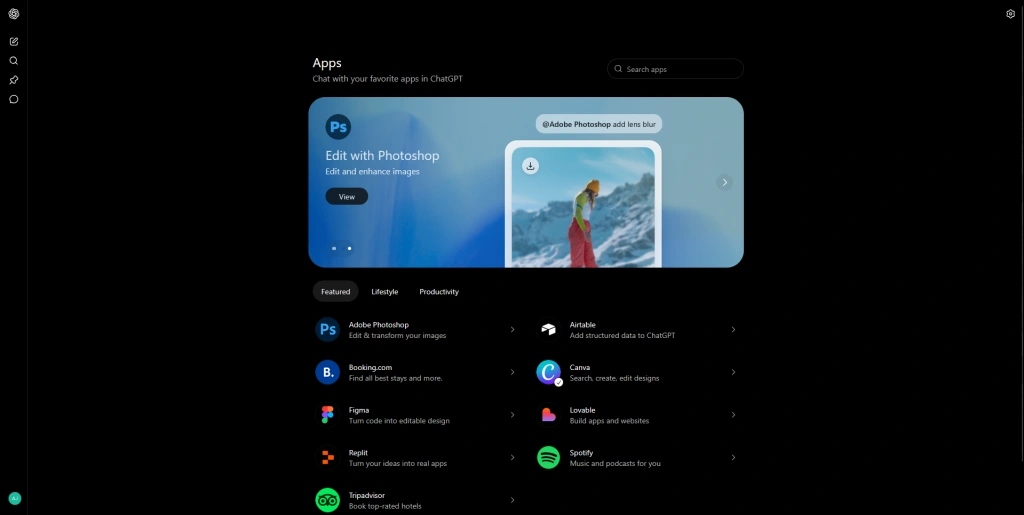
- Search for a Canva-related GPT or integration.
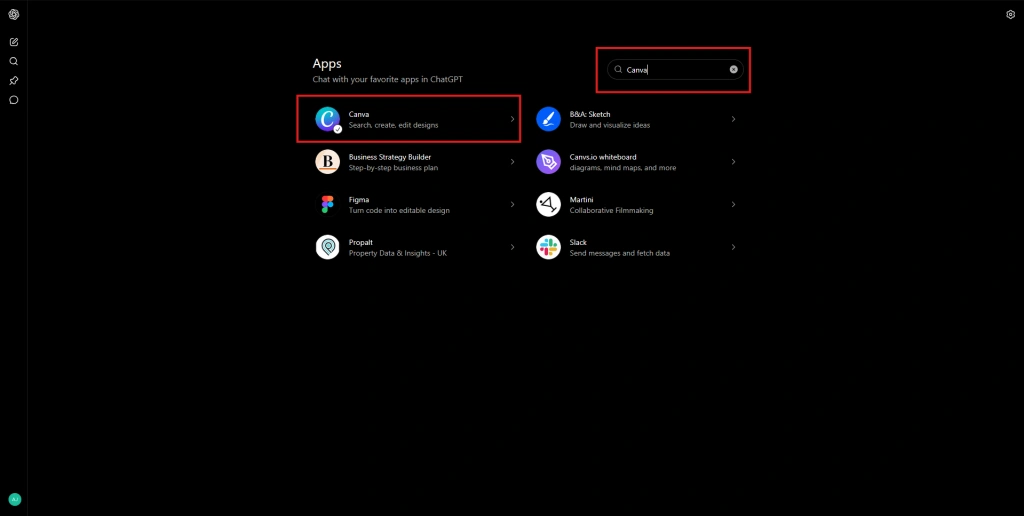
- Connect your Canva account and follow authorization prompts
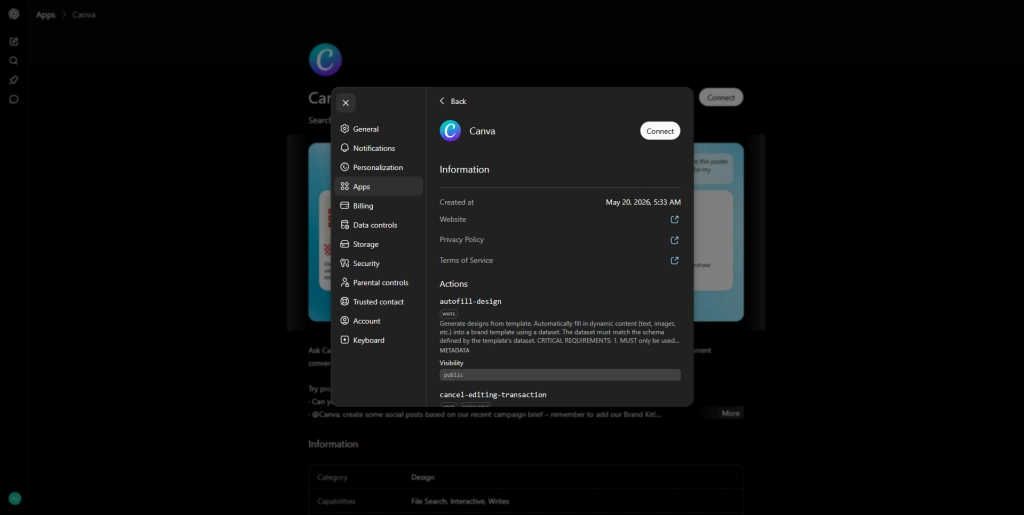
- Start creating designs using natural language prompts.
What Can You Do With Canva and ChatGPT?
Once connected, you can:
- Create social media graphics
- Generate presentations
- Design marketing materials
- Build infographics
- Create logos and branding concepts
The integration helps content creators, marketers, businesses, and students create visual content faster without switching between multiple tools.
Popular ChatGPT Integrations for Productivity
ChatGPT integrates with productivity, collaboration, content management, and development platforms to help users automate tasks, manage information, and improve workflows.
These integrations are widely used by businesses, marketers, students, developers, and remote teams worldwide.
ChatGPT for Outlook
ChatGPT can be used with Microsoft Outlook to draft emails, summarize conversations, generate responses, and improve email productivity.
This integration is particularly useful for professionals who manage large volumes of communication daily.
ChatGPT for Excel
ChatGPT helps Excel users analyze data, generate formulas, explain spreadsheet functions, and create reports more efficiently.
It is commonly used by analysts, accountants, business teams, and data professionals.
ChatGPT and Google Drive
ChatGPT can connect with Google Drive to access documents, summarize files, retrieve information, and organize content.
This integration helps teams collaborate more effectively across shared documents and cloud storage.
WordPress ChatGPT Integration
ChatGPT integrates with WordPress to assist with content creation, blog drafting, SEO optimization, and publishing workflows.
It is widely used by bloggers, publishers, marketers, and website owners.
Obsidian ChatGPT Integration
ChatGPT enhances Obsidian by helping users generate notes, summarize information, organize knowledge bases, and connect ideas more efficiently.
This integration is popular among researchers, students, and knowledge workers.
IntelliJ ChatGPT Integration
ChatGPT supports IntelliJ IDEA users by assisting with code generation, debugging, documentation, and software development tasks.
Developers often use this integration to improve coding efficiency and problem-solving.
Calendly ChatGPT Integration
ChatGPT can work alongside Calendly to simplify scheduling, manage appointments, and streamline meeting coordination.
This integration benefits consultants, freelancers, sales teams, and business professionals.
What Happened to Popular ChatGPT Plugins?
Several popular ChatGPT plugins have either evolved into GPT-powered integrations or become less relevant following OpenAI’s transition away from the traditional plugin ecosystem.
Visla ChatGPT Plugin
The Visla ChatGPT plugin was designed to help users create videos, scripts, and visual content with AI assistance.
While users may still find references to the plugin online, many features are now available through newer AI-powered workflows and integrations.
Expedia ChatGPT Plugin
The Expedia ChatGPT plugin allowed users to search for flights, hotels, and travel recommendations directly within ChatGPT.
Today, similar travel-planning capabilities are available through GPT-powered tools and travel-focused AI assistants.
Scholar GPT
Scholar GPT is an AI-powered research assistant that helps users find academic information, summarize research papers, and explore educational resources. It remains a popular option for students, researchers, and professionals seeking research support.
Sora and ChatGPT Integrations
Sora is an AI video generation model that can also be integrated with ChatGPT, enabling users to create videos from text prompts.
While Sora is not a traditional ChatGPT plugin, it represents the broader shift toward integrated AI tools and specialized GPT-powered experiences.
People Also Ask
Can I Still Use ChatGPT Plugins in 2026?
No, ChatGPT plugins are no longer the primary integration system. OpenAI has largely replaced them with custom GPTs, GPT Actions, and the GPT Store.
Where Is the ChatGPT Plugin Store?
The original ChatGPT Plugin Store is no longer as prominent as it once was. Most integrations are now available through the GPT Store and GPT-powered experiences.
What Replaced ChatGPT Plugins?
Custom GPTs, GPT Actions, and the GPT Store replaced traditional ChatGPT plugins. These tools allow users to access integrations and automate tasks without installing separate plugins.
How Do I Connect Canva to ChatGPT?
You can connect Canva to ChatGPT through supported integrations and GPT-powered experiences. After connecting your Canva account, you can generate presentations, graphics, and other visual content directly from prompts.
Can ChatGPT Connect to Google Drive?
Yes, ChatGPT can work with Google Drive through supported integrations that allow users to access documents, summarize files, and retrieve information from cloud storage.
Does ChatGPT Work With Outlook and Excel?
Yes, ChatGPT can be used alongside Microsoft Outlook and Microsoft Excel to draft emails, summarize conversations, analyze data, generate formulas, and improve productivity.
Is the ChatGPT Plugin Store Discontinued?
The Plugin Store has largely been replaced by the GPT Store as part of OpenAI’s transition to custom GPTs and GPT Actions.
Final Thoughts on ChatGPT Plugins
ChatGPT plugins helped connect ChatGPT with tools like Canva, Google Drive, Outlook, Excel, and WordPress. While the ChatGPT Plugin Store is no longer the primary integration hub, OpenAI has replaced plugins with custom GPTs, GPT Actions, and the GPT Store.
In my opinion, this change makes integrations easier to access and manage. As ChatGPT continues to evolve, learning to use GPT-powered integrations will be more useful than relying on the traditional plugin system.