First impressions matter, and your headshot often speaks before you do.
Imagine finally landing your dream job interview, and you have no professional profile photo to showcase on your resume. Not long ago, the only solution was to book an expensive photoshoot or spend hours editing pictures. Fortunately, generative AI has changed that. Once you know how to use AI headshot generators to set up your basic images, you can easily bypass the hassle of a physical studio.
With Adobe Firefly’s Headshot Generator, you can create studio-quality headshots in just a few minutes. Perfect for:
- Resumes
- Company directories
- Personal websites
This tool lets you customize backgrounds, lighting, clothing, and overall style using simple AI prompts. The generated headshots are suitable for both personal and commercial use.
Now moving next, you’ll learn how the Adobe Firefly Headshot Generator works, its key features, pricing, licensing, and whether it’s worth using in 2026.
What Is Adobe Firefly Headshot Generator?
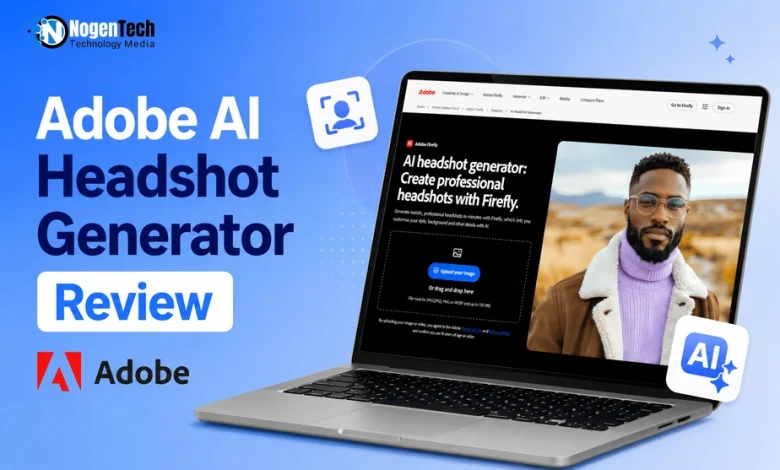
The Adobe Firefly Headshot Generator is an AI-powered feature within Adobe Firefly that helps users transform ordinary photos into professional-quality headshots.
Instead of requiring photography skills or expensive editing software, Firefly lets you upload a photo and enhance it using AI prompts. The tool automatically analyzes facial features, lighting, composition, and image quality to generate realistic portraits suitable for professional use.
If you want to try an alternative that focuses heavily on custom, personalized styles, you can also opt for GenYOU for similar results.
You can use these AI-generated headshots for:
- LinkedIn profiles
- Resume photos
- Company directories
- Personal websites
- Speaker bios
- Marketing materials
- Social media profiles
Because Firefly is part of Adobe’s Creative Cloud ecosystem, it integrates seamlessly with other Adobe tools for additional editing and customization. This strong integration is a massive reason why it easily ranks as the best AI image generator for designers, brands, and creators looking for professional workflows.
What are the Key Features of Adobe Firefly Headshot Generator
Adobe Firefly offers several AI-powered features that make professional portrait creation flexible, such as:
- AI-Powered Portrait Enhancement: Automatically improves lighting, colors, facial details, and composition for professional-looking headshots.
- Prompt-Based Editing: Describe your desired look using text prompts, such as a corporate background, business attire, or natural lighting, and Firefly generates the changes instantly.
- Background Replacement: Replace distracting backgrounds with office spaces, solid colors, outdoor scenes, or studio-style backdrops.
- Multiple Headshot Variations: Create multiple versions of a single photo by changing clothing, lighting, expressions, backgrounds, and overall style.
- Firefly Boards Integration: Experiment with different outfits, accessories, and creative ideas before finalizing your headshot.
- Commercial-Friendly AI: Adobe’s Firefly models are designed for commercial use, making generated headshots suitable for business, marketing, and professional projects. (Third-party AI models may have different licensing terms.)
How to Use Adobe Firefly Headshot Generator
Creating AI headshots with Firefly is straightforward.
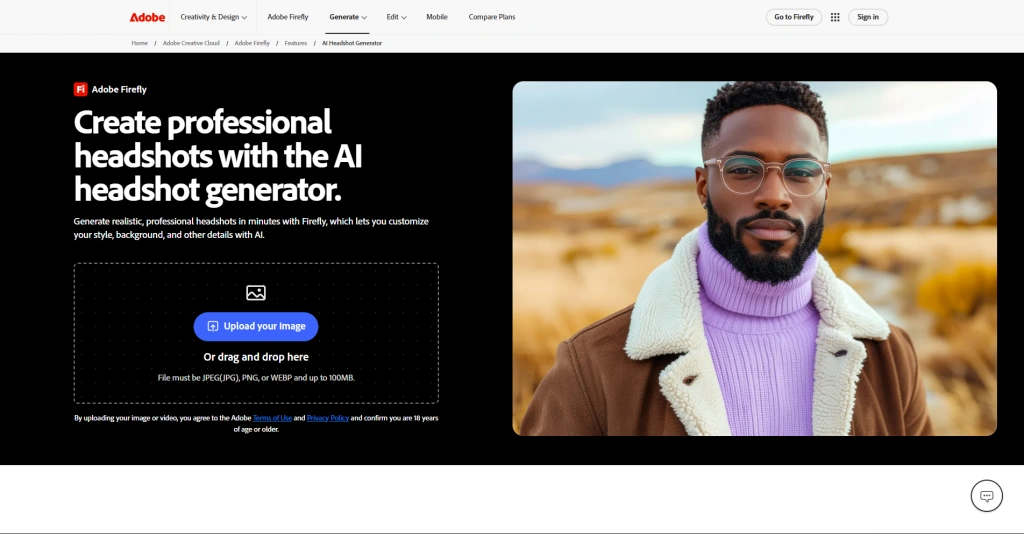
- Step 1: Visit Adobe Firefly AI Headshot Generator. Upload a JPEG, PNG, or WEBP image (up to 100 MB).
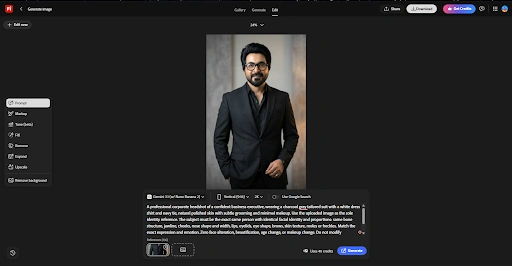
- Step 2: Describe your desired headshot in a prompt.
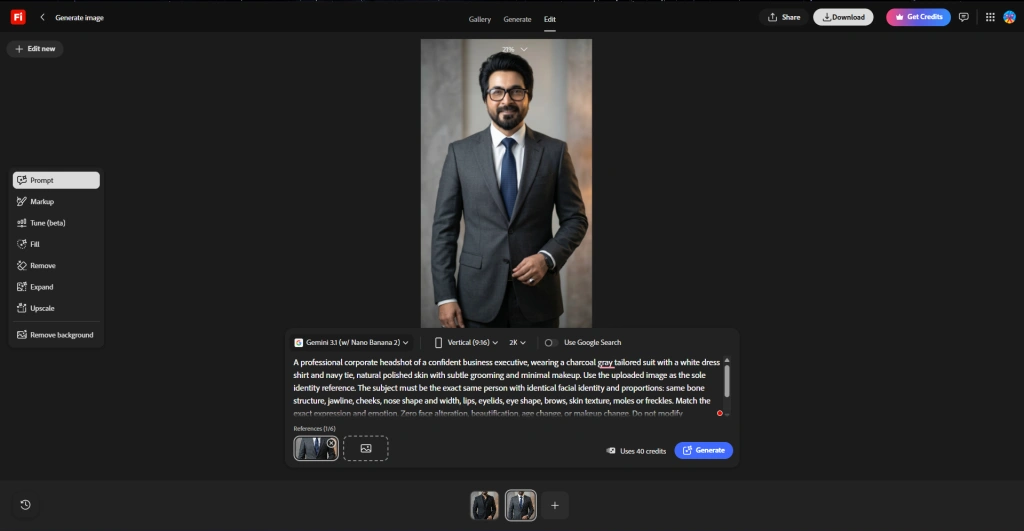
- Step 3: Firefly analyzes your image and creates AI-enhanced headshot within seconds.
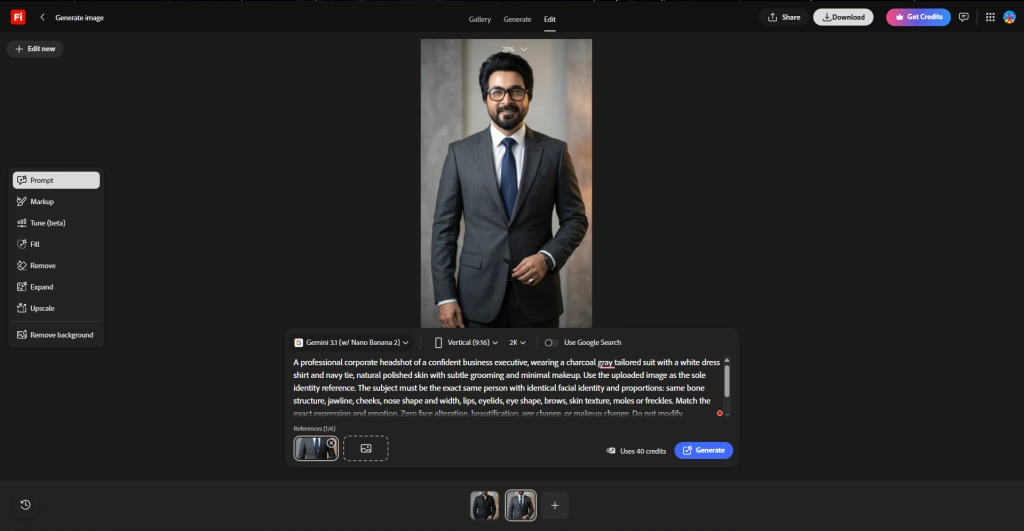
- Step 4: Download it for your LinkedIn profile, resume, company website, or other professional use.
Is Adobe Firefly Headshot Generator Free?
Yes, Adobe Firefly offers limited free access through monthly generative credits, allowing users to create AI headshots at no initial cost.
If you need more generations or premium features, you’ll need a paid Firefly or Creative Cloud plan. Since Adobe may update its pricing and credit limits over time, it’s worth checking the latest plans before subscribing.
Is Adobe Firefly Safe for Commercial Use?
Yes. One of Firefly’s strongest selling points is its commercial-friendly AI models.
Unlike many AI image generators trained on uncertain datasets, Adobe Firefly was built using licensed content and Adobe Stock images to reduce copyright concerns.
This makes Firefly suitable for:
- Business websites
- Company profiles
- Marketing campaigns
- Advertising
- Professional branding
- Commercial presentations
However, if you use third-party AI models inside Firefly, review their individual licensing policies before commercial publication.
What are the Pros and Cons of Adobe Firefly Headshot Generator?
More Questions About Adobe Firefly Headshot Generator?
Can Adobe Firefly change clothes in a headshot?
Yes. Using AI prompts and Firefly Boards, you can change clothing, accessories, colors, and styles without retaking the original photo.
What image formats does Adobe Firefly support?
Adobe Firefly supports JPEG (JPG), PNG, and WEBP images, with a maximum upload size of 100 MB.
Can I use Adobe Firefly headshots on LinkedIn?
Absolutely. AI-generated headshots are ideal for LinkedIn, resumes, company websites, portfolios, and other professional profiles.
Do I need Photoshop to use Adobe Firefly Headshot Generator?
No. The headshot generator works directly in Adobe Firefly, so Photoshop isn’t required to create or edit AI headshots.
Can Adobe Firefly generate multiple headshots from one photo?
Yes. Firefly creates multiple variations from a single image by changing backgrounds, lighting, clothing, and overall style using AI.
Is Adobe Firefly better than traditional photo editing?
For quick, professional headshots, Firefly is faster and easier. Traditional editing offers more manual control but requires greater skill and time.
Final Verdict: Is Adobe Firefly Headshot Generator Worth It?
In my opinion, the Adobe Firefly Headshot Generator is one of the most practical AI tools for creating professional headshots without the cost or effort of a traditional photoshoot.
Its simple prompt-based editing, realistic results, and commercial-friendly AI models make it a reliable choice for professionals, job seekers, creators, and businesses alike.
While the free plan has limited generative credits, the overall experience and seamless integration with Adobe Firefly make it a worthwhile option for anyone looking to create polished, high-quality headshots in 2026.