AI avatars are a powerful way to express identity, enhance digital communication, and streamline content marketing nowadays.
With so many AI avatar generators on the market, it can be overwhelming to figure out which one truly stands out and choosing the right one can save you time and effort.
If you’re planning to create an AI avatar and are not sure which tool to go with, you’re in the right place!
Building on that, I recently tested one of the most popular options on the market, JoggAI and found it to be a surprisingly powerful solution for creating lifelike avatars.
What is JoggAI?
JoggAI is an AI avatar generator that creates realistic avatars from photos or text prompts.
Unlike traditional avatar tools that produce cartoonish or generic results, JoggAI delivers high-resolution, detailed, and lifelike avatars using advanced generative models.
It is web-based with no downloads required. Users can upload a selfie or enter a prompt to generate avatars in seconds, or choose from 1000+ pre-made AI avatar examples for social media, branding, gaming, or storytelling use.
JoggAI Features That You Must Be Aware Of
Let’s quickly go through the key features of JoggAI so you can see what it really offers.
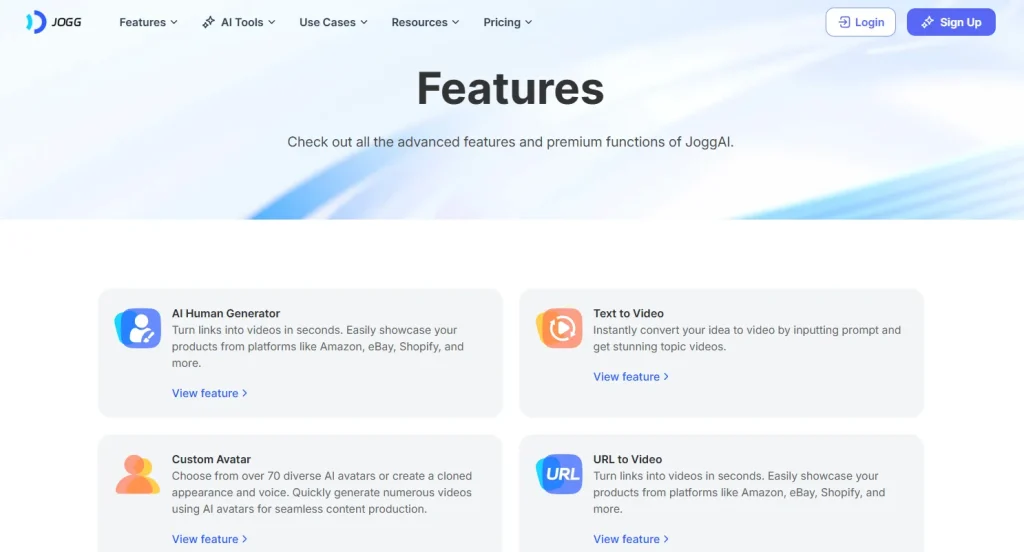
AI Avatar Video
Create lifelike AI avatars in just a few clicks with JoggAI. Whether you want to pick from over 1000 stock avatars, generate one from text, or upload your own photo, JoggAI makes the process simple.
You can even clone yourself using the custom avatar feature, creating a digital twin that looks and sounds like you.
Talking Photo
Turn any still photo into a talking character. Whether it’s a selfie, a childhood picture, or even a historical figure, you can bring it to life with text or voice. JoggAI automatically syncs speech with lip movement, making your photo look like it’s really talking.
AI Ad Generator
Need a quick ad video?
JoggAI uses various machine learning models on the backend to offer several easy ways to create ads. Whether you need product photography, a short promotional video, or a fast URL-to-video solution, JoggAI has you covered. It’s designed to meet different needs with minimal effort.
AI Podcast Generator
With JoggAI’s Podcast Generator, you can add a visual layer to your audio content by turning it into a video podcast. Simply upload your recording, choose a host avatar, and JoggAI will create a polished video version ready to share.
Video Translator
Reach a global audience with JoggAI’s built-in video translation tool. It can translate your avatar videos into different languages while keeping the lip sync accurate. This is especially useful for creators who want to publish multilingual content without recording multiple versions.
What Makes JoggAI Stand Out?
Now I will let you know about some of the highly attractive features that make JoggAI stand out among other AI tools in the market:
Perfect AI Lip Sync 3.0
JoggAI has continuously improved its AI models. The newly released Lip Sync 3.0 offers much more accurate and natural lip movement compared to earlier versions.
10000+AI Voices and Voice Cloning
Choose from a huge library of voices to fit any mood or message. You can even clone your own voice to give your videos a personal touch that truly sounds like you.
Various AI Avatars Styles for Every Need
From realistic human figures to animated characters, JoggAI offers a wide range of avatar styles. Whether it’s for business, education, or social media, there’s something for every purpose.
Speak Globally with 50+ Languages
Other than all these mentioned above, if you want to reach a global audience, JoggAI supports over 50 languages, making it easy to create content for viewers around the world.
How to Make AI Avatar Videos with JoggAI?
Here is a step-by-step process that you can use to create your desired animated AI avatar videos:
Create an Account on JoggAI
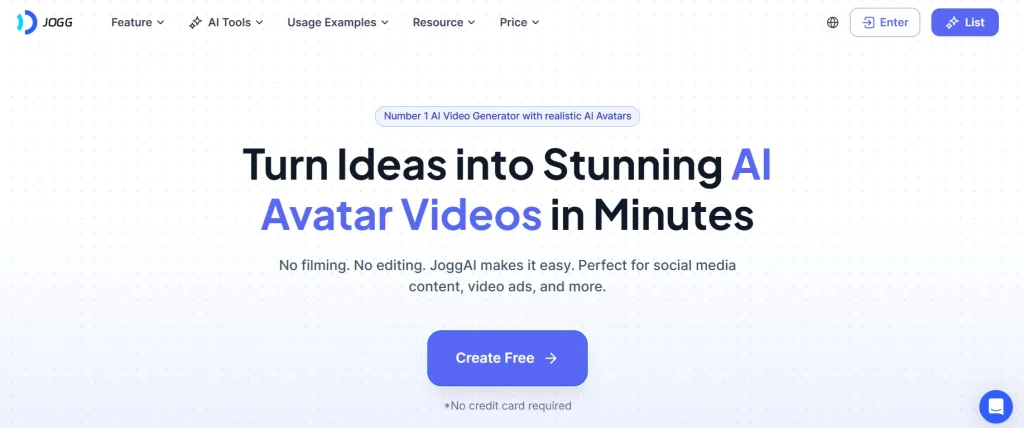
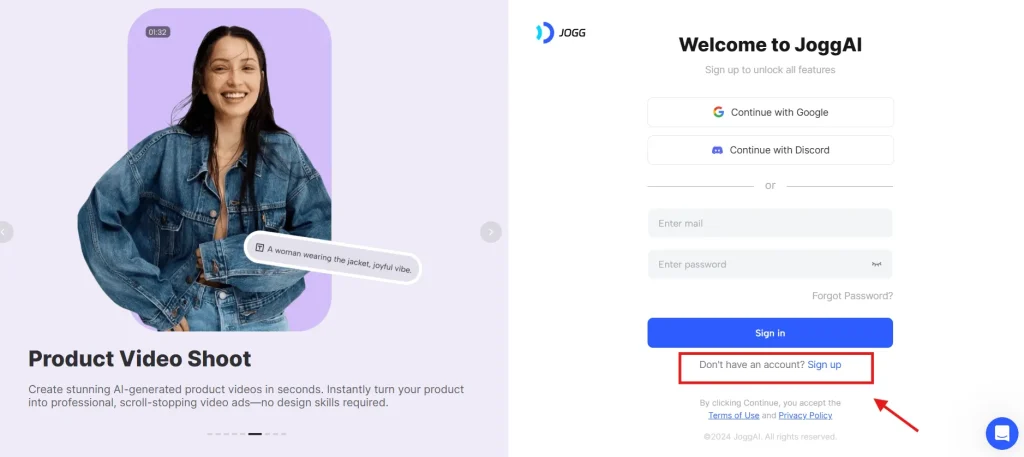
Visit the JoggAI website and click on the ‘Create Free’ button. You will be directed to the sign-up screen.
Choose/Create Your Ideal Avatar
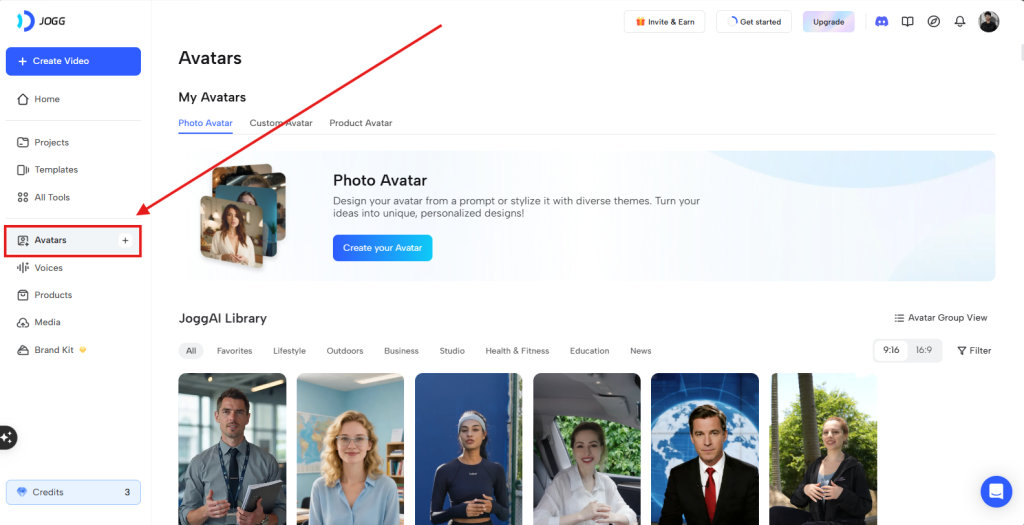
After signing in, click Avatar on the left side of the screen. You can choose an avatar from the collection, design avatars using a text prompt, or create a personalized avatar that looks like you by uploading a stock photo or video.
Add Your Script & Voice
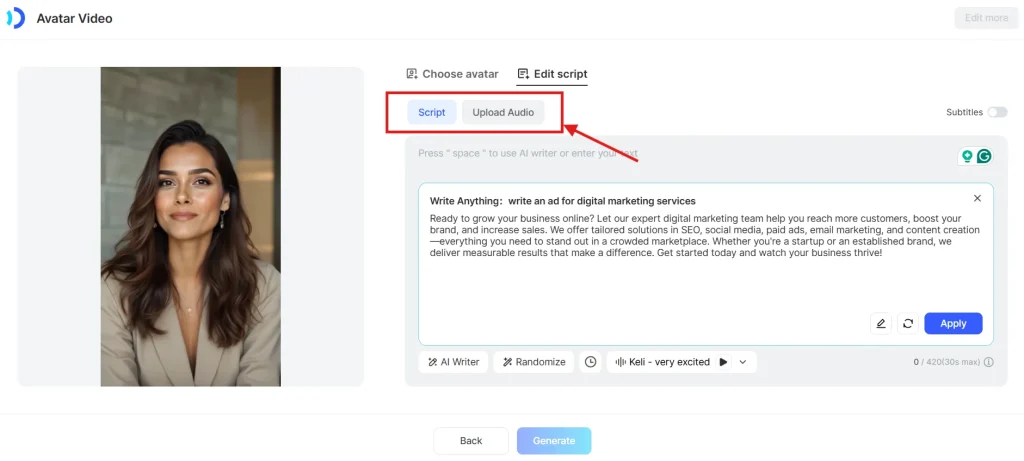
Paste your script or use the AI Script Writer to generate one. Then choose a voice from the library of natural-sounding options that matches your avatar’s appearance, or upload your own audio if you prefer.
💡Pro Tip: Use the built-in AI writer powered by JoggAI to create amazing stories, ads or scripts for your new AI avatar.
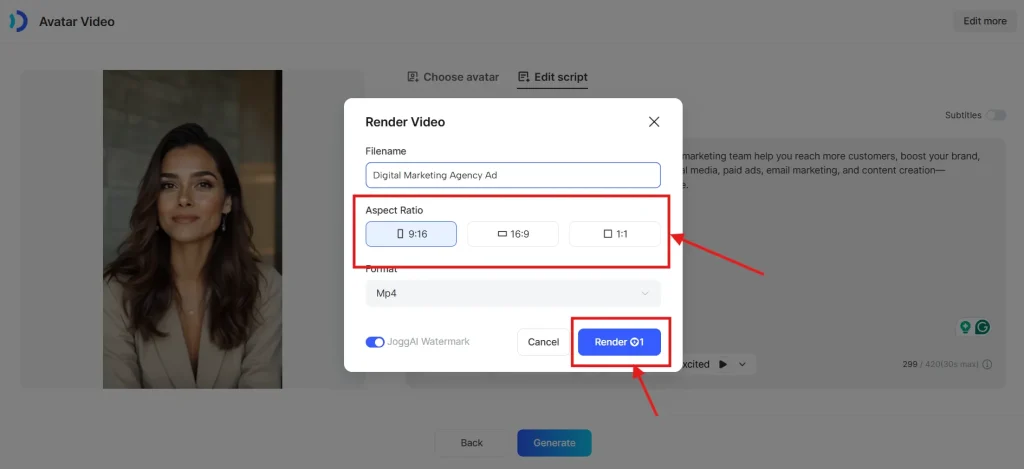
Customize & Download
Watch your video come to life in minutes. Fine-tune with our intuitive editor, add graphics, music, or effects to make your content even more engaging.
What Can You Do with JoggAI AI Avatar?
You can work on various projects and perform various tasks related to marketing and social media content creation using JoggAI, such as:
Marketing & Branding
Use real lifelike avatars to create simple, eye-catching videos that introduce your products or services. It’s an easy way to share your brand story, just like a story on the TikTok logo, without the hassle of filming.
Education
Turn your online lessons into friendly, easy-to-understand faceless videos. Avatars help explain ideas clearly and keep learners interested.
Social Content
Create faceless videos in minutes, save time, and boost your reach without being on camera.
Corporate Training
Quickly make training videos that are clear and easy to follow. Avatars can walk employees through important information without the need for long workshops.
Is JoggAI Worth It? Who Should Use it and Who Should Avoid
JoggAI suits different users depending on their creative and technical needs. In my opinion:
Who Should Use It
Best for creators and marketers needing fast, simple, and realistic AI video content.
- Content creators making social media videos
- Marketers producing ads and promos
- Educators creating engaging learning material
Who Should Avoid It
Not ideal for users needing deep editing control or cinematic-level video production flexibility.
- Users wanting advanced manual editing tools
- Professional video editors need full control
- Studios requiring high-end cinematic outputs